
Please disclose if any significant portion of your mod was created using AI tools by adding the 'AI Generated' category. Failing to do so may result in the mod being removed from Thunderstore.
F.2 Unity Editor Tricks
Updated 6 months agoReplicating the base game shader into the Editor
Comparison Before and After:
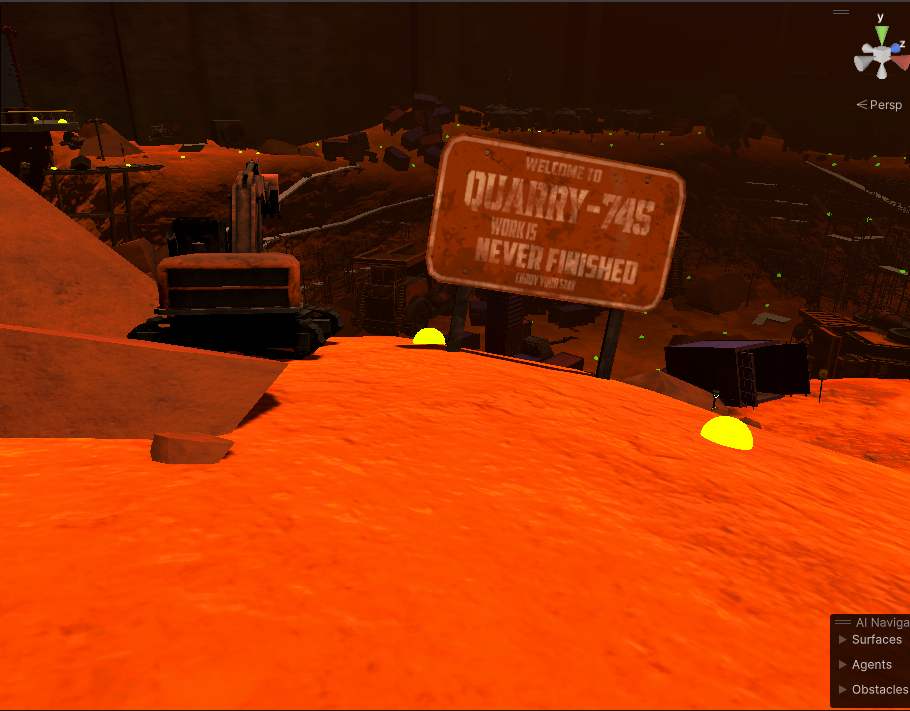
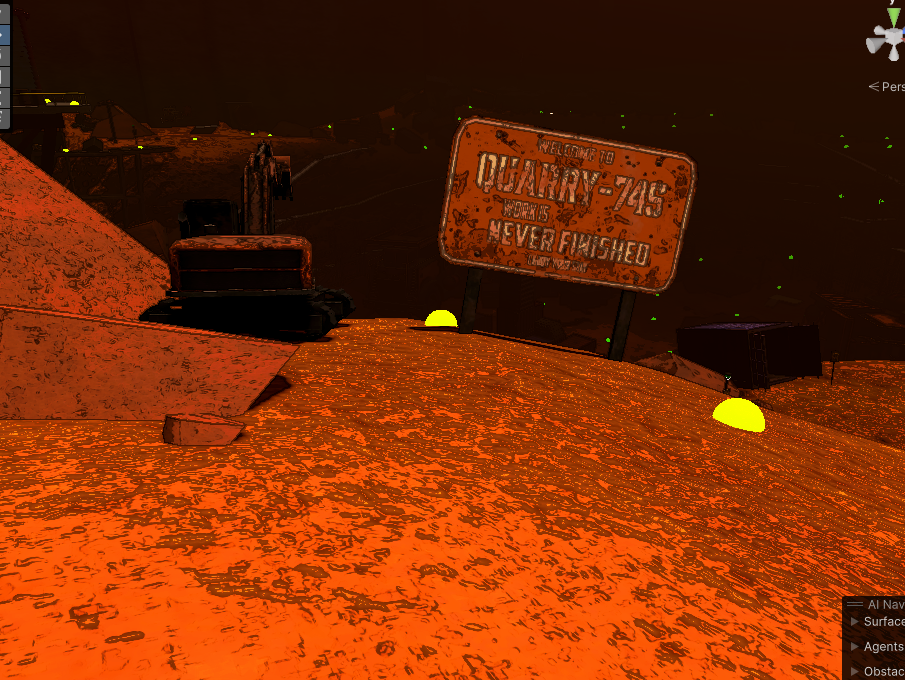
The way to accomplish this is very simple.
First, download and use this UnityPackage, it contains the base-game replica shader by Scoops from the mod LethalSponge and also their CustomPass that we will use.
Now, in any scene of your liking, create a new gameObject at the root of the scene, name it whatever, but the following is absolutely necessary.
Give it the EditorOnly tag, which would be the 4th tag in the tags list.
Now add the component CustomPass, press the + sign and find the SpongeNewCustomPass option and click that.
From there, make sure your settings match mine here:
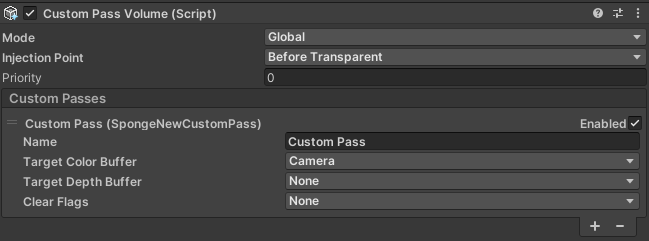
Note that this won't replicate base-game 100% but it is much much better than the default (and it isn't super noticeable difference anyway).
Thanks again to Scoops for the help and guidance in settings this up (plus the fact that this is using their shader and script lol).
Disabling/Enabling Motion Blur onto your Items/Objects
Go to the Renderer component, whether it's a MeshRenderer or SkinnedMeshRenderer, press the dropdown for Additional Settings and turn Motion Vectors to Per Object Motion to remove Motion Blur or Camera Motion Only to be affected by the player camera's movement.
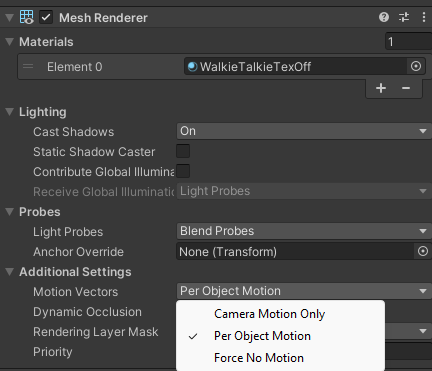
If your Renderer is already on Per Object Motion and it's still doing the Motion Blur effect, it is likely because you have not built your assetbundles for the Renderer from V73 to V81+
Re-enabling the Swaying Grass shader for the Editor
Fumo remade the shader blah blah
import it into your project blah blah
Here's the link: UnityPackage
Pages
- A. Unity Setup
- B.1 Registering Content via Code
- B.2 Registering via Unity Editor
- C.3 Weathers
- C.4 Enemies
- C.5 Inside/Outside Hazards
- C.6 Ship Upgrades/Decors
- C.7 Items
- C.8 Additional TileSets
- C.9 Terminal Commands
- C.A.1 Footsteps
- C. Interiors
- C. Moons
- D.1 Achievements
- D.2 Vehicles
- D.3 Entity Replacements
- E.1 DawnLib SourceGenerator
- F.1 Utility Scripts
- F.2 Unity Editor Tricks
- . Interiors Code Setup
- . Interiors Editor Setup
- . Moons Code Setup
- . Moons Editor Setup
