
ImNotANoob
HUD cleanup + Z-key telescope scope with 6x zoom. F6 = fog toggle, F7 = damage numbers (OFF by default, causes FPS drop), F9 = key prompts. Auto-dims health bars and HUD.
By BS_LAB
| Last updated | 3 months ago |
| Total downloads | 261 |
| Total rating | 2 |
| Categories | Mods |
| Dependency string | BS_LAB-ImNotANoob-1.3.0 |
| Dependants | 0 other packages depend on this package |
This mod requires the following mods to function

BepInEx-BepInExPack_LostSkies
BepInEx pack for IL2CPP x64 Unity games. Preconfigured and ready to use.
Preferred version: 6.0.75302README
ImNotANoob — HUD Cleanup & Telescope
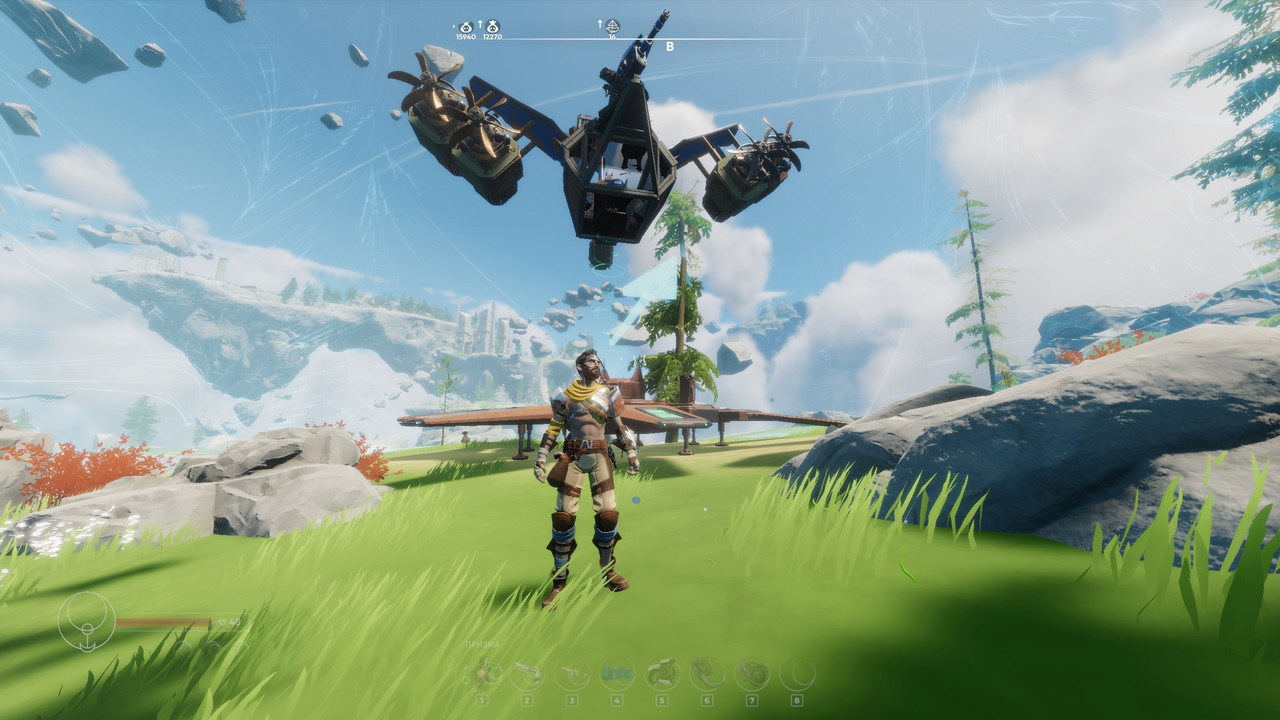
Cleans up the HUD, dims health bars, and adds a working telescope scope with 6x zoom.
Features
Telescope scope — hold Z
- 6× optical zoom (FOV 10°) with smooth transition
- Circular scope overlay (black vignette, no oval distortion)
- Player character hidden from view while zooming
- Render distance increased 4× (distant islands, ships visible)
- All NPC and resources force-loaded in the scope (no disappearing objects)
- Highest LOD forced on all objects in range
- All settings automatically restored when Z is released
Fog toggle — F6
Removes the thick atmospheric fog that hides distant islands. Sky remains visible. Press again to restore.
Damage numbers — F7
Toggle floating combat and harvesting damage numbers. Disabled by default. Enabling this feature causes a noticeable FPS drop (~10–15 fps) because Unity must scan the entire scene to hide newly spawned number objects. Press F7 to enable damage numbers if you need them.
Key prompts — F9
Hides contextual key prompts and interaction hints:
ContextualInputPrompt, InteractionHud, ToggleHelpText, PlayerInputHelp, ItemUsagePrompts
Auto HUD dimming (always on)
- Enemy health bars dimmed to 50% opacity
- Player HP bar, stamina bar, toolbar dimmed to 30–50% opacity
- Stamina bar scaled down 2×
UI dump — F8
Prints all Canvas objects and their hierarchy to the BepInEx log. For debugging only.
Controls
| Key | Action | Default |
|---|---|---|
| Z (hold) | Telescope scope 6× zoom | — |
| F6 | Toggle fog | Fog ON |
| F7 | Toggle damage numbers | Numbers ON (feature OFF) |
| F8 | Dump UI hierarchy to log | — |
| F9 | Toggle key prompts | Prompts ON |
Installation
Install via r2modman or Thunderstore Mod Manager. Requires BepInEx.
Changelog
1.3.0
- Added: Z-key telescope scope with 6× zoom, circular vignette overlay
- Added: player character hidden during zoom
- Added: render distance 4× during zoom (farClipPlane)
- Added: NPC and resources force-loaded in scope (disabled Renderers re-enabled)
- Added: LOD forced to highest detail during zoom
- Added: F6 fog toggle (removes thick fog, keeps sky)
- Added: on-screen notifications for F6 / F7 / F9 toggles
- Changed: F7 damage numbers now OFF by default (performance)
- Fixed: F7 scan reduced from every frame to every 5 frames — eliminates FPS drop
1.2.0
- Added: player HUD auto-dimming (HP, stamina, toolbar at 30–50% opacity)
- Added: stamina bar scaled down 2×
- Fixed: RHS prompts (Shoot/Aim) now hidden by F9
1.1.0
- Fixed: prompts reappearing after weapon switch
- Added: F7 toggle for damage numbers
- Added: automatic enemy health bar dimming
1.0.0
- Initial release
