

InventoryExpansion
Expand your inventory with additional backpack slots. Toggle between standard inventory and backpack with a configurable key. Features animated UI, visual key hints, and automatic cleanup when leaving the game.
| Last updated | 2 weeks ago |
| Total downloads | 36077 |
| Total rating | 4 |
| Categories | Mods |
| Dependency string | DooDesch-InventoryExpansion-1.4.5 |
| Dependants | 0 other packages depend on this package |
This mod requires the following mods to function

LavaGang-MelonLoader
The World's First Universal Mod Loader for Unity Games compatible with both Il2Cpp and Mono
Preferred version: 0.7.3README
MIMESIS - InventoryExpansion
🛟 Need help or found a bug? Get support at support.doodesch.de/inventoryexpansion.
Adds extra backpack inventory slots you toggle on demand with a configurable key, shown in a custom animated panel that slides in and out. Carry more loot without permanently cluttering the standard 4-slot hotbar. Standalone, no MimicAPI required.




Features
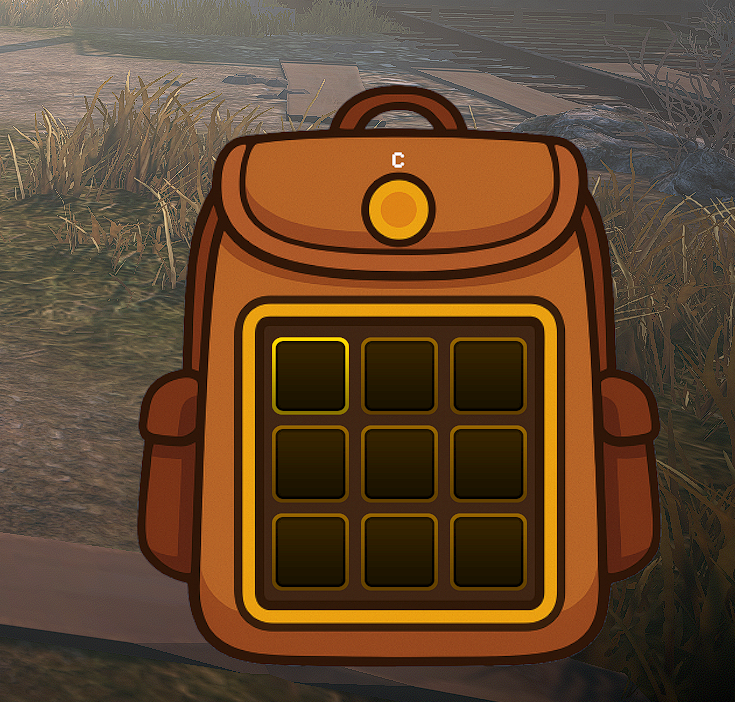
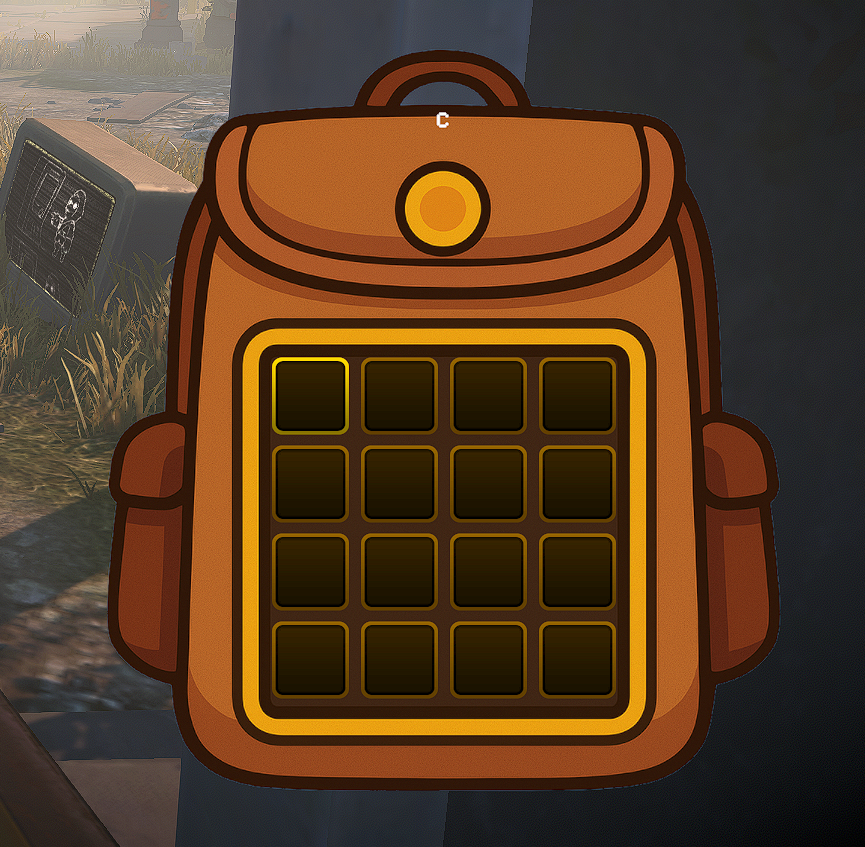
- Adds 4, 9, or 16 extra inventory slots laid out as a square grid (2x2, 3x3, or 4x4); the count is configurable. The new slots are real, usable inventory, not just a visual overlay.
- Toggle between the standard hotbar and the backpack with a configurable key (default
C); the mod reads the key live each frame. - Extra slots render in a custom backpack UI panel that uses the bundled sprite and slides in and out with a short eased animation. If the image is missing it falls back to a translucent black panel.
- Shows a visual key hint on the panel displaying the currently configured toggle key.
- Context-aware slot scrolling: while the backpack is open, slot cycling affects only the backpack slots; while it is closed, it affects only the standard 4 slots.
- Cursor handoff on toggle: opening the backpack moves your selection to the first backpack slot, and closing it returns the selection to the standard inventory, so the cursor never stays stuck on a hidden slot. Each direction is configurable.
- Optional backpack-first pickup: while the backpack is open, items you pick up fill the backpack slots before the standard inventory (host / single-player only).
- Optional movement-speed reduction to 50% while the backpack is fully open, restored automatically when it closes.
- Automatically hides the panel during loading screens and map changes, and when you leave the game or return to the title screen.
Screenshots
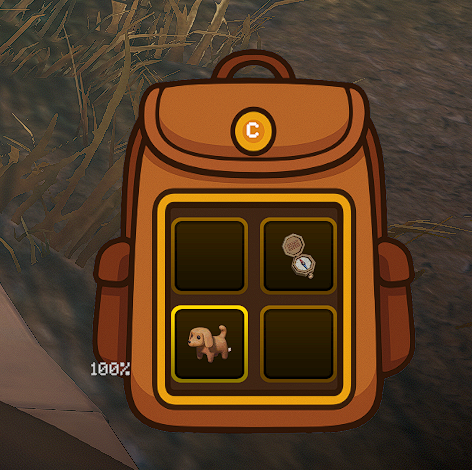
Open with loot - the extra backpack slots hold real items.
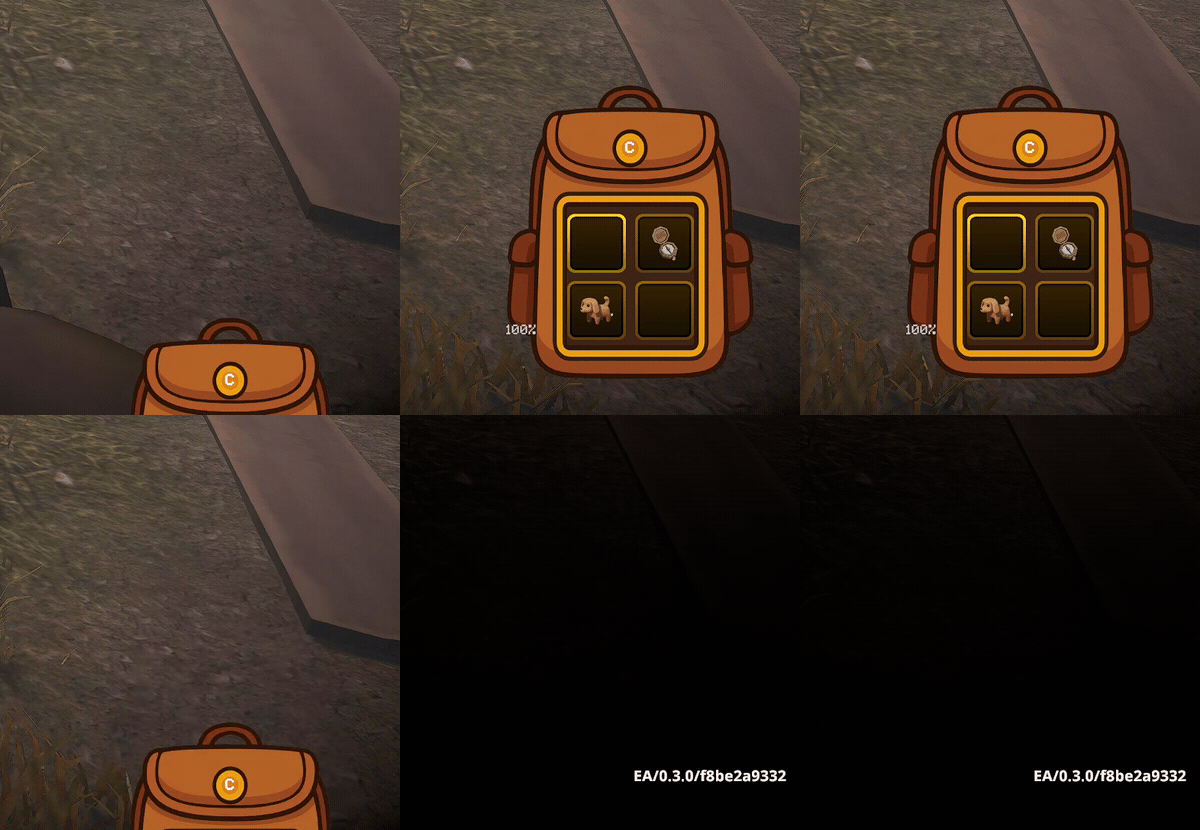
Toggle with a key (default C).
Configurable grid sizes (AdditionalSlots) and the resting peek state with the key hint.

Requirements
| Component | Version |
|---|---|
| MIMESIS | 0.3.0 (current Steam build) |
| MelonLoader | 0.7.3+ |
Dependency: LavaGang-MelonLoader-0.7.3.
Installation
Recommended: Thunderstore mod manager
Install through a Thunderstore mod manager such as r2modman or Gale. The MelonLoader dependency and the backpack asset are handled automatically.
Manual
- Install MelonLoader 0.7.3 into MIMESIS.
- Download this package and place
InventoryExpansion.dllintoMIMESIS/Mods/. - Place the bundled
Backpack.pngatMIMESIS/Mods/Assets/Backpack.png(anAssetssubfolder next to the DLL). Without it the panel still works but renders as a plain translucent box. - Launch the game once to generate the configuration file at
UserData/MelonPreferences.cfg.
Configuration
Stored in UserData/MelonPreferences.cfg under the [InventoryExpansion] category. You can also edit these through a MelonPreferences UI.
| Option | Description | Default | Values/Range |
|---|---|---|---|
Enabled |
Enable InventoryExpansion functionality. When disabled, the mod will not modify game behavior. | true |
true / false |
AdditionalSlots |
Number of extra inventory slots to add on top of the game's default inventory size. Valid values: 4, 9, or 16 (square grids 2x2, 3x3, 4x4). Other values are rounded to the nearest valid option. | 4 |
4, 9, or 16 |
BackpackKey |
Key to toggle backpack visibility. Press to switch between standard inventory and backpack. | C |
Any Unity key name (case-insensitive). Invalid or empty values fall back to C. |
ReduceMovementSpeed |
When enabled, player movement speed is reduced to 50% while the backpack is fully open. | true |
true / false |
SelectBackpackSlotOnOpen |
When opening the backpack, move the selected slot to the first backpack slot. | true |
true / false |
RestoreStandardSlotOnClose |
When closing the backpack, return the selected slot to the standard inventory (the slot selected before opening). | true |
true / false |
FillBackpackFirst |
While the backpack is open, picked-up items fill the backpack slots before the standard inventory. Host / single-player only. | true |
true / false |
Usage
- Press the configured toggle key (default
C) to slide the backpack panel in and out. The panel sits at the bottom-right of the screen and shows a key hint. - When the backpack is open, slot scrolling and selection cycle only the backpack slots; when it is closed, they cycle only the standard 4 hotbar slots.
- Opening the backpack jumps your selection to the first backpack slot; closing it returns the selection to your previous standard slot, so the cursor is never stuck on a hidden slot (toggle each via
SelectBackpackSlotOnOpen/RestoreStandardSlotOnClose). - With
FillBackpackFirston, items you pick up while the backpack is open go into backpack slots first. This changes server-side placement, so it only applies when you host or play single-player. - With
ReduceMovementSpeedon, you move at 50% speed while the backpack is fully open, and full speed is restored when it closes. - The panel auto-hides during loading screens and map changes, and when you leave the game or return to the title screen.
Source code and issues: github.com/DooDesch/Mimesis-InventoryExpansion.
AI disclosure
The mod icon is AI-generated. Code and configuration are hand-written.
