

BiggerLobbyWithUI
Allowing more player to join, and can display max 16 player in UI
| Last updated | 2 hours ago |
| Total downloads | 15 |
| Total rating | 0 |
| Categories | Mods |
| Dependency string | MimesisSearcher-BiggerLobbyWithUI-1.0.0 |
| Dependants | 0 other packages depend on this package |
This mod requires the following mods to function

LavaGang-MelonLoader
The World's First Universal Mod Loader for Unity Games compatible with both Il2Cpp and Mono
Preferred version: 0.7.3README
BiggerLobbyWithUI — MorePlayer + UI Adaptation
Compatible Versions
Mimesis 0.4.0 MelonLoader 0.7.3
Features
| # | Feature Description |
|---|---|
| 1 | Removes the 4-player limit; default 20, configurable |
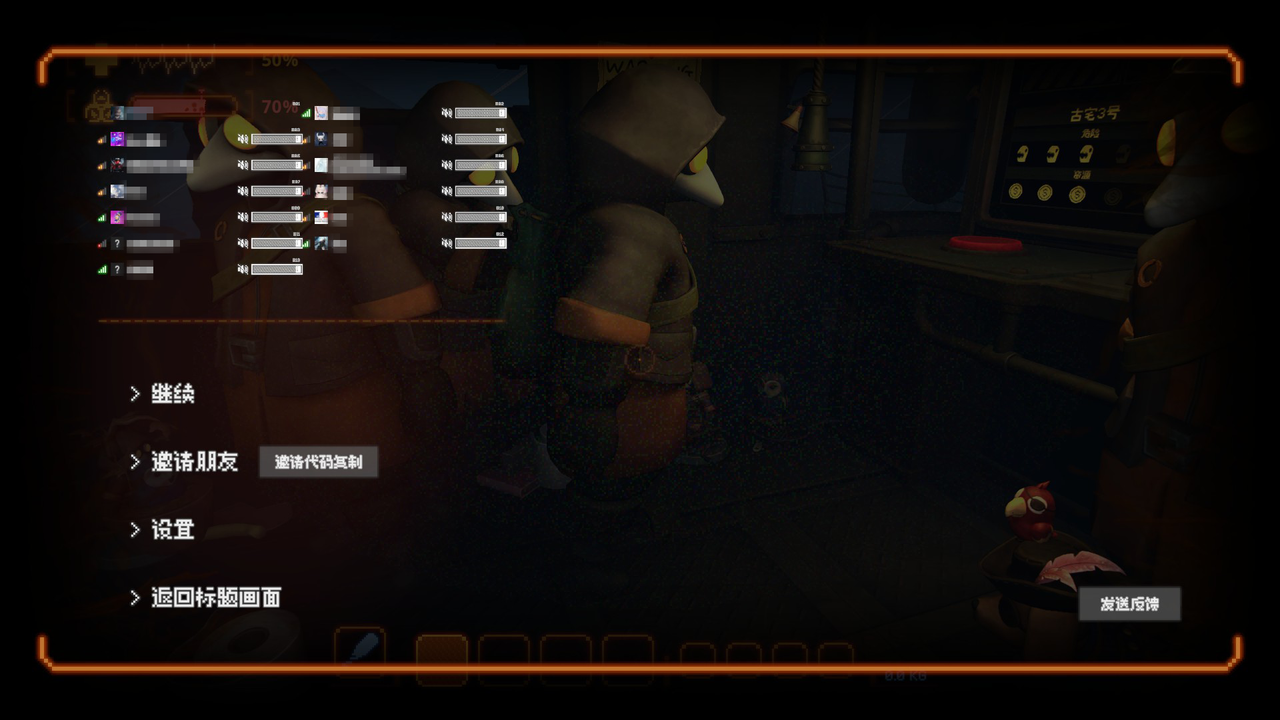
| 2 | Player list UI (volume / kick / ID / Steam profile), up to 16 rows |
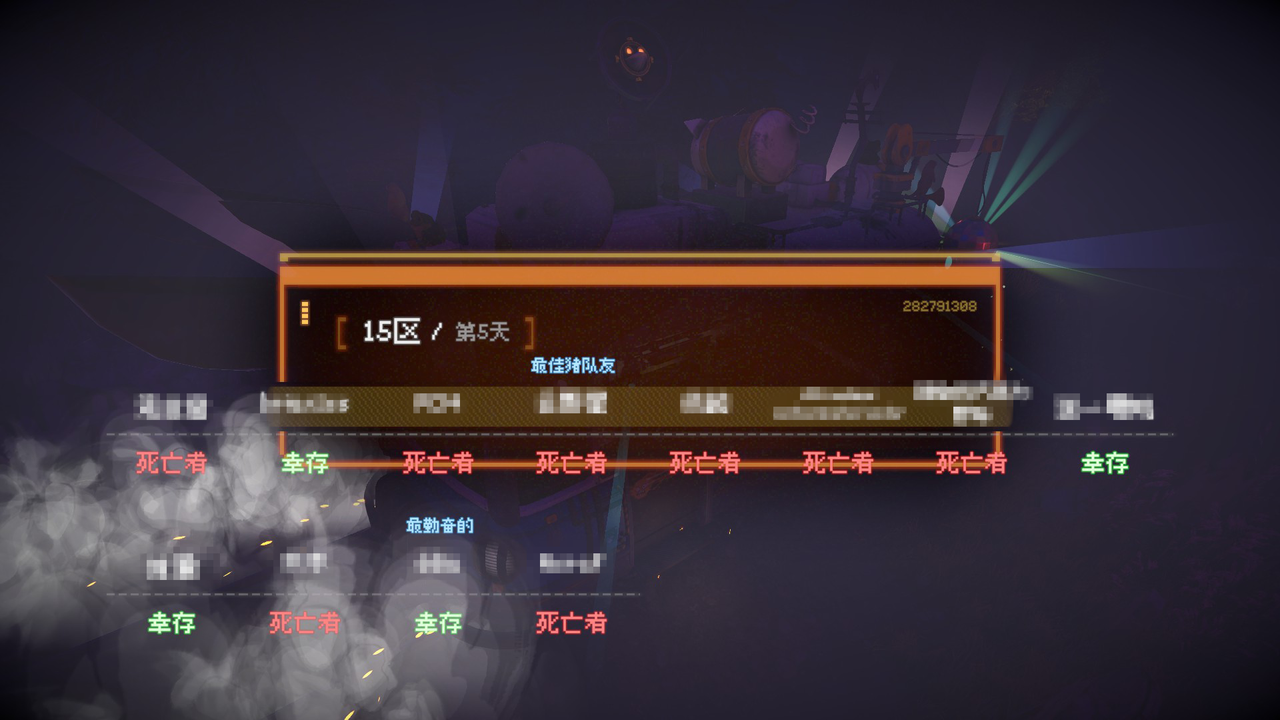
| 3 | Departure results screen shows status for up to 16 players (alive / abandoned / dead) |
Only those who install this mod can apply the UI adaptation
Configuration
MIMESIS\UserData\MelonPreferences.cfg, section [BiggerLobby]:
[BiggerLobby]
Enabled = true
Verbose = false
MaxPlayers = 20
DebugPlaceholders = false
DebugResultKey = "F10"
ShowSlotLabel = true
ShowSteamId = false
MenuColumns = 2
MenuScale = 0
ResultColumns = 8
ResultScale = 0
ResultTopOffset = -50.0
SpectatorColumns = 2
SpectatorScale = 0.0
SpectatorOffsetX = 0.0
SpectatorOffsetY = 0.0
SpectatorFillByColumn = true
ShowFullSpectatorName = true
| Key | Description |
|---|---|
MaxPlayers |
Lobby/session player limit (2–32), default 20. The UI displays at most 16; any excess is kept as real data only and not displayed |
DebugPlaceholders |
Debug placeholders (default false): when enabled, both the list and results screen are filled with PLAYER 01..16, making it easy to check alignment in single-player |
DebugResultKey |
Debug hotkey (default F10), only effective when DebugPlaceholders = true; used to open the 16-player results screen |
ShowSlotLabel / ShowSteamId |
The #01 slot number in the top-right of each row, and the SteamID below it |
MenuColumns |
Number of player list columns (1–4), default 2 columns × 8 rows |
MenuScale |
Row scaling; 0 = auto-scale to the list area |
ResultColumns |
Number of results screen columns (1–8), default 8 (8 columns × 2 rows for 16 players) |
ResultScale |
Column scaling; 0 = auto-scale to the area |
ResultTopOffset |
Fine-tune the top of the results grid (pixels; positive moves down, negative moves up). Default -50 (moves up another 50px from the vanilla 4-column top position) |
SpectatorColumns |
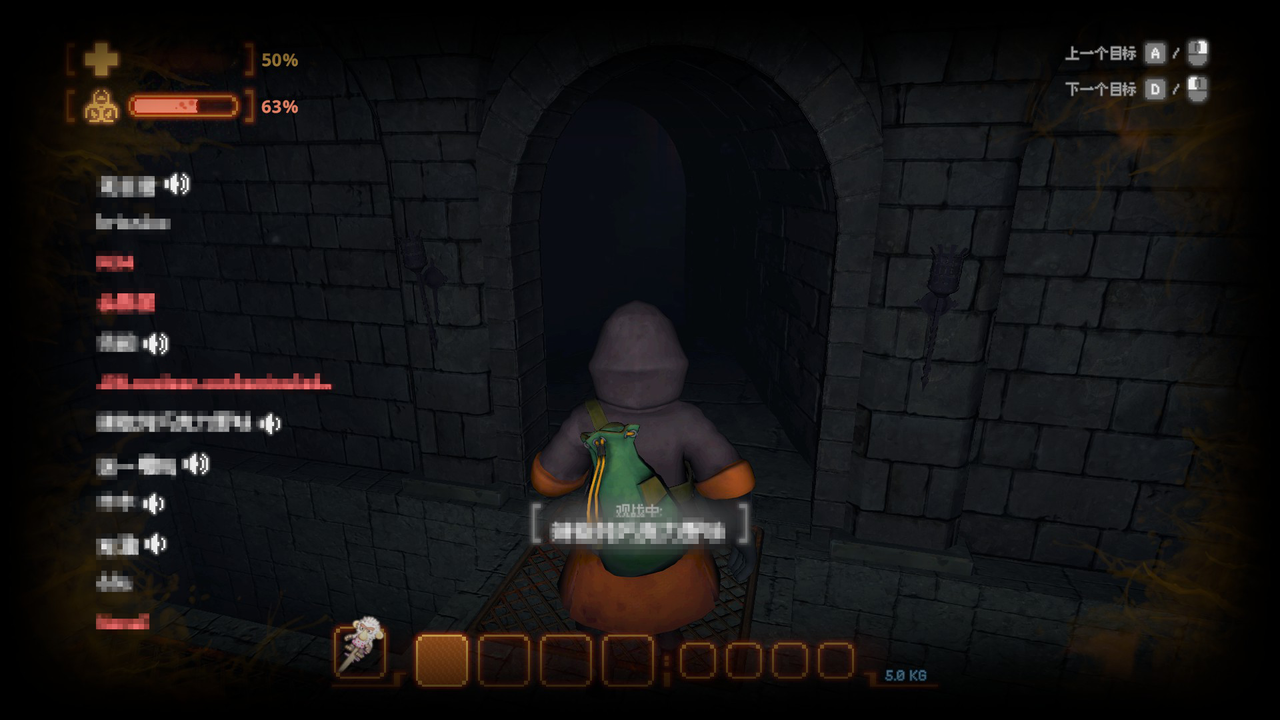
Number of columns in the spectator player list (1–8), default 2 (2 columns × 8 rows for 16 players) |
SpectatorScale |
Spectator list scaling; 0 = auto-scale to the list area |
SpectatorOffsetX / SpectatorOffsetY |
Overall offset of the spectator list (pixels; positive Y moves down) |
SpectatorFillByColumn |
true = fill the left column first (1-8), then the right column (9-16); false = fill row by row |
ShowFullSpectatorName |
Fully displays the name of the spectated player in the center of the spectator view (long names are no longer truncated) |
Screenshots
Other
All code was generated by Deepseek Harness using Deepseek Flash v1017
