

MimesisMap
Room-by-room building map and minimap: explored or full, exits with the shortest path out, stairs, loot. Shared exploration, in-game settings (F8). Client-side only.
| Date uploaded | a month ago |
| Version | 1.8.1 |
| Download link | StimDesu-MimesisMap-1.8.1.zip |
| Downloads | 44 |
| Dependency string | StimDesu-MimesisMap-1.8.1 |
This mod requires the following mods to function

LavaGang-MelonLoader
The World's First Universal Mod Loader for Unity Games compatible with both Il2Cpp and Mono
Preferred version: 0.7.3README
MimesisMap
A building map and minimap for MIMESIS. The building is put together from prefab rooms every run, and remembering the way back is hard: MimesisMap draws what you have explored, room by room.
Only you need it. It is fully client-side: the host and other players don't need the mod.
Screenshots
Features
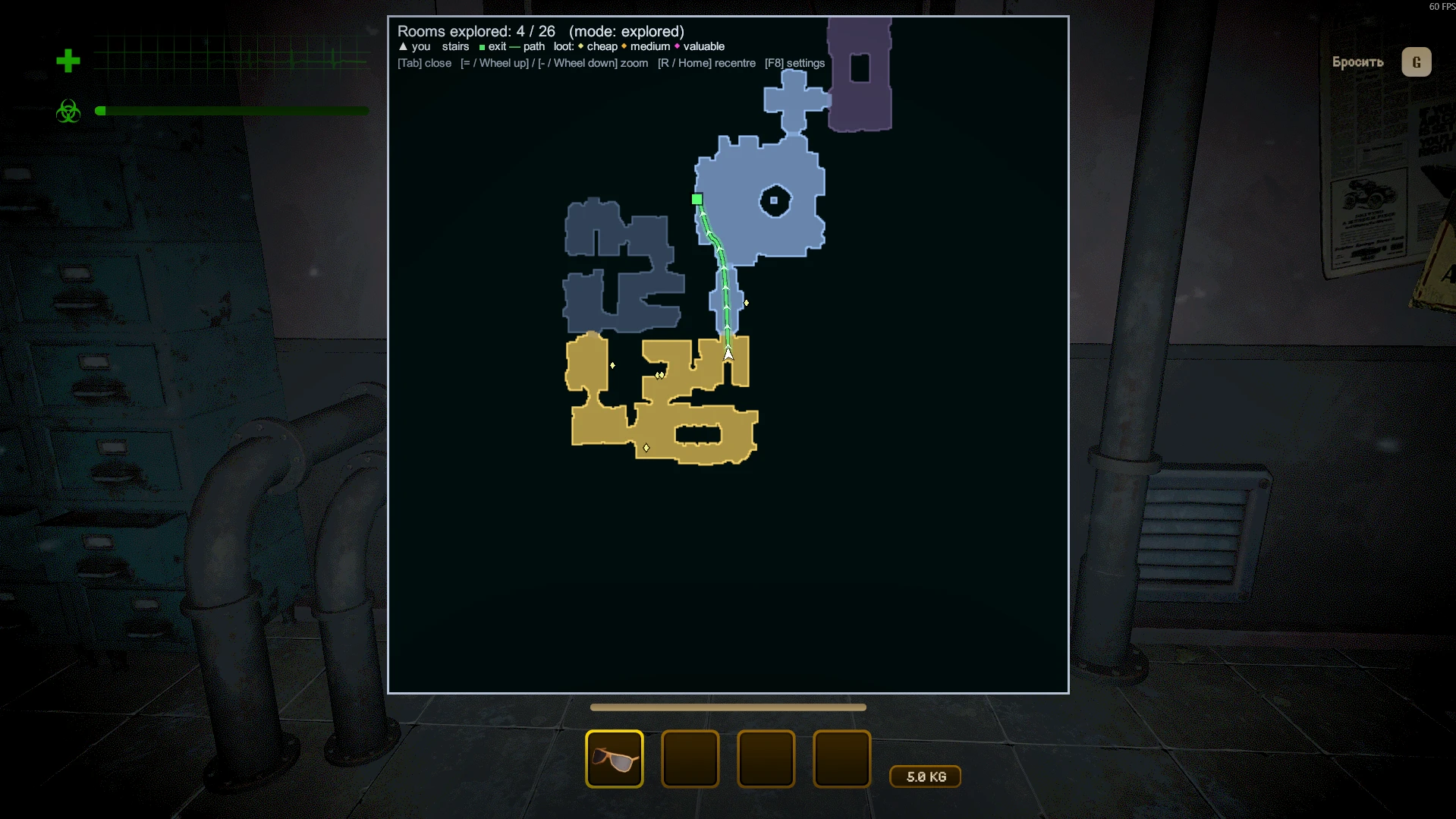
- Map of the building, room by room. A room appears as soon as you step into it, not only the area around you. Or switch to the full map from the start.
- Exits: building exits and entrance doors are marked, with the shortest path to the nearest known exit along the game's own navigation.
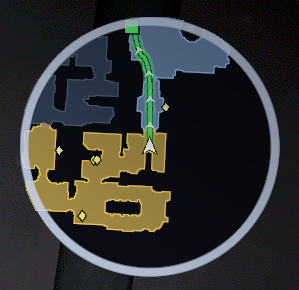
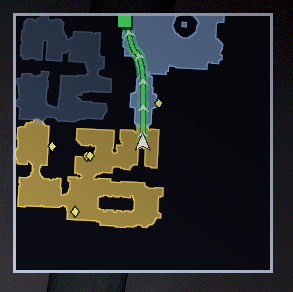
- Minimap: range, size, position, round or square, rotating with your view or north-up.
- Big map (hold Tab): opens centred on you, mouse wheel zoom, rotating or north-up, stays clear of the game's HUD. In press-to-toggle mode you can drag it with the mouse.
- Stairs and floors: staircases get an icon, other floors are dimmed.
- Two styles: clean floor plan (Plain) or a real top-down view with fog over unexplored rooms (Graphic).
- Markers: loot coloured by value; teammates and monsters (both off by default: teammate markers would give away mimics).
- Shared exploration: rooms where teammates have been open up too, and players who have the mod share their explored rooms through the Steam lobby. No host mod needed.
- Works in levels, the tram and the lobby.
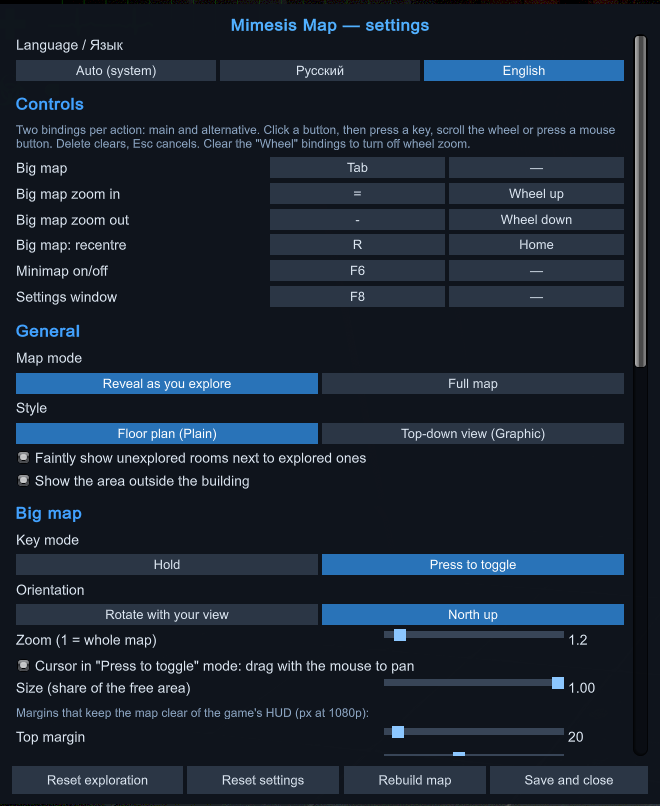
- Everything is set up in game: press F8, or use the "Map (mod)" button in the game's settings window. English and Russian.
Controls
Every action has a main and an alternative binding (keys, mouse wheel, mouse buttons), all changeable in the settings.
| Action | Main | Alternative |
|---|---|---|
| Big map (hold; press-to-toggle in settings) | Tab | — |
| Zoom in / out | = / - | Wheel up / down |
| Recentre the big map | R | Home |
| Minimap on/off | F6 | — |
| Settings window | F8 | — |
Notes
- Loot, monsters and teammates are only known to your game when the server sends them, which is roughly when they are near you.
- Settings are stored in
UserData/MelonPreferences.cfgof your profile.
Source, license and credits
Source code: https://github.com/StimDesu/MimesisMap
Public domain (The Unlicense). A mention is appreciated but not required: idea by StimDesu, code written with the AI assistant Claude (Anthropic).
CHANGELOG
Changelog
1.8.2
- README: Install and Uninstall sections, AI disclosure section, clearer license wording. No changes to the mod itself.
1.8.1
- Stairs icon in the big map legend is visible again.
- Option to turn off the moving arrows on the exit path (they stay in place).
1.8.0
- English and Russian interface (Auto follows the system language), switchable in the settings window.
- Settings window no longer gets a horizontal scrollbar: long labels wrap.
1.7.0
- All controls can be rebound in the settings window, each with a main and an alternative binding (keyboard keys, mouse wheel, middle/right/side mouse buttons; Delete clears).
- Big map zoom with the mouse wheel works in Hold mode too; clear the wheel binding to turn it off.
1.6.0
- Big map: Hold mode and rotation with your view are now the defaults.
- Minimap gets the same orientation choice as the big map (rotate with view / north up).
1.5.2
- Big map key is Tab by default.
1.5.1
- "Reset settings" button in the settings window (asks for a second click to confirm).
1.5.0
- Settings window is opaque and high-contrast; hints are readable.
- Big map stays inside a free screen area so it no longer covers the health/radiation bars and the hotbar (margins adjustable in settings).
1.4.1
- Stairs are detected by doorways at different heights, so pits and raised platforms are no longer marked as stairs.
1.4.0
- Path to the nearest exit follows the game's own A* navigation, smoothed, with a glow and moving chevrons.
- Stairs rooms get a stairs icon; other floors are dimmed and drawn below your floor.
- Big map opens centred on you; optional rotation with your view; mouse wheel zoom, drag to pan, R to recentre.
1.3.0
- Map works in level buildings (walkable floor detected from the NavMesh or the A* graph).
- Building exits and entrance doors are marked; shortest path to the nearest known exit.
1.2.0
- Graphic style: real top-down camera view with fog over unexplored rooms.
1.1.0
- Works in the tram and lobby; monster markers (off by default); teammate markers off by default (they would give away mimics).
- "Map" button in the game's settings window; legend on the big map; held items no longer get their own marker.
1.0.0
- First version: room-by-room explored or full map, minimap and big map, loot and teammate markers, in-game settings (F8), exploration sharing between players with the mod.
