

MimesisMap
Room-by-room building map and minimap: explored or full, exits with the shortest path out, stairs, loot. Shared exploration, in-game settings (F8). Client-side only.
| Last updated | 13 hours ago |
| Total downloads | 13 |
| Total rating | 0 |
| Categories | Mods |
| Dependency string | StimDesu-MimesisMap-1.8.2 |
| Dependants | 0 other packages depend on this package |
This mod requires the following mods to function

LavaGang-MelonLoader
The World's First Universal Mod Loader for Unity Games compatible with both Il2Cpp and Mono
Preferred version: 0.7.3README
MimesisMap
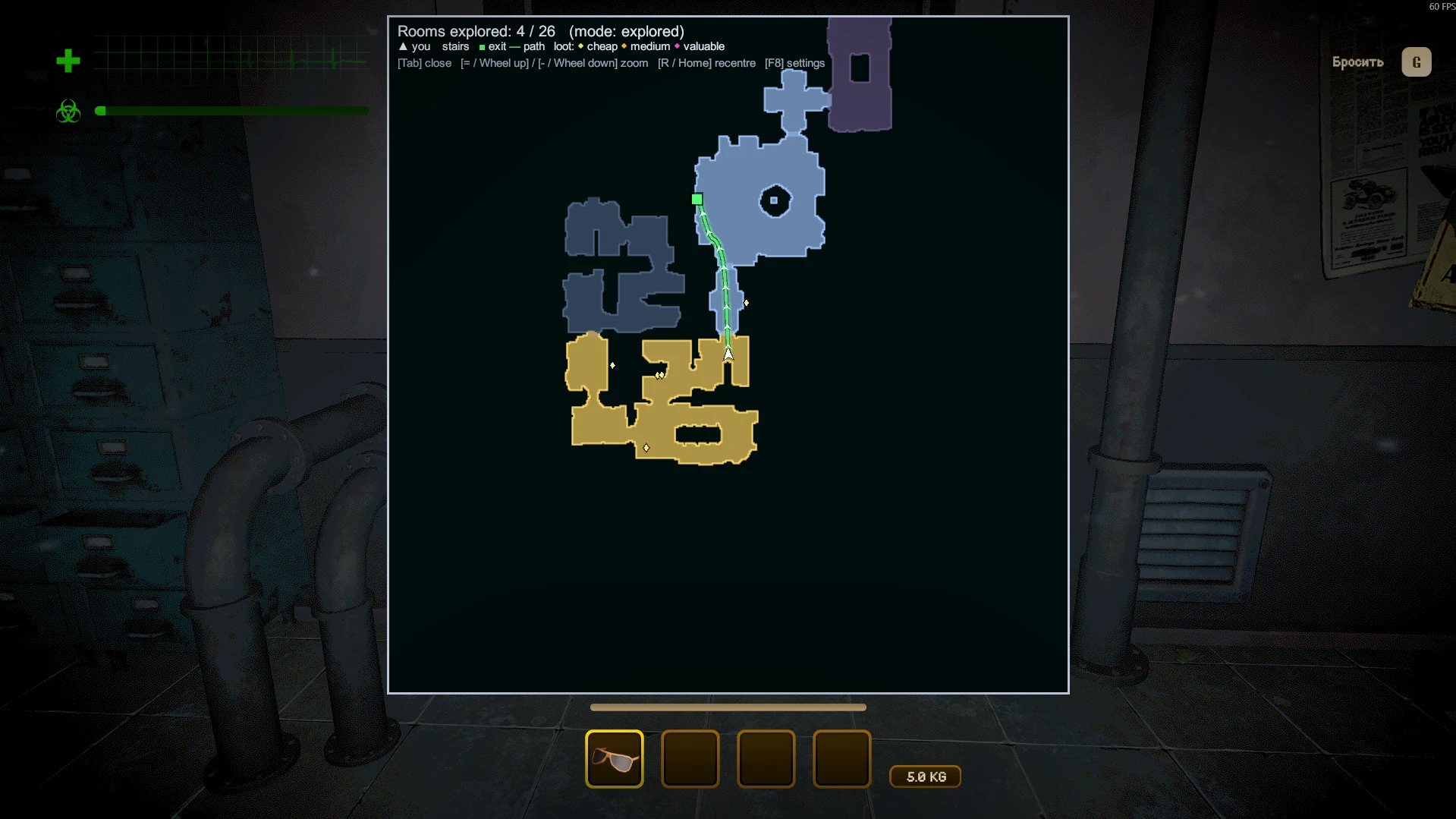
A building map and minimap for MIMESIS. The building is put together from prefab rooms every run, and remembering the way back is hard: MimesisMap draws what you have explored, room by room.
Only you need it. It is fully client-side: the host and other players don't need the mod.
Screenshots
Features
- Map of the building, room by room. A room appears as soon as you step into it, not only the area around you. Or switch to the full map from the start.
- Exits: building exits and entrance doors are marked, with the shortest path to the nearest known exit along the game's own navigation.
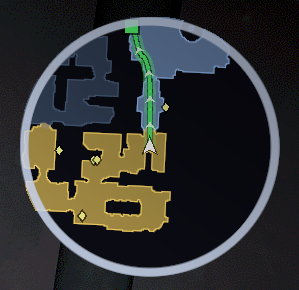
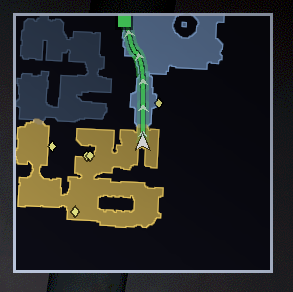
- Minimap: range, size, position, round or square, rotating with your view or north-up.
- Big map (hold Tab): opens centred on you, mouse wheel zoom, rotating or north-up, stays clear of the game's HUD. In press-to-toggle mode you can drag it with the mouse.
- Stairs and floors: staircases get an icon, other floors are dimmed.
- Two styles: clean floor plan (Plain) or a real top-down view with fog over unexplored rooms (Graphic).
- Markers: loot coloured by value; teammates and monsters (both off by default: teammate markers would give away mimics).
- Shared exploration: rooms where teammates have been open up too, and players who have the mod share their explored rooms through the Steam lobby. No host mod needed.
- Works in levels, the tram and the lobby.
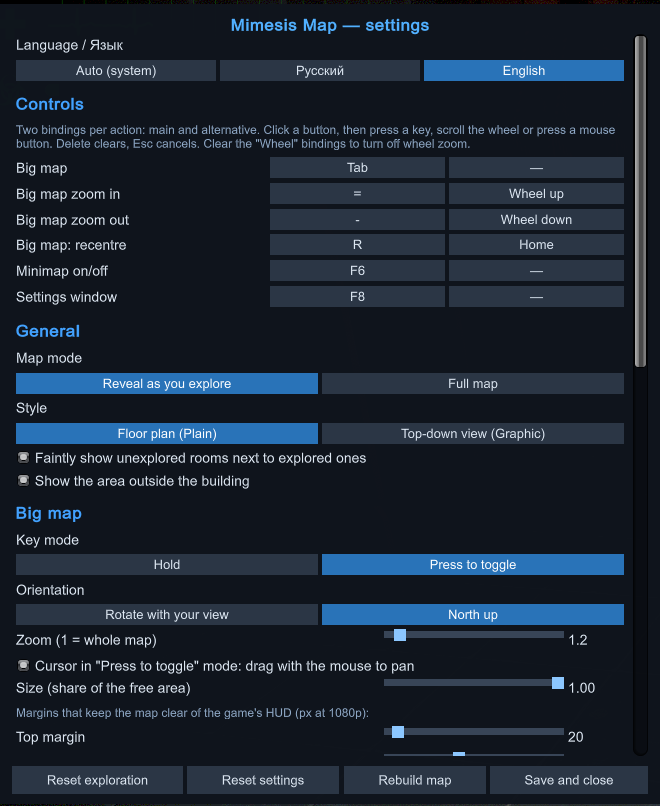
- Everything is set up in game: press F8, or use the "Map (mod)" button in the game's settings window. English and Russian.
Controls
Every action has a main and an alternative binding (keys, mouse wheel, mouse buttons), all changeable in the settings.
| Action | Main | Alternative |
|---|---|---|
| Big map (hold; press-to-toggle in settings) | Tab | — |
| Zoom in / out | = / - | Wheel up / down |
| Recentre the big map | R | Home |
| Minimap on/off | F6 | — |
| Settings window | F8 | — |
Install
- Mod manager (r2modman, Gale, Thunderstore Mod Manager): click Install. MelonLoader, which the mod needs, is installed automatically.
- Manually: install MelonLoader 0.7.x into the game and start the game once, then put
MimesisMap.dllfrom the releases into the game'sModsfolder.
Uninstall
- Mod manager: disable or uninstall MimesisMap in your profile.
- Manually: delete
MimesisMap.dllfrom the game'sModsfolder. - The settings stay in
UserData/MelonPreferences.cfgin the[MimesisMap]section; delete that section if you want them gone too.
Notes
- Loot, monsters and teammates are only known to your game when the server sends them, which is roughly when they are near you.
AI disclosure
This mod was made with the help of an AI assistant, Claude by Anthropic: the code, the documentation and the icon. The idea, the design decisions and the in-game testing are by StimDesu. The DLL states this in its assembly metadata as well.
Source
https://github.com/StimDesu/MimesisMap
License
Public domain (The Unlicense): you may use, change and share this mod in any way, no permission needed.
If you use it in your own work, it would be nice (but it is not required) to credit the idea to StimDesu and mention that the code was written with Claude.
