

PSController
PlayStation button icons instead of Xbox ones, and prefers the DS4Windows pad when both are connected.
| Last updated | 8 hours ago |
| Total downloads | 8 |
| Total rating | 0 |
| Categories | Mods |
| Dependency string | medovanx-PSController-1.5.3 |
| Dependants | 0 other packages depend on this package |
This mod requires the following mods to function

LavaGang-MelonLoader
The World's First Universal Mod Loader for Unity Games compatible with both Il2Cpp and Mono
Preferred version: 0.7.3README
PSController
Version 1.5.3
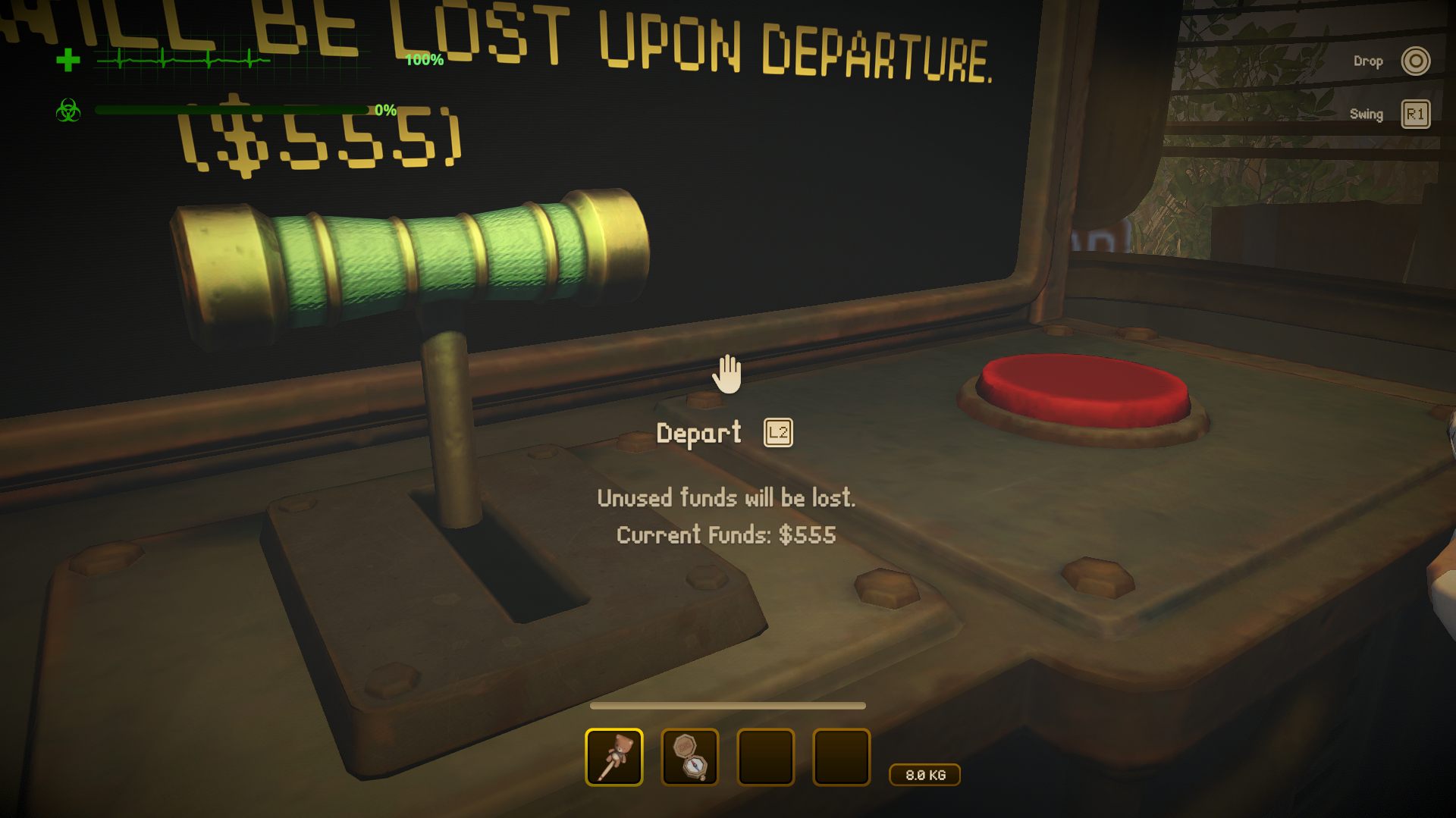
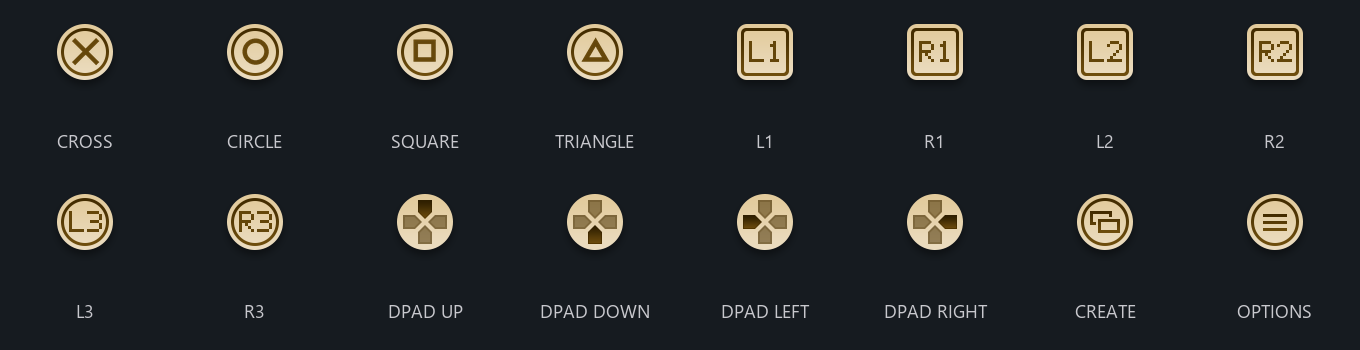
Shows PlayStation button icons (✕ ○ □ △, L1/R1/L2/R2, L3/R3) instead of Xbox ones.
The full icon set:
Only you need it.
Install
Use the installer, or install MelonLoader (x64, 0.7.x) into the game folder, run the game once, then copy PSControllerRuntime.dll from this patch's release into the game's Mods folder.
Controller setup
Use DS4Windows so your PS4/PS5 controller is read reliably:
- Set the output to Xbox 360. Don't use DualShock 4 output: L1 registers as LT and rebinding saves the wrong buttons. The PS icons come from this patch either way.
- Turn on Hide DS4 Controller (HidHide) so the game only sees the virtual pad.
- Tip: in DS4Windows Auto Profiles, load your Xbox profile automatically when
MIMESIS.exeruns. - After switching, use Reset keys in the game's controls menu, since old binds may be wrong.
| Your button | Icon shown |
|---|---|
| ✕ ○ □ △ | ✕ ○ □ △ |
| L1 / R1 | L1 / R1 |
| L2 / R2 | L2 / R2 |
| L3 / R3 (stick clicks) | L3 / R3 |
Options
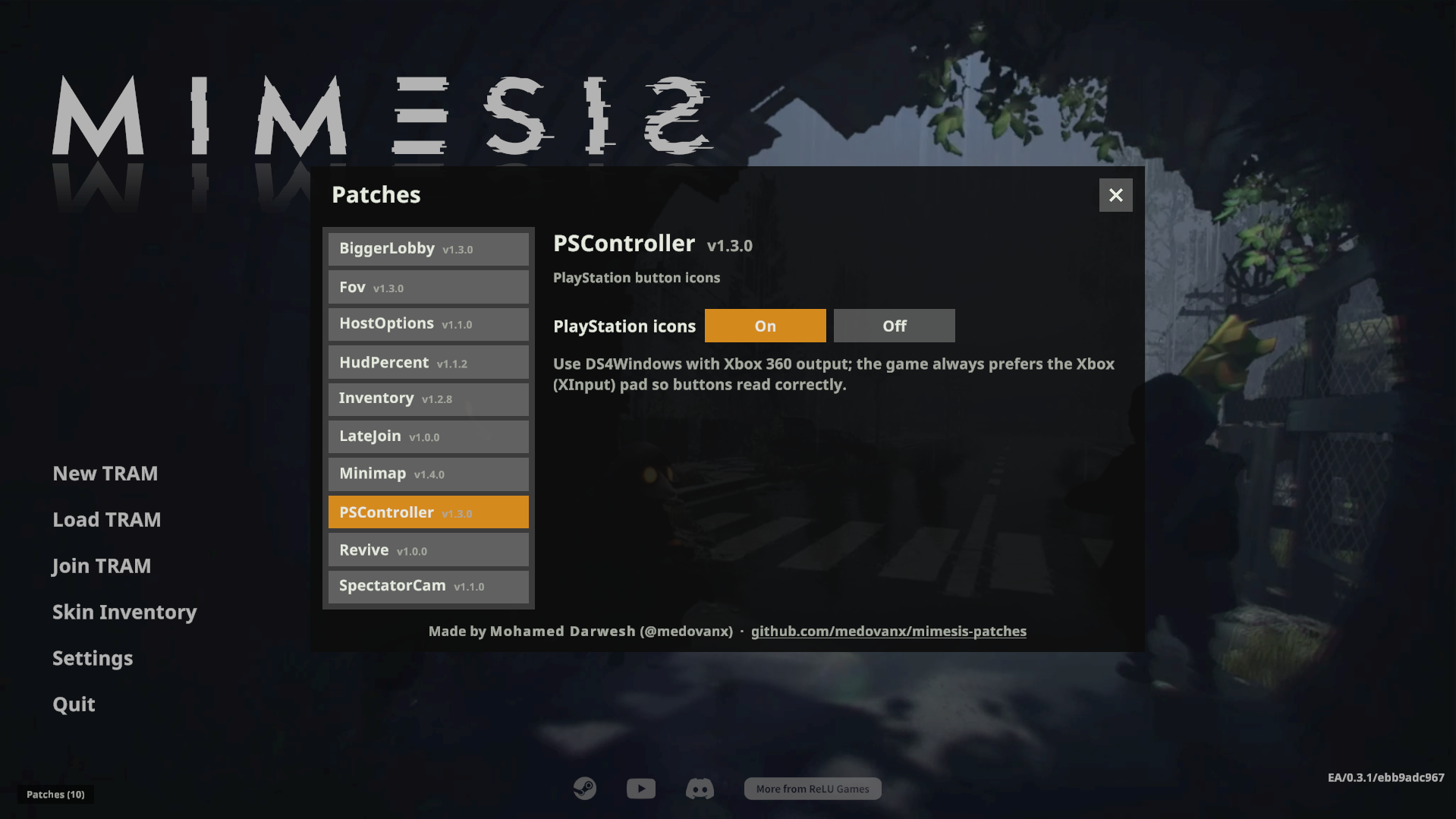
Patches > PSController on the main menu: turn it on/off.
Troubleshooting
Player.log has a [PSController] Gamepads: ... line showing which pad the game uses. To log every button press, create an empty PSController-debug.txt in the Mods folder; delete it when done.
Uninstall
Use the installer's Uninstall selected, or delete PSControllerRuntime.dll from the game's Mods folder. Installed with Gale or r2modman? Remove or disable it there instead.
Build
dotnet build -c Release in Runtime.
AI disclosure
This mod was made with the help of an AI coding assistant (Claude, by Anthropic): code, documentation and icons.
