
| Last updated | 4 months ago |
| Total downloads | 959 |
| Total rating | 0 |
| Categories | Mods |
| Dependency string | Muj-YawOnMouse-2.1.0 |
| Dependants | 0 other packages depend on this package |
This mod requires the following mods to function

BepInEx-BepInExPack
BepInEx pack for Mono Unity games. Preconfigured and ready to use.
Preferred version: 5.4.2304README
Originally created by @_haika on discord, but rewritten as a bepinex mod.
The config for this mod can be found at GameInstallDir\BepInEx\config\YawOnMouse.cfg
PlayerAxisControls_Patch - This Config will enable or disable the patch.
When the mod is first applied this will default to true
AxisPatchType - This Config chooses what type of behaviour the x-axis should do.
When the mod is first applied this will default to Yaw
In Flight Controls you can find the Yaw On Mouse Toggle, which allows you to set a keybind
that toggles the yaw on mouse behaviour.
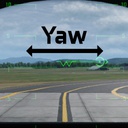
There are two behaviours: - `Roll` - This is default behaviour of the x-axis - `Yaw` - This makes the aircraft yaw on the x-axis
UseCraftWhitelist - This Config will enable or disable the aircraft whitelist, setting an entry to true means that
the patch will apply to it.
The following is a list of the current aircraft
- CAS1 = brawler
- Darkreach = darkreach
- Multirole1 = ifrit
- Fighter1 = revoker
- QuadVTOL1 = tarantula
- AttackHelo1 = chicane
- SmallFighter1 = vortex
- trainer = compass
- EW1 = medusa
- COIN = cricket
- UtilityHelo1 = ibis
- UFO = ufo event vehicle
- FastBomber1 = alkyon
[!NOTE] This config will be autogenerated using aircraft in the game, so if the game updates and adds a new aircraft, you delete the config and it should regenerate with the name of the new aircraft, i also have not tested if this picks up aircraft added into the game using Nikkorap's Blueprinter mod.
The toggles for each of the aircraft should be found in <GameDir>\BepInEx\config\AircraftWhitelistConfig.json
