
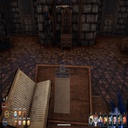
FirstPersonCamera
Moves the view point to a typical First Person Camera
| Date uploaded | 2 years ago |
| Version | 1.0.2 |
| Download link | Tchernobill-FirstPersonCamera-1.0.2.zip |
| Downloads | 1328 |
| Dependency string | Tchernobill-FirstPersonCamera-1.0.2 |
This mod requires the following mods to function


README
Features
First person camera.
It gives another outward experience.
It makes the game harder.
Showcase
First Person Camera Mod v1.0 showcase video on youtube.
Details
You can switch between First Person and Third Person (vanilla) view with Outward Configuration Manager.
You can also tune most parameters with Outward Configuration Manager.
The view point is tuned close to the character head position.
When you rotate the camera your character turns accordingly.
When you move backward or laterally without a target, the behaviour is the same as with a target.
Near clipping plane is tuned dynamically to optimize both vision and immersion.
Bow zoom offset is tuned to be more immersive.
Dialogue offset is deactivated.
Limitations
The game was not made for first person gameplay. Use it at your own risks.
You may even get your torches, shields and weapons to hide part of the view.
Especially for big shields, this is subjectively immersive and/or bothering.
Tuning was done to avoid near clipping plane visibility problems but you may still meet some:
e.g. with big hats like the Bird or Scarlet Masks when walking backward along a wall.
e.g. with long sword in hands.
You can activate/deactivate the mod from existing save.
CHANGELOG
Update 1.0.4
Adds a custom keybind to toggle first/third person.
Adds dependency to SideLoader
Update 1.0.3
Corrects black screen when you quit the game with FirstPersonCamera active then restarting it and then deactivating it with Outward Mod Manager.
Update 1.0.2
You can switch between First Person and Third Person (vanilla) view point or tune it to your liking with Outward Configuration Manager.
Update 1.0.1
Activates target mode rotations and movements out of target mod.
Tune the viewpoint position. To improve immersion and reduce the visibility of inner faces of own body & equipment textures.
Tune the Bow zoom offset. To improve immersion without reducing too much the visibility.
Remove the Dialogue offset.
Reduce the Near Clipping Plane distance to better see own equipment and limit inner faces of own body & equipment textures.
Increase dynamically the Near Clipping Plane distance to (nearly) never see the hats inner textures.
