

PocketExpedition
An idle RPG adventure inside PEAK. Explore dungeons, collect equipment, recruit pets, and grow stronger with every expedition.
By Sapphire009
| Last updated | 3 weeks ago |
| Total downloads | 124 |
| Total rating | 0 |
| Categories | Mods Audio Client Side All Clients Translations Asset Replacements AI Generated |
| Dependency string | Sapphire009-PocketExpedition-0.0.3 |
| Dependants | 0 other packages depend on this package |
This mod requires the following mods to function

BepInEx-BepInExPack_PEAK
BepInEx pack for PEAK. Preconfigured and ready to use.
Preferred version: 5.4.75301README
Pocket Expedition
An idle RPG adventure inside PEAK. Explore dungeons, collect equipment, recruit pets, and grow stronger with every expedition.
Beyond the torchlight, another floor awaits. Lead a small adventurer through ancient ruins and glowing caverns, turn hard-earned gold into power, and challenge the bosses standing between you and your next milestone. Let automatic combat carry the expedition forward while you choose how to grow.
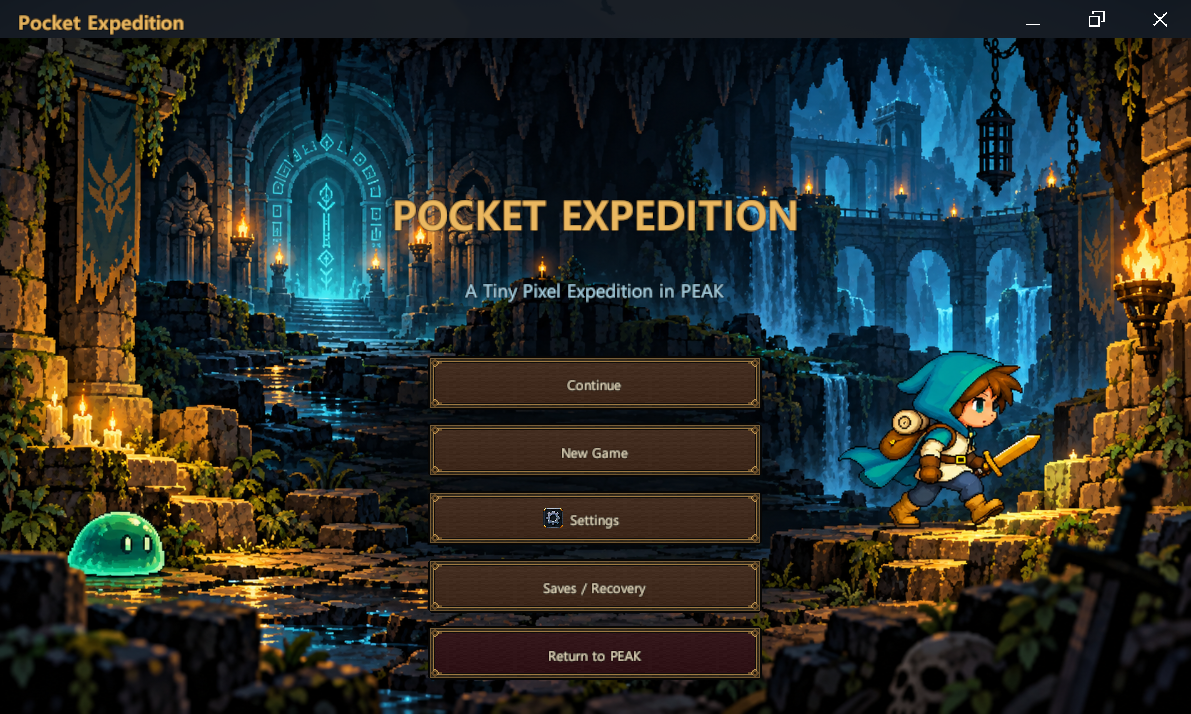
1. Lobby — Your Next Expedition Starts Here
Press F8 to open Pocket Expedition. Continue your adventure, begin a new game, adjust your settings, or access Saves / Recovery before entering the dungeon. A torchlit sanctuary welcomes you back whenever you are ready for another run.
2. Combat — Small Adventurer, Bigger Challenges
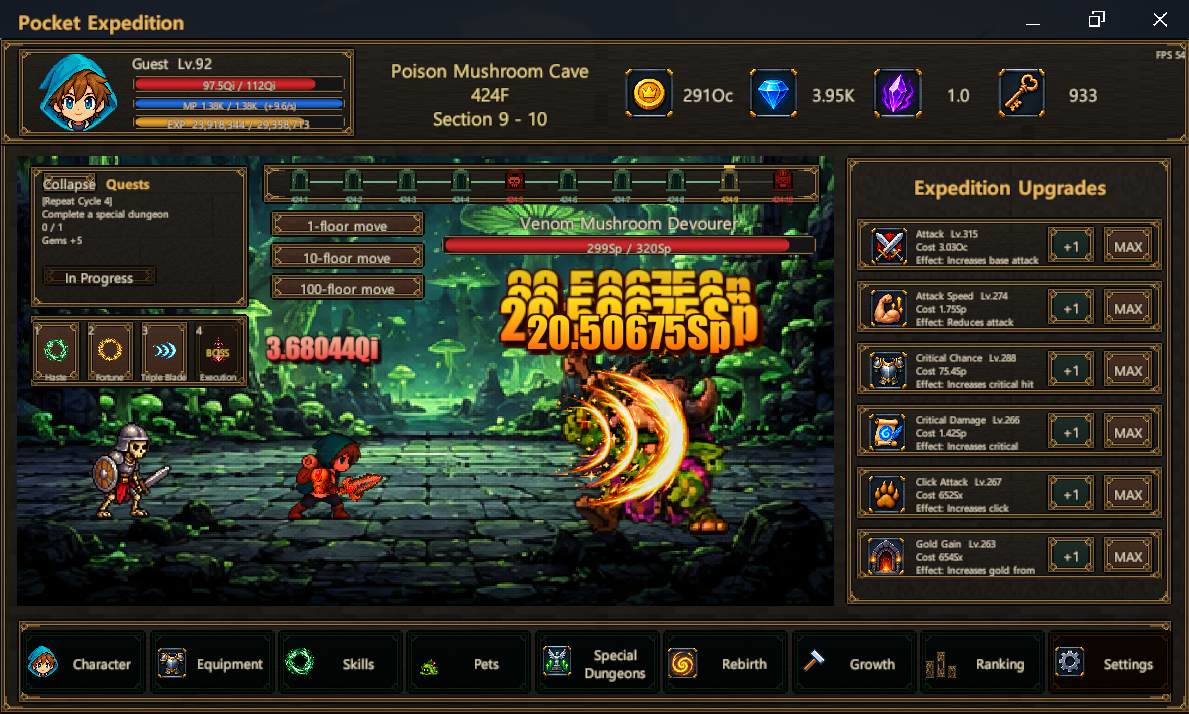
Watch your adventurer trade blows with dungeon creatures as your expedition advances through each floor's ten sections. Follow your health, mana, experience, and resources at the top, work toward quests, and use skills to give your automatic attacks an extra edge. Mid-bosses and final bosses put your growing strength to the test.
3. Character — See How Far You Have Come
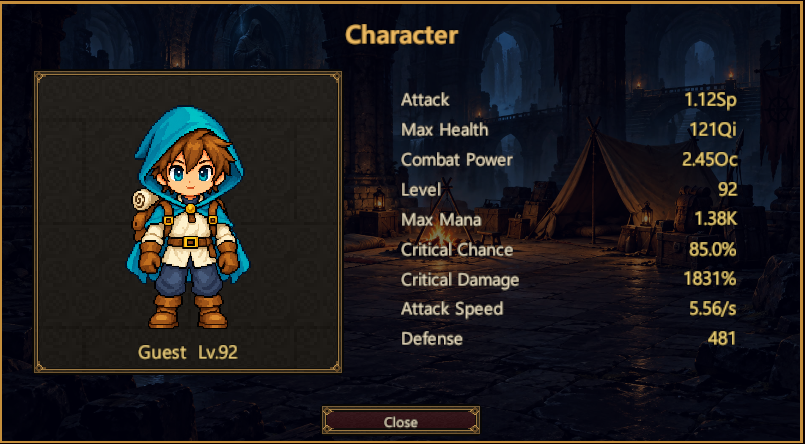
Open your character card for a clear view of your adventurer and current stats. Check attack, maximum health, combat power, level, maximum mana, critical chance, critical damage, attack speed, and defense as you plan your next improvement.
4. Equipment — Find Your Next Upgrade
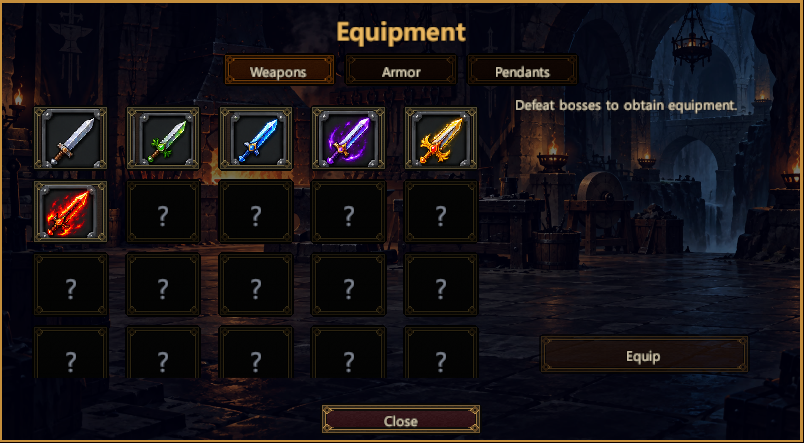
Defeat bosses to obtain equipment, then browse separate Weapons, Armor, and Pendants categories. Inspect your finds and equip items once you meet their required level. The next drop could be the upgrade that carries you past a stubborn boss.
Slots marked ? are reserved for future equipment; they are not currently available items.
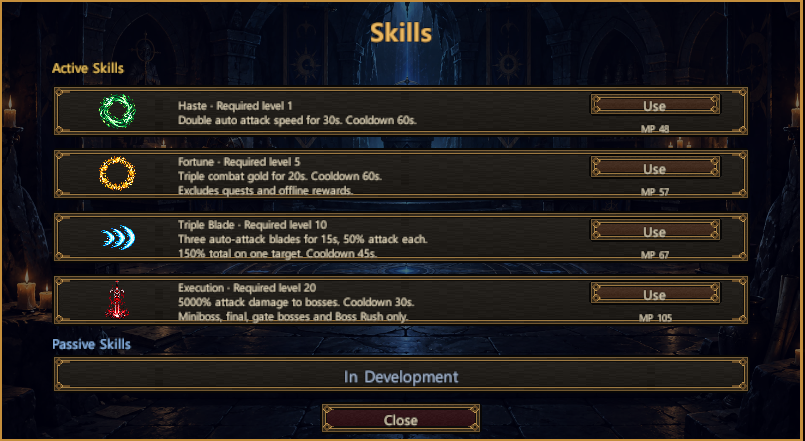
5. Skills — Give Every Battle an Edge
Four active skills offer different ways to support your expedition:
- Haste: temporarily doubles automatic attack speed.
- Fortune: temporarily triples gold earned from combat.
- Triple Blade: splits automatic attacks into three blades.
- Execution: delivers a powerful strike against eligible bosses.
Manage mana and cooldowns, meet each skill's required level, and activate skills with the default 1–4 keys. Passive skills are currently in development.
6. Pets — Bring a Companion Along
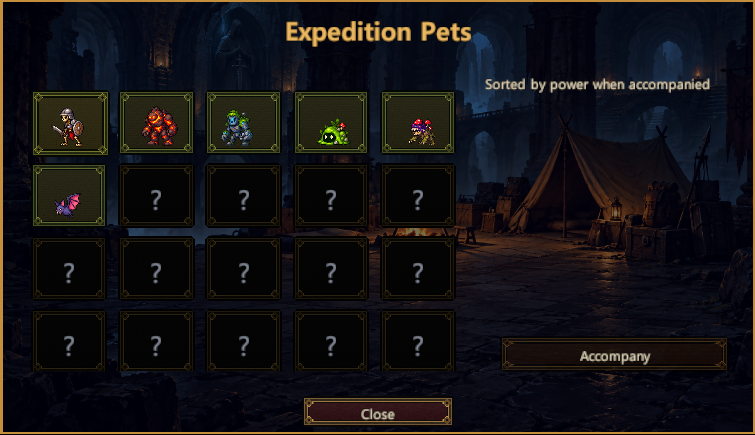
Choose a companion to accompany your adventurer into the depths. Compare pets by their contribution to your expedition, and build a partnership that grows alongside your character. Each available companion brings its own character to the battlefield.
Slots marked ? are reserved for future pets; they are not currently available companions.
7. Special Dungeons — Take on a Different Challenge
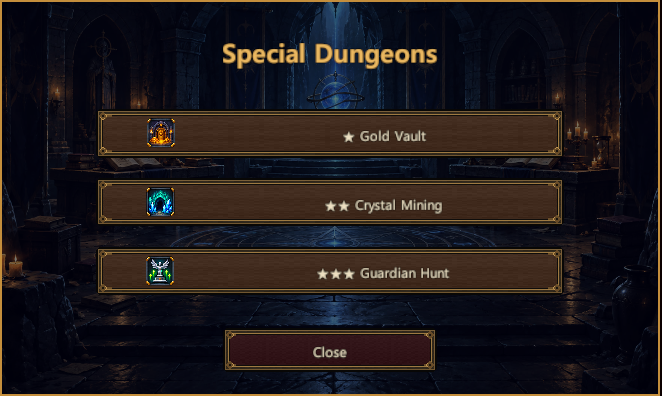
Step away from the main expedition and challenge three special dungeons: Gold Vault, Crystal Mining, and Guardian Hunt. Their one-, two-, and three-star markings distinguish the challenges. Check the entry requirements before committing your resources and pursuing their rewards.
8. Rebirth — Begin Again with Lasting Strength
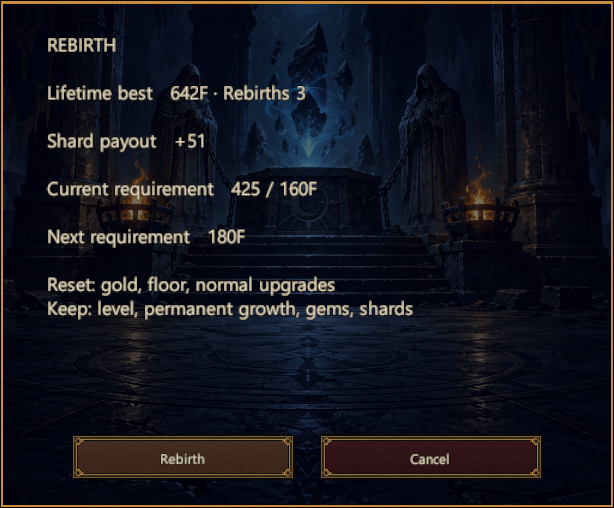
Turn the progress of your current expedition into rebirth shards. The first rebirth requires floor 100, and the requirement rises by 20 floors after each rebirth. Eligibility and rewards use your current expedition's floor, so an old lifetime record cannot be claimed repeatedly.
Review your payout and next requirement before confirming. Gold, floor progress, and normal upgrades reset, while your level, permanent growth, gems, and shards remain.
9. Permanent Growth — Make Every Run Count
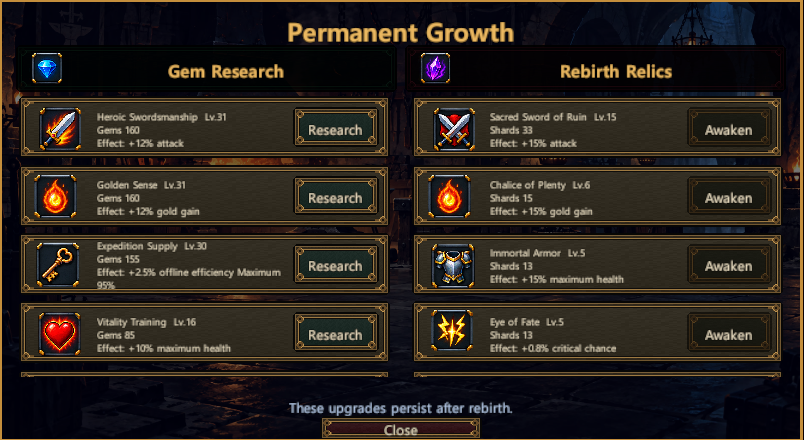
Spend gems on Gem Research and rebirth shards on Rebirth Relics. Improve the foundations of your expedition with lasting bonuses, from attack and gold gain to health and critical chance. These upgrades persist after rebirth, giving each new expedition a stronger starting point.
10. Ranking — Give Your Progress a New Goal
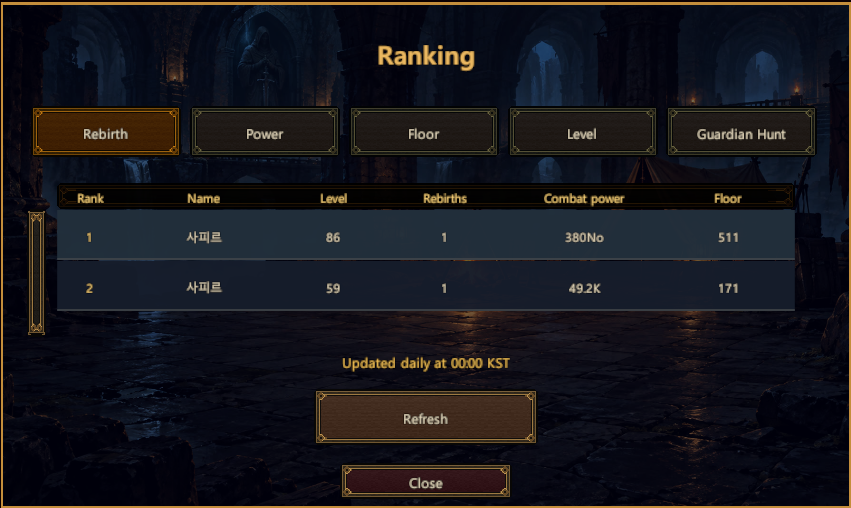
Compare your expedition with other players across Rebirth, Power, Floor, Level, and Guardian Hunt leaderboards. You do not need to be online together to view each other's records. The ranking screen shows the daily 00:00 KST update schedule and provides a Refresh button to retrieve the available standings.
11. Expedition Upgrades — Turn Gold into Momentum
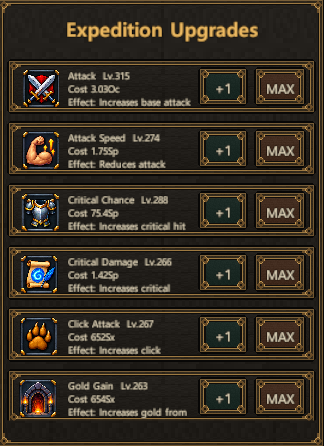
Invest the gold earned during your run into expedition upgrades. Strengthen attacks, improve attack speed and critical performance, or increase gold gain to support further growth. Use +1 for a single purchase or MAX to buy as many levels as your resources allow.
These normal upgrades belong to the current run and reset on rebirth, making your spending choices part of each expedition.
12. Settings — Make the Expedition Your Own
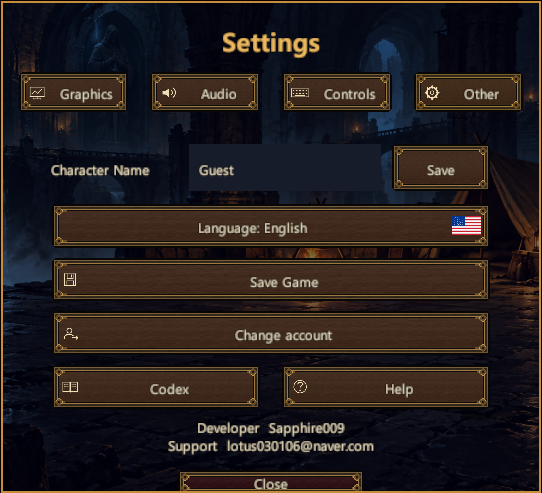
Adjust Graphics, Audio, and Controls, or open Other to manage your name, language, and saves. Visit the Codex and Help screens when you want to learn more. First-time players start in English; your selected language is retained for future sessions.
Support & Feedback
Developer: Sapphire009
Support: [email protected]
Found a bug or have an idea for a future expedition? Send your mod version, a short description of what happened, and a screenshot if possible. For technical issues, including your BepInEx log helps us investigate.
