

Throwwaway
队友太沉?送他一程!救援也好,整活也罢。 / Heavy teammate? Give them a lift—literally. Rescue meets mischief.
| Last updated | a month ago |
| Total downloads | 983 |
| Total rating | 2 |
| Categories | Mods Client Side AI Generated |
| Dependency string | dawwnforu-Throwwaway-1.2.4 |
| Dependants | 0 other packages depend on this package |
This mod requires the following mods to function

BepInEx-BepInExPack_PEAK
BepInEx pack for PEAK. Preconfigured and ready to use.
Preferred version: 5.4.75301README
Throwwaway
队友太沉?送他一程!救援也好,整活也罢。 / Heavy teammate? Give them a lift—literally. Rescue meets mischief.
新手安装与更新 / Beginner installation and updates
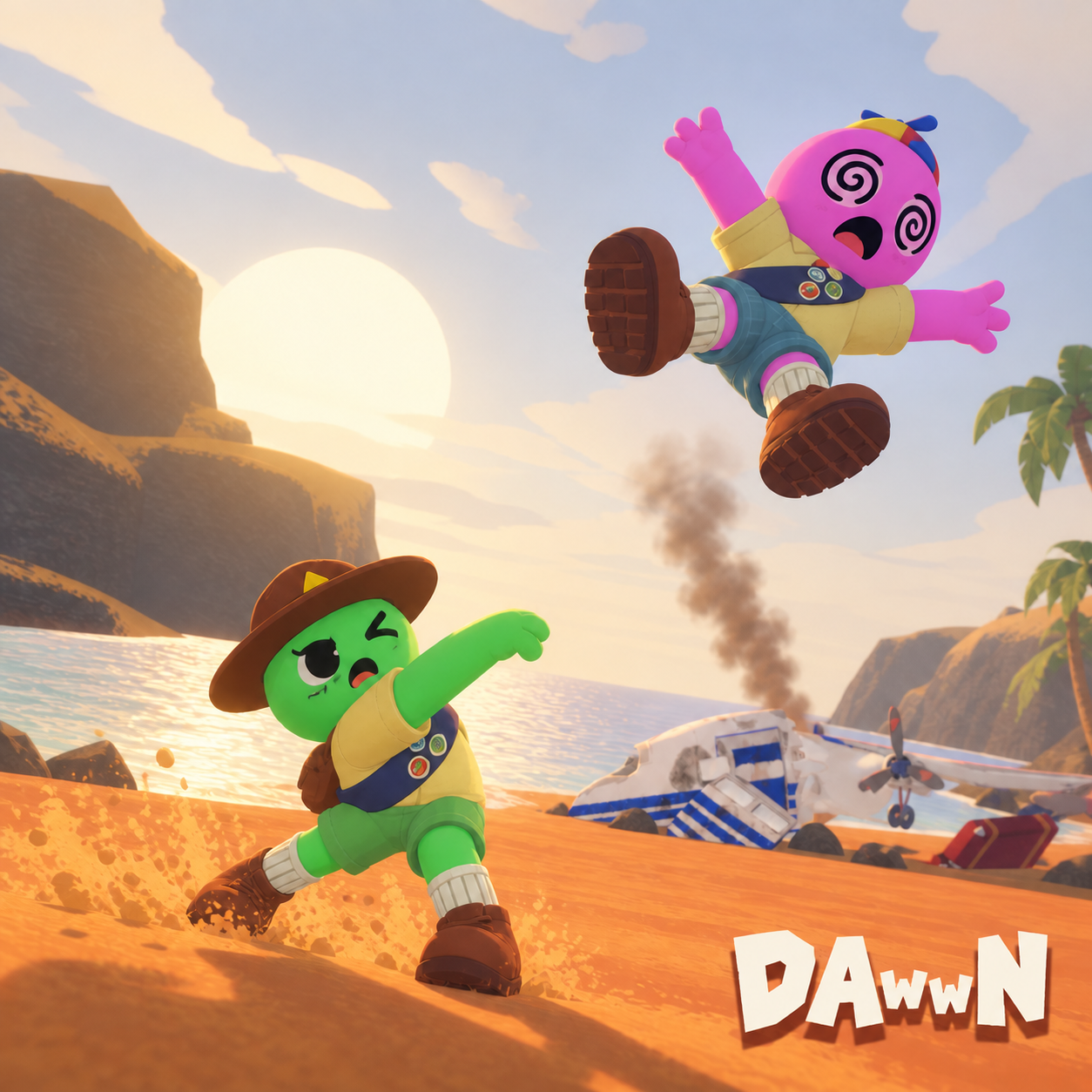
Give your teammate a flying start.
Hold Q with empty hands to charge, then release to throw the unconscious teammate you are carrying.
Beta: compiled against PEAK Steam build 25090101. Automated checks pass; the author reports successful throwing as a guest with only the thrower installing the mod. Host play and charge-to-distance behavior need further testing.
玩法小剧场 / Co-op mischief
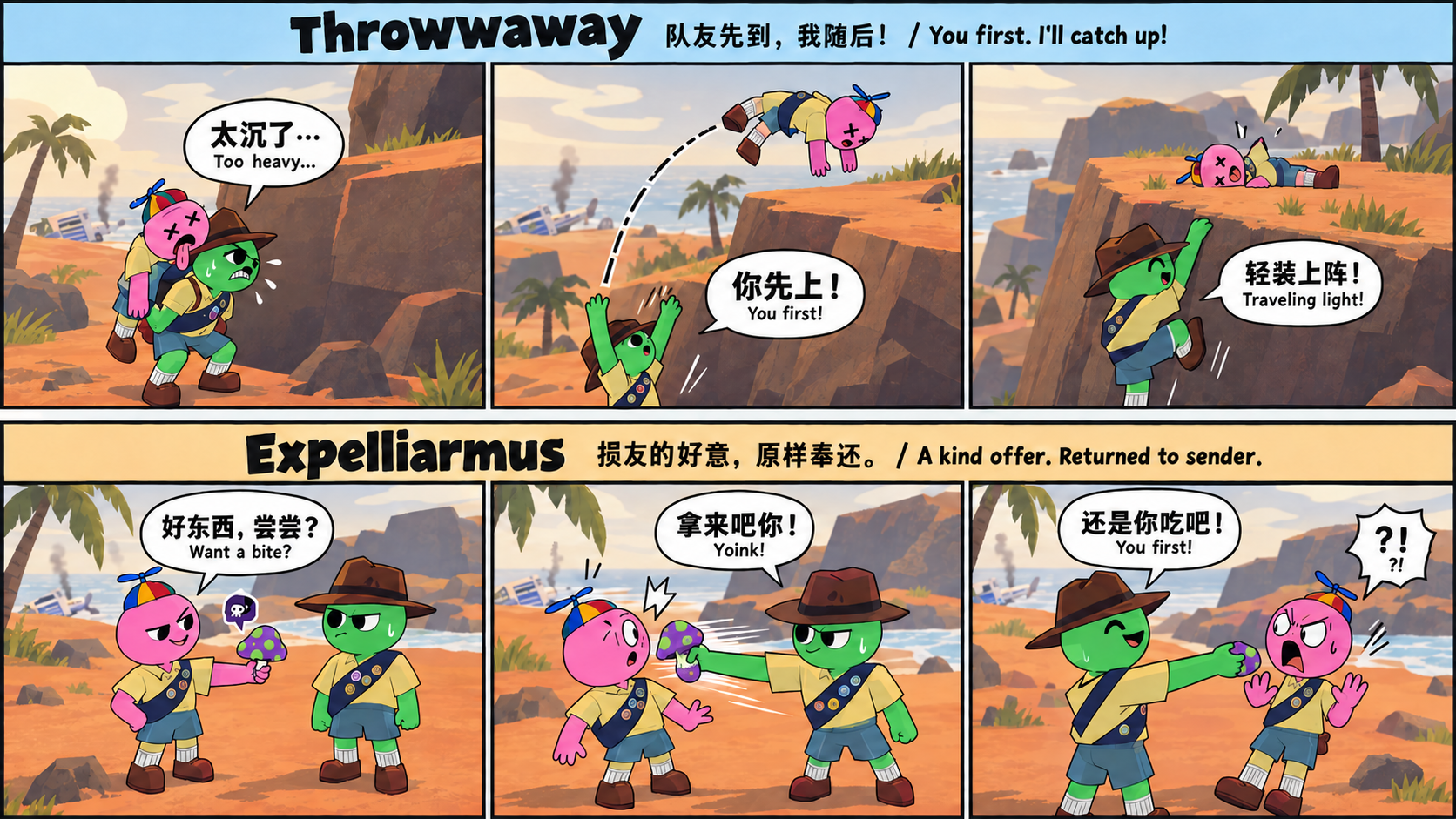
队友先到,我随后;损友的好意,原样奉还。 You first. I'll catch up. A kind offer, returned to sender.
Controls
- Hold Q, then release: charge and throw your carried teammate using the game's item charge bar and timing. No need to select slot 4 first.
- Top-row 4 / backpack action: put the teammate down normally.
- Q while holding an item: normal item dropping and throwing.
- A quick tap before the charge starts leaves the teammate on your back.
- Equipping an item, losing the carried teammate, opening a blocking menu, or the teammate waking up cancels the charge. Press Q again to restart.
Q follows the game's Drop binding, including remapped keys and controllers.
Multiplayer
Designed for only the thrower to install. Other players, including the host, can keep an unmodded game. Throws use PEAK's existing network messages to release and push the teammate. The author reports success as a guest with only the thrower installing the mod; the host-thrower scenario still needs testing.
The mod throws unconscious teammates only. It does not add the ability to carry awake players. Carrying and the death countdown follow the game's normal rules; throwing does not reset the countdown.
Charge timing, the charge bar, and launch strength use the original item system. A ragdoll's collisions and flight can differ from individual items.
Installation
With a mod manager: install this package and its BepInEx dependency, then launch PEAK with mods enabled.
Manually: install BepInExPack PEAK, then copy this ZIP's BepInEx folder into your PEAK folder. The plugin is BepInEx/plugins/Throwwaway/ThrowTeammate.dll.
Upgrading from the GitHub prototype? Replace your previous ThrowTeammate.dll; keep only one copy of the plugin installed.
Feedback
Report issues on GitHub. Include your game version, whether the thrower was the host, which players had mods, and what happened.
Code and icon created with AI assistance. Source is available on GitHub.
中文说明
空手背着昏迷队友时,长按 Q 蓄力,松开投出。蓄力时间和进度条沿用原版物品系统,不需要先按 4;上方数字行 4 仍正常放下队友,手里有物品时 Q 仍操作物品。改键和手柄跟随游戏的 Drop 绑定。
设计为只需投掷者安装,其他队友及房主可以保持原版。当前是测试版:已通过编译及自动检查,作者已报告仅自己安装、加入朋友房间时投掷成功;房主场景及蓄力距离仍待进一步实测。只投掷昏迷队友,不增加背起清醒队友的功能,也不会重置濒死倒计时。角色的碰撞、翻滚和落点可能与具体物品不同。
通过 Mod 管理器安装本包及 BepInEx 依赖后,以 Mod 模式启动游戏。手动安装时,将压缩包内的 BepInEx 文件夹合并到 PEAK 目录;从旧版升级时请替换原来的 DLL,避免同时装两份。
代码与图标使用 AI 协助制作。问题反馈请使用上方 GitHub 链接。
新手安装与更新 / Beginner installation and updates
不需要会编程,不需要下载 GitHub 源码。 DLL 是 Mod 文件,BepInEx 是让游戏加载这些文件的基础工具。ZIP 只是压缩包,下载到“下载”文件夹不代表已经安装。
本教程只使用 <PEAK游戏目录> 等占位符,没有作者的私人目录。占位符表示你实际找到的文件夹,不要创建一个叫 <PEAK游戏目录> 的文件夹。
先选平台和安装方式
| 你的情况 | 使用哪条教程 |
|---|---|
| Windows,第一次装 Mod | 方法一:Thunderstore Mod Manager |
| Windows,想自己管理文件,或之前已经手动安装 | 方法二:手动安装 ZIP |
| Mac / macOS | 先看下方 Mac 说明;目前没有本 Mod 的原生 Mac 安装方案 |
同一套游戏环境选一种方法即可。管理器的“配置 / Profile”是一套单独保存的 Mod 组合,不等于 Steam 游戏目录;不要再把同一个 DLL 手动塞进管理器配置里。
方法一:Windows 使用 Thunderstore Mod Manager
- 在 Steam 安装 PEAK,正常启动一次,确认游戏能运行,再退出。
- 从 Thunderstore 官方入口下载安装管理器。不要把管理器安装程序放进游戏的 plugins 文件夹。
- 打开管理器,搜索并选择 PEAK。创建一个 Profile / 配置,例如
MyMods,然后进入它。 - 在在线 Mod 列表搜索 Throwwaway,确认作者是 dawwnforu。也可以在 本 Mod 页面点击 Install with App / 使用管理器安装。
- 点击 Install / Download / 安装,选择最新版本,并同意安装依赖 BepInExPack_PEAK。依赖是必需组件;管理器负责下载和放置文件,你不用选择 DLL 目录。
- 在 Installed / 已安装 中确认本 Mod 和 BepInEx 已启用,然后点击 Start modded / 启动模组游戏。先用这个按钮启动,确保使用的是这套配置。
- 进入游戏验证:背起昏迷队友,保持空手,长按 Q 蓄力后松开;上方数字 4 是普通放下,不是投掷。
以后更新: 先退出游戏,打开同一个配置,在已安装列表查看更新提示,点击 Update / 更新(或全部更新)。管理器会处理该配置中的旧版文件,无需先卸载或清缓存。按钮名称可能随管理器版本变化。不要把“管理器自身更新”误认为“所有 Mod 都已更新”。
新版没显示? 刷新列表或稍后再打开;官方说明指出,新版本可能因缓存延迟出现在管理器中。单纯从网页下载过 ZIP,不会让游戏内自动弹出更新提醒。
已经手动装过,想改用管理器? 关闭游戏,将原来手动安装的本 Mod DLL 移到游戏目录外备份,然后在管理器配置中重新安装。管理器通常不会替你清理 Steam 目录中手动放进去的文件;不要删除其他 Mod 或整个 BepInEx 文件夹。
方法二:Windows 手动下载安装包
第一步:找到正确的游戏目录。 Steam → 库 → 右键 PEAK → 管理 / Manage → 浏览本地文件 / Browse local files。打开的文件夹里应该能看到 PEAK.exe 和 PEAK_Data。下文称它为 <PEAK游戏目录>,它不一定在 C 盘。
第二步:首次安装 BepInEx。 如果这套游戏已经能加载 BepInEx Mod,跳到第三步。
- 完全退出 PEAK。
- 打开 BepInExPack_PEAK 官方包,点击 Download / 手动下载。
- 在下载文件夹右键 ZIP → 全部解压 / Extract All。先解压到临时文件夹。
- 打开解压包里的
BepInExPack文件夹,把它里面的内容复制到<PEAK游戏目录>,而不是把外面的BepInExPack文件夹整层复制进去。 - 检查
winhttp.dll、doorstop_config.ini和BepInEx文件夹是否与PEAK.exe在同一层。 - 从 Steam 启动 PEAK 一次,然后退出。查看
<PEAK游戏目录>\BepInEx\LogOutput.log是否生成;没有日志时先检查上述位置,不要反复叠加安装。
第三步:安装本 Mod。
-
在 本 Mod 的 Thunderstore 页面点击 Download / 手动下载,选择最新版本。不要用 GitHub 的 Code → Download ZIP,那是源码,不是可直接安装的发布包。
-
解压下载的 ZIP,在其中找到
BepInEx/plugins/Throwwaway/ThrowTeammate.dll。DLL 不需要双击打开。 -
在
<PEAK游戏目录>\BepInEx\plugins里创建Throwwaway文件夹(已存在就使用原文件夹)。将ThrowTeammate.dll复制进去。 -
最终位置必须是:
<PEAK游戏目录>\BepInEx\plugins\Throwwaway\ThrowTeammate.dll -
不要多套一层
BepInEx\BepInEx。README.md、manifest.json、封面图和 ZIP 本身不用放进 plugins。 -
重启 PEAK。用记事本打开
BepInEx\LogOutput.log,搜索Throwwaway,应能看到加载的版本和loaded successfully!。这确认 Mod 已加载,具体功能还需要游戏内验证。
手动更新旧版: 退出游戏 → 下载并解压新版 → 用新版 ThrowTeammate.dll 覆盖上述位置的同名旧文件 → 重启游戏。仅下载不会自动替换。 不需要清缓存、删存档或重装 BepInEx。只保留一份本 Mod DLL;旧版备份放到游戏目录外,不能改名为 旧版.dll 后继续留在 plugins 子目录。早期版本可能在 plugins/ThrowTeammate 文件夹里;请把那份旧 ThrowTeammate.dll 移出游戏目录,避免与 plugins/Throwwaway 中的新版重复。
Mac / macOS 用户请先看这里
PEAK 的 Steam 系统要求目前列的是 Windows;本包面向 Windows 版 PEAK.exe,没有经过原生 macOS 或 Mac 兼容环境测试。Thunderstore Mod Manager 的 Windows 安装程序不能直接作为 Mac App 打开。
如果你还不能在 Mac 上运行未装 Mod 的 PEAK,请先解决游戏本体的运行问题;只下载本 Mod 或 macOS 版 BepInEx 并不能让 Windows 游戏直接运行。
如果你已经通过 CrossOver / Wine 等兼容环境正常运行 Windows 版 PEAK,可按下面的实验性手动路线操作:
- 退出游戏。在兼容工具里选中运行 PEAK 的同一个 Bottle / 容器(它是一套虚拟 Windows 环境)。
- 打开该容器里的 Windows Steam,通过 PEAK → 管理 → 浏览本地文件 找到有
PEAK.exe的目录;或用容器的“打开 C 盘”功能找到它。不要把文件放进 Mac 原生 Steam 的另一个目录,也不要照抄网上别人的用户名路径。 - 使用上面“方法二”的 Windows BepInExPack_PEAK 和本 Mod DLL,复制到该容器的 PEAK 目录。运行的是 Windows 游戏,所以不要换成 macOS 原生 BepInEx 包。
- 若 BepInEx 没有生成日志,在该容器的 Wine 配置(
winecfg)中打开 Libraries / 函数库,添加winhttp覆盖并优先加载本地 DLL,然后应用。入口因兼容工具而异;参照 BepInEx 官方 Wine 指南。 - 仍从同一个容器里的 Windows Steam 启动游戏,检查那份
BepInEx\LogOutput.log。没有加载成功就先排查兼容环境,不要当成已支持的 Mac 版本。 - 后续更新也在该容器内覆盖同一个 DLL,再重启游戏。不需要清 Mac 缓存。
此处不提供“在 Mac 原生安装 Thunderstore 管理器”的步骤,因为它不是本项目已验证的路线;兼容层能运行游戏也不代表一定能运行管理器。
装好后没效果?先检查这四项
- 版本和启动方式: 管理器用户是否选对配置并点了 Start modded?手动用户是否重启游戏?
- 文件位置: DLL 是否已解压并放到 plugins,而不是还在下载目录或 ZIP 中?是否存在重复 DLL?
- 操作条件: 背起昏迷队友,保持空手,长按 Q 蓄力后松开;上方数字 4 是普通放下,不是投掷。
- 日志: 搜索 Mod 名和错误信息。反馈时提供系统、版本、安装方式、谁是房主、哪些人装了 Mod;分享日志/截图前遮住真实姓名、用户名和个人目录。
English: Windows installation and updating
No coding or source download is needed. <PEAK folder> means the folder containing your PEAK.exe; it is a placeholder, not a folder to create. A downloaded ZIP is not installed until its DLL is placed correctly.
Method 1 — Thunderstore Mod Manager:
- Install and launch PEAK once through Steam, then close it.
- Install Thunderstore Mod Manager, select PEAK, and create/select a profile (a separate collection of mods).
- Search Throwwaway by dawwnforu, or use Install with App on this package. Install the latest version and the required BepInExPack_PEAK dependency.
- Check both are enabled under Installed, then use Start modded. The manager selects the file locations; do not copy a second DLL into the profile manually.
- To update, close the game, return to the same profile and use Update or Update all. No manual removal or cache clearing is normally needed. New versions may take time to appear due to caching. Updating the manager application is different from updating installed mods.
Method 2 — Manual ZIP installation:
- Close PEAK. In Steam, right-click PEAK → Manage → Browse local files. This opens
<PEAK folder>; verify it containsPEAK.exe. - If BepInEx is not already installed, download BepInExPack_PEAK, extract it outside the game, then copy the contents of its
BepInExPackfolder besidePEAK.exe.BepInEx,winhttp.dllanddoorstop_config.inimust be at that level. Launch and close the game; checkBepInEx/LogOutput.log. - Download this Mod's release ZIP, not GitHub's Code → Download ZIP. Extract it and find
BepInEx/plugins/Throwwaway/ThrowTeammate.dll. - Copy
ThrowTeammate.dllinto<PEAK folder>/BepInEx/plugins/Throwwaway/(create the Mod folder if needed). Do not double-click the DLL or leave it inside the ZIP. No extraBepInEx/BepInExnesting is needed. - Restart PEAK and check the log for
Throwwawayandloaded successfully!. Then test the controls: Carry an unconscious teammate with empty hands, hold Q to charge and release to throw; top-row 4 puts them down normally. - To update, close the game and overwrite that same DLL with the new one, then restart. Downloading alone does not update the installation. Keep backups outside the game folder; do not leave renamed old DLLs anywhere under plugins. Do not delete saves, other mods or the entire BepInEx folder. Early versions may be in plugins/ThrowTeammate; move that old ThrowTeammate.dll outside the game folder to avoid duplicating the new plugins/Throwwaway copy.
If switching from manual installation to a manager, move this Mod's manual DLL outside the game folder before installing it in a manager profile. Manager updates do not clean up unrelated manual copies.
English: Mac / macOS
PEAK currently lists Windows system requirements. This package targets Windows PEAK.exe; native macOS and Mac compatibility layers have not been tested by this project. The Windows Thunderstore manager installer is not a native Mac application.
If unmodded Windows PEAK already works in your CrossOver/Wine bottle, the experimental manual route is: close PEAK; locate PEAK.exe through Browse local files in that bottle's Windows Steam; follow manual Method 2 using the Windows BepInExPack_PEAK and DLL; configure that bottle's winhttp library override if BepInEx does not load, following the official Wine guide; restart through the same bottle and verify its log. Update by replacing the DLL in that same location. Do not use a native macOS BepInEx build or a different Mac Steam directory for this Windows game. If the base game does not run yet, installing this Mod will not make it run. We do not claim a tested Mac manager workflow.
For help, report OS, installation method, Mod/game versions, who hosted, and which players installed mods. Redact personal paths and usernames from logs/screenshots before sharing.
