

ItemSpawnerEnhanced
A client-side item spawner for PEAK built for players across every supported game language, with localized smart search, spectator-aware targeting, and support for spawning items for any connected Scout.
| Last updated | a month ago |
| Total downloads | 37369 |
| Total rating | 8 |
| Categories | Misc Items Quality Of Life Client Side Mods Tools |
| Dependency string | lllei-ItemSpawnerEnhanced-1.5.0 |
| Dependants | 0 other packages depend on this package |
This mod requires the following mods to function

BepInEx-BepInExPack_PEAK
BepInEx pack for PEAK. Preconfigured and ready to use.
Preferred version: 5.4.75301README
ItemSpawnerEnhanced


A client-side item spawner for PEAK built for players across every supported game language, with localized smart search, spectator-aware targeting, and support for spawning items for any connected Scout.
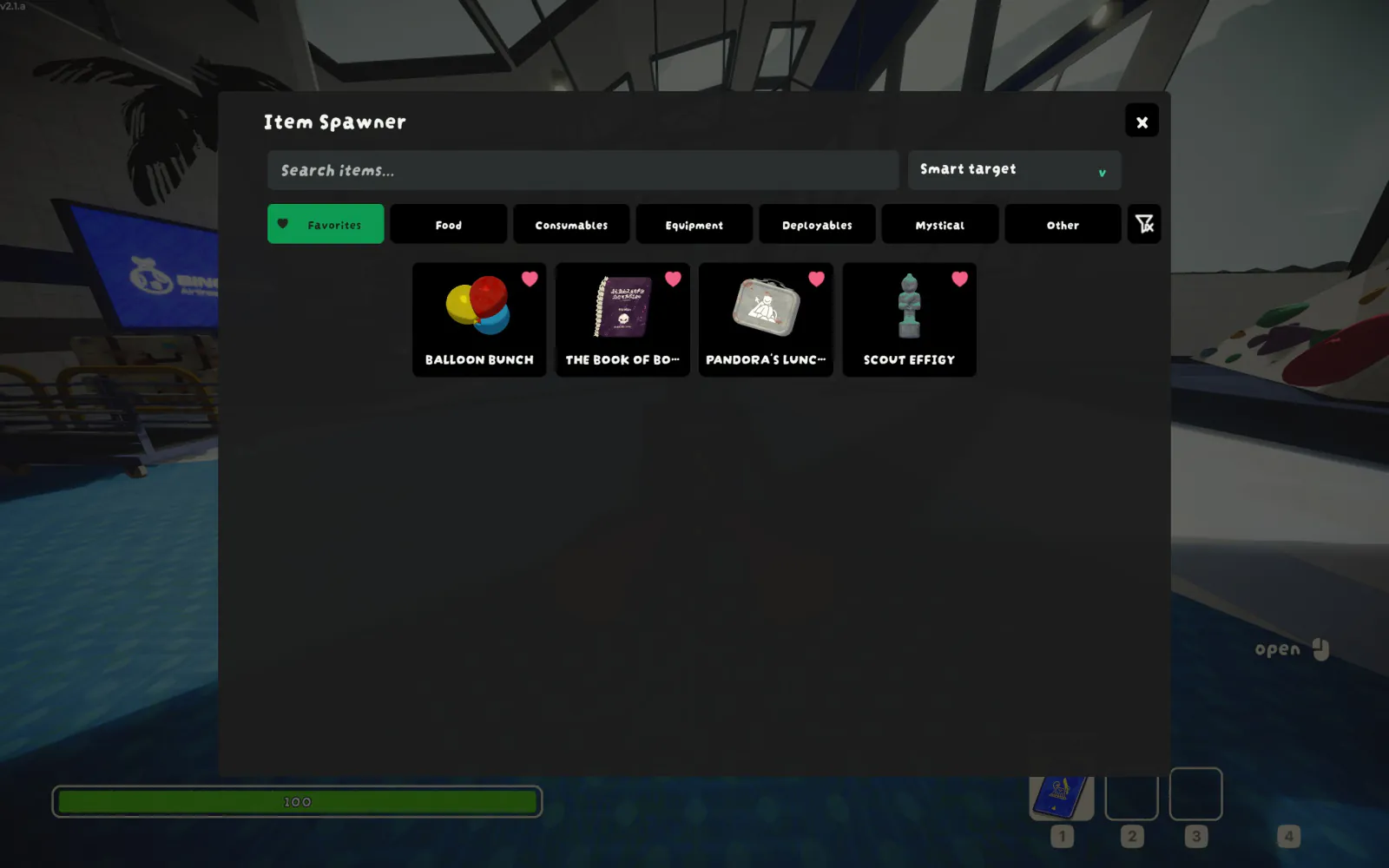
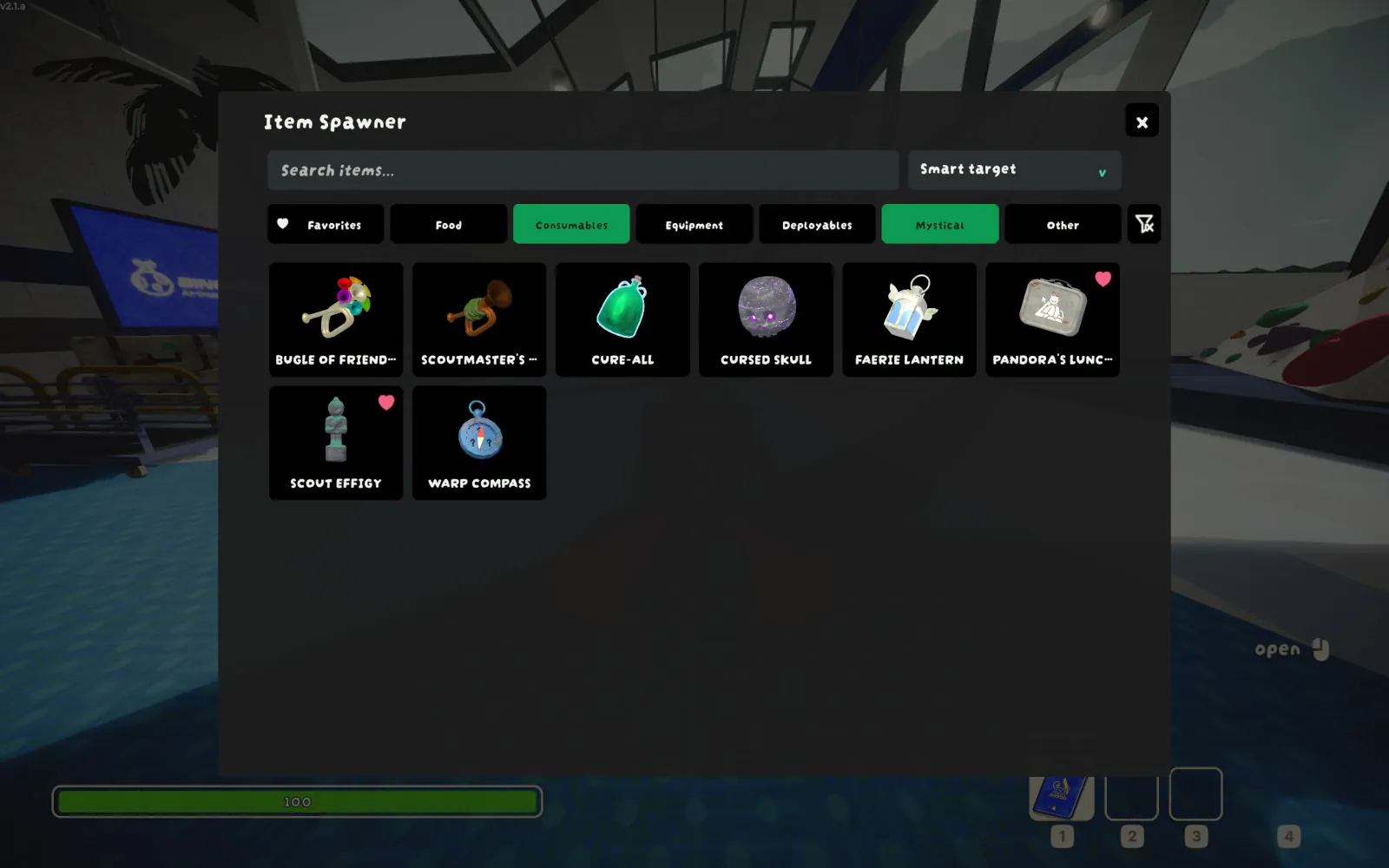
| Favorites | Combined tag filtering |
|---|---|
 |
 |
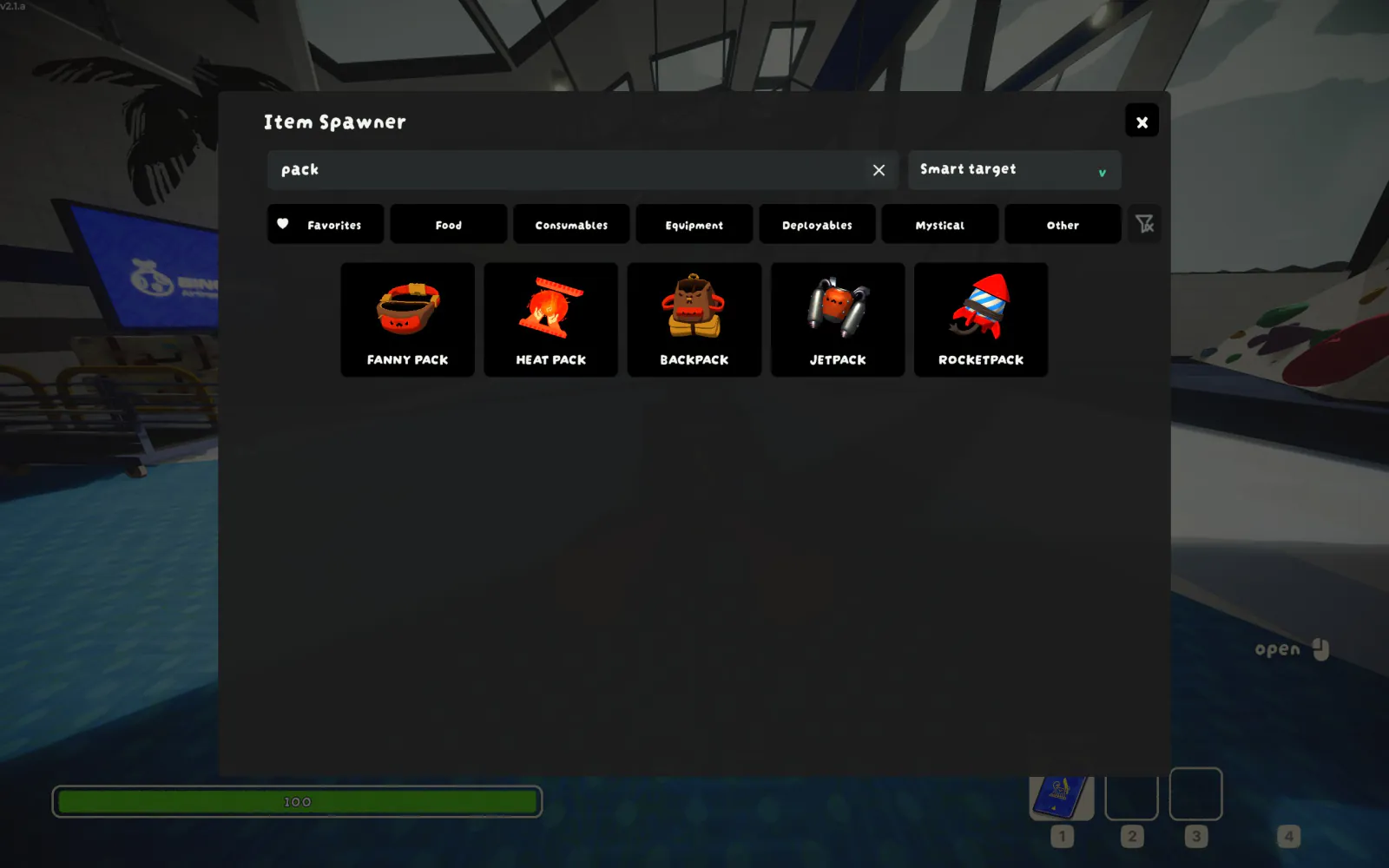
English (pack) |
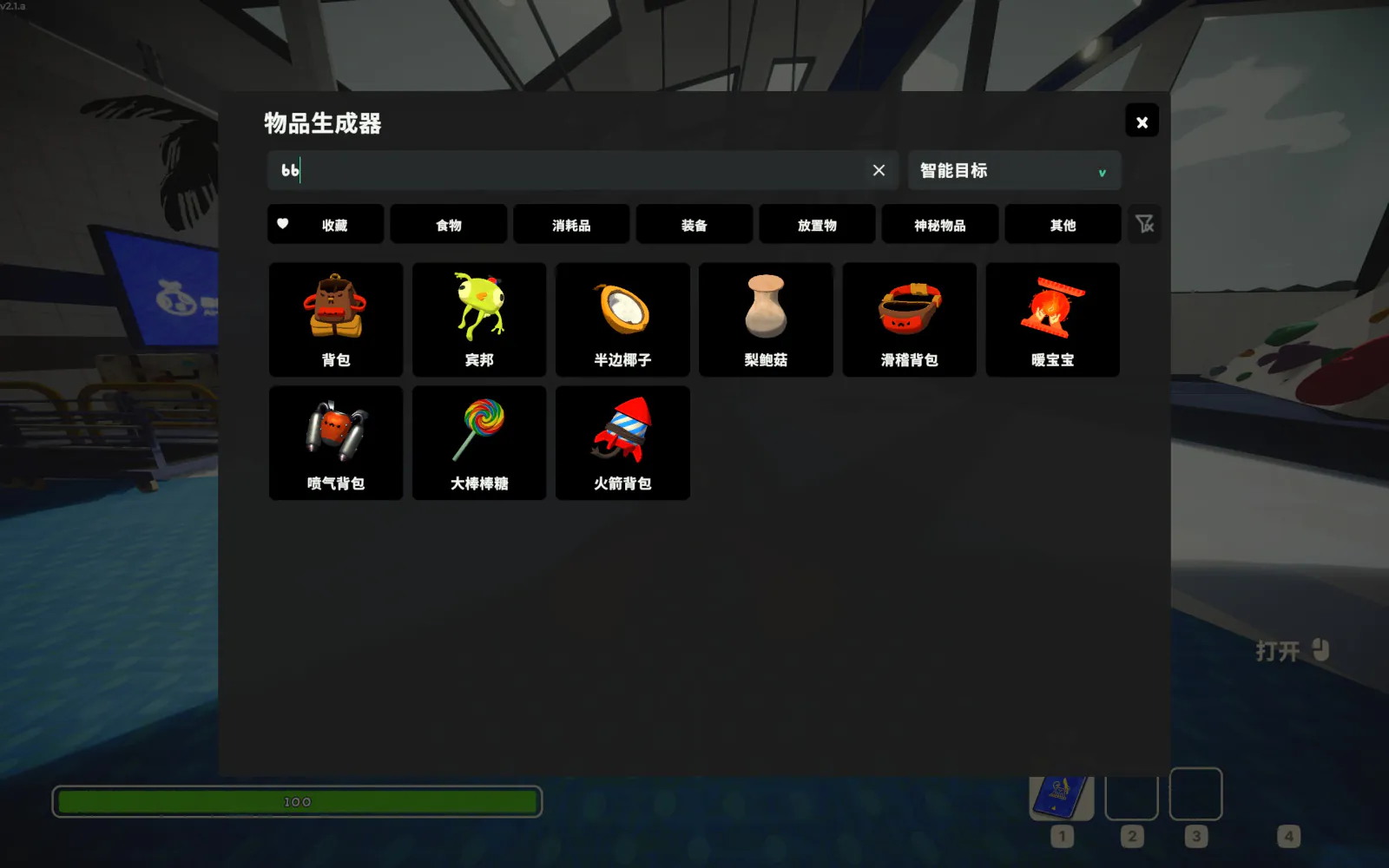
简体中文拼音首字母 (bb) |
|---|---|
 |
 |
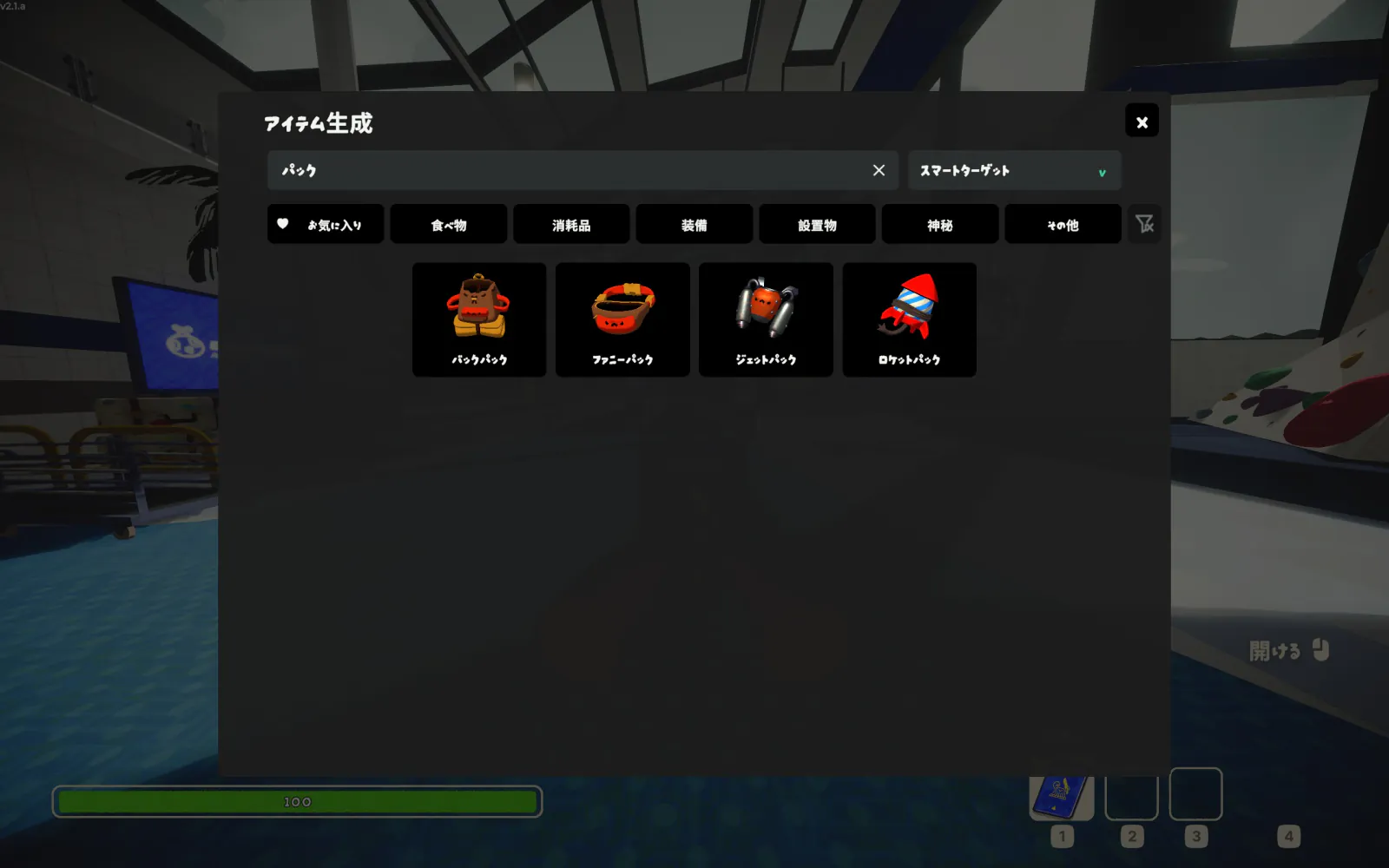
日本語 (パック) |
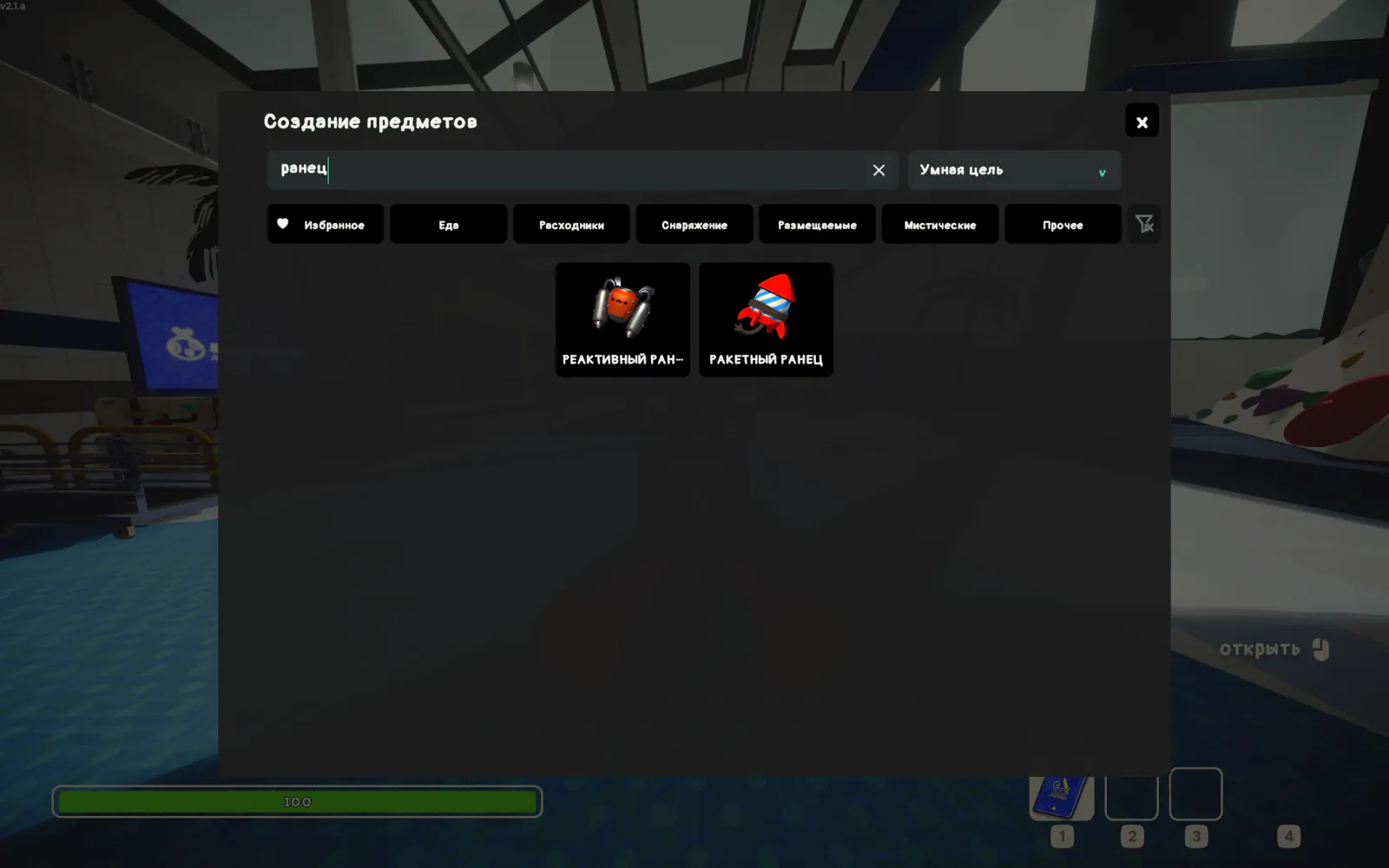
Русский (ранец) |
|---|---|
 |
 |
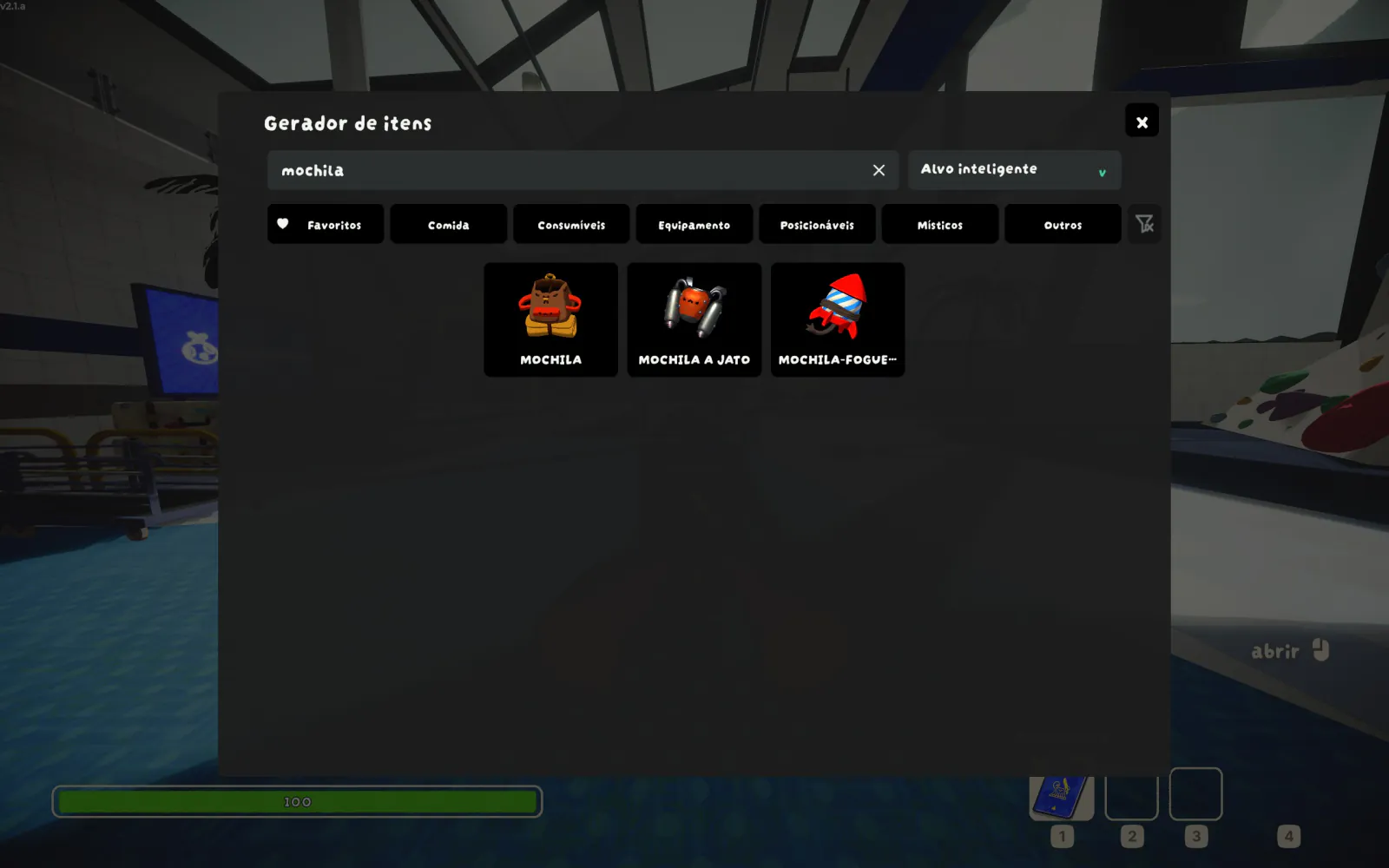
Português (BR) (mochila) |
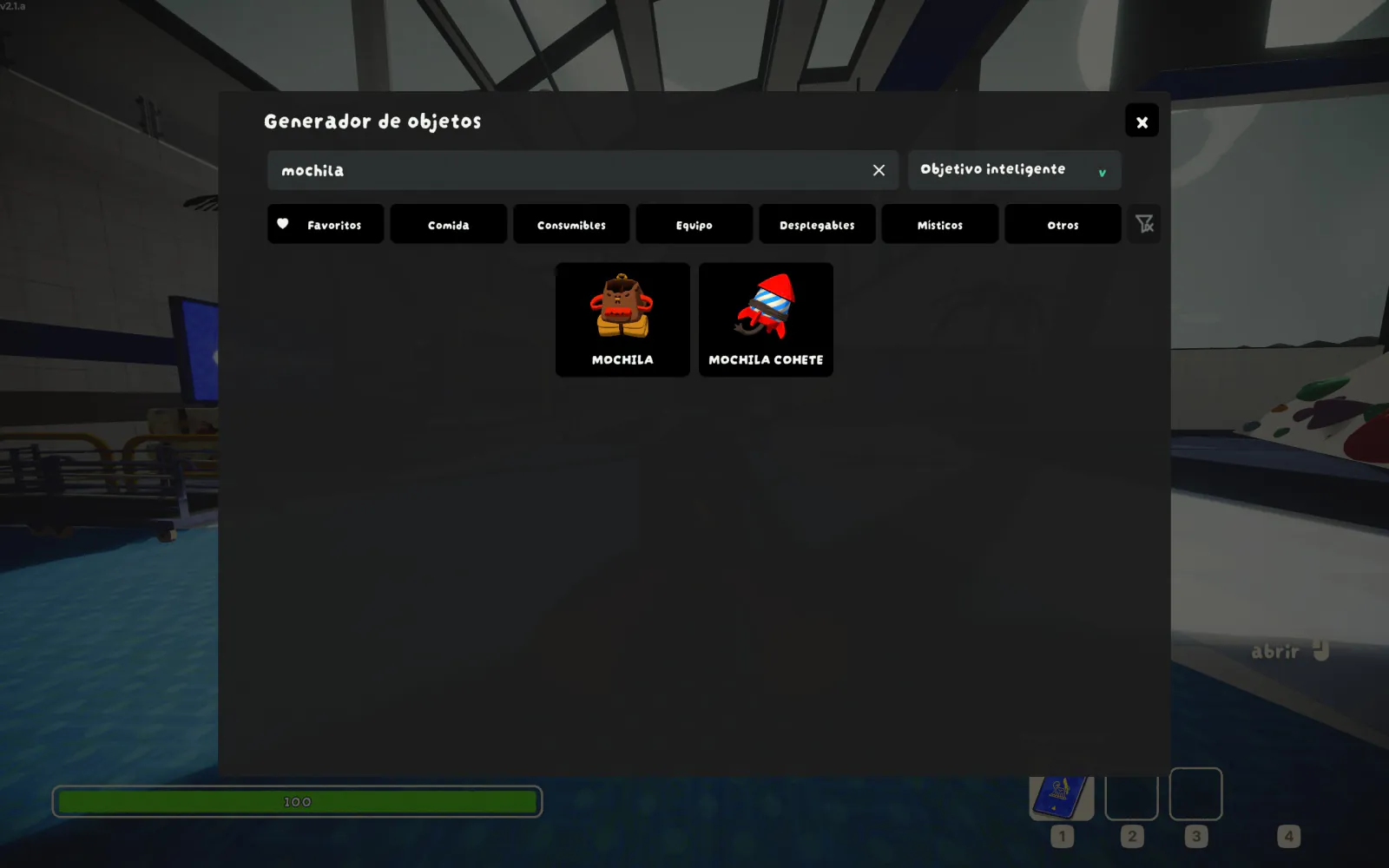
Español (España) (mochila) |
|---|---|
 |
 |
Features
Core features
- Responsive item browser: Press
F5or holdView/Shareand pressRT/R2to open a clean interface with larger text and controls. - Full controller support: Navigate targets, filters, and items with a gamepad, with persistent focus, automatic scrolling, controller favorites, and accessible focus visuals.
- Smart targeting: Spawn for yourself while alive or automatically target the Scout you are spectating after death.
- Any Scout: Select any available Scout in the room from the target dropdown.
- Modded item support: Discover items registered in PEAK's item database, including items added by other mods.
- Tag filtering: Filter by Food, Consumables, Equipment, Deployables, Mystical, Other, or Favorites. Tags are single-select by default, with optional multi-select AND/OR matching.
- Curated catalog: Hide known unused and internal duplicate prefabs by default, with an option to reveal every registered item.
- Persistent favorites: Right-click an item to favorite it, mark its tile with a heart, and filter favorites like any other tag.
- Fully localized UI: Use interface text for every language currently supported by PEAK.
- Native multiplayer spawning: Spawn through PEAK's built-in network RPC; click for one item or hold the left mouse button to keep spawning.
Search available in every language
- Multiple name sources: Search by the current-language name, English name, internal/prefab name, or unlocalized source name.
- Flexible matching: Find results by exact match, prefix, word prefix, or substring.
- Typo tolerance: Find longer queries even with a small typing mistake.
- Relevant ranking: See matches for the displayed name ahead of fallback aliases.
Language-specific search
| Language | Implementation | Features |
|---|---|---|
| 简体中文 | 随主 Mod 提供:ItemSpawnerEnhanced.ChineseSearch.dll,借助 TinyPinyin 实现 |
支持空格全拼(如 bei bao)、连续全拼(如 beibao)和拼音首字母(如 bb)搜索。 |
| 繁體中文 | 隨主 Mod 提供:ItemSpawnerEnhanced.ChineseSearch.dll,借助 TinyPinyin 實現 |
支援空格全拼(如 bei bao)、連續全拼(如 beibao)和拼音首字母(如 bb)搜尋。 |
Why ItemSpawnerEnhanced?
The comparison below uses quackandcheese-ItemSpawner 0.1.4 as the baseline.
| Area | ItemSpawnerEnhanced | quackandcheese-ItemSpawner 0.1.4 |
|---|---|---|
| External installation requirements | BepInExPack_PEAK only; language extensions include their own runtime code |
BepInExPack_PEAK and AutoHookGenPatcher |
| Item names | Uses PEAK's current-language names, with English and internal names as search fallbacks | Displays the item's source UI name |
| Search sources | Current-language, English, internal/prefab, unlocalized, and registered language aliases | Displayed item text only |
| Match behavior | Exact, prefix, word-prefix, substring, and bounded typo matching, with ranked results | Case-insensitive prefix matching |
| Spawn target | Smart Target or any available Scout in the room | Local Scout only |
| Interface | Larger text and controls designed for browsing and target selection | Original compact item browser |
| Language search extensions | Public alias-provider API; providers can be contributed here or released as separate mods | No dedicated language-alias provider API |
| Items added by other mods | Supported | Supported |
Language Search Extensions
Language mod authors are welcome to add transliterations and other language-specific search aliases. A provider can be submitted to the ItemSpawnerEnhanced repository or distributed as a standalone companion mod. See the language search extension guide for both workflows and a TinyPinyin-based example.
Installation
Install ItemSpawnerEnhanced with a mod manager. For a manual installation:
- Install
BepInExPack_PEAK. - Extract the package and copy
plugins/ItemSpawnerEnhancedinto<PEAK>/BepInEx/plugins/.
The installed files should be:
<PEAK>/BepInEx/plugins/ItemSpawnerEnhanced/ItemSpawnerEnhanced.dll
<PEAK>/BepInEx/plugins/ItemSpawnerEnhanced/ItemSpawnerEnhanced.ChineseSearch.dll
Usage
Press F5, or hold View/Share and press RT/R2, to open the item spawner.
- Click an item to spawn it, or hold the left mouse button to spawn repeatedly.
- Right-click an item to favorite or unfavorite it.
- Keyboard opening focuses search; controller opening focuses the first visible item.
Controller controls
| Input | Action |
|---|---|
| Left stick / D-pad | Move focus between the target, tags, clear button, and item grid |
| A / Cross | Activate the focused control or spawn the focused item; hold to spawn repeatedly |
| B / Circle | Close the target list, or close the item spawner |
| X / Square | Favorite or unfavorite the focused item |
| LB / L1 and RB / R1 | Cycle backward or forward through the target, tag, and item regions |
Search entry is currently a mouse-and-keyboard workflow.
Configuration
Settings are stored in BepInEx/config/com.github.lllei.ItemSpawnerEnhanced.cfg.
| Setting | Default | Purpose |
|---|---|---|
Controls.Keyboard Toggle Path |
<Keyboard>/f5 |
Keyboard control path for opening and closing the item spawner |
Controls.Controller Chord Modifier Path |
<Gamepad>/select |
Controller button held as the shortcut modifier |
Controls.Controller Toggle Path |
<Gamepad>/rightTrigger |
Controller button pressed to open or close the item spawner |
General.Show All Items |
false |
Include unused, test, cheat, and internal duplicate prefabs |
General.Single Tag Selection |
true |
Replace the active tag when another tag is selected |
General.Clear Tags On Search |
true |
Clear selected tags when entering or editing a non-empty search; clearing the search does not restore them |
General.Tag Match Mode |
And |
Combine multiple selected tags with And or Or matching |
Favorites.ItemNames |
[] |
Favorite item names managed automatically by the UI |
Keyboard and controller bindings are Unity Input System control paths. Leave the keyboard path empty to disable keyboard opening. Leave the controller modifier empty for a single-button shortcut; leave the controller toggle path empty to disable controller opening. Favorites are managed by the UI and saved automatically in the same configuration file.
See the item tag and catalog visibility reference for classification rules and the complete default-hidden list.
Multiplayer behavior
PEAK's built-in spawn RPC is used. A client with this mod can request an item for any connected Scout available to the game, and the room's master client performs the spawn. This is intentionally unrestricted and is not a host-enforced permission system. Click an item once to create one, or hold the left mouse button on its tile to spawn repeatedly.
Building
Copy PeakGameDir.props.example to PeakGameDir.props, set the PEAK path, then run:
dotnet test .\tests\ItemSpawnerEnhanced.Core.Tests\ItemSpawnerEnhanced.Core.Tests.csproj -c Release
dotnet test .\tests\ItemSpawnerEnhanced.ChineseSearch.Tests\ItemSpawnerEnhanced.ChineseSearch.Tests.csproj -c Release
dotnet build .\src\ItemSpawnerEnhanced.ChineseSearch\ItemSpawnerEnhanced.ChineseSearch.csproj -c Release
powershell -NoProfile -ExecutionPolicy Bypass -File .\build\Deploy.ps1
powershell -NoProfile -ExecutionPolicy Bypass -File .\build\Package.ps1
Optimize a 16:10 screenshot for the README with:
powershell -NoProfile -ExecutionPolicy Bypass -File .\build\Optimize-Screenshot.ps1 -InputPath .\screenshot.jpg -OutputPath .\docs\media\search-en-pack.webp
Acknowledgements
Special thanks to my friend 「饺子」 for drawing the mod icon, and to the PEAK Wiki community for documenting the game's items and mechanics.
