

STREPLAY
Replays for STRAFTAT. Every round is recorded automatically; watch it back in the real map from your own view (HUD, arms, sounds), free cam or any player, and render clips up to 4K with motion blur.
| Last updated | an hour ago |
| Total downloads | 6 |
| Total rating | 0 |
| Categories | Mods Tools Vanilla compatible AI Generated |
| Dependency string | 1nf-STREPLAY-1.1.2 |
| Dependants | 0 other packages depend on this package |
This mod requires the following mods to function

BepInEx-BepInExPack
BepInEx pack for Mono Unity games. Preconfigured and ready to use.
Preferred version: 5.4.2305README
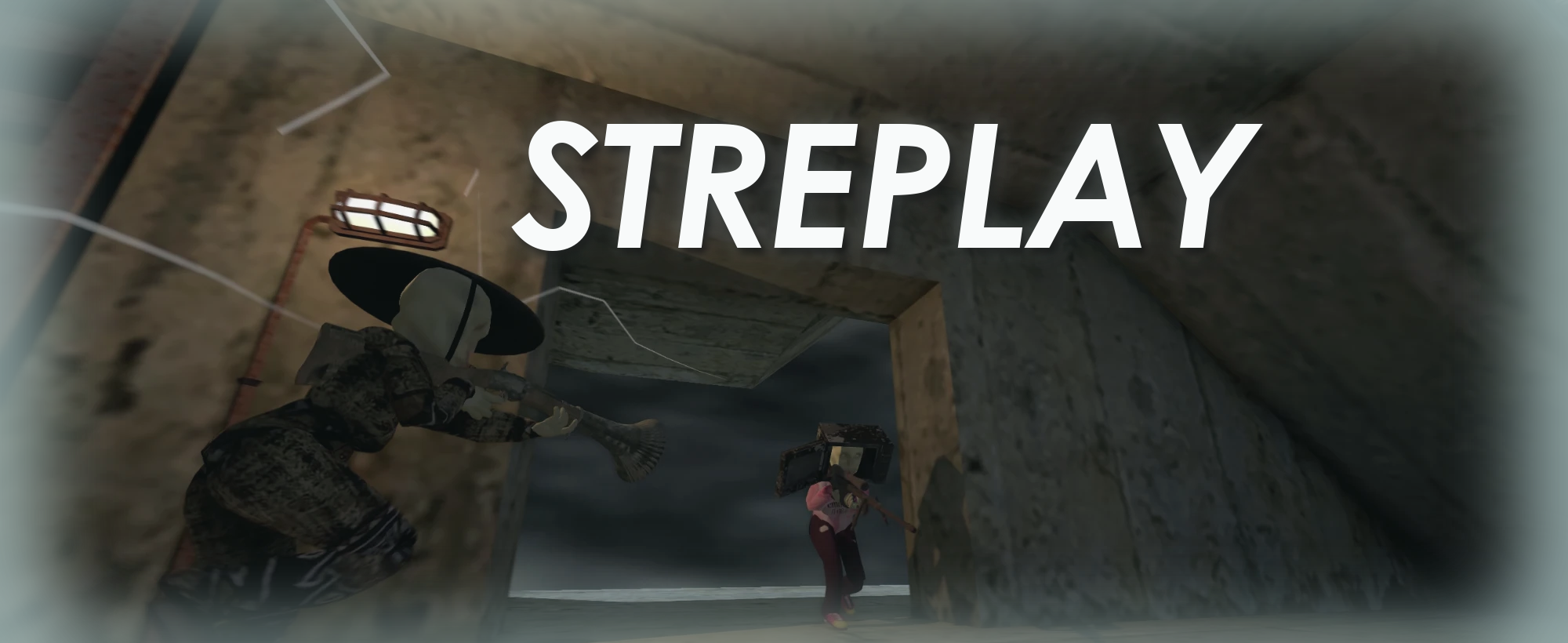
Replays for STRAFTAT. Every round you play is recorded automatically. Watch it back afterwards inside the real map: from your own eyes (with your HUD, arms, hitmarkers and sounds), from a free camera, or from any player. Then render clips up to 4K at any frame rate, with real motion blur, for your edits.
Features
- Automatic recording. Every round is saved to
Documents\STREPLAY(orC:\Users\<you>\STREPLAYif your Documents folder syncs to OneDrive, so replays don't fill your cloud storage). A small● RECshows while it records. Press F9 to turn recording off or back on. - Markers. Press F8 to mark a moment. Press F8 right after a kill to flag that kill. Your kills and deaths are marked automatically.
- Replay browser. Click Replays (F10) on the main menu. Rounds are grouped by match, and markers jump straight to the moment.
- Highlights. Your kills across every recording, ranked best first (flicks, headshots, quickscopes, multi-kills, long range…). Filter them, then Watch one to open the replay with the clip already set around it.
- My view. What your screen showed: the same camera, your first-person arms and weapon, the game's HUD (crosshair, ammo, health, kill feed, hitmarkers), post-processing and sounds.
- Other cameras.
- Free camera.
- Any player's point of view.
- Chase, orbit and victim angles.
- Timeline.
- Scrub, pause and step frame by frame.
- Slow motion down to 0.05x.
- Set in/out points for a clip.
- Render. Any resolution (independent of your window), 30 to 240 fps, film-style motion blur, H.264/H.265/ProRes video or a PNG sequence, with the replay's sound.
STREPLAY only records what your own game already shows you. It is marked as vanilla-compatible, so you can still join normal lobbies.
Install
Install with a mod manager: r2modman or the Thunderstore Mod Manager. BepInEx is installed for you. Start the game with Start modded.
To render straight to video files (MP4/MOV), also install STREPLAY FFMPEG (1nf-STREPLAY_FFMPEG, 9.0.3 or later), which contains ffmpeg and what STREPLAY uses to run it. STREPLAY finds it automatically. If you'd rather use your own ffmpeg, keep the package installed and put ffmpeg.exe in an ffmpeg folder inside your replay folder, or on your PATH, or set FfmpegPath in the config.
Without ffmpeg, renders are saved as PNG frames plus a .wav file, which any video editor can import.
Using it
- Play. Every round is recorded. Press F8 for anything worth keeping.
- On the main menu, click Replays (or press F10). Pick a round and Watch, click a marker, or open the Highlights tab.
- Set the clip with I / O (or C for 2.5 s either side of now). Press R, pick the size, frame rate and blur, then Start render.
- Renders are saved in the
rendersfolder inside your replay folder. Esc cancels a render and keeps what was rendered so far.
Shortcuts while watching
| Key | Action |
|---|---|
| Space | Play / pause |
| ← / → | 5 s back / forward (Shift: 1 s) |
, / . |
One frame back / forward |
[ / ] |
Previous / next marker |
- / = |
Slower / faster |
| M | Add a marker |
| I / O | Clip start / end |
| C | Clip 2.5 s either side of now |
| Shift + drag | Draw a clip range on the timeline |
| Mouse wheel | Zoom the timeline (double-click to show all) |
| V | My view |
| F | Free camera |
| Right mouse | Look around; WASD/QE to fly, Shift fast, Ctrl slow, Z/X zoom |
| 1–9 / Tab | A player's POV |
| G | Smooth POV |
| R | Render panel |
| U | Game HUD on/off |
| H | Hide all replay UI |
| ? | All shortcuts |
| Esc | Back to the menu |
Settings
Open Replays (F10) and go to the Settings tab:
- Max replay storage (default 20 GB, or no limit), with an estimate of how many hours of rounds that holds. When the folder grows past it, the oldest rounds without your markers are deleted. Rounds with your markers are always kept.
- STREPLAY never fills your disk: it always leaves 2 GB free on the drive. If space runs low, old unmarked rounds go early; if there's nothing left to remove, recording pauses until you free some space. You get a warning in game when less than 5 GB is free.
- Record rounds on/off (also F9 in game), update rate (30, 60, 90 or 120 Hz), the REC indicator, and automatic kill/death markers.
- Keys: the Replays window (F10), marking (F8) and recording on/off (F9). Click a key, then press the new one.
- Free camera speed, mouse sensitivity and field of view.
- Player outlines on/off in replays and renders, in your outline colours (also in the render panel).
- Viewmodel: Default, or Kestrel to show your arms and weapon as set in Kestrel's Minimal Viewmodels Reborn (when it's installed).
Everything else, including the replay folder and render defaults, is in r2modman → Config editor → 1nf.streplay.cfg. The render settings are also in the render panel, and HUD.Show… picks which parts of the game's HUD appear in My view and in renders.
Tips
- Smoother slow motion: set the update rate to 120 Hz in Settings. Recordings get about twice as big, and the game has to run at 120 fps or more to record that many.
- Motion blur makes renders slower: more blur sub-frames means a longer render. 16 is a good default; Adaptive adds extra sub-frames only for fast flicks.
- Same moment, different angles: switch the camera and render again. Each render uses the camera you're in.
Known limits
- Other players' POV uses their synced aim. Only your own view has the exact camera, arms and HUD.
- Ragdolls and debris are re-simulated, so they won't land exactly as they did live.
- Sounds play at normal pitch in slow motion.
- Proximity voice chat is never recorded.
- A game update can change things the replays rely on. Older recordings may then show missing objects.
Problems?
Report bugs at https://github.com/evwltrs/streplay/issues. Press F11 in a match or a replay to write a dump_*.txt to the replay folder, and attach it along with BepInEx\LogOutput.log from your r2modman profile (Settings → Browse profile folder).
Source
STREPLAY is open source under the MIT license: https://github.com/evwltrs/streplay
