

CaravanCommissions
Take an item today or pay materials to choose a kingdom's item pool at a later caravan. Compare offers with gamepad, keyboard or mouse.
| Last updated | 24 minutes ago |
| Total downloads | 1 |
| Total rating | 0 |
| Categories | Mods |
| Dependency string | GKJ-CaravanCommissions-0.1.0 |
| Dependants | 0 other packages depend on this package |
This mod requires the following mods to function

BepInEx-HideManagerGameObject_Config
BepInEx config that sets HideManagerGameObject to true.
Preferred version: 5.4.2304
BepInEx-BepInExPack
BepInEx pack for Mono Unity games. Preconfigured and ready to use.
Preferred version: 5.4.2305README
Take an item from today’s caravan, or spend three materials to reserve a choice of three items from another kingdom. You can see exactly which items the next caravan will bring before you pay.
Features
- Compare today’s cards and their effects with a future offer, side by side.
- See the fee and your available stock together. The caravan asks for three wood, with stone or boards as fallbacks if your kingdom has no wood source.
- Keep one paid order per run. It travels with your run checkpoint through tavern saves and backup restores.
How to Use
- At an item caravan, select Compare Commissions. Use Previous Pool and Next Pool to browse other kingdoms, or Today's Items to return and take a card now.
- Select Review Order to check the three promised items and the price. Back to Pool lets you reconsider. Pay and Commission takes the displayed materials once and uses today’s pick.
- At the next distinct item caravan, choose one of the three delivery cards to receive it as a draggable item. Choose Defer Delivery to keep all three choices for a later visit at no extra cost.
On the desk, use the arrow keys or WASD to move focus, Enter to activate the focused button, and Esc to go back. On a controller, use the D-pad, the bottom face button to confirm, and the right face button to go back (A and B on Xbox). You can also click a button with the mouse.
Screenshots
These in-game captures show the same order in version 0.1.0 at 1.5× UI scale, using simulated controller input.
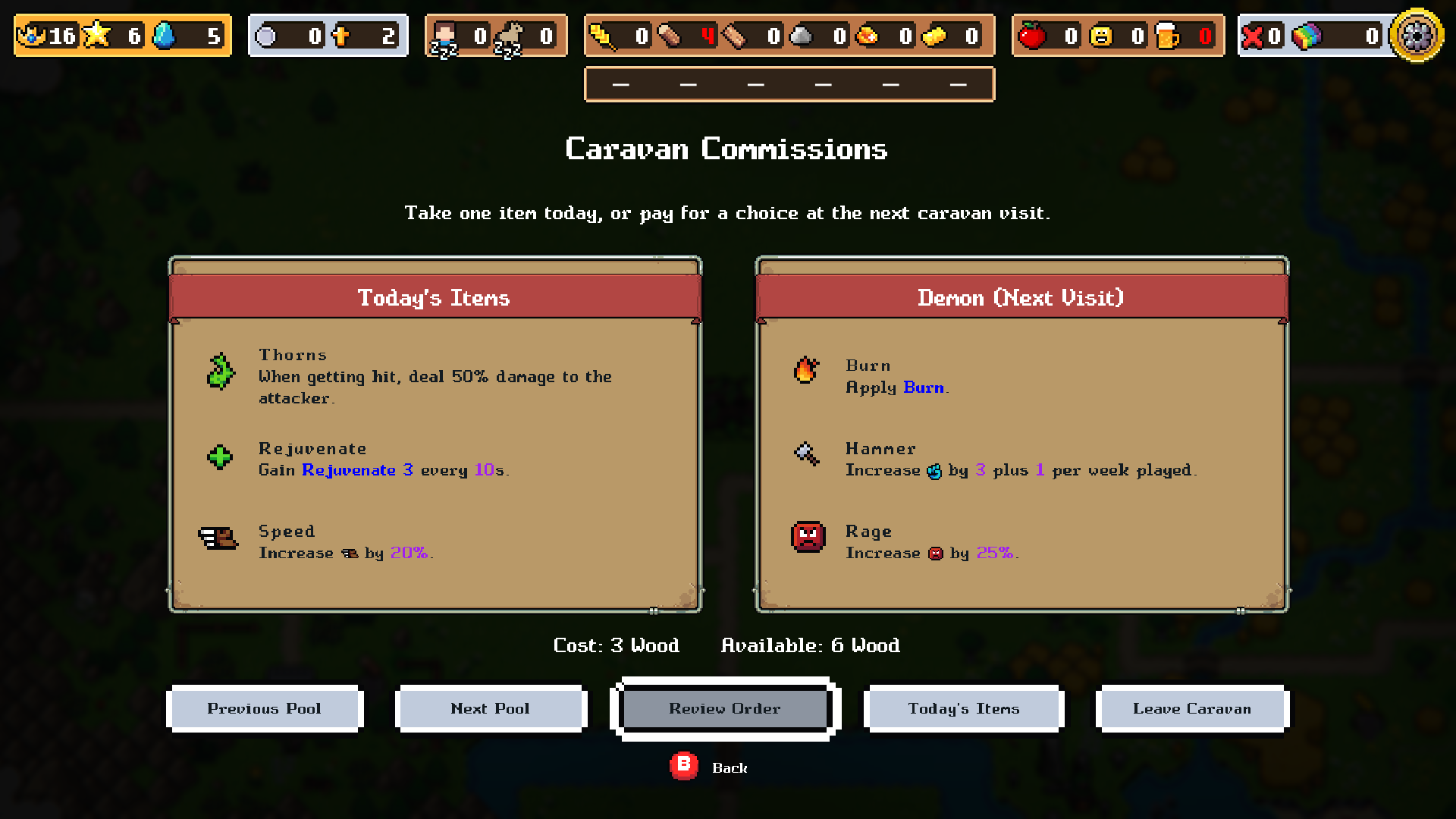
Compare the two columns. The three cards on the right are the choices you are reserving.
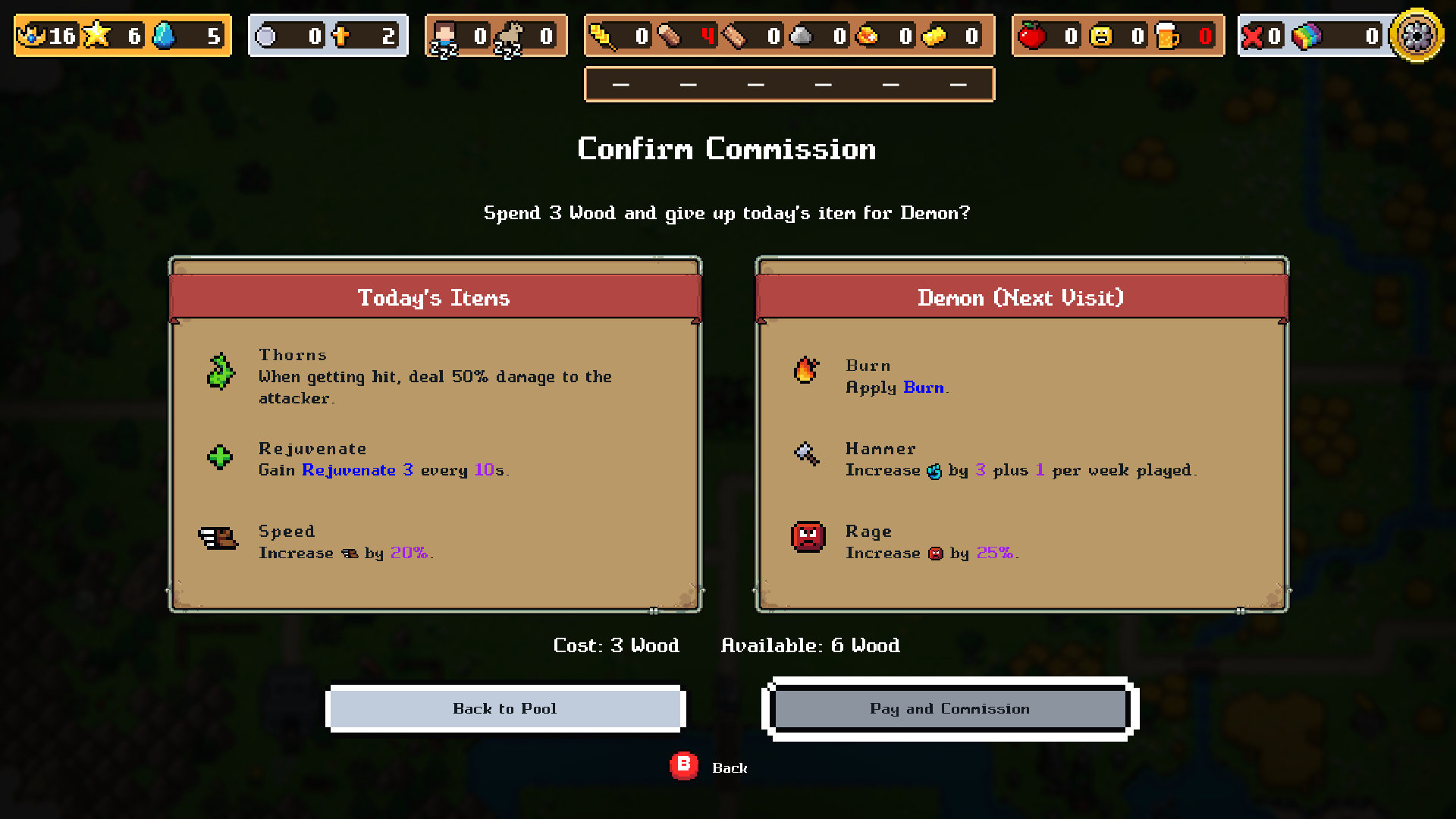
Check the stock beside the price before confirming. This order costs 3 of the 6 wood available.
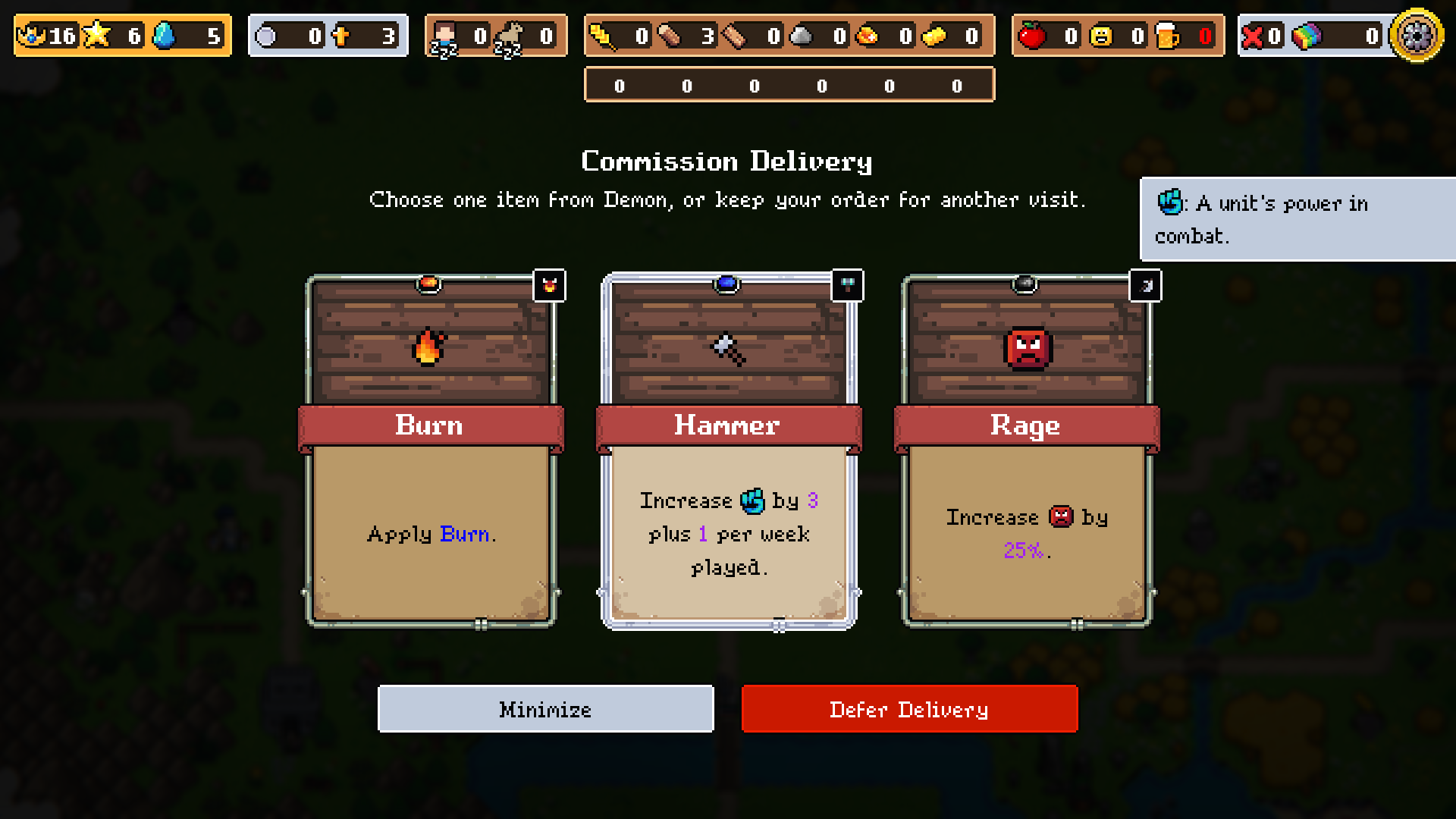
Pick one of the promised cards, or use the button beneath them to wait for another visit.
Compatibility
Works with the vanilla caravan schedule, including reputation visits, and with Daily Caravan. Reopening the same caravan keeps its original decision. Reloading a checkpoint restores the order and materials as they were at that checkpoint.
Items added by other mods need stable IDs that the game can resolve. If a promised item disappears, you can take a remaining card, defer, or use Exchange Order to reserve another complete pool for free. Mods that replace the entire picker or equip rewards directly need a separate integration.
Installation
- In Thunderstore Mod Manager or r2modman, select Super Fantasy Kingdom and your profile.
- Install CaravanCommissions by GKJ along with its listed dependencies, BepInExPack and HideManagerGameObject_Config. For a local ZIP, install the dependencies and use Import local mod.
- Start the game modded. Compare Commissions appears when an item caravan opens.
