

NightsOfTerror
Defend against a second wave at midnight on ordinary nights. Set its size from 0% to 100% of the original wave quota. Defaults to 50%, rounded up.
| Last updated | 2 hours ago |
| Total downloads | 29 |
| Total rating | 0 |
| Categories | Mods |
| Dependency string | GKJ-NightsOfTerror-0.1.5 |
| Dependants | 0 other packages depend on this package |
This mod requires the following mods to function

BepInEx-HideManagerGameObject_Config
BepInEx config that sets HideManagerGameObject to true.
Preferred version: 5.4.2304
BepInEx-BepInExPack
BepInEx pack for Mono Unity games. Preconfigured and ready to use.
Preferred version: 5.4.2305README
Nights of Terror
Hold the kingdom through a second wave. On ordinary nights, a dusk warning announces how many enemies will arrive at midnight.
Features
- Midnight reinforcements default to 50% of the ordinary wave's original spawn quota, rounded up. The ordinary wave size varies by day, Curse and other game modifiers. Clearing the first group early doesn’t affect the reinforcement count.
- Reinforcements are drawn from the enemy pool selected by dusk, with higher odds for recent tiers. Each enemy has full normal HP for its type, level, evolution and curse.
- Reinforcements arrive at Rush spacing by default. The normal Rush unlocks, controls, Auto Rush preference and bonus Glory follow the base game.
- Reinforcement kills count toward the tavern's ordinary kill rewards and Glory. Clear both groups and collect any required chest to open the tavern.
- The normal encounters apply on boss nights, day 29 and the final day of a shortened challenge.
How to Use
- Play an ordinary day and watch for the Nights of Terror warning at dusk. It shows the number of incoming reinforcements.
- Keep defending when the Midnight alert appears. If the ordinary wave is still alive, both groups can fight at once.
- Open the tavern after both groups are cleared and any required chest is collected. Your usual tavern controls or automatic entry setting apply.
- To change the wave size, close the game and edit
WavePercentunder[Reinforcements]in your profile'sBepInEx/config/gkj.nightsofterror.cfg. The default isWavePercent = 50. Use a whole number from 0 to 100.0disables the warning and the extra wave.100matches the ordinary wave's original quota. The game uses the setting at dusk, including when you Continue and replay a dawn. - For slower arrivals, set
RushedArrival = falsein the same section. Each arrival is then one game second apart.
Screenshots
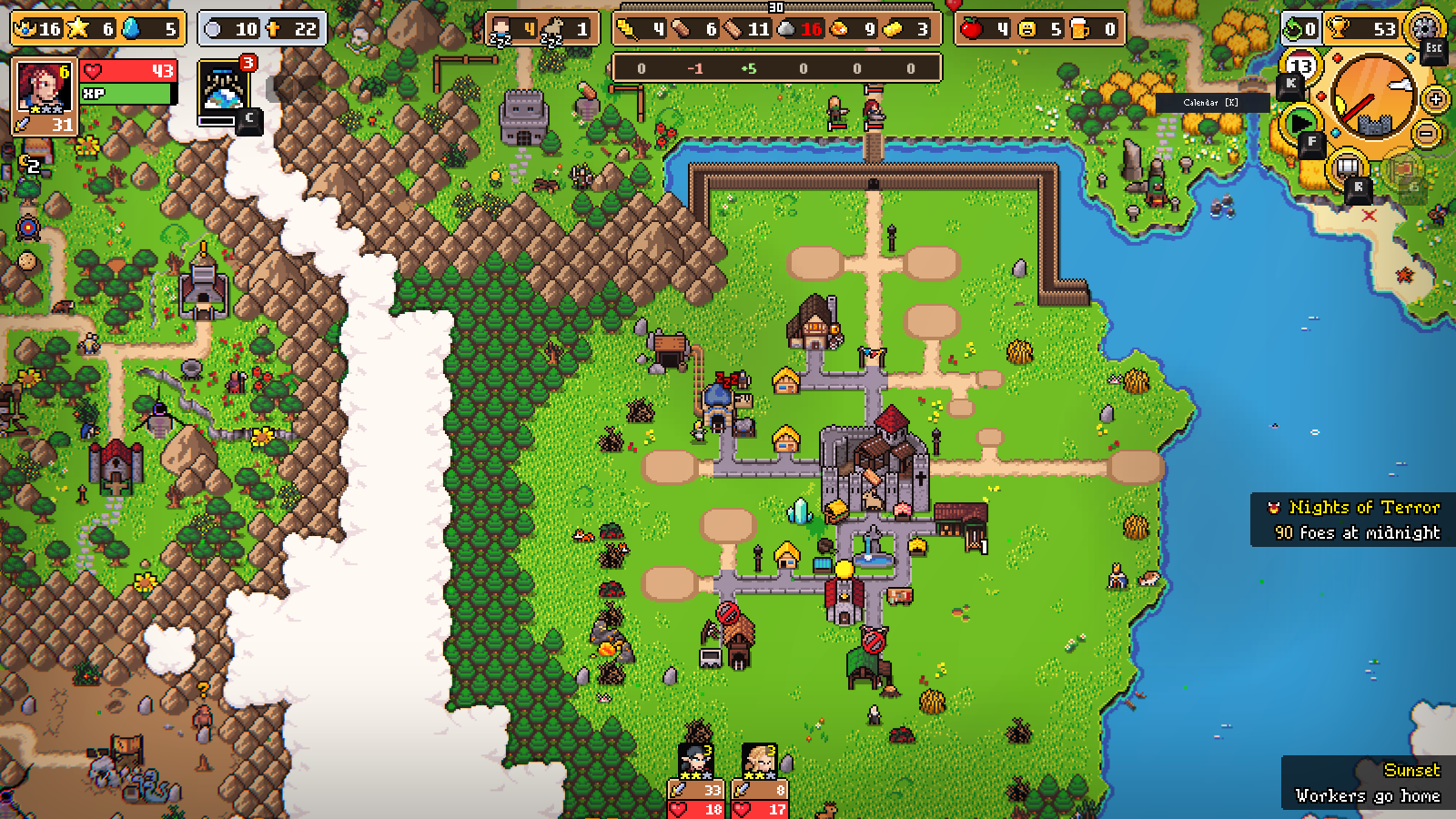
Human, 1× UI. The dusk warning shows how many foes will arrive at midnight.
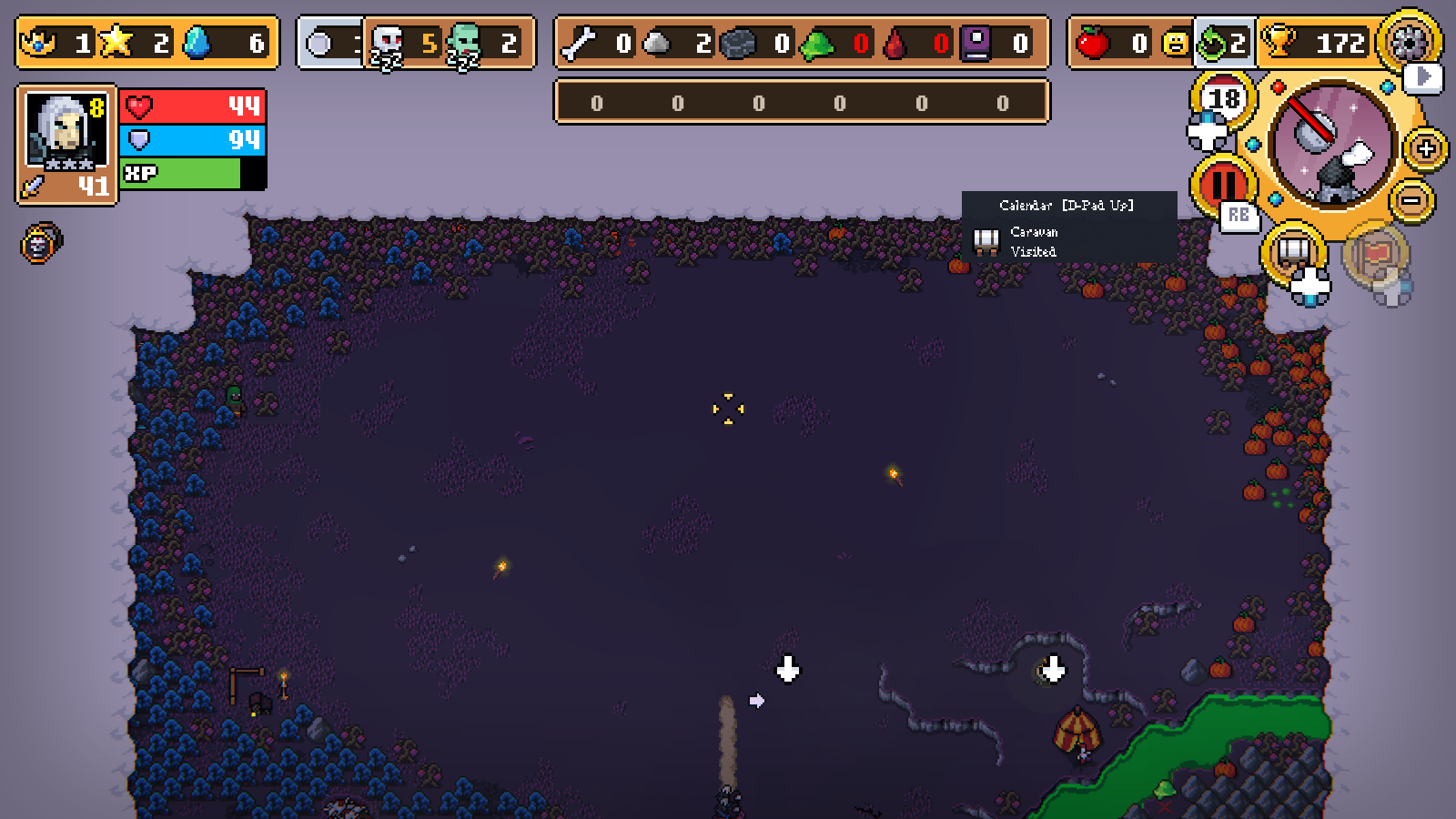
Undead, 1.5× UI. The midnight reinforcements reach the battlefield.
Compatibility
- Tested on Super Fantasy Kingdom 0.8.070 with the other GKJ mods in both the Human and Undead kingdoms.
- Hold the Line settles the wager after the night is cleared, including both waves. A wall hit can forfeit the stake during either wave.
- Cursed Relics and Cursed Equipment can be used alongside the extra wave. Reinforcements grant the game’s usual rewards for their enemies.
- Boss nights, Day 29, and the final day of shortened challenges use their usual encounters. Replaying a dawn schedules that day’s wave again.
- These community mods can share the same profile. Achievement Enabler, Bakery Uses Wheat, More Relics, Right Click Skip, and Tavern Food Priorities.
Installation
- In Thunderstore Mod Manager or r2modman, select your Super Fantasy Kingdom profile.
- Install NightsOfTerror by GKJ. Allow the manager to install BepInExPack and HideManagerGameObject Config.
- Start the game modded and watch for the warning on an ordinary day.
