

RelicLoadoutJournal
Browse completed runs by kingdom, hero and final day. Select a held relic to inspect its in-game icon and description from the title menu.
| Last updated | 9 hours ago |
| Total downloads | 10 |
| Total rating | 0 |
| Categories | Mods |
| Dependency string | GKJ-RelicLoadoutJournal-0.1.2 |
| Dependants | 0 other packages depend on this package |
This mod requires the following mods to function

BepInEx-HideManagerGameObject_Config
BepInEx config that sets HideManagerGameObject to true.
Preferred version: 5.4.2304
BepInEx-BepInExPack
BepInEx pack for Mono Unity games. Preconfigured and ready to use.
Preferred version: 5.4.2305README
Relic Loadout Journal
Which relics did your hero carry on their last run? Open Relic Journal beside Play on the Super Fantasy Kingdom title menu to look through your completed runs and inspect the relics you finished with.
Features
- A history for each save profile. Accepting a run's final result records its kingdom, hero, final day, completion date and held relics. Continuing a save or replaying the same completion keeps one entry for that run.
- Inspect your final loadout. Select a relic to see its in-game icon, name and description. The underline marks the relic on display while you move focus to another icon.
- Readable history when your mods change. If a relic is missing from your installation, its slot shows a question mark and you can still read its saved ID. The journal stores identifiers and run details locally and looks up artwork in the game.
How to Use
- Finish a run with the mod installed and accept its final result. The journal begins with the first completion it sees.
- On the title menu, choose Relic Journal. With a controller, move left from Play and confirm. Your most recent run opens first.
- Choose Older run or Newer run to browse. Select a relic icon, or use Previous relic and Next relic to step through the entire loadout.
- Use the game's Back control to return to the title menu with Relic Journal focused.
Screenshots
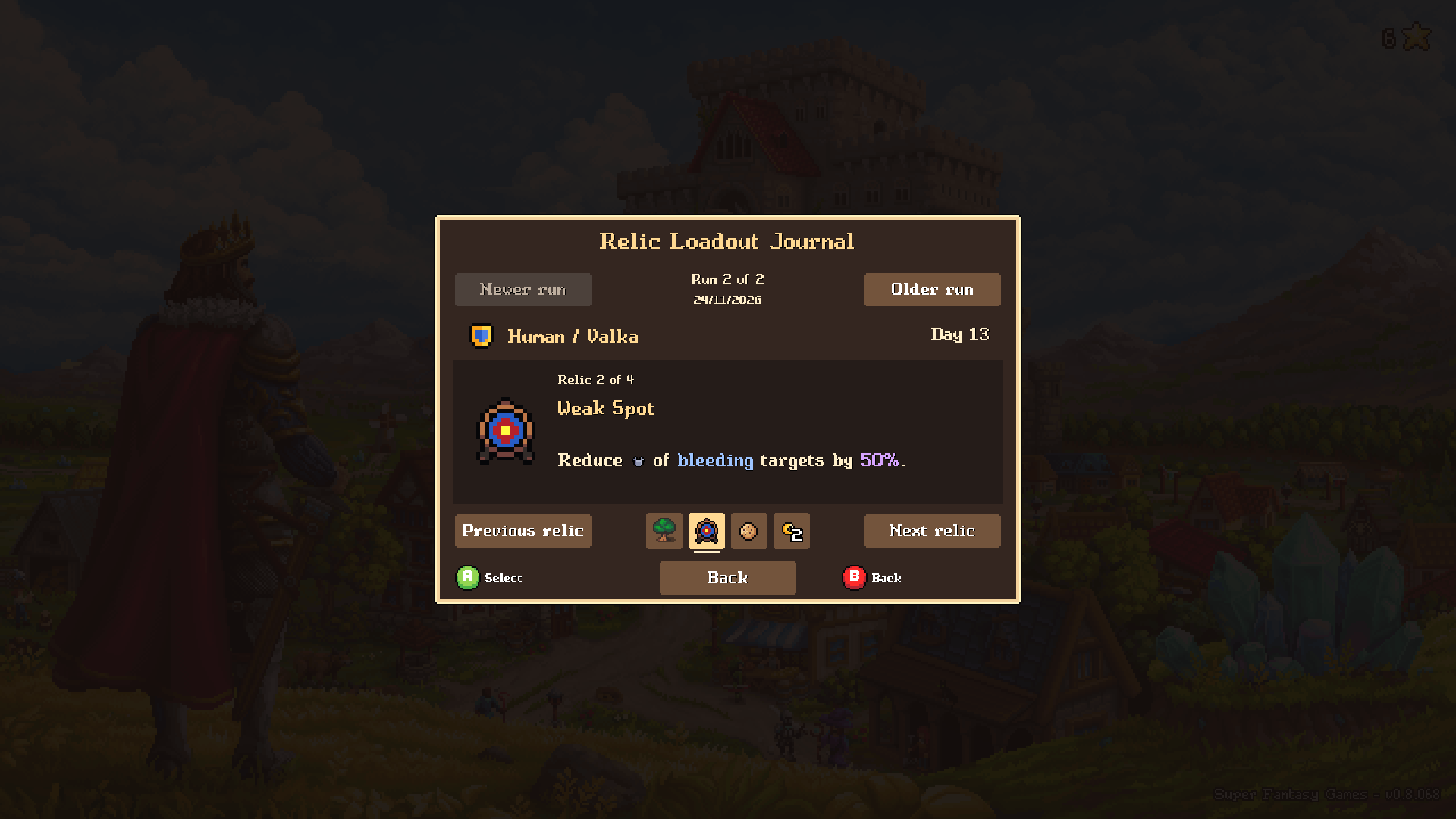
At 1× scale, Valka's day-13 record shows all four relics. Weak Spot is the second icon in the row.
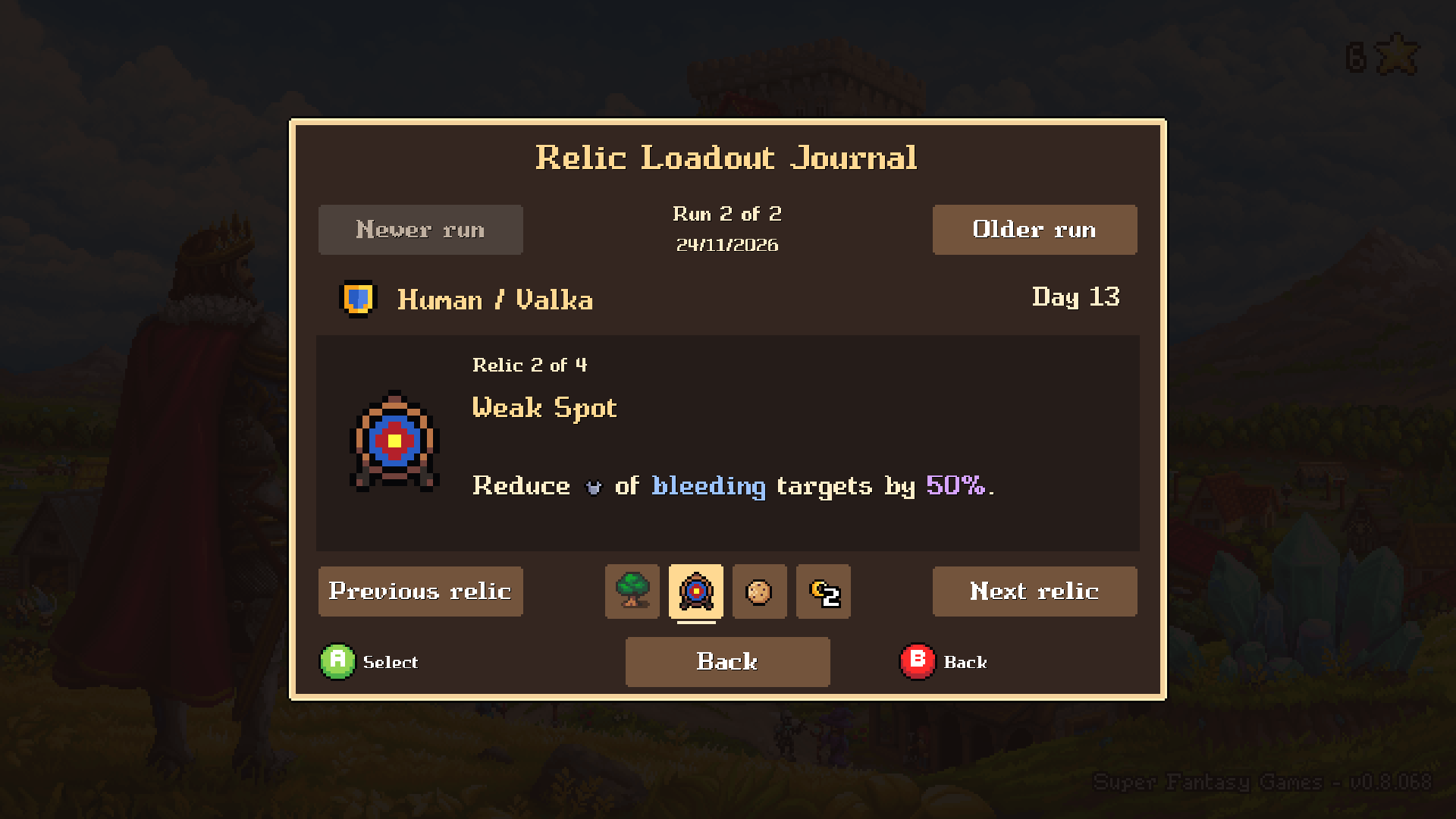
At 1.5× scale, the description shows Weak Spot's effect on bleeding targets. The controller prompts along the bottom show Select and Back.
Compatibility
Tested on Super Fantasy Kingdom 0.8.068 at 1920×1080 with 1× and 1.5× UI scale and a virtual Xbox-style controller. The combined test included Daybook, Weekly Contracts and Achievement Enabler. A copied run completed with the Daybook HUD active, and the Weekly Contracts offer and terms screens retained their controller navigation.
Installation
Install RelicLoadoutJournal by GKJ in your Super Fantasy Kingdom profile using a Thunderstore-compatible mod manager, then launch the game with that profile.
For manual installation, install the two BepInEx dependencies listed for this package, then copy plugins/RelicLoadoutJournal.dll from the ZIP into BepInEx/plugins/. To back up your journal, copy RelicLoadoutJournal/profile-N from the game's save directory.
