

StorageVision
Readable storage info under the crosshair, a green outline on the storage box you look at (or the box your online order needs), and order info + payout value on packing tables.
| Last updated | 13 hours ago |
| Total downloads | 8 |
| Total rating | 0 |
| Categories | Mods |
| Dependency string | plawo-StorageVision-0.1.2 |
| Dependants | 0 other packages depend on this package |
This mod requires the following mods to function

BepInEx-BepInExPack
BepInEx pack for Mono Unity games. Preconfigured and ready to use.
Preferred version: 5.4.2305README
Storage Vision
Makes storage and online-order packing easier to read in Supermarket Together.
Disclaimer: I am not familiar til C# development and are using Claude Code to help develop this mod. All features are tested before release.
Features
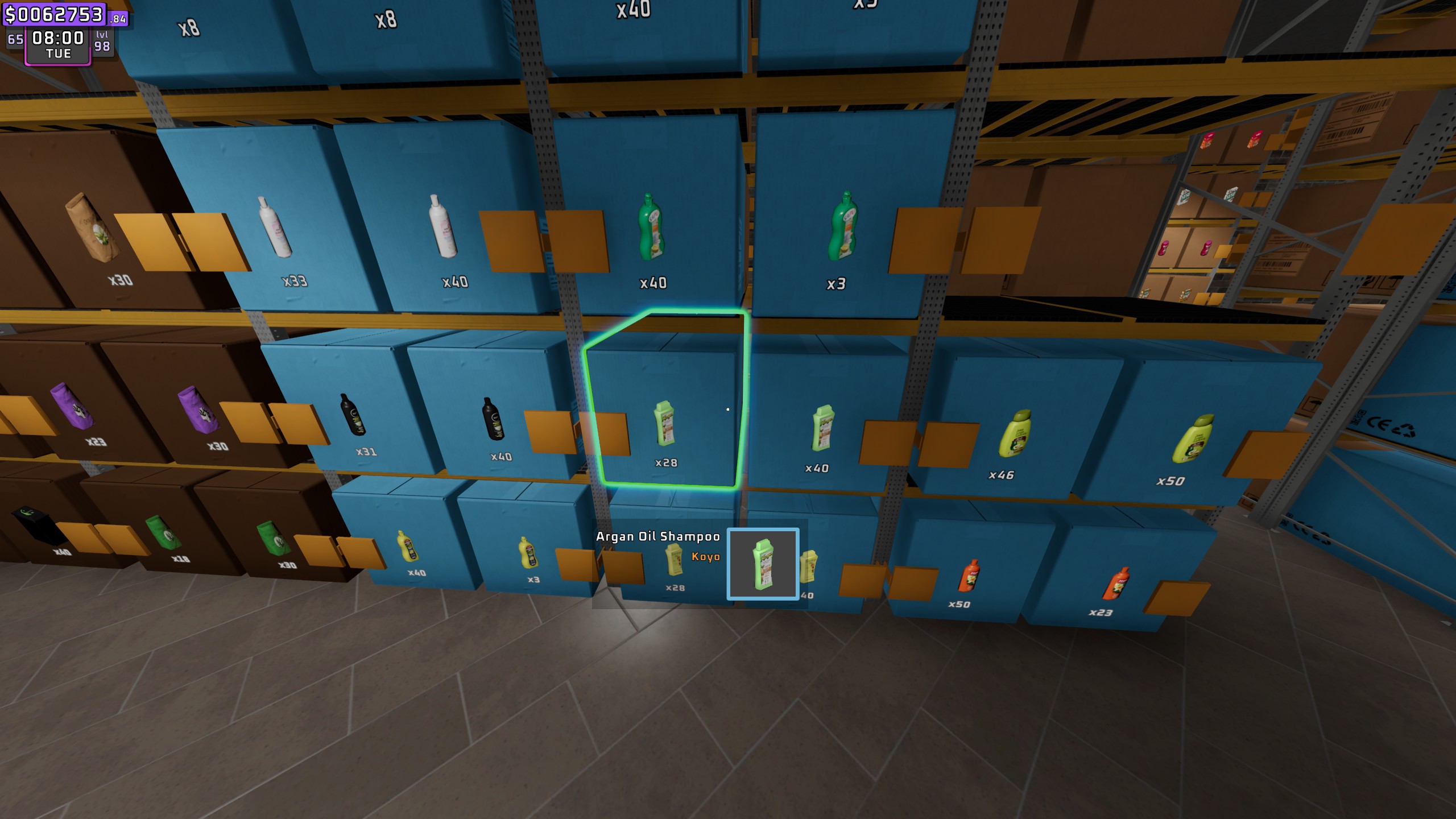
Storage info under the crosshair
- The game's product panel (normally in the top right corner) is moved to the middle of the screen, right under the crosshair. It can also be hidden or left where it is.
- An extra info box under it shows the box contents for the storage slot you look at:
- amount in the box / max per box (red when empty, green when full)
- "No box" when the slot is only labeled for a product
- your shelf price and the market price (optional)
Green outline on the box
- The storage box you look at gets an outline (green by default) using the game's own outline system.
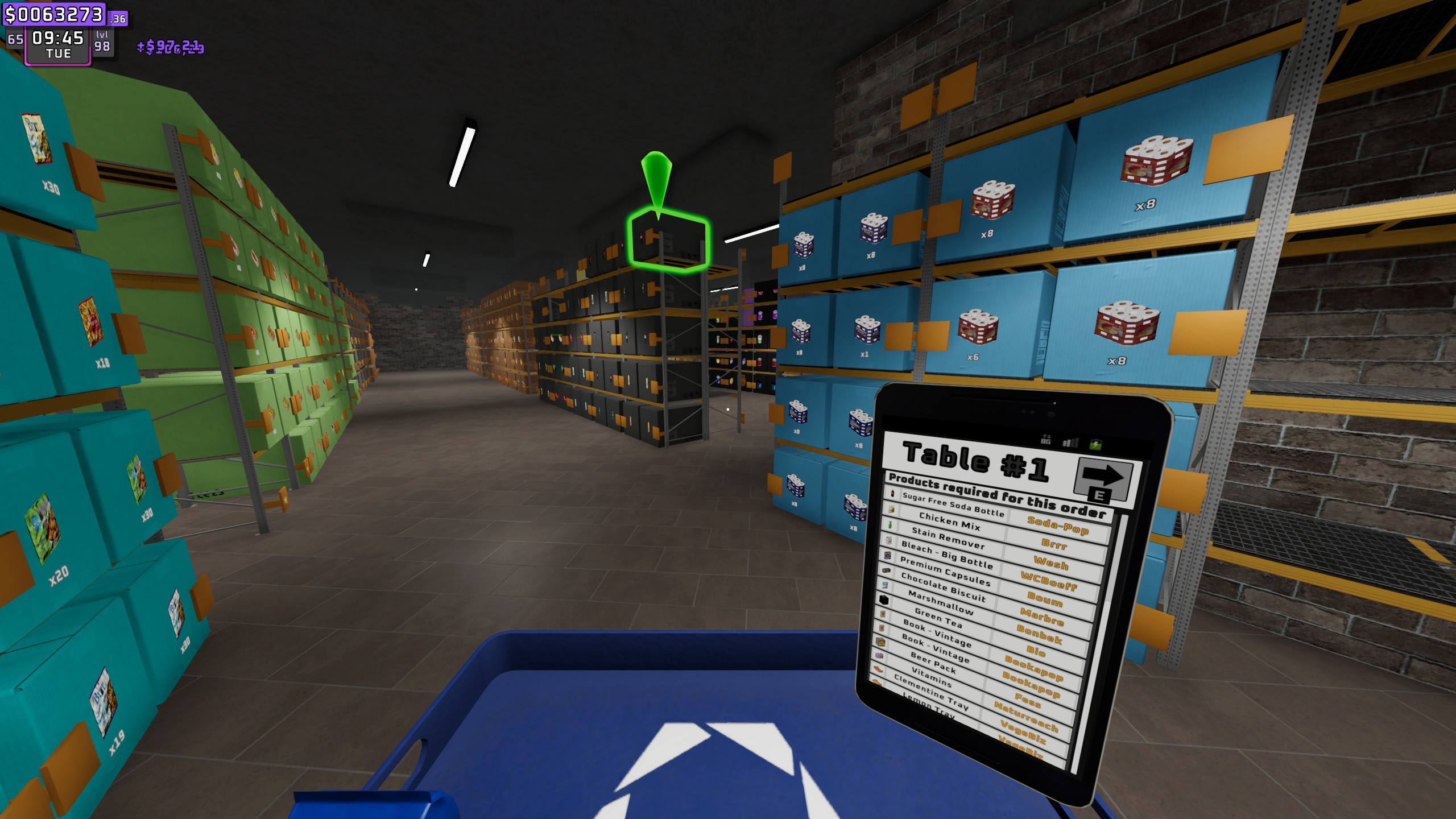
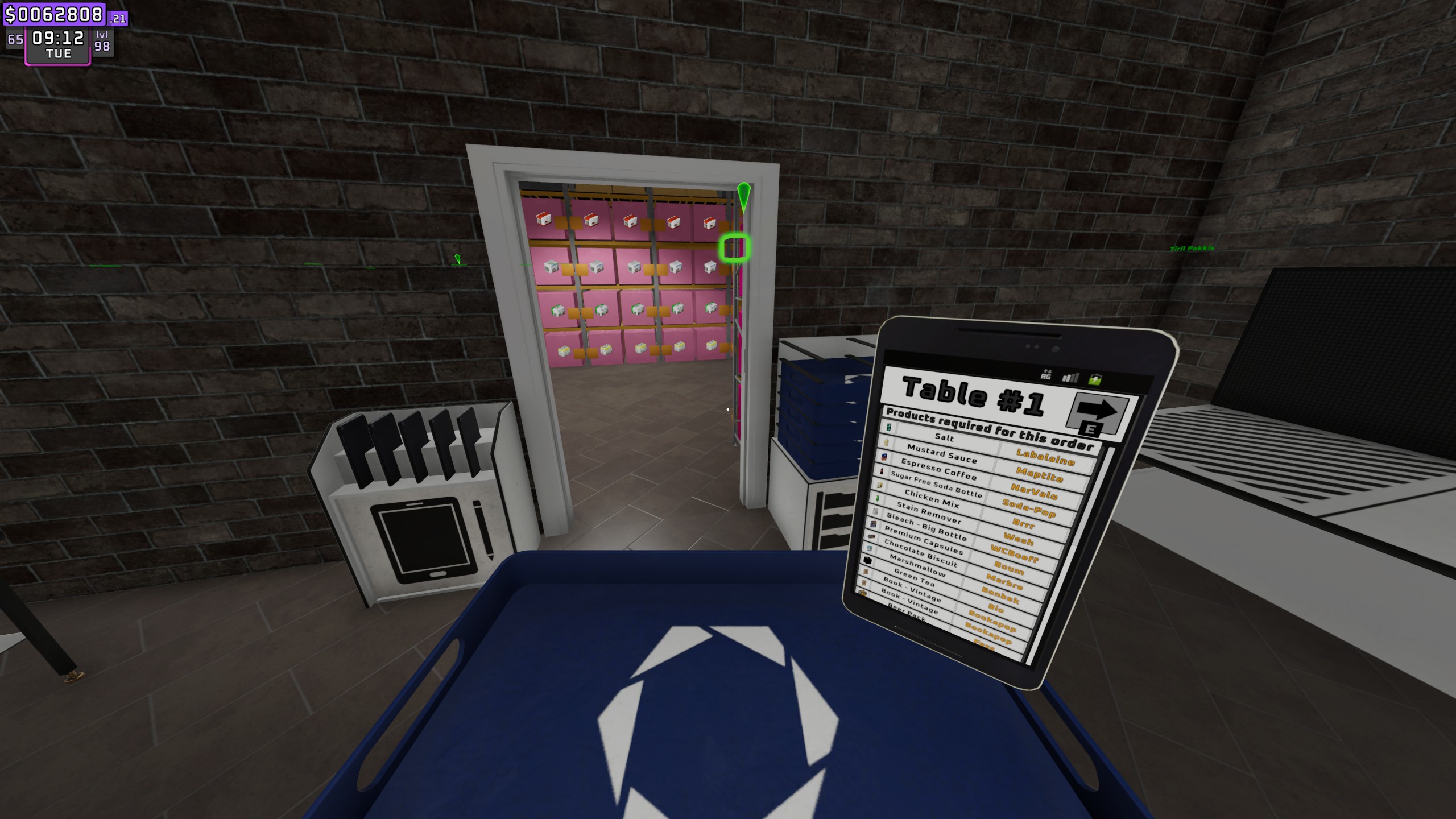
- Optional OrderTarget mode: while you hold the ordering tray, the nearest box with the next product your online order needs is outlined, which is the same product the game's arrows point to. The game's arrows can be hidden.
- Only one object is outlined at a time. The outline is removed as soon as you look away.
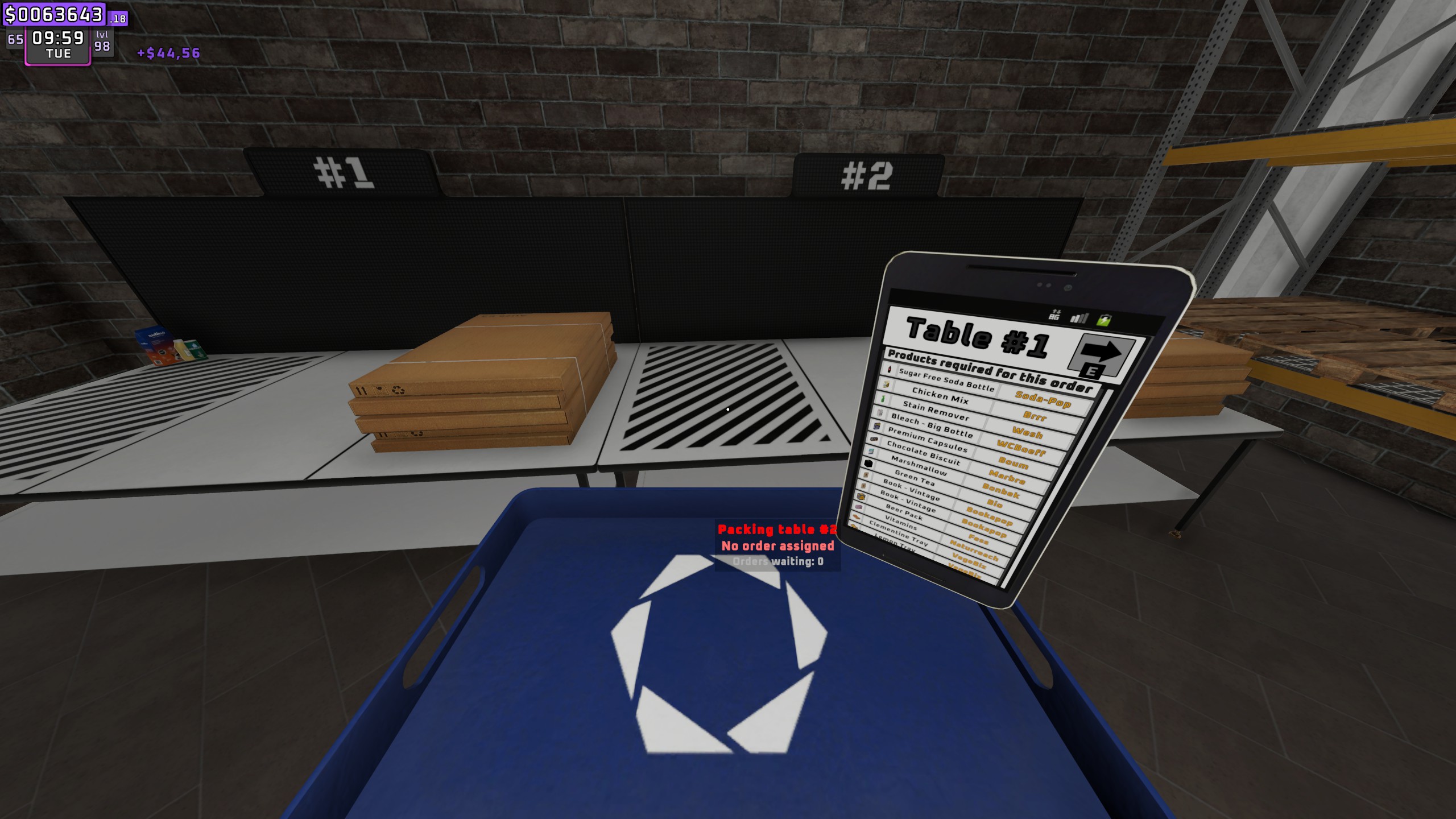
Packing table info
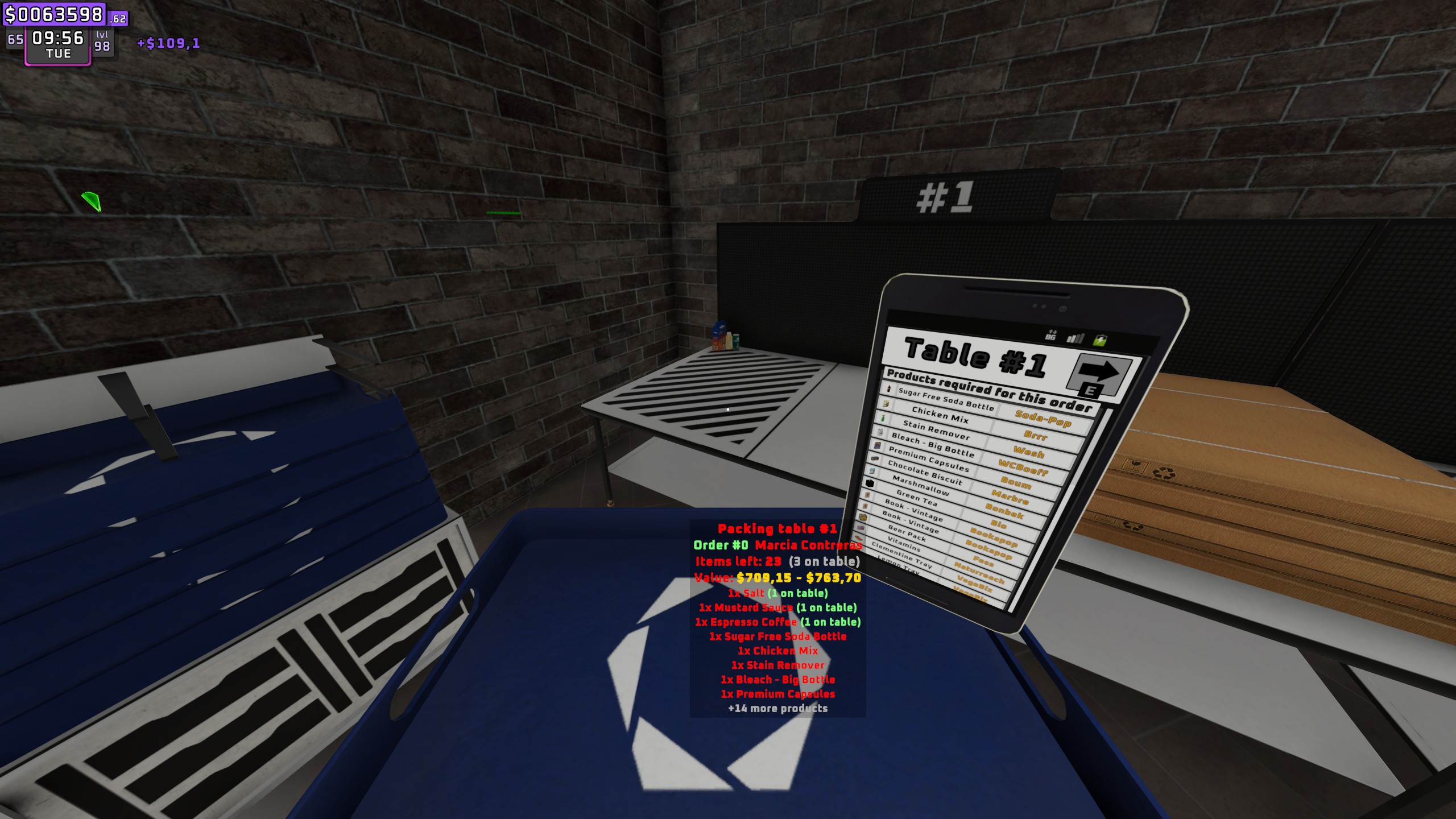
Look at an online-order packing table to see:
- whether the table has an order assigned, and how many orders are waiting if it has none
- order number and customer
- items left to pack, and how many of them are already on the table
- the value of the remaining items:
- Payout: what the customer pays at pickup. The game rolls 3.25x to 3.5x the market price per item, so a min-max range is shown. The value is tripled on bad-weather days with the matching perk.
- Market: base price x inflation.
- ShelfPrice: at your own shelf prices.
- a list of the products still needed
Configuration
Start the game once with the mod installed. This creates the config file BepInEx/config/no.hakon.storagevision.cfg.
Edit config in Thunderstore Mod Manager / r2modman
- Open the mod manager and select your Supermarket Together profile.
- Click Config editor in the left menu.
- Select no.hakon.storagevision and click Edit Config.
- Change the values you want and click Save.
- Restart the game if it was running.
Gale works the same way: open the profile, go to the Config tab and pick no.hakon.storagevision.
In-game settings menu (F8)
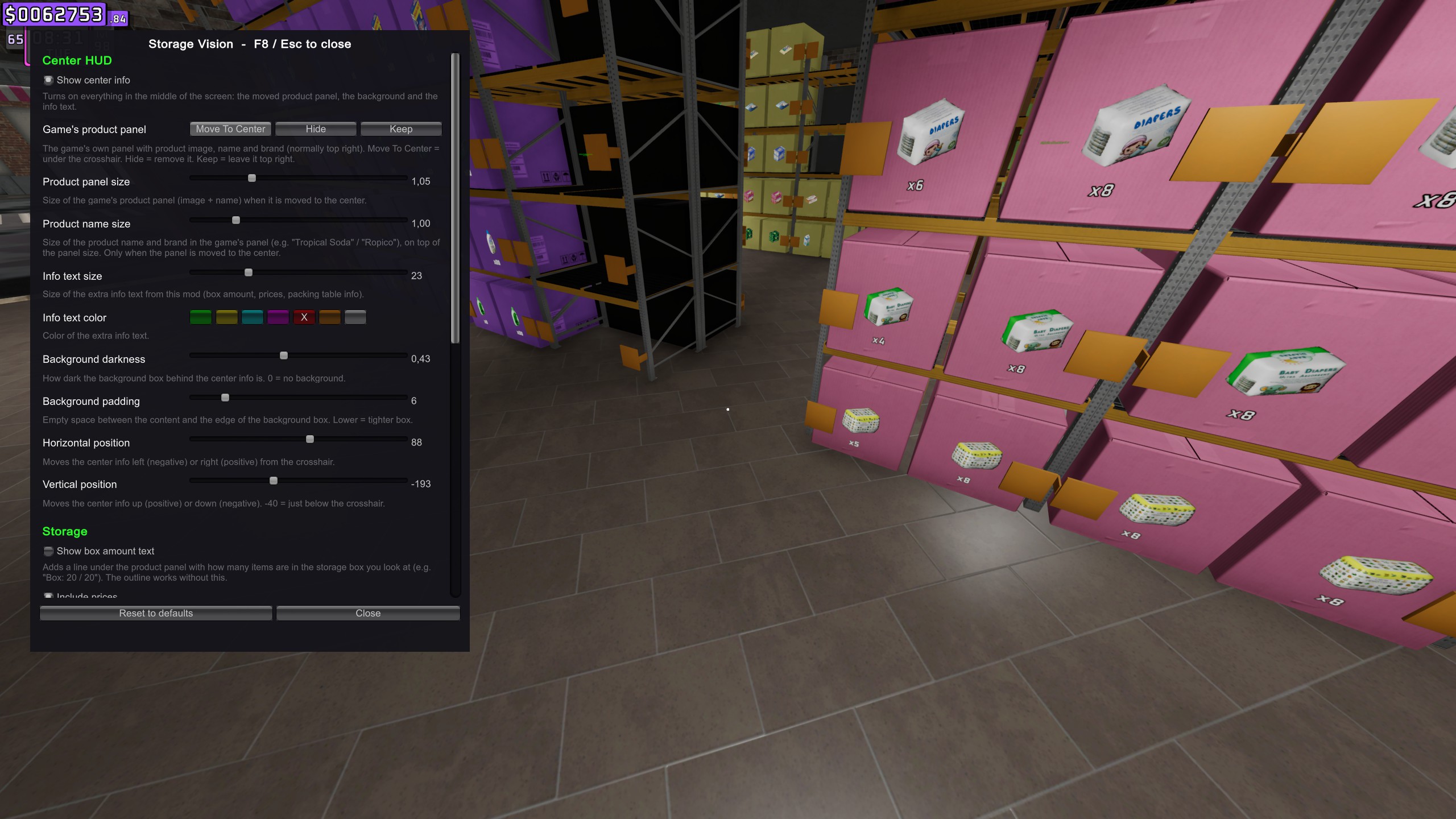
Press F8 in-game to open the Storage Vision settings window. Close it with F8 or Esc.
- All settings below can be changed in the window, and changes apply immediately.
- Each setting has a short explanation under it.
- The center HUD stays visible while the menu is open, so you can look at a box, open the menu and see the result live.
- While the window is open, the mouse cursor is freed and the game ignores your input. Everything is restored when you close it.
- Settings are saved to the config file when you close the window.
- The key can be changed with
MenuKeyin theGeneralsection of the config file.
Settings
| Section | Setting | Default | Description |
|---|---|---|---|
| General | MenuKey | F8 | Opens the in-game settings menu |
| Center HUD | Enabled | true | Show the center info (moved panel, background, info text) |
| Center HUD | OriginalPanel | MoveToCenter | The game's top-right product panel: MoveToCenter, Hide or Keep |
| Center HUD | OriginalPanelScale | 1 | Size of the moved product panel |
| Center HUD | ProductTextScale | 1 | Size of the product name and brand in that panel |
| Center HUD | FontSize | 22 | Size of the mod's own info text |
| Center HUD | TextColor | white | Color of the mod's own info text |
| Center HUD | BackgroundOpacity | 0.6 | Darkness of the background box (0 = off) |
| Center HUD | BackgroundPadding | 6 | Space between the content and the edge of the background box |
| Center HUD | OffsetX / OffsetY | 0 / -40 | Position relative to the screen center (negative Y = below) |
| Storage | Enabled | false | Extra line with the box amount ("Box: 20 / 20"). The outline works without it |
| Storage | ShowPrices | true | Add your price and the market price to that line |
| Highlight | Enabled | true | Outline boxes |
| Highlight | Mode | LookedAt | LookedAt, OrderTarget or Both |
| Highlight | Color | green | Outline color |
| Highlight | Width | 0.8 | Outline width |
| Highlight | AlwaysOnTop | false | Draw the outline through other objects |
| Highlight | HideOrderArrows | false | Hide the game's arrows above shelves while picking orders |
| Work table | Enabled | true | Packing table info |
| Work table | ValueMode | Payout | Payout, Market, ShelfPrice or All |
| Work table | MaxItemLines | 8 | Max product lines listed (0 = none) |
Multiplayer
- The mod is client-side and visual only. It never changes game data and never sends anything over the network.
- Only you need it. Other players do not need to install it.
- Storage contents, assigned orders, order contents and items on tables are synced by the game, so every feature works for the host and clients.
- One small difference: if a client joins on a bad-weather day, the bad-weather bonus in the payout estimate is based on the synced weather icon. This should match the host, but the host is authoritative.
Installation
- Mod manager (recommended): install with r2modman, Gale or Thunderstore Mod Manager. BepInExPack is installed automatically.
- Manual: install BepInExPack, then put
StorageVision.dllinBepInEx/plugins/StorageVision/.
Compatibility
The mod uses a single small Harmony patch, which does nothing unless HideOrderArrows is on. Everything else only reads game state. If a game update breaks something, the mod logs an error to the BepInEx console and turns off the affected part instead of crashing the game.
