

VRTRAKILL
VR mod for ULTRAKILL through SteamVR. Runs on the current Steam build 22957324. A fork of whateverusername0's VRTRAKILL.
| Last updated | 3 days ago |
| Total downloads | 177 |
| Total rating | 0 |
| Categories | Mods Quality Of Life Gameplay AI Generated |
| Dependency string | NathanKneT-VRTRAKILL-2.0.3 |
| Dependants | 0 other packages depend on this package |
This mod requires the following mods to function

BepInEx-BepInExPack
BepInEx pack for Mono Unity games. Preconfigured and ready to use.
Preferred version: 5.4.2305README
VRTRAKILL
Play ULTRAKILL in VR, through SteamVR. You aim with your hands, punch by swinging your fist, throw the whiplash from your other hand and read your health on your wrist. Version 2.0.3.
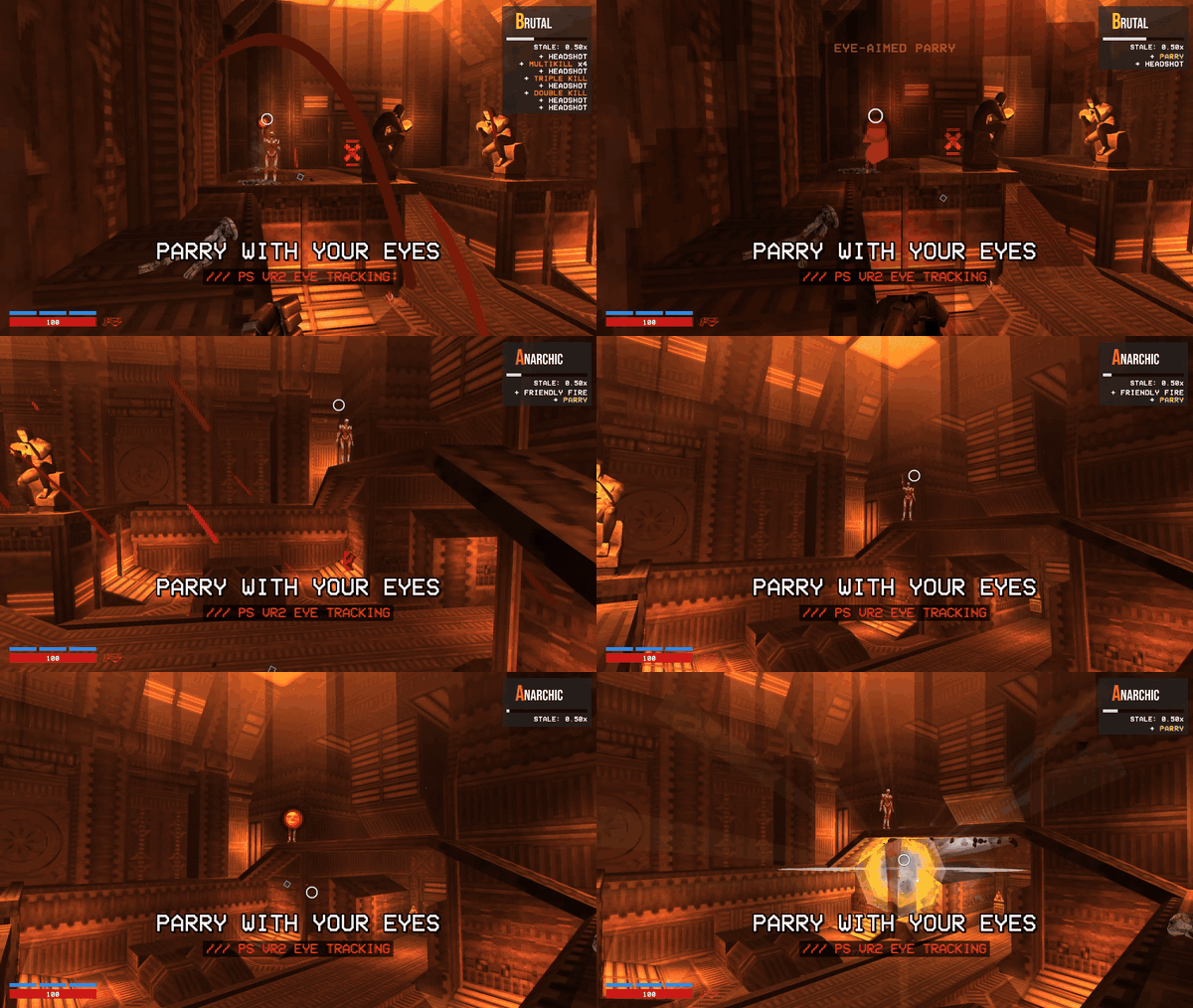
This version runs on the current ULTRAKILL on Steam: build 22957324 (Unity 2022.3.29f1). You do not need to downgrade the game. It was built and tested on build 22957324 only. If Steam updates the game, the mod can break until it gets an update.
Features
- Guns in your gun hand that shoot where you point, with the crosshair on the real shot line. Punch by swinging your fist, or with the button alone.
- The Feedbacker, Knuckleblaster and whiplash in your other hand, with a small marker where the whiplash will go. A coin tossed with a throwing move flies along your throw.
- Health and stamina on your wrist like a watch, or a floating HUD.
- The game's prompts name your controller's buttons: "Cross" on PS VR2, "A" on Quest, "D-pad down" on Steam Frame.
- Layouts for PS VR2 Sense, Quest Touch, Index, Steam Frame, Pico, Vive wands and WMR, each with a mirrored left-handed layout.
- VR settings in the pause menu: turning, comfort vignette, HUD, rumble, height, punch mode, left handed.
- Each hand rumbles on its own, with a tick when a hit lands, a knock on a kill and a thud when you get hurt.
- Snap or smooth turning, an optional comfort vignette, adjustable movement speed, seated or standing play.
- The buttons work while another window has focus and never reach Windows or other programs.
- Full frame rate in the headset, and VR starts by itself as soon as SteamVR sees the headset.
Requirements
- ULTRAKILL on Steam, build 22957324.
- SteamVR. The mod uses OpenVR only, so every headset goes through SteamVR.
- A mod manager: r2modman, Gale or the Thunderstore Mod Manager. It installs BepInExPack for you.
Install
- Install VRTRAKILL with your mod manager.
- Start SteamVR and connect your headset.
- Start the game with "Start modded".
With SteamVR running the game starts in VR; without it, it starts flat on the monitor and says so (see VR or flat).
A mod manager can only put files in the BepInEx folder of its profile. VR also needs files in the game's own ULTRAKILL_Data folder. On each start, VRPatcher copies these files from the mod into ULTRAKILL_Data if they are missing or different:
Managed/: the SteamVR and Unity XR DLLsPlugins/x86_64/:XRSDKOpenVR.dllandopenvr_api.dllStreamingAssets/SteamVR/: the SteamVR actions and default bindingsUnitySubsystems/XRSDKOpenVR/: the OpenVR subsystem manifest
It also edits ULTRAKILL_Data/globalgamemanagers to turn on VR, and keeps the original as globalgamemanagers.vrtrakill.bak.
The copy runs before Unity reads these files, so VR should start on the first launch. VRPatcher checks this and writes the result to BepInEx/LogOutput.log in your profile. If the log says RESTART NEEDED, close the game and start it again.
While VR is not running, a box at the top of the game window on your monitor says why (SteamVR not running, no headset found, and so on). If VR does not start, open BepInEx/LogOutput.log in your profile (mod manager > Settings > Browse profile folder).
Headsets
| Headset | Status |
|---|---|
| PlayStation VR2 (PC adapter) | Tested |
| Meta Quest 2, 3, 3S, Pro | Tested |
| Valve Index | Configured |
| Steam Frame | Configured |
| Pico 4, Pico 4 Ultra | Configured |
| HTC Vive, Vive Pro | Configured |
| Windows Mixed Reality | Configured |
| HTC Vive Cosmos controllers, Logitech VR Ink, hand tracking | Not supported |
"Tested" means it was played on hardware through SteamVR. "Configured" means the default layout covers every game action and was checked against the SteamVR driver's input profile, but nobody has played with it yet. Reports from players with these headsets are welcome.
Controls
(R) is the right controller, (L) is the left controller. The game's own prompts name the button on your controller. You can change any binding in SteamVR > Settings > Controllers > Manage Controller Bindings > ULTRAKILL.
| Action | PS VR2 Sense | Quest Touch (and Pico) |
|---|---|---|
| Move | (L) stick | (L) stick |
| Turn | (R) stick left or right | (R) stick left or right |
| Jump | (R) Cross | (R) A |
| Slide / slam | (R) stick click | (R) stick click |
| Dash | (L) stick click | (L) stick click |
| Shoot | (R) R2 | (R) trigger |
| Alternate fire | (R) R1 | (R) grip |
| Punch | (L) L2 | (L) trigger |
| Whiplash | (L) L1 | (L) grip |
| Change fist (Feedbacker / Knuckleblaster) | (L) Square | (L) X |
| Change weapon variation | (L) Triangle | (L) Y |
| Weapon wheel | Hold (R) Circle, aim with the (L) stick, let go to switch | Hold (R) B, aim with the (L) stick, let go to switch |
| Pause | (R) Options, or double tap (R) Circle | Double tap (R) B |
| Menu: select | Point a controller and pull its trigger, or (R) Cross on the highlighted item | Point a controller and pull its trigger, or (R) A on the highlighted item |
| Menu: move the highlight | (L) stick | (L) stick |
| Menu: scroll | (R) stick up or down | (R) stick up or down |
| Menu: back | Press (R) Circle once | Press (R) B once |
- The right stick only turns, and no button switches to the next weapon: use the weapon wheel.
- A single press of (R) Circle or (R) B does nothing in play, so the button only pauses on a double tap. In a menu, one press goes back one page.
- With "Left handed" on, every button and stick swaps sides, and the prompts follow.
Maps for Index, Steam Frame, Vive and WMR, and the launch steps for each connection, are in docs/HEADSETS.md on GitHub.
If the buttons act like an older version, pick the default layout again: SteamVR > Settings > Controllers > Manage Controller Bindings > ULTRAKILL > Default.
Settings
Pause the game in the headset. A VR column next to the pause menu changes the main settings at once and saves them: a comfort preset (BEGINNER, STANDARD, ULTRAKILL), the streamer view, turn mode, turn speed, UI size, comfort vignette, screen flashes, HUD on the wrist or floating, rumble strength, height offset, recenter view, punch by swing or by button, left handed (takes effect after a restart), and the cheat menu (CHEATS).
All settings are in VRTRAKILL_Config.json, in the mod's folder under BepInEx/plugins in your profile. A mod update replaces this file, so note your changes before you update.
This version makes no network request: it does not check for updates. Your mod manager updates VRTRAKILL.
VR or flat
With "Start in VR" on "Auto" (the default), the game starts in VR when SteamVR is running and flat on the monitor otherwise, with nothing of the mod applied. "Always" makes the game start SteamVR itself and wait for the headset; "Never" always starts flat. The launch options --novr and --vr (in Steam: right-click ULTRAKILL > Properties > General > Launch options) win over the setting. You can also start the game vanilla from your mod manager.
Uninstall
- Remove VRTRAKILL in your mod manager.
- The mod manager does not remove the files that VRPatcher copied into the game folder. In Steam, right-click ULTRAKILL > Manage > Browse local files, then delete these from
ULTRAKILL_Data:Managed/:SteamVR.dll,SteamVR_Actions.dll,Unity.XR.CoreUtils.dll,Unity.XR.Management.dll,Unity.XR.OpenVR.dll,UnityEngine.SpatialTracking.dll,UnityEngine.XR.LegacyInputHelpers.dll,Valve.Newtonsoft.Json.dllPlugins/x86_64/:XRSDKOpenVR.dll,openvr_api.dll- the
StreamingAssets/SteamVR/folder and theUnitySubsystems/XRSDKOpenVR/folder globalgamemanagers.vrtrakill.bakandglobalgamemanagers.vrtrakill.sha256
- In Steam, right-click ULTRAKILL > Properties > Installed Files > Verify integrity of game files. This restores the original
globalgamemanagers.
Steam's verify step does not remove extra files, so do step 2 as well. "Start vanilla" in the mod manager does not undo these changes.
AI use
Version 2.0 was made with the help of an AI assistant: Anthropic's Claude wrote and refactored much of the new code, the tests and the documentation, under the maintainer's direction. The changes were reviewed and tested in game, with automated in-game checks and by playing with a PS VR2. The code of earlier versions comes from the authors listed under Credits. As Thunderstore asks of mods made with AI, the mod's DLLs also say so in their assembly metadata (AI_Assisted_Creation, AI_Model_Vendor).
Credits
- whateverusername0 created VRTRAKILL (original repo). The original README put development on indefinite hold and pointed players to forks for newer game versions. This is one of those forks.
- Squaresweets (Matthew Collier) made the VRTRAKILL_FRAUD fork. This version builds on it.
- Guillaume-Lechevallier: thank you for your VRTRAKILL_FRAUD fork, which did the groundwork for the current game build (the Unity 2022.3 VRPatcher, the OpenVR start-up and the portal overlay). Our weapon wheel, desktop view, 4-S and Clash camera, late HUD conversion and opt-in VR body are based on your work, and your notes pointed us at the shop preview problem.
- Graze, Rokic, Party Wumpus and NavaShield contributed to the original mod.
- Raicuparta: the globalgamemanagers patcher approach comes from Two Forks VR (MIT).
- Motaweh updated the mod for build 22957324 (1.0.x).
- NathanKneT made version 2.0.0.
License
AGPL-3.0. The source code is on GitHub. LICENSE.md and THIRD_PARTY_NOTICES.md are in the mod's plugin folder. Third-party files (SteamVR plugin, OpenVR, Unity XR packages, AssetsTools.NET, Newtonsoft.Json and others) keep their own licenses.
This is a fan project. It is not made by or connected to New Blood. You need your own copy of ULTRAKILL.
