
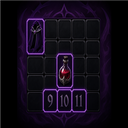
SlotSort
Pin items to fixed inventory slots on Sort. Per-player rules, item search, optional ZUI panel.
By PinkyTwinky
| Last updated | 3 months ago |
| Total downloads | 352 |
| Total rating | 1 |
| Categories | Server Mods Oakveil Update |
| Dependency string | PinkyTwinky-SlotSort-1.2.0 |
| Dependants | 0 other packages depend on this package |
This mod requires the following mods to function

BepInEx-BepInExPack_V_Rising
BepInEx pack for V Rising. Preconfigured and includes Unity Base DLLs.
Preferred version: 1.733.2
deca-VampireCommandFramework
Command framework for developers to easily create universal commands for their plugins.
Preferred version: 0.11.0README
SlotSort
Author: PinkyTwinky
English
Description
Server mod — pin specific items to fixed inventory slots when you press the Sort button in your inventory.
Examples: cloaks, blood roses, and potions always land in the same slot after sorting.
Players do not need this mod on their game client. Install it on the dedicated server only.
Requirements
| Where | Mod |
|---|---|
| Server (required) | BepInEx Pack V Rising |
| Server (required) | VampireCommandFramework |
| Client (optional) | ZUI — settings GUI only |
Installation (server)
- Install BepInEx and VCF on your dedicated server.
- Place
SlotSort.dllinBepInEx/plugins/. - Restart the server.
- Check
BepInEx/LogOutput.logforSlotSort initialized.
How to use
- Configure slot rules (chat commands or GUI).
- Open your inventory in-game.
- Press Sort — vanilla sort runs first, then SlotSort moves pinned items to your chosen slots.
Slot numbers
- 1–8 — hotbar (action bar)
- 9+ — main inventory bag
Commands
| Command | Description |
|---|---|
.slotsort gui / .ss gui |
Open settings window (requires ZUI on client) |
.slotsort set "Blood Rose" 9 |
Assign an item to a slot |
.slotsort set "item name" |
Uses the slot from .pickslot if no number given |
.slotsort pickslot 12 |
Remember a slot for the next .set command |
.slotsort remove "item" / .ss rm |
Remove a slot rule |
.slotsort list / .ss ls |
List your active rules |
.slotsort toggle |
Enable or disable sorting for yourself |
.slotsort sort |
Apply rules without pressing Sort |
.slotsort search blood / .ss search |
Search items by name (chat + GUI) |
GUI (optional)
Install ZUI on your game client, then run:
.slotsort gui
Window tabs:
- Main — enable/disable, apply now, refresh window
- Rules — view assignments and remove rules
- Add — quick presets and bag slots 9–16
- Search — item name search results (run
.slotsort search <name>in chat first)
Configuration (server)
BepInEx/config/SlotSort/
  defaults.json          # server-wide default rules
  players/<SteamID>.json # per-player overrides
Support
Report issues to the mod author (PinkyTwinky) or on your server's Discord.
Русский
Описание
Серверный мод — закрепляет выбранные предметы за фиксированными ячейками инвентаря при нажатии кнопки «Сортировка».
Например: плащи, кровавые розы и зелья всегда оказываются в одних и тех же ячейках после сортировки.
Игрокам не нужно устанавливать мод на клиент. Мод ставится только на выделенный сервер.
Зависимости
| Где | Мод |
|---|---|
| Сервер (обязательно) | BepInEx Pack V Rising |
| Сервер (обязательно) | VampireCommandFramework |
| Клиент (опционально) | ZUI — только для окна настроек |
Установка (сервер)
- Установите BepInEx и VCF на выделенный сервер.
- Поместите
SlotSort.dllвBepInEx/plugins/. - Перезапустите сервер.
- В
BepInEx/LogOutput.logдолжна появиться строкаSlotSort initialized.
Как пользоваться
- Настройте правила ячеек (команды в чате или GUI).
- Откройте инвентарь в игре.
- Нажмите «Сортировка» — сначала сработает ванильная сортировка, затем SlotSort переместит закреплённые предметы в нужные ячейки.
Нумерация ячеек
- 1–8 — хотбар (панель быстрого доступа)
- 9+ — основной инвентарь (сумка)
Команды
| Команда | Описание |
|---|---|
.slotsort gui / .ss gui |
Открыть окно настроек (нужен ZUI на клиенте) |
.slotsort set "Blood Rose" 9 |
Назначить предмет на ячейку |
.slotsort set "название" |
Использует ячейку из .pickslot, если номер не указан |
.slotsort pickslot 12 |
Запомнить ячейку для следующей команды .set |
.slotsort remove "предмет" / .ss rm |
Удалить правило |
.slotsort list / .ss ls |
Показать активные правила |
.slotsort toggle |
Включить или выключить сортировку для себя |
.slotsort sort |
Применить правила без нажатия «Сортировка» |
.slotsort search blood / .ss search |
Поиск предметов по названию (чат + GUI) |
GUI (опционально)
Установите ZUI на игровой клиент и введите в чат:
.slotsort gui
Вкладки окна:
- Main — вкл/выкл, применить сейчас, обновить окно
- Rules — список правил и кнопки удаления
- Add — быстрые пресеты и ячейки сумки 9–16
- Search — результаты поиска предметов (сначала в чате:
.slotsort search <название>)
Конфигурация (сервер)
BepInEx/config/SlotSort/
  defaults.json          # общие правила для всех игроков
  players/<SteamID>.json # персональные настройки игрока
Поддержка
Сообщайте об ошибках автору мода (PinkyTwinky) или в Discord вашего сервера.
