
Please disclose if any significant portion of your mod was created using AI tools by adding the 'AI Generated' category. Failing to do so may result in the mod being removed from Thunderstore.

CDEV AdvancedArmorStand
Armor stands open like a chest: a character-sheet window, one-click Swap / Hang / Equip / Take off, right-click to skip a slot. Client-only. / Стойка для брони открывается как сундук: обмен комплектом в один клик.
By CDEVx
| Last updated | a day ago |
| Total downloads | 62 |
| Total rating | 0 |
| Categories | Gear Client-side |
| Dependency string | CDEVx-CDEV_AdvancedArmorStand-0.1.0 |
| Dependants | 0 other packages depend on this package |
This mod requires the following mods to function

denikson-BepInExPack_Valheim
BepInEx pack for Valheim. Preconfigured with the correct entry point for mods and preferred defaults for the community.
Preferred version: 5.4.2350
ValheimModding-Jotunn
Jötunn (/ˈjɔːtʊn/, 'giant'), the Valheim Library was created with the goal of making the lives of mod developers easier. It enables you to create mods for Valheim using an abstracted API so you can focus on the actual content creation.
Preferred version: 2.30.0README
AdvancedArmorStand
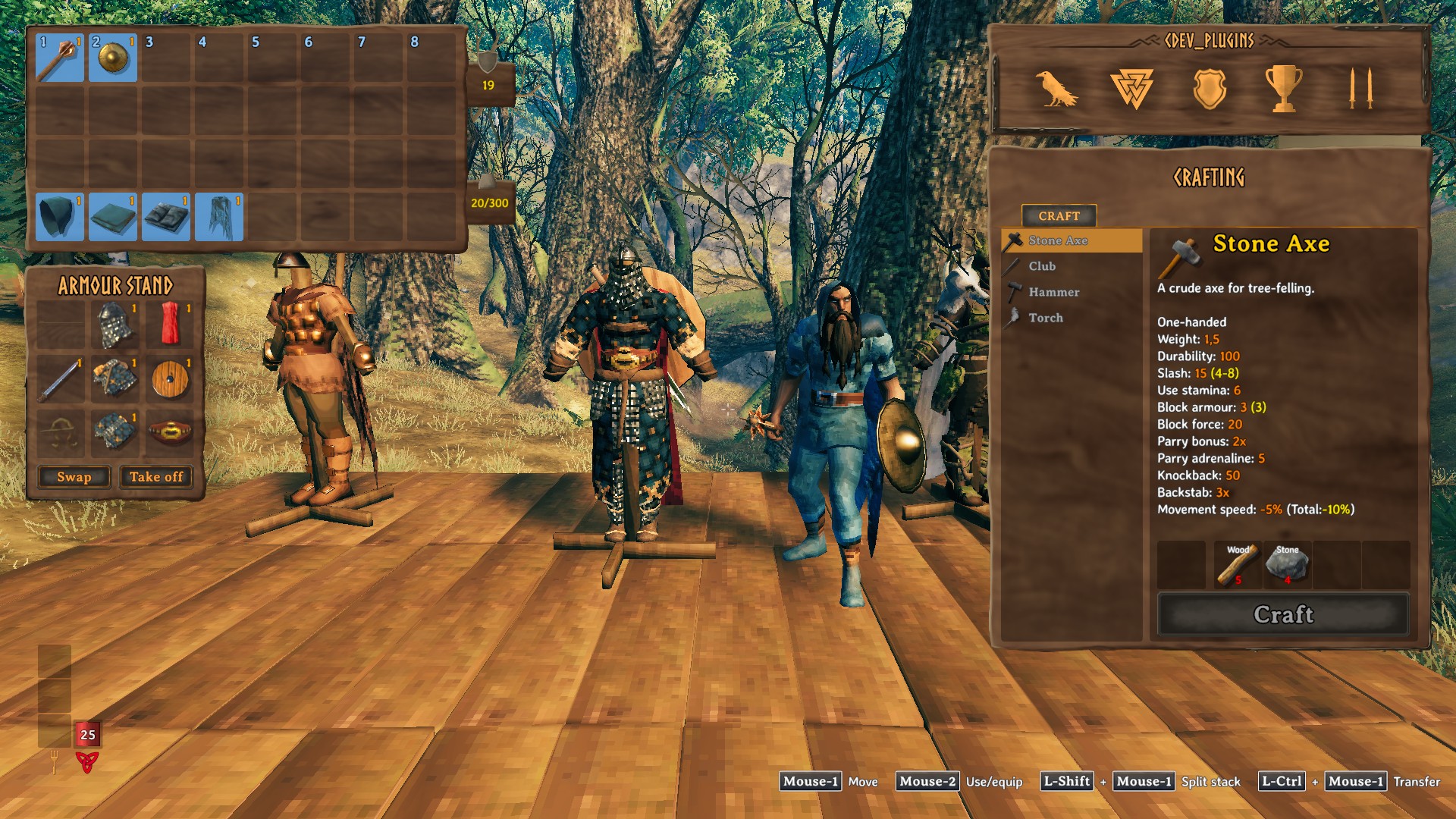
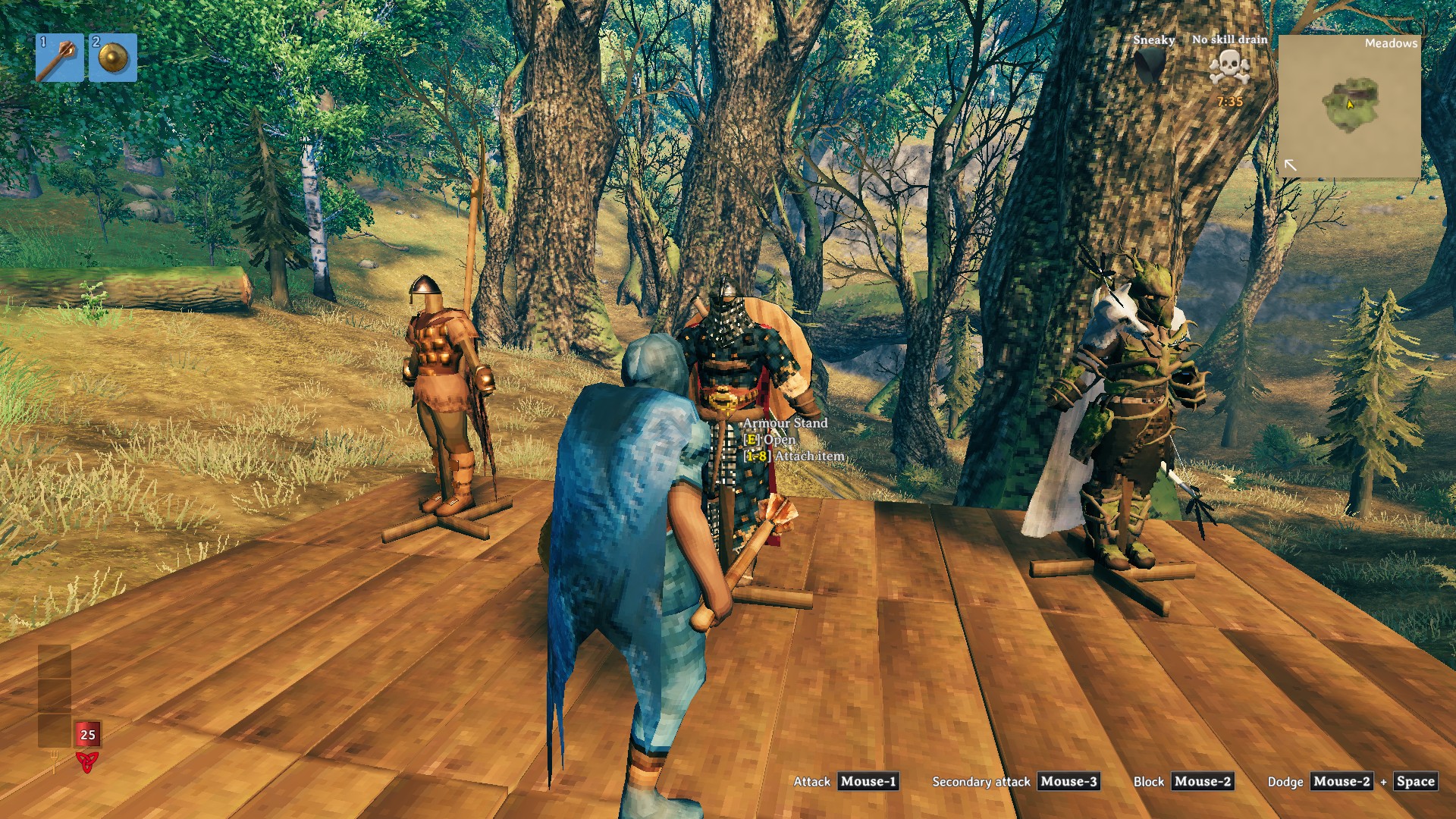
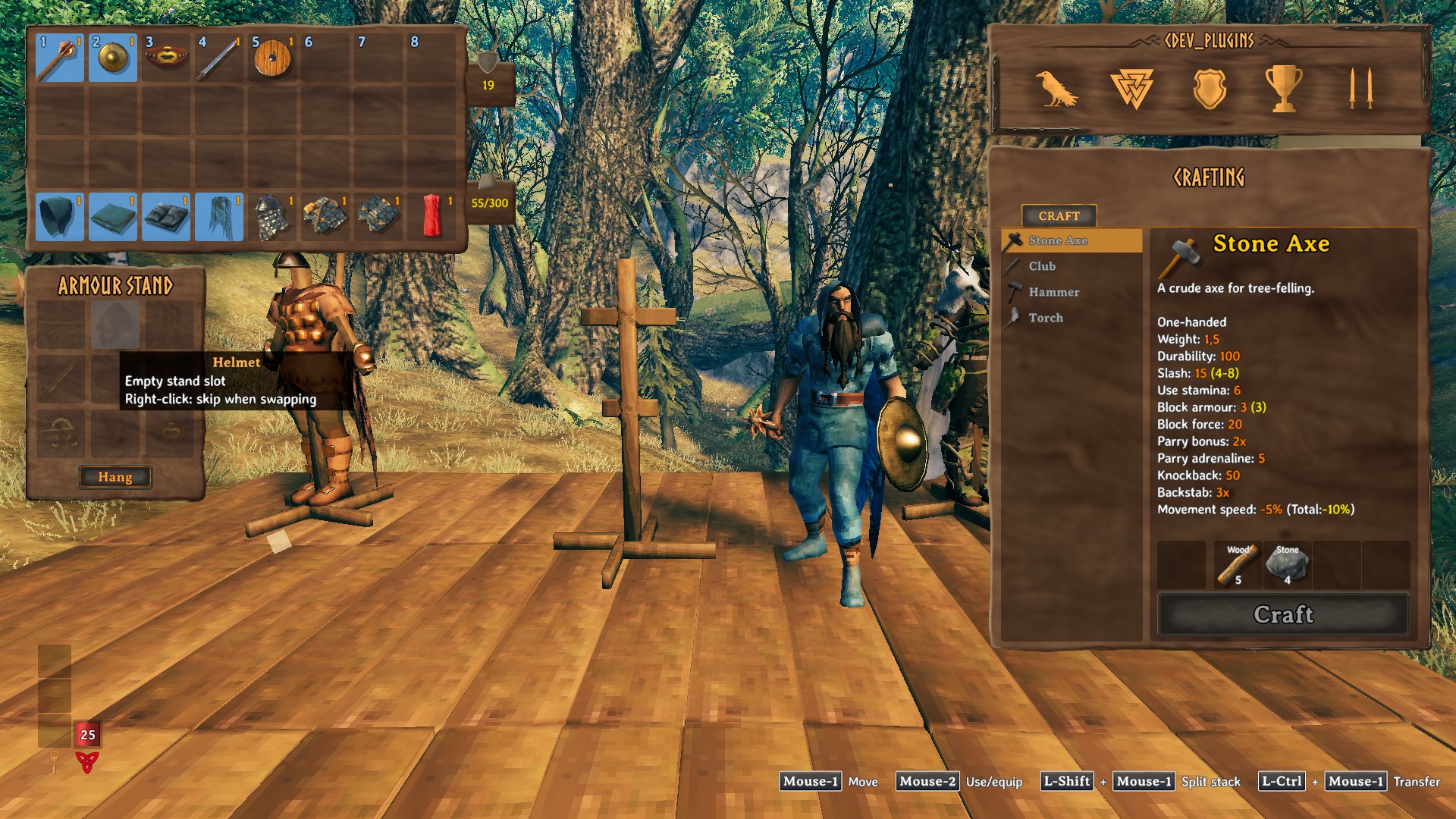
Armor stands open like a chest. Press E on a stand and its gear is laid out as a character sheet next to your inventory; swap your whole outfit with the stand in one click. (Русское описание — ниже.)
Features
- E on any part of a stand opens its window: ammo / helmet / cape, weapon / chest / shield, trinket / legs / utility — the same layout on every stand. Drag items in and out like in a chest; dropping onto a taken cell swaps the items.
- One-click buttons under the sheet, each shown only when it would do something:
- Swap — the stand's gear goes onto you, yours goes onto the stand;
- Hang — the stand is empty: hang what you wear;
- Equip — you wear nothing the stand has: put its gear on;
- Take off — everything on the stand into your inventory.
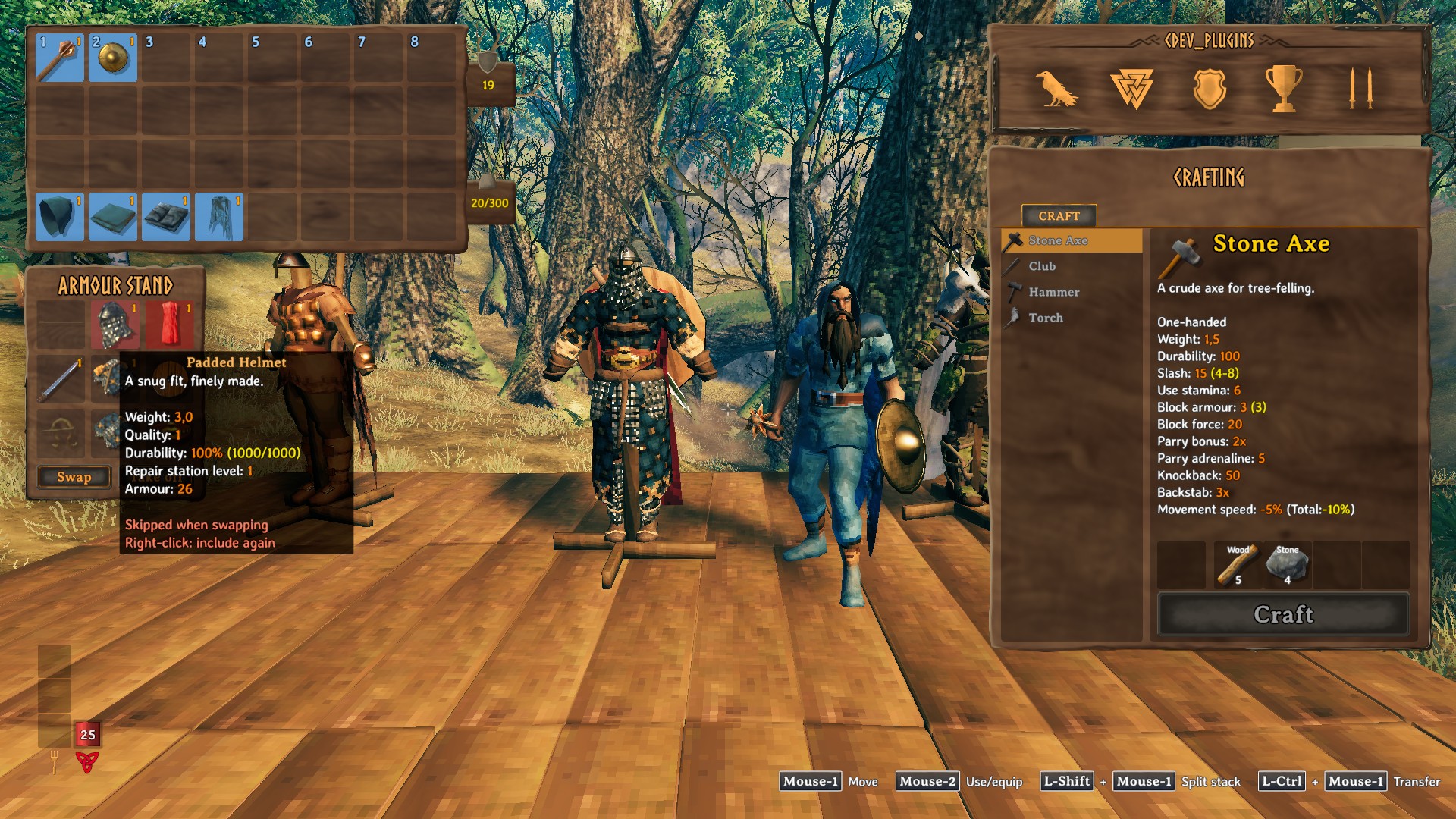
- Right-click a cell to leave it out of Swap / Hang / Equip — it turns red. Keep your best helmet on the stand while you trade the rest.
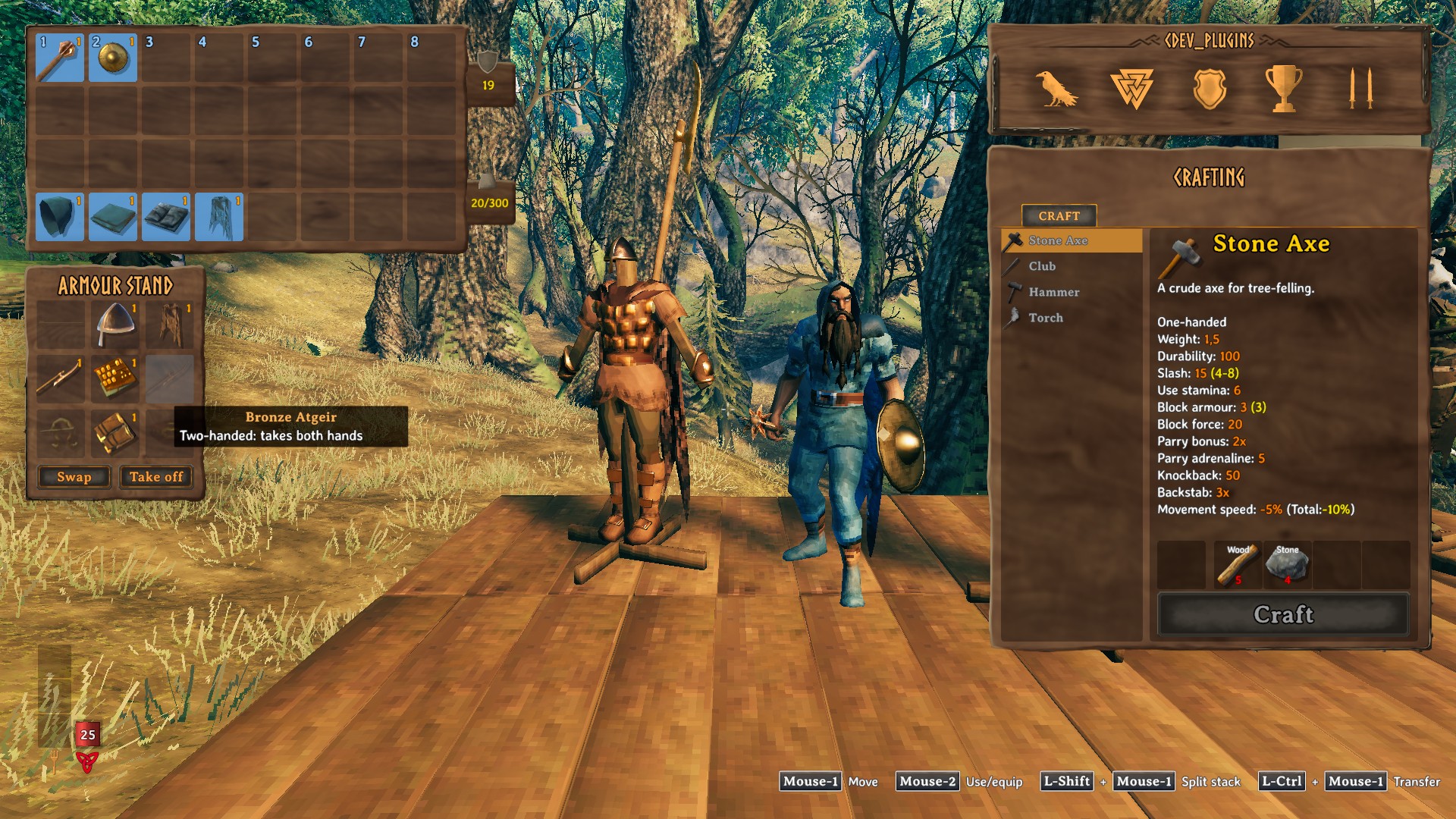
- Two-handed weapons and bows take both hands, a shield and a two-hander replace each other; a bow takes its arrows along (the ammo cell holds a whole stack).
- Empty cells show a faded icon of what goes there.
- The hotbar keys still attach an item to the stand you look at.
Installation
With a mod manager — install, done.
By hand:
- Install BepInExPack Valheim and Jotunn.
- Put the
CDEV.AdvancedArmorStandfolder fromplugins/intoValheim\BepInEx\plugins\.
Uninstalling: delete that folder. The stands keep their items — they are stored the way the game stores them.
Multiplayer: client-only. Servers and other players need nothing; players without the mod use the stands as usual. One player at a time can have a stand open.
Works with
QuickStackStore (its container buttons are hidden on the stand window) and EquipmentAndQuickSlots.
English and Russian texts. Licence: MIT. By CDEV — bug reports with BepInEx\LogOutput.log are welcome.
AdvancedArmorStand — по-русски
Стойка для брони открывается как сундук. Нажмите E на стойке — её снаряжение появится рядом с инвентарём в виде листа персонажа; меняйтесь комплектом со стойкой в один клик.
Возможности
- E на любой части стойки открывает её окно: стрелы / шлем / плащ, оружие / нагрудник / щит, тринкет / поножи / пояс — одинаково на любой стойке. Предметы перетаскиваются как в сундуке; брошенный на занятую ячейку предмет меняется местами с лежащим там.
- Кнопки в один клик под окном, каждая видна, только когда что-то сделает:
- Обменяться — снаряжение стойки на вас, ваше на стойку;
- Повесить — стойка пуста: повесить то, что на вас;
- Надеть — на вас нет ничего из того, что есть на стойке: надеть её снаряжение;
- Снять — всё со стойки в инвентарь.
- ПКМ по ячейке исключает её из обмена — она становится красной. Лучший шлем остаётся на стойке, остальное меняется.
- Двуручное оружие и луки занимают обе руки, щит и двуручник заменяют друг друга; лук забирает с собой стрелы (в ячейку стрел помещается целая стопка).
- Пустые ячейки показывают бледную иконку того, что туда кладётся.
- Клавиши панели быстрого доступа по-прежнему вешают предмет на стойку под прицелом.
Установка
Через менеджер модов — установите, и всё.
Вручную:
- Установите BepInExPack Valheim и Jotunn.
- Положите папку
CDEV.AdvancedArmorStandизplugins/вValheim\BepInEx\plugins\.
Удаление: удалите эту папку. Предметы остаются на стойках — они хранятся так же, как их хранит сама игра.
Мультиплеер: только клиент. Серверу и другим игрокам ничего не нужно; игроки без мода пользуются стойками как обычно. Открыть стойку одновременно может только один игрок.
Совместимость
QuickStackStore (его кнопки контейнера скрыты в окне стойки) и EquipmentAndQuickSlots.
Тексты на английском и русском. Лицензия: MIT. Автор CDEV — об ошибках пишите с файлом BepInEx\LogOutput.log.
