
Please disclose if any significant portion of your mod was created using AI tools by adding the 'AI Generated' category. Failing to do so may result in the mod being removed from Thunderstore.

MoonforgedLightsAndDecor
A standalone Moonforged collection of rugs, furniture, lamps, porcelain sets, benches, cannons and decorative build pieces. Includes Valheim 1.0 build-menu sorting, configurable Moonforged categories and multiplayer-synced persistent lamp colors.
| Last updated | 20 hours ago |
| Total downloads | 938 |
| Total rating | 0 |
| Categories | Mods Misc Crafting Server-side Client-side Building Deep North Update |
| Dependency string | Caenos-MoonforgedLightsAndDecor-1.0.2 |
| Dependants | 0 other packages depend on this package |
This mod requires the following mods to function

denikson-BepInExPack_Valheim
BepInEx pack for Valheim. Preconfigured with the correct entry point for mods and preferred defaults for the community.
Preferred version: 5.4.2351
ValheimModding-Jotunn
Jötunn (/ˈjɔːtʊn/, 'giant'), the Valheim Library was created with the goal of making the lives of mod developers easier. It enables you to create mods for Valheim using an abstracted API so you can focus on the actual content creation.
Preferred version: 2.30.2README
Moonforged Lights and Decor
A standalone Moonforged collection of rugs, furniture, lamps, porcelain sets, benches, cannons, and decorative build pieces.
Includes Valheim 1.0 build-menu sorting, configurable Moonforged categories, multiplayer-synchronized and persistent lamp colors, custom lamp colors, and configurable lamp flare and bulb brightness settings.
Windows version included.
If you need a Vulkan or Mac compatible version, please contact me on Discord.
I keep those builds separate because including all platform versions in the main package would make the download unnecessarily large, while only a small number of users need them.
Moonforged Lights and Decor was split from the original Moonforged Build Pieces mod, which has now been separated into three standalone mods:
- Moonforged Build Pieces – Includes new carved and runed building pieces, along with stained-glass pieces.
- Moonforged Lights and Decor – Includes the rugs, furniture, lamps, and other decorations from the original Moonforged Build Pieces mod.
- Moonforged Banner Collection – Includes all banners from the original mod, plus new Deep North biome and boss banners.
Mod Content
💡 Lighting
A collection of street lamps, wall-mounted lamps, fantasy lamps, and decorative lighting, including two new additions in v1.0.2.
New in v1.0.2 — Emberwrought Lantern
A dark medieval-fantasy lantern with intricate ironwork and a fiery orange glow.
New in v1.0.2 — Wrought Iron Lantern Post
An elegant outdoor lamp post with decorative wrought iron and warm lighting.
💡 Lamp Features
Moonforged lamps include multiplayer-synchronized color switching and persistent light settings. The configuration also provides control over decorative flares and bulb brightness.
Available Lamp Colors
Interact with a lamp using E to cycle through the available light settings.
The lamps include several preset colors as well as a configurable custom color.
Available options include:
- Yellow
- Green
- Blue
- Dvergr Pink
- Custom Color
- Off
🎨 Custom Lamp Color
Players can define their own custom lamp color in the Moonforged Lights and Decor configuration file.
The custom color uses standard HTML HEX color format:
#RRGGBB
Example:
CustomLampColor = #FF7A00
Some example colors:
#FF0000– Red#00FF00– Green#0000FF– Blue#00FFFF– Cyan#FF7A00– Orange#9B30FF– Purple#FFFFFF– White
The configured custom color becomes part of the lamp's normal color cycle.
✨ Lamp Flare and Bulb Brightness
The configuration includes controls for the orange glow/flare around lamp bulbs and the brightness of the bulbs themselves.
- EnableFlare – Enable or disable the decorative flare effect around lamp bulbs without turning off the light illuminating the surroundings.
- BulbBrightness – Adjust how brightly the bulb itself appears.
Flare setting changes apply without restarting the game. When a lamp is switched off, its flare is also disabled.
🌐 Multiplayer Lamp Synchronization
Lamp settings are synchronized through Valheim's networking system.
- Any player can interact with a lamp.
- The network owner processes and synchronizes the requested change.
- All players see the same selected lamp color.
- Custom colors are synchronized with the lamp.
- Turning a lamp off is synchronized for everyone.
This means one player changing a lamp will also update the lamp for the other players in the world.
💾 Persistent Lamp Settings
Lamp settings are stored in the world's network data.
This means:
- Selected lamp colors remain after logging out.
- Lamps that are turned off remain off after logging back in.
- Lamp settings survive world reloads.
- Other players joining the world see the currently saved lamp state and color.
Classic Bench and Bin
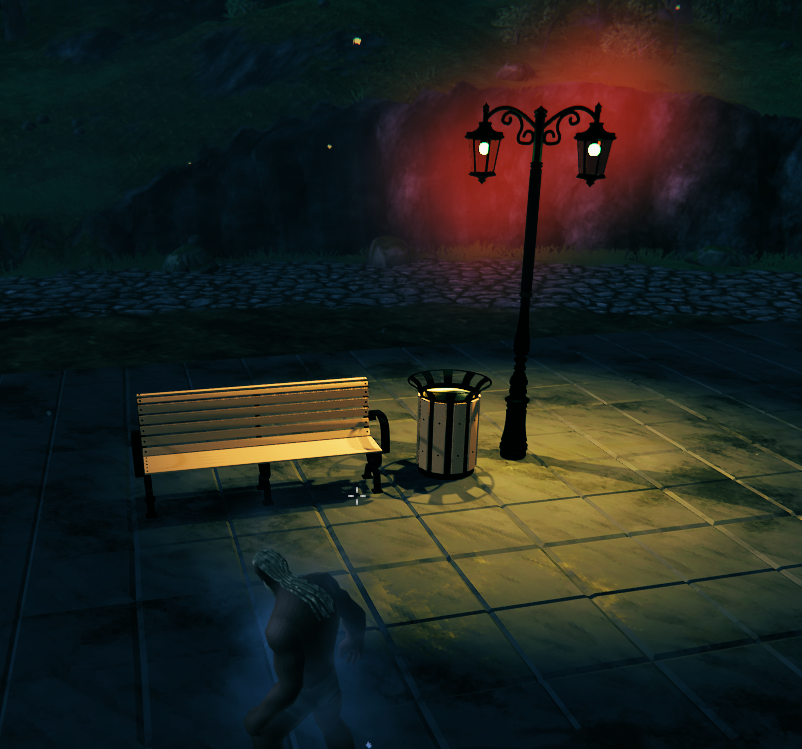
Double Lamp II
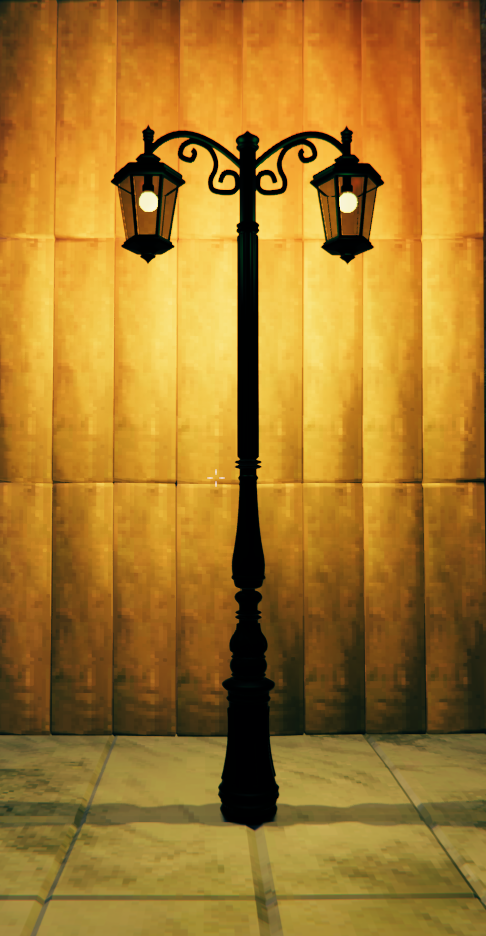
Double Lamp I
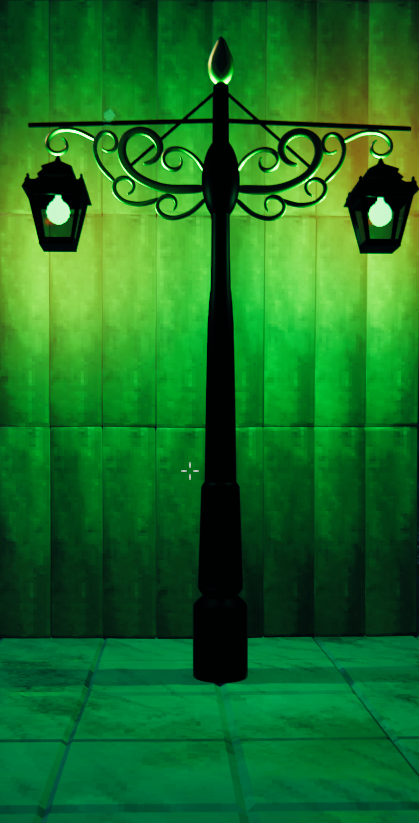
Japanese Lamp
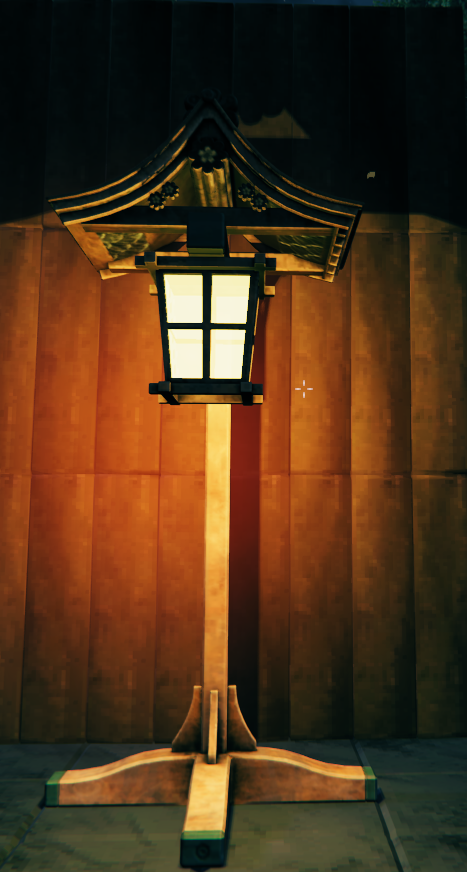
Quad Lamp
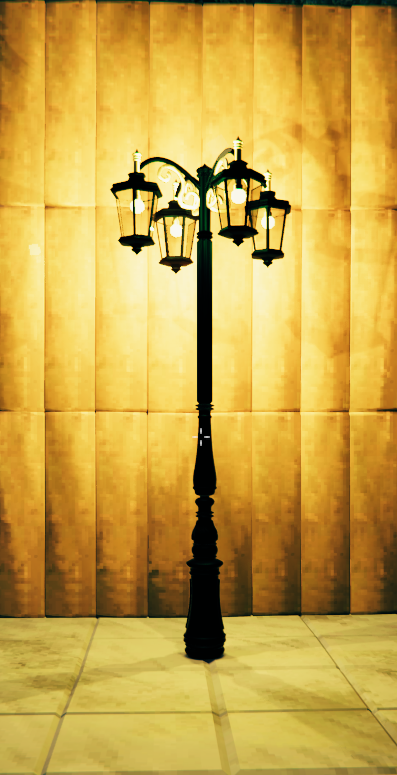
Simple Lamp
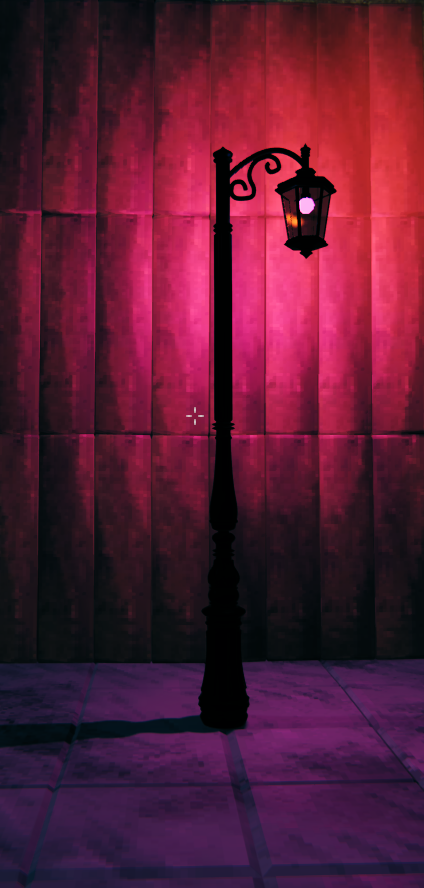
Simple Street Lamp
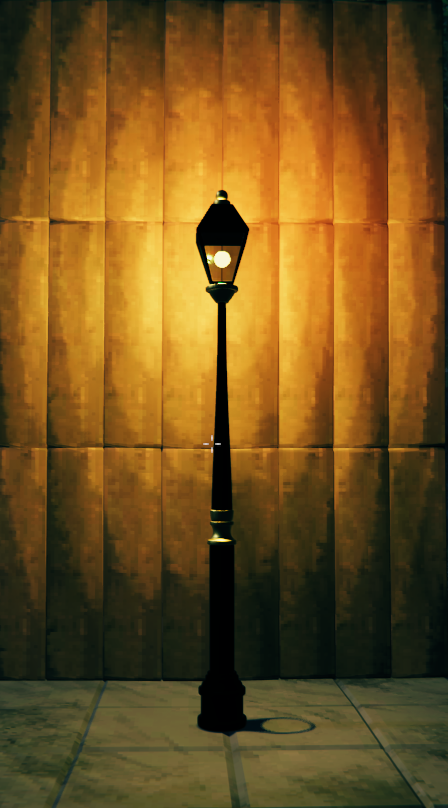
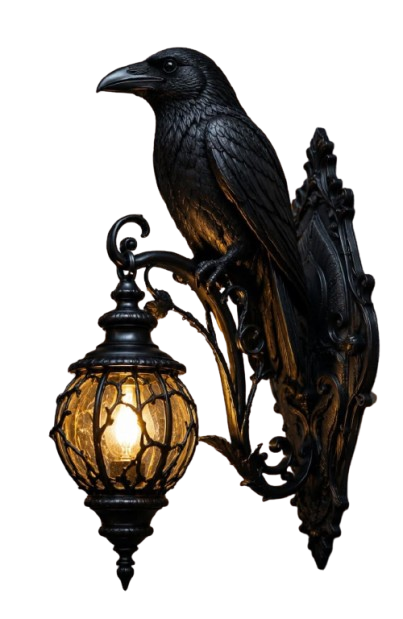
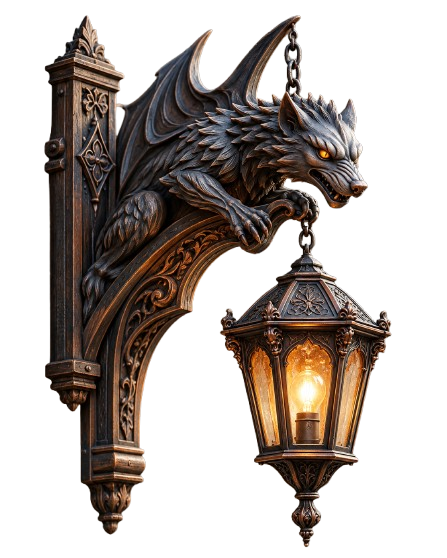
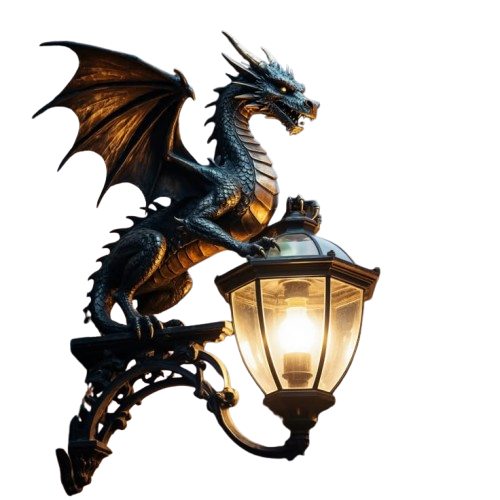
Wall-Mounted Lamps
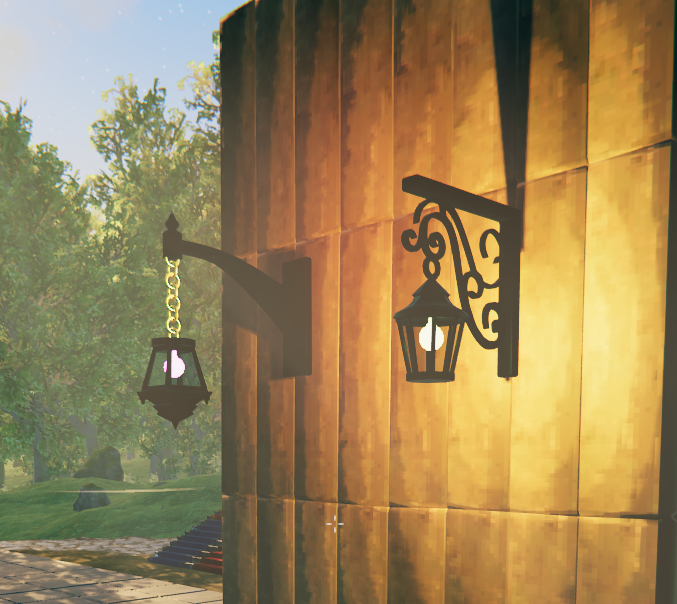
Raven Lamp
Gargoyle Lamp
Dragon Lamp
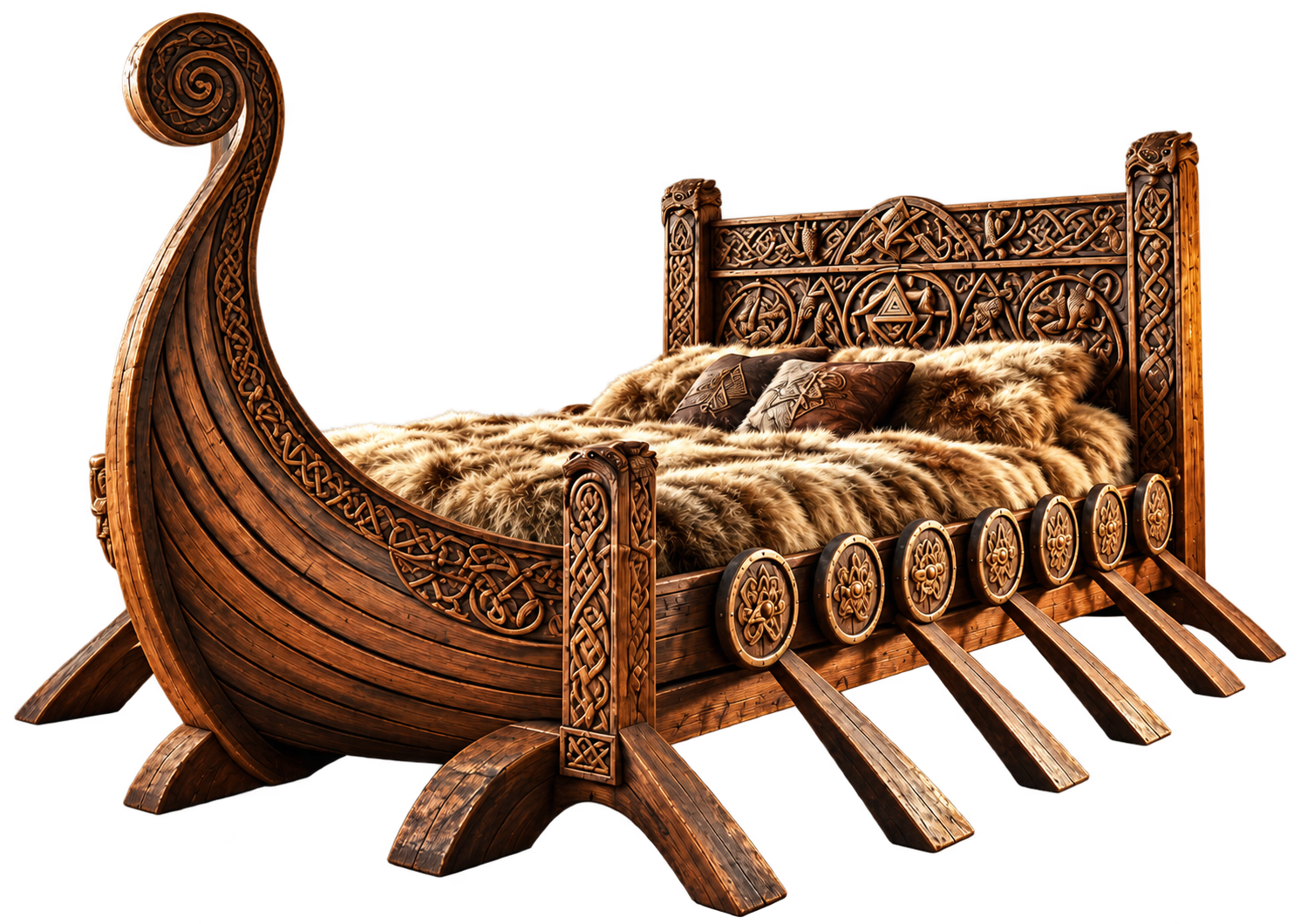
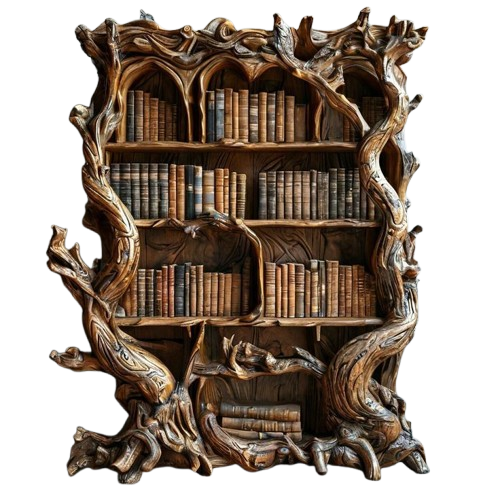
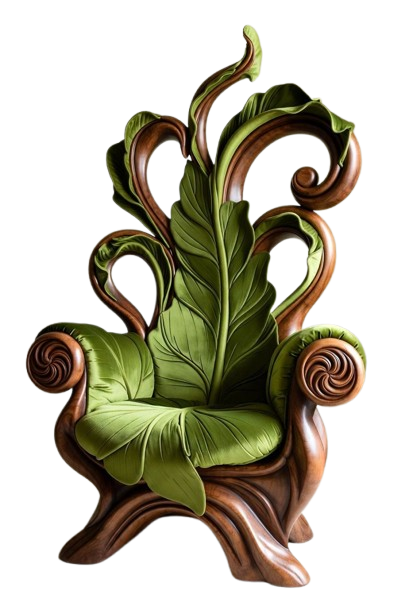
🛋️ Furniture
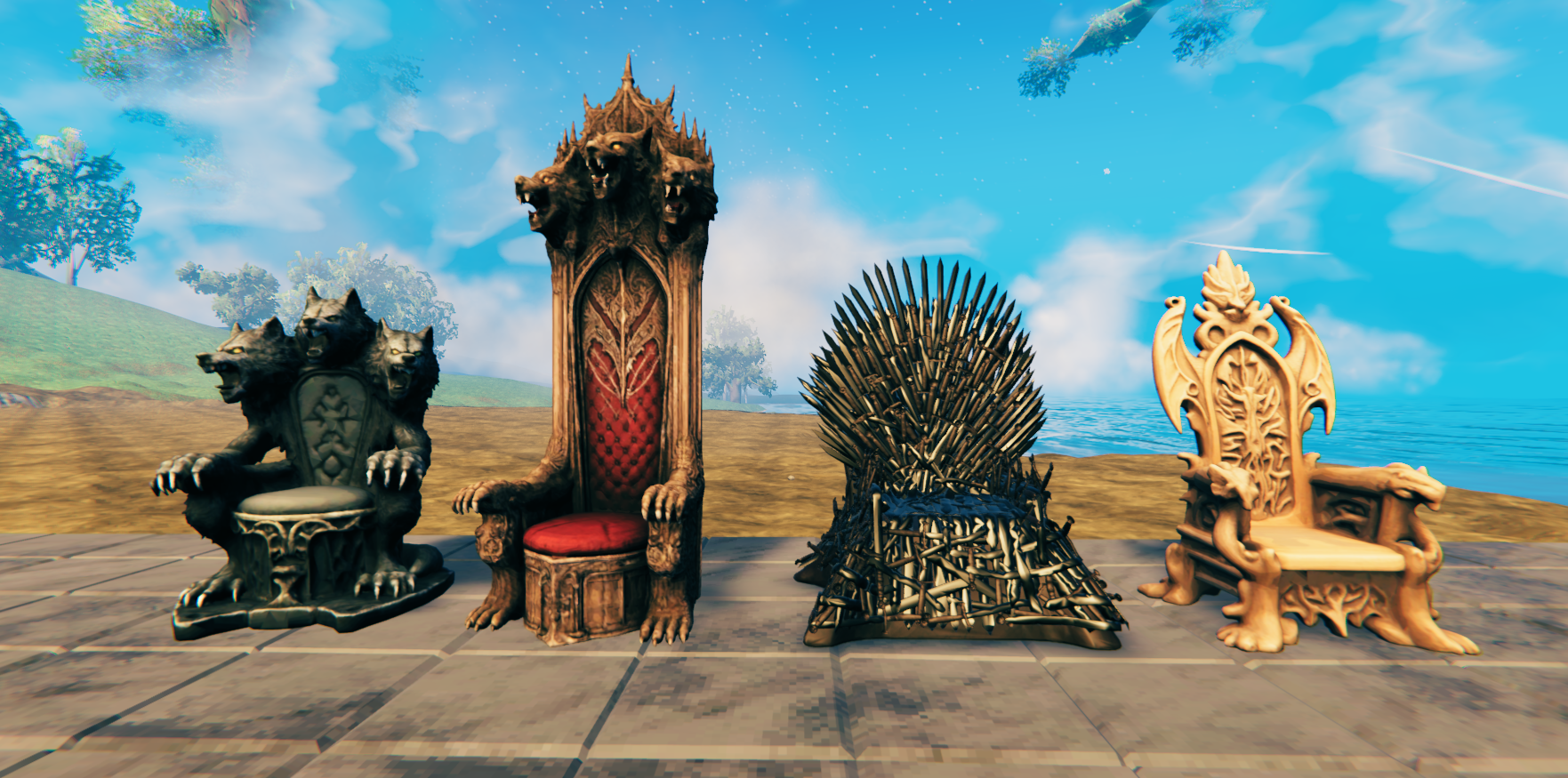
Furniture for Viking halls, homes, castles, and settlements.
Thrones
Viking Bench
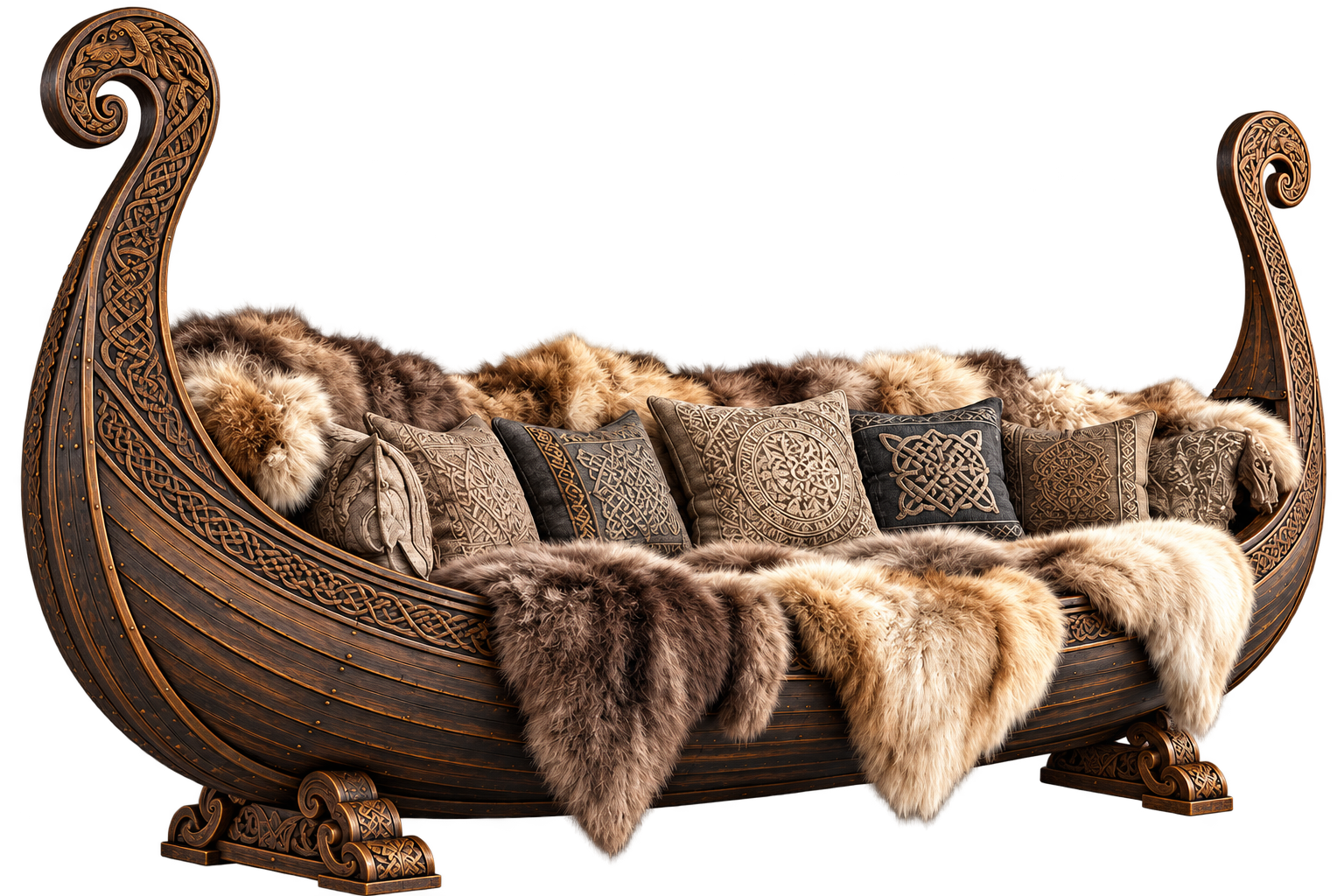
Viking Longship Bed with Furs
Ancient Root Bookshelf
Leaf Chair
🧶 Rugs and Carpets
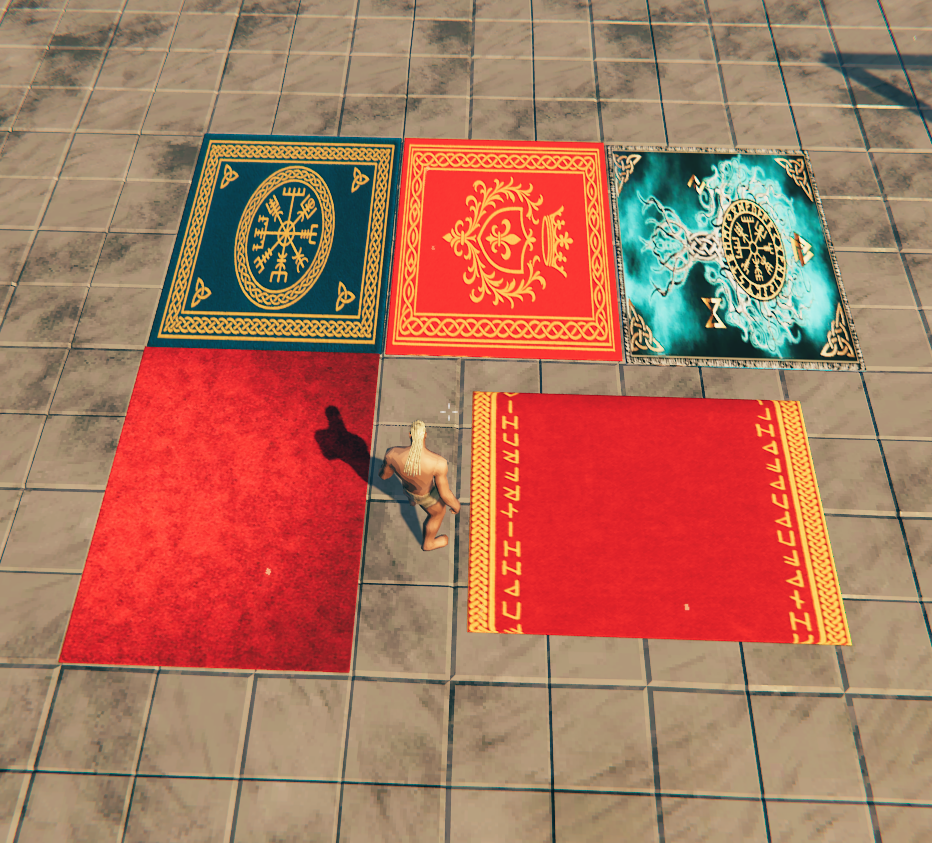
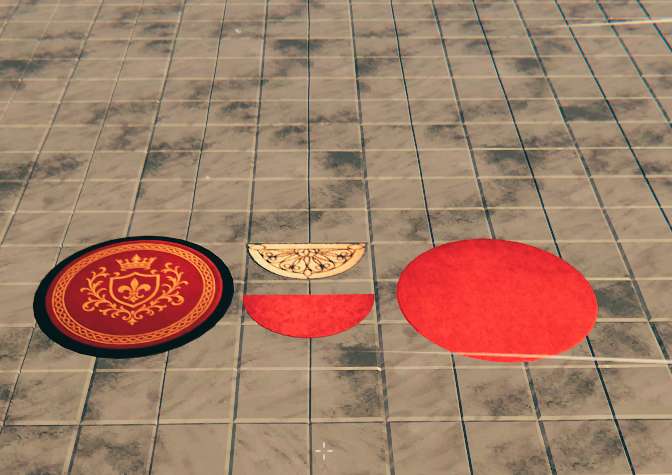
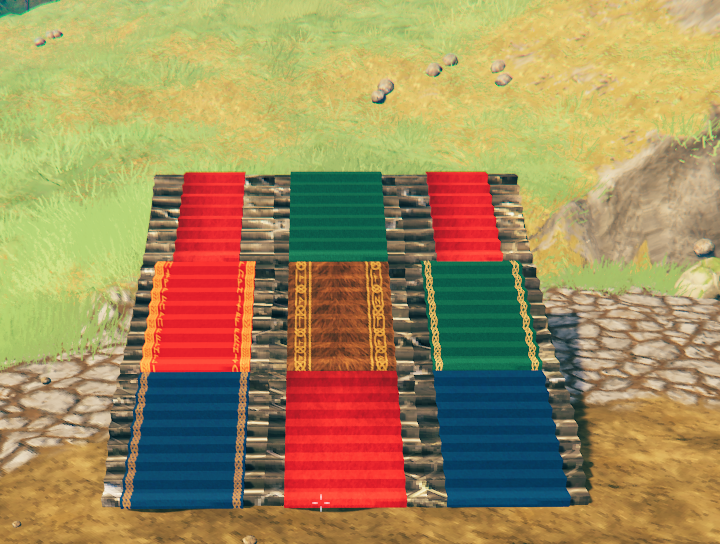
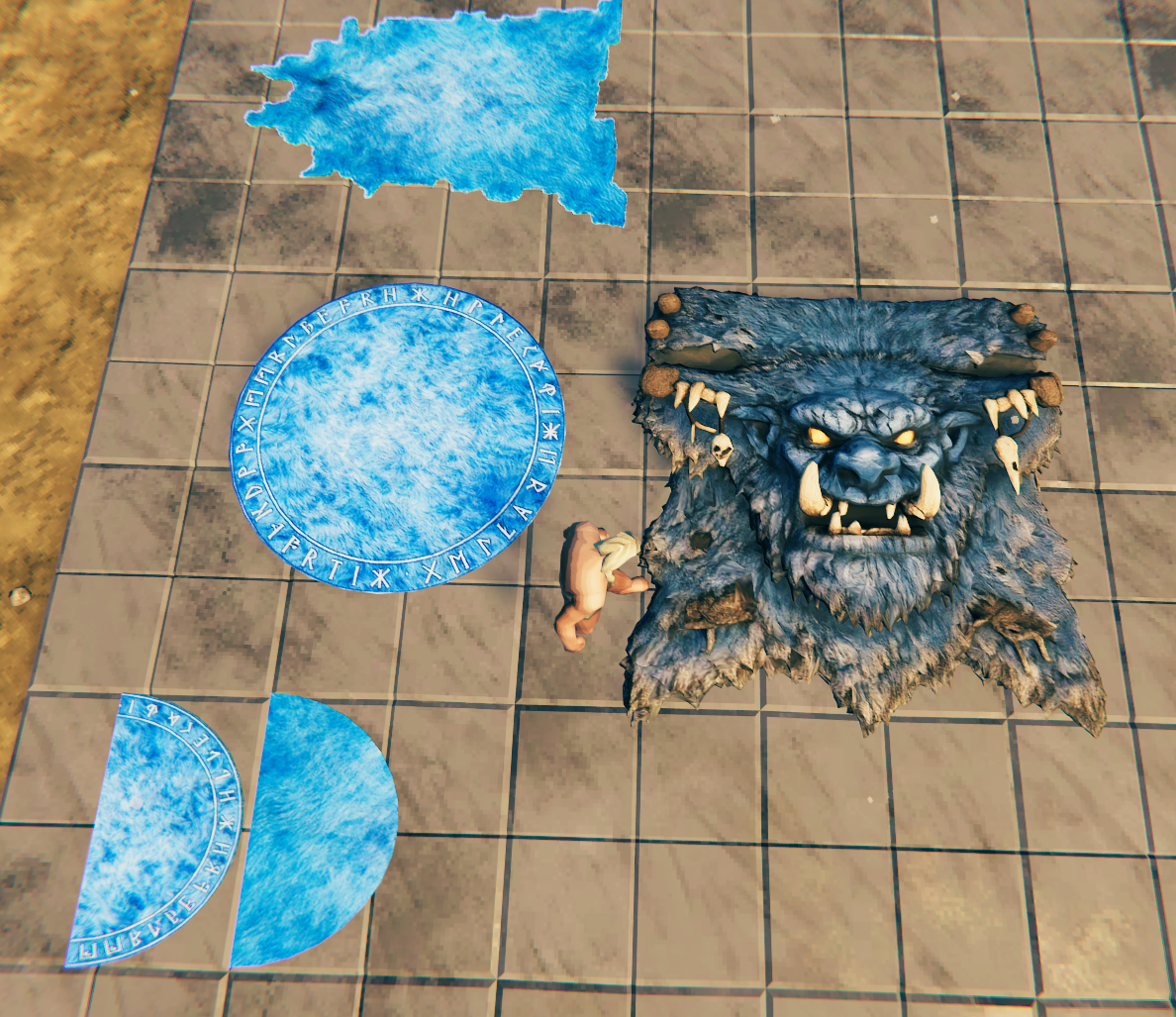
A collection of decorative rugs, stair rugs, round rugs, semiround rugs, and troll-hide floor coverings.
Rug Collection
Round and Semiround Rugs
Stair Rugs
Troll Rugs
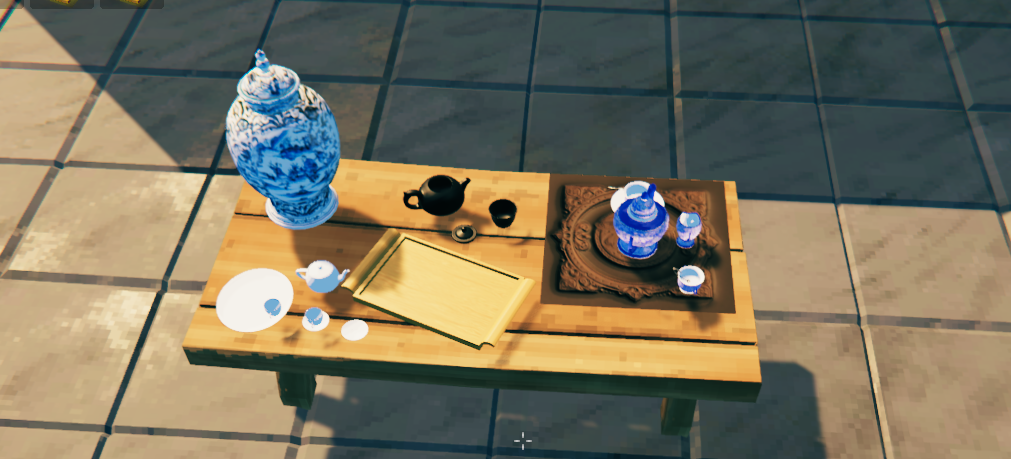
🫖 Porcelain and Decorations
Decorative porcelain pieces including cups, plates, teapots, vases, and tea sets.
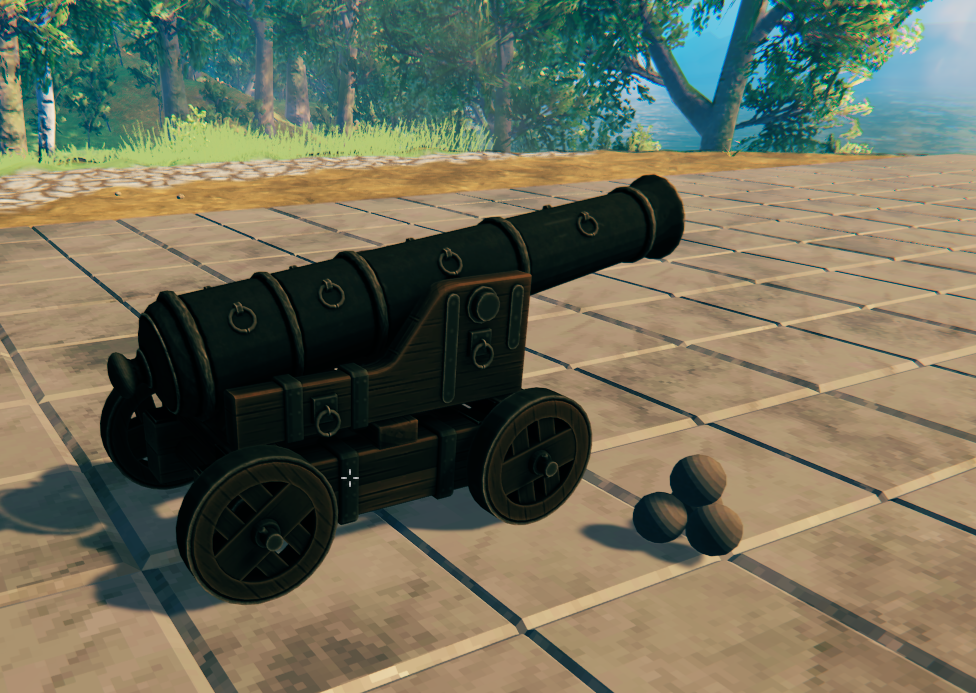
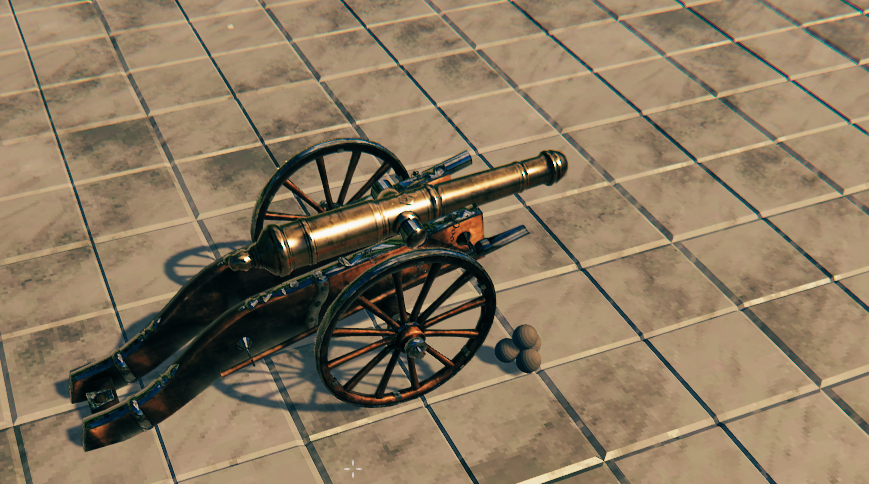
💣 Cannons
Decorative cannon sets for docks, fortifications, ships, castles, and settlements.
Cannon Set I
Cannon Set II
🔨 Valheim 1.0 Build Menu Support
Moonforged Lights and Decor supports Valheim's new build-menu sorting system.
All pieces remain available under the:
Moonforged Lights and Decor
category.
They are also tagged so that they appear in Valheim's appropriate native sorting categories.
Examples:
- Lighting – Lamps and other light sources
- Furniture – Rugs, chairs, thrones, beds, benches, tables, bookshelves, and furniture
- Decor – Porcelain pieces and decorative objects
- Defense – Cannons and cannonballs
This allows players to find Moonforged pieces through both the dedicated Moonforged category and Valheim's normal build-menu sorting system.
🔧 Custom Hammer Category
The Moonforged category can also be changed through the configuration file.
Players can enter their own category name and place all Moonforged Lights and Decor pieces under a custom Hammer/build-menu category.
For example:
CustomHammerTab = Ravenwood Decor
Leaving the option empty keeps the default:
Moonforged Lights and Decor
category.
🔨 How to Install
1. Install the Required Dependencies
2. Install Moonforged Lights and Decor
If installing manually:
- Download the mod.
- Place the
.dllinside:
BepInEx/plugins/MoonforgedLightsAndDecor/
You may also place the mod inside another folder under BepInEx/plugins/.
3. Launch Valheim
The new pieces will appear in the Hammer build menu under:
Moonforged Lights and Decor
They will also appear inside their appropriate Valheim build-menu sorting categories.
📝 Credits & Feedback
- Made by Caenos
- Join the community on Discord for feedback, support, and sneak peeks.
- If the invite link expires, you can also find me in the Thunderstore or Valheim Discord communities.
- Watch live on Twitch: https://www.twitch.tv/Caen007
- Videos and tutorials on YouTube: https://www.youtube.com/@Caenos007
- Join the discussion on Reddit: Modded Valheim Discussion
- Support the project: 💖 PayPal
🎄 Special Thanks
- Marsarah – Mentoring and guidance
- James Jones – Testing and support
- TheUndertaker – My brother from another mother :) Testing, ideas, and support.
From the Community
- Madd Tish – Testing and support
- Khaine – Testing and support
- Rocket – Testing and support
- Kizzycocoa – Testing and support
- Chaddaddy – Testing and support
