
Please disclose if any significant portion of your mod was created using AI tools by adding the 'AI Generated' category. Failing to do so may result in the mod being removed from Thunderstore.

RadiusRings
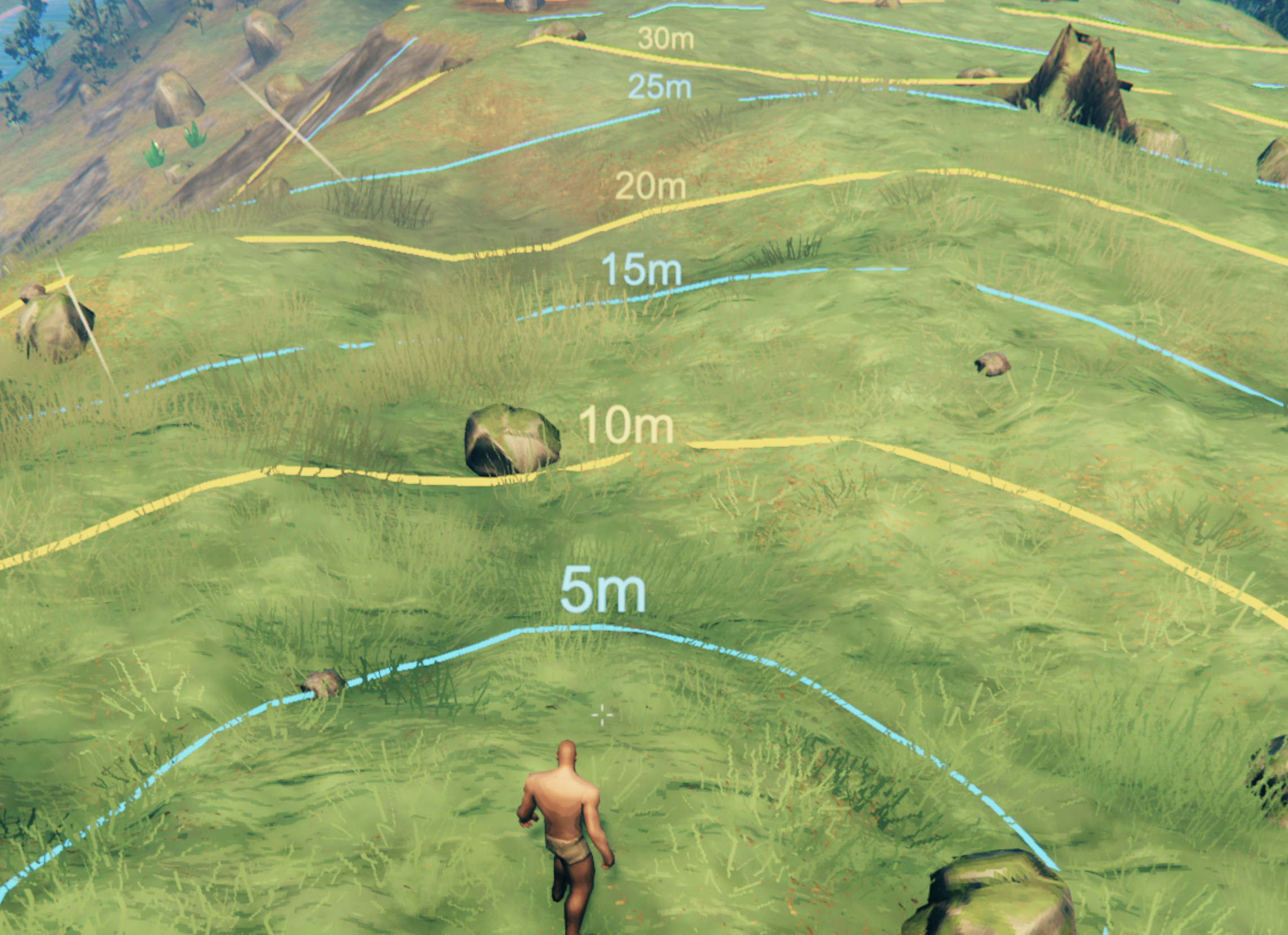
Concentric, terrain-hugging distance rings around your character in configurable meter increments, toggled with a key bind, so you can judge distances by eye instead of guessing.
| Last updated | 2 months ago |
| Total downloads | 315 |
| Total rating | 1 |
| Categories | Tools Utility |
| Dependency string | EleventhTower-RadiusRings-1.0.2 |
| Dependants | 0 other packages depend on this package |
This mod requires the following mods to function

denikson-BepInExPack_Valheim
BepInEx pack for Valheim. Preconfigured with the correct entry point for mods and preferred defaults for the community.
Preferred version: 5.4.2333README
Radius Rings
Draws concentric, terrain-hugging rings on the ground around your character, spaced at a configurable number of meters (5m by default), out to a configurable maximum radius. Every Nth ring is drawn brighter and thicker, and every ring carries a floating "Xm" label, so you can judge distances by eye instead of guessing.
Useful for anything measured against a fixed range — weapon reach, aggro radius, building footprints, or (the case this was built for) checking how far apart placed markers are relative to a mod's own distance-gated behaviour.
Usage
Press the toggle key (RightAlt+R by default) to show or hide the rings. They follow you and hug the terrain as you move.
Configuration
All settings live in the BepInEx config file for this plugin
(EleventhTower.valheim.radiusrings.cfg), or in your mod manager's config editor.
| Setting | Default | Description |
|---|---|---|
| Toggle Key | R + RightAlt |
Shows/hides the rings. |
| Max Radius | 50 |
Rings are drawn out to this distance, in meters. |
| Ring Spacing | 5 |
Distance between rings, in meters. |
| Ring Segments | 64 |
Points per ring circle. Higher is smoother but costs more per refresh. |
| Update Interval | 0.15 |
Seconds between ring refreshes while visible. Lower is smoother but costs more. |
| Highlight Every | 2 |
Every Nth ring is drawn brighter/thicker (e.g. 2 highlights 10m/20m/30m... at 5m spacing). 0 disables highlighting. |
Installation
Install via a mod manager (r2modman / Thunderstore Mod Manager / Vortex) like any other Thunderstore Valheim mod — it depends on BepInExPack, which will be pulled in automatically.
Manual install: drop RadiusRings.dll into BepInEx/plugins/.
License
MIT — see LICENSE.
