
Please disclose if any significant portion of your mod was created using AI tools by adding the 'AI Generated' category. Failing to do so may result in the mod being removed from Thunderstore.

Painted Signs
Color, size, and height on a normal sign. Replaces the text box with the Signs UI.
By FrizzQOL
| Last updated | 2 weeks ago |
| Total downloads | 62 |
| Total rating | 1 |
| Categories | Building Utility Mods Deep North Update Tweaks Misc Tools Skins Crafting Client-side |
| Dependency string | FrizzQOL-Painted_Signs-0.1.7 |
| Dependants | 0 other packages depend on this package |
This mod requires the following mods to function

denikson-BepInExPack_Valheim
BepInEx pack for Valheim. Preconfigured and includes unstripped Unity DLLs.
Preferred version: 5.4.2202README
Painted Signs
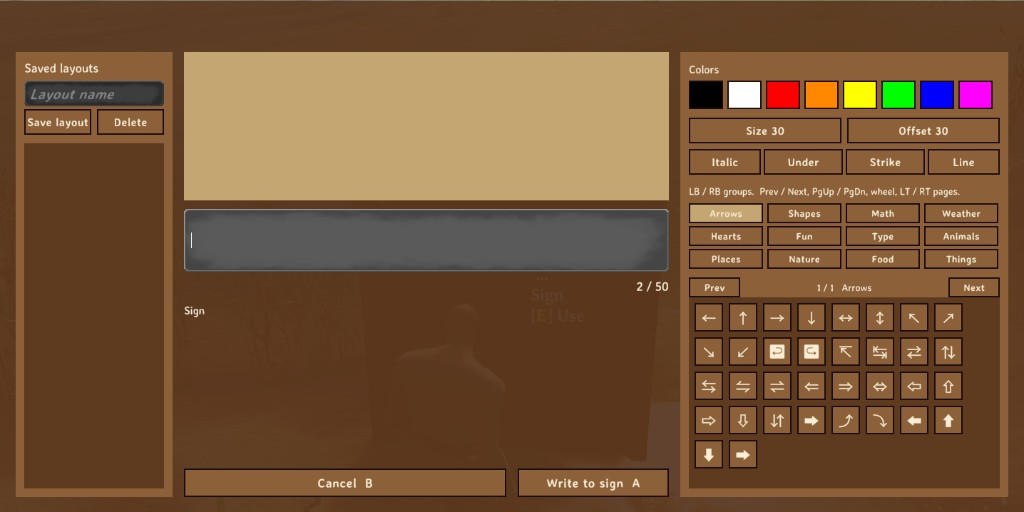
Use a sign and the Signs UI opens. You set the color, the size, and how high the text sits. The preview shows the line before you write it.
What it does
Use a sign. The normal text box stays hidden, and the Signs UI opens. It has a preview, eight colors, size, offset, symbols, and saved layouts.
The sign still stores normal text. Other players see it without this mod. A dedicated server does not need it.
There is no cfg.
How to write a sign
- Look at a sign and use it. The Signs UI opens.
- Click the dark text line and type, or click a color, Size, Offset, or a symbol. The click inserts at the cursor.
- The preview above the line shows the result.
- Write to sign (A) puts the line on the sign. Cancel (B) or Esc leaves the old text.
The counter on the right is n / 50. The tags count. Over 50, the number turns red.
The mouse clicks the buttons. The keyboard types the line. LB and RB change symbol groups. Prev, Next, Page Up, Page Down, the mouse wheel, and LT and RT change pages. Arrow keys change pages when you are not typing in a text box. A presses the focused button.
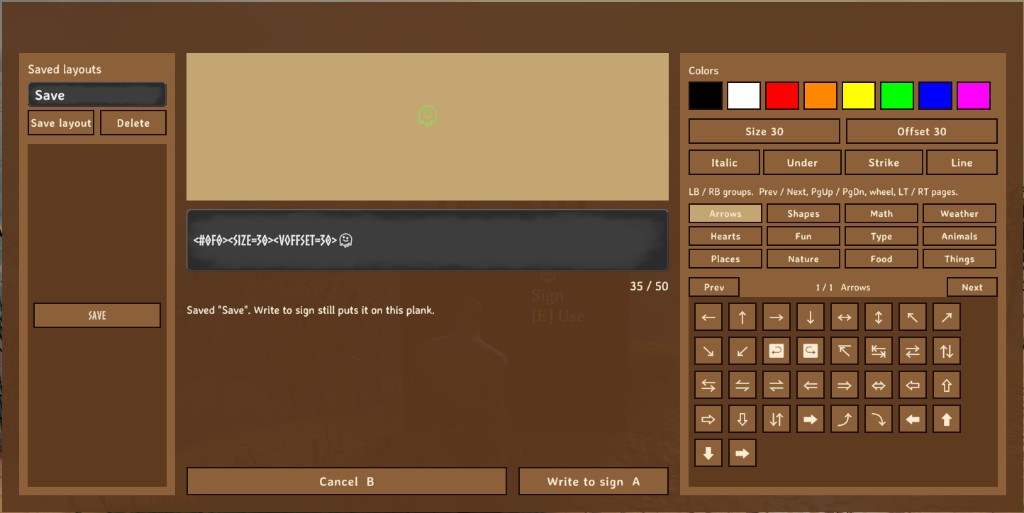
That line is <#0f0><SIZE=30><VOFFSET=30> and a face. The counter reads 35 / 50. The tags are most of those 35 characters.
Color
A color tag paints the text after it. The next color tag starts a new color.
Click a swatch and it inserts one of these:
| Swatch | Tag |
|---|---|
| Black | <#000> |
| White | <#fff> |
| Red | <#f00> |
| Orange | <#f80> |
| Yellow | <#ff0> |
| Green | <#0f0> |
| Blue | <#00f> |
| Magenta | <#f0f> |
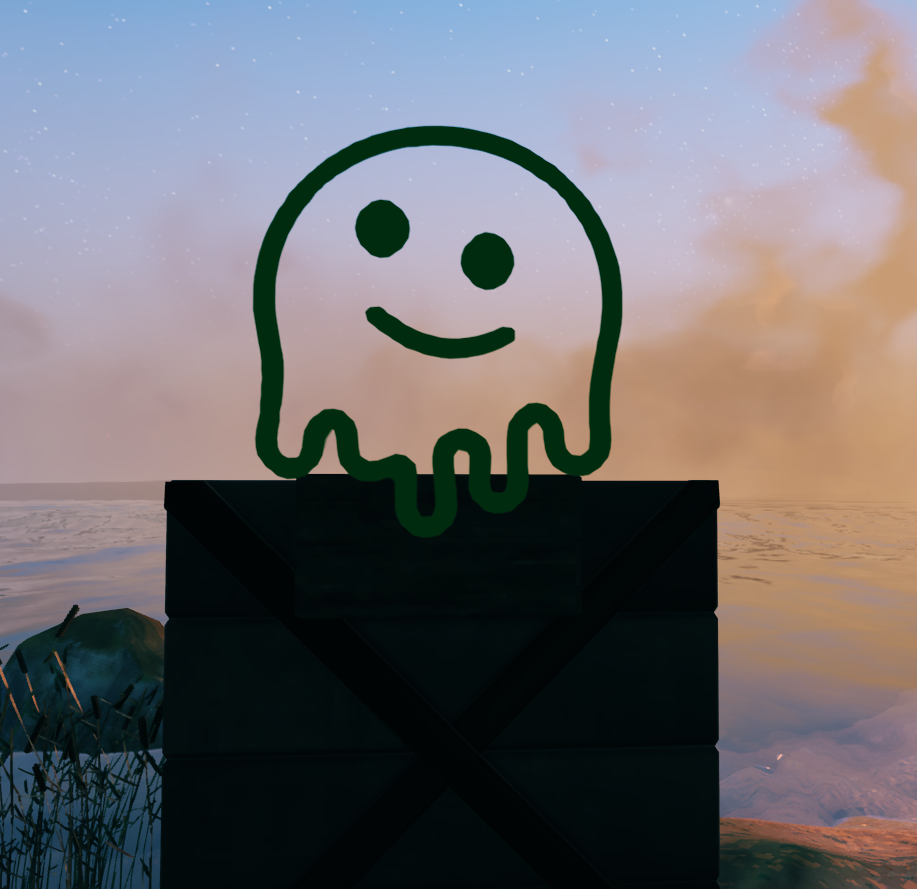
You can type a tag yourself. <#0f0> is the green swatch. Six digits work, for example <#c42108>. Upper and lower case are the same tag. <#0f0> is why the face in the editor picture is green.
Size
Size 30 inserts <size=30>.
The number is the height of the letters and symbols after the tag. Change it in the text line. 10 is short. 30 is what the button writes. A bigger number is taller. The next <size=...> tag sets a new height. <SIZE=30> is the same tag, and that is the form in the picture.
Offset
Offset 30 inserts <voffset=30>.
The number moves the following text up. A larger number sits higher. A negative number sits lower, as in <voffset=-20>. The button always inserts 30. Change the number in the text line. <VOFFSET=30> is the same tag, and that is the form in the picture.
Use offset when a symbol should sit above a word, or when a second symbol should sit at a different height in the same spot.
Color, size, and offset together
Write the tags, then the letter or symbol they change.
<#0f0><size=30><voffset=30>
Then click the symbol.
<#0f0> is green. <size=30> is height 30. <voffset=30> lifts it by 30. That is the face in the preview. The preview updates when the line changes.
A later color, size, or offset tag applies to the text after it.
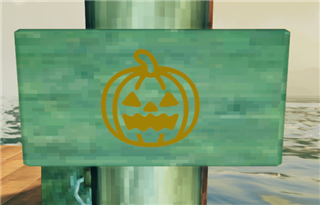
Example. One symbol on a sign.
Symbols
Italic inserts <i>. Under inserts <u>. Strike inserts <s>. Line inserts \n. On the sign, that \n is a line break.
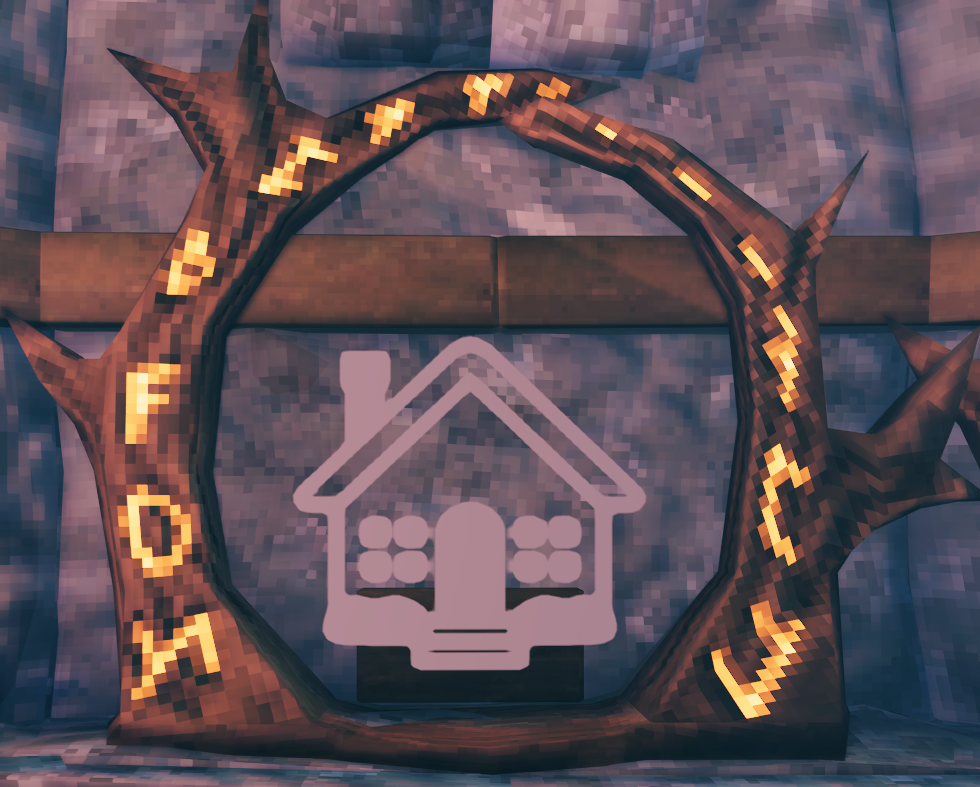
The groups are Arrows, Shapes, Math, Weather, Hearts, Fun, Type, Animals, Places, Nature, Food, and Things. Click a group, then a symbol. Prev and Next turn the pages. The house in the HOME picture is in Places.
Saved layouts
Type a name in the left box and click Save layout. That stores the line in a file on your PC. Write to sign puts it on the sign.
If the name box is empty, Save layout takes the name from the text. If the text has no plain letters, the name is Layout.
Click a saved name to load it. Delete removes the layout you clicked last.
The file is %APPDATA%\Plankwright\game-signs.json.
Multiplayer
The player who writes the signs needs this mod. Other players see the text. The sign stores it the same way a vanilla sign does. A dedicated server does not need the mod.
Install
Install with r2modman or the Thunderstore Mod Manager.
To install by hand, copy Plankwright.dll into BepInEx/plugins.
Requirements
- Valheim
- BepInExPack for Valheim
Support
If you enjoy my work, please buy me a coffee.
Cash App: $FrizzleFry4
License
Don't reupload it.
