
Please disclose if any significant portion of your mod was created using AI tools by adding the 'AI Generated' category. Failing to do so may result in the mod being removed from Thunderstore.
Getting Started
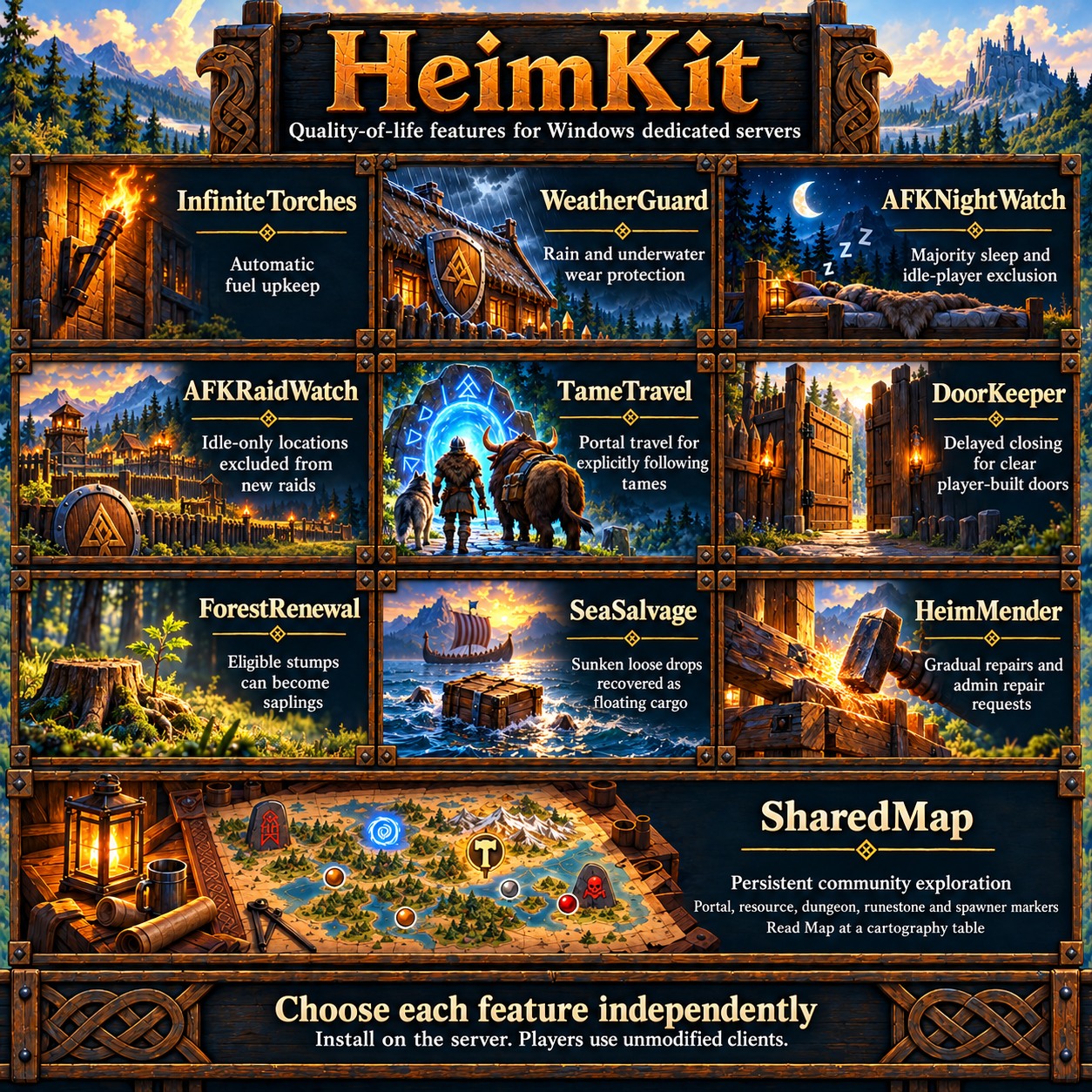
Updated a week agoHeimKit adds independently configurable quality-of-life features to Windows Valheim dedicated servers. Install it on the server; players use unmodified clients. Linux is not supported. See the supported environment for current game and loader requirements.
Install or update
Stop the server gracefully and wait for saving and shutdown to finish before replacing plugins. Back up the world, the active configuration and both HeimKit/SharedMap/ and HeimKit/ForestRenewal/ directories beneath the active configuration directory. Restore each store together with its matching world backup. Follow the backup guide and read safety and limitations.
Thunderstore Mod Manager: Use a separate dedicated-server profile, install HeimKit and its required BepInExPack Valheim dependency, and launch through the manager's server mode. Point it at the folder containing valheim_server.exe. If server mode is unavailable, install manually.
Manual installation: Install BepInExPack Valheim beside valheim_server.exe, then place HeimKit.dll in BepInEx/plugins/HeimKit/. Keep only one HeimKit DLL in the active installation and launch with the server's normal script.
For updates, use the same profile or replace the DLL in the same active location. Preserve heimkit.cfg and the world-specific plugin stores. See installation details for server paths and launch arguments. Release notes are on the package's Changelog tab.
Choose your features
Startup creates heimkit.cfg in the loader's active configuration directory, preserves existing values and adds missing defaults. The startup log gives its full path. Do not overwrite it with the reference config.
All ten features default enabled in a fresh configuration. DoorKeeper, ForestRenewal, SeaSalvage, TameTravel and HeimMender also default enabled when their settings are first added during an upgrade. Review the guides and disable any features you do not want.
Change the owning section's Enabled value. HeimMender reloads its section during play; other sections require a server restart.
| Feature and guide | Config section | What it does |
|---|---|---|
| InfiniteTorches | Torches | Refills eligible torches and braziers without inventory fuel. Optional fireplaces are described below. |
| WeatherGuard | WeatherGuard | Protects player-built structures from rain and underwater wear while preserving creators. Combat, repair and structural support remain native. |
| AFKNightWatch | AFKNightWatch | Configurable majority sleep and inferred-AFK exclusion. Native bed and time requirements remain. |
| AFKRaidWatch | AFKRaidWatch | Excludes idle-only locations from new automatic raids. Active or uncertain nearby players retain eligibility. |
| SharedMap | SharedMap | Saves community exploration and discoveries, shared through vanilla cartography tables. |
| TameTravel | TameTravel | Brings explicitly following or portal-waiting supported tames through linked player-built portals outside dungeons. |
| DoorKeeper | DoorKeeper | Closes eligible player-built doors and gates after a delay once the doorway is clear. |
| ForestRenewal | ForestRenewal | Renews supported stumps or confirmed-cleared stump locations with matching vanilla saplings, subject to delay, chance and clearance rules. |
| SeaSalvage | SeaSalvage | Recovers eligible settled sunken loose items into floating cargo crates while preserving item data. Tombstones are excluded. |
| HeimMender | HeimMender | Gradually repairs existing damaged player-built structures without materials. Also supports bounded administrative repairs. |
Regular player-dependent work pauses when nobody has joined the world and resumes after a player spawns and native services are ready. Configuration stays enabled during this pause.
InfiniteTorches: optional fireplaces
Under [Torches], IncludeFireplaces = false excludes campfires, hearths and bonfires by default. Enable it and choose the desired types with Campfires, Hearths and Bonfires. Those three switches default true but do nothing while IncludeFireplaces is false. Existing torch/brazier lists are preserved. See the fireplace settings.
SharedMap: Read Map and marker options
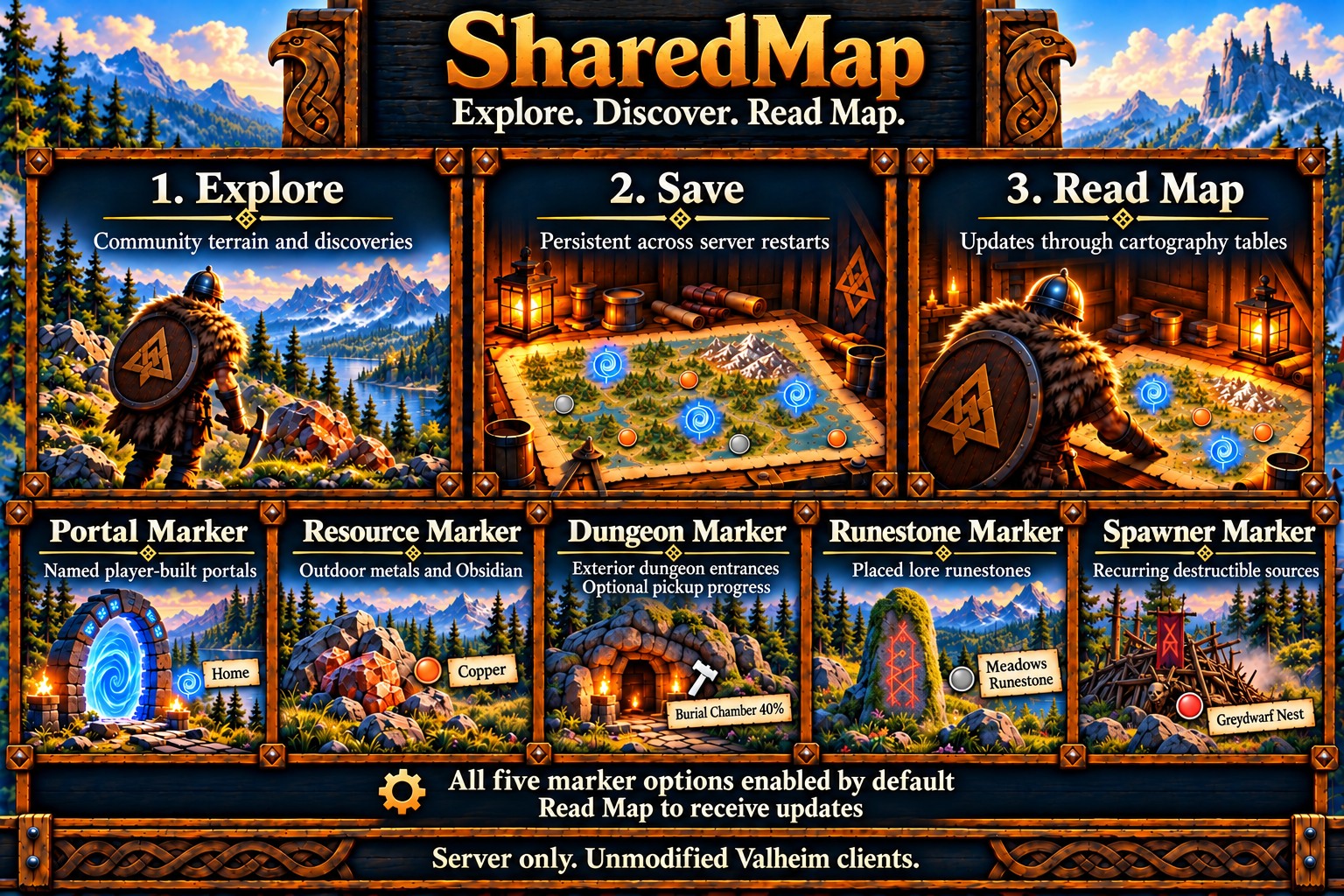
Choose Read Map at a vanilla cartography table to receive shared exploration and markers. Exploration is collected even before a table exists and persists across restarts. Shared death pins are filtered; personal death markers remain.
These settings belong in [SharedMap]. Marker options are independent; their configuration keys retain the Sync suffix.
| Option | Setting | Default | Purpose |
|---|---|---|---|
| Portal Marker | PortalMarkerSync | true | Named player-built portals; blank tags use NoName. |
| Resource Marker | ResourceMarkerSync | true | Outdoor Copper, Tin, Silver, Obsidian and supported static Flametal deposits. Silver requires qualifying pickaxe discovery. |
| Dungeon Marker | DungeonMarkerSync | true | Labeled exterior dungeon entrances with hammer markers. |
| Dungeon pickup progress | DungeonLootProgress | true | Supported remaining-pickup percentages after observed entry or verified already-picked items. False keeps plain entrance names and saved progress. |
| Runestone Marker | RunestoneMarkerSync | true | Placed lore-runestone landmarks, including eligible points in community-explored terrain. |
| Spawner Marker | SpawnerMarkerSync | true | Visible, destructible recurring sources. Confirmed source destruction removes the shared marker; killing spawned creatures does not. |
| Player uploads | AllowPlayerMapWrites | true | Accept terrain/pin uploads through Write Map. False leaves automatic collection and Read Map active. |
| Shared X marks | SharePinCheckmarks | false | Share checkmarks through accepted Write Map uploads. An X does not request deletion. |
Previously explored resource/dungeon discovery is separately optional and defaults off. Runestone and spawner discovery includes eligible points in saved community exploration. Resource markers exclude scraps, dungeon resources and creature sources. Tin shows node counts; Copper and Silver show remaining mining-section percentages. Resource spacing retains discovery history while hiding crowded publications. Dungeon percentages measure supported pickups, not enemies defeated or overall dungeon completion; established percentages remain visible while temporary empty scans await confirmation.
Read Map again after table reconciliation. See the SharedMap guide for grouping, spacing, discovery and configuration, and client map limitations for existing personal copies and publication updates.
Remove an unwanted shared pin
Use the server-side request file while SharedMap is enabled, the server is running and someone has joined. Clicking a marker, adding X and choosing Write Map does not delete its shared source.
- Under the active configuration directory, open
HeimKit/SharedMap/. Match the request filename to the world's map prefix: forworld-0000000000000123.map, useworld-0000000000000123.pin-admin.request. Substitute your actual world prefix. - Save a UTF-8 request containing
find Vile, replacing Vile with the full case-sensitive label. Check the server log results and copy the intended pin's complete ID, using its owner, icon and location to distinguish matches. - After the accepted request is consumed, recreate it with
remove <pin ID>, replacing the entire placeholder with that ID. Read Map after the cleanup sweep and replication.
To permit future uploads of that exact record again, use allow <pin ID>. This removes the exclusion; it does not recreate the pin. Ensure the filename ends in .request, not .request.txt. See the full pin administration guide.
TameTravel: follow, stay and portals
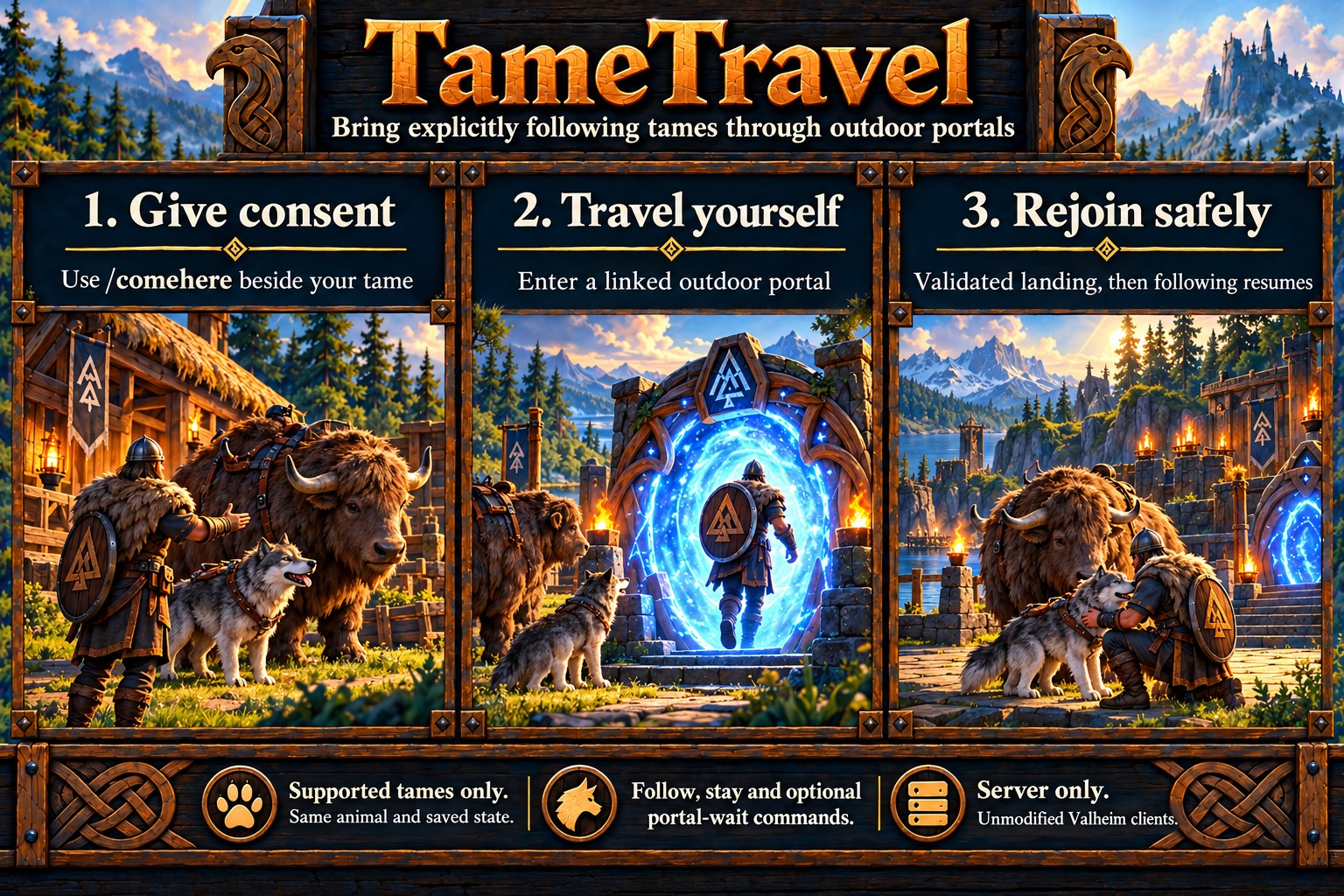
Supported adult tames are wolves, boars, lox, asksvin, hens and moose. Stand near the uniquely closest eligible tame when asking it to follow or wait.
| Normal chat | Vanilla emote fallback | Action |
|---|---|---|
!follow |
/comehere |
Follow through successive portal trips until stopped. |
!stay |
/nonono |
Stop your nearby followers/waiting animals and cancel portal permission. |
!wait |
/wave |
Stop following but keep one nearby portal trip authorized for an associated animal. |
!tame |
— | Show command help. |
Wait for private HUD confirmation. Follow/wait selection defaults to eight metres; Stay addresses up to sixteen associated animals within thirty-two metres. Closely packed animals can make follow/wait selection ambiguous. Ordinary chat follows native delivery rules; use the emote fallback if no response arrives. Unknown slash commands such as /follow cannot be added to unmodified clients.
Use /comehere once, then enter a linked player-built wood or stone portal yourself. The tame must be near you and the source portal; it need not fit through the doorway. At the destination, walk clear to leave room for checked placement. Ordinary above-ground buildings and suitable static ruin floors can qualify; dungeons, riding and juvenile/summoned creatures are excluded.
Stay clears saved following and cached AI targets before confirmation. Logout stops associated followers, and startup clears interrupted HeimKit sessions. A fresh follow request can reclaim a stale follower from an offline player; connected players remain protected. Older unmarked wolves retain native following until a fresh authenticated Stay. See the TameTravel guide and travel limitations.
HeimMender: live settings and administrative repairs
Save edits to [HeimMender] in the existing heimkit.cfg; this section reloads during play, including Enabled and DebugMode. Invalid values retain the previously loaded settings. Other feature sections still require a restart.
For a configuration-driven repair batch, set RepairTarget to the exact joined player name or peer UID, increase RepairRequestId, and save. Repairs are bounded by AdminRadiusMeters and AdminMaxPieces. An empty target requires one ready player; startup never replays the saved request ID. Destroyed pieces, world ruins, furniture and containers are outside its repair scope. See HeimMender administration for the dedicated-server console and authenticated admin-chat alternatives.
Sleep, AFK and diagnostics
Default sleep requires strictly more than half of participating players: one of two is insufficient; two of three is enough. At least one living player must be in bed. The default delay is thirty seconds after reaching the threshold; everyone entering bed bypasses it.
Shared [PlayerActivity] defaults to five minutes without observed activity and one minute of join/recovery grace; both must have elapsed. Health loss does not reset AFK. Named AFK entry/exit notices appear without debugging. See AFK limitations.
Logs include local timestamps and feature topics. Enable the relevant DebugMode and permit Debug in the loader's log filters. Under [Diagnostics], DebugVerbosity = Normal gives concise evidence; Verbose adds details only when debugging is already enabled. WeatherGuard combines routine weather-prevention results into nonempty ten-minute summaries. See debug configuration.
Troubleshooting
- Not loading: Check the active server/profile's
BepInEx/LogOutput.logfor HeimKit's version, configuration path and errors. Keep one DLL and use that same installation's launch route. - Version mismatch: Affected features disable themselves. Consult the supported environment linked above; a manual override does not bypass runtime API checks.
- Ready but no effect: Ready means services are available. Regular gameplay still requires joined players, eligible objects and native conditions.
- Report a problem: Include HeimKit/game versions, the affected feature, expected versus observed behavior and relevant warnings/errors. Remove passwords, join codes and other private information from logs.
