
Please disclose if any significant portion of your mod was created using AI tools by adding the 'AI Generated' category. Failing to do so may result in the mod being removed from Thunderstore.

HexResourceTracker
Automatically adds minimap pins for gatherable resources and dungeon entrances. Includes a custom draggable Map Tracking overlay for enabling or disabling resource and dungeon tracking in-game.
| Last updated | a week ago |
| Total downloads | 6498 |
| Total rating | 8 |
| Categories | Mods Client-side Ashlands Update Deep North Update |
| Dependency string | Hex_Viking-HexResourceTracker-1.5.0 |
| Dependants | 1 other package depends on this package |
This mod requires the following mods to function

denikson-BepInExPack_Valheim
BepInEx pack for Valheim. Preconfigured with the correct entry point for mods and preferred defaults for the community.
Preferred version: 5.4.2333README
HexResourceTracker
Automatically adds minimap pins for supported gatherable resources and dungeon entrances.
Includes a draggable Map Tracking overlay for enabling or disabling individual resources and dungeons in-game.
Features
- Tracks supported gatherable resources and dungeon entrances.
- Removes resource pins when resources are harvested or otherwise depleted.
- Restores resource pins when resources respawn.
- Tracks Onion Seeds found inside Mountain chests and removes the pin when the seeds are taken.
- Supports two tracking modes:
- Zone Based - Tracks supported objects as Valheim loads the surrounding world.
- Range Scanner - Only displays supported resources and dungeons within a configurable distance of the player.
- Configurable Range Scanner distance from 50 to 2000 meters.
- Independently enable or disable each supported resource and dungeon.
- Draggable in-game Map Tracking overlay.
- Includes support for Deep North resources and dungeons.
- Resource pins are clustered to reduce map clutter in dense areas.
- Selected resource icons use larger map pins for improved visibility.
- Onion Seed pins use a gold border to make them easier to spot on the map.
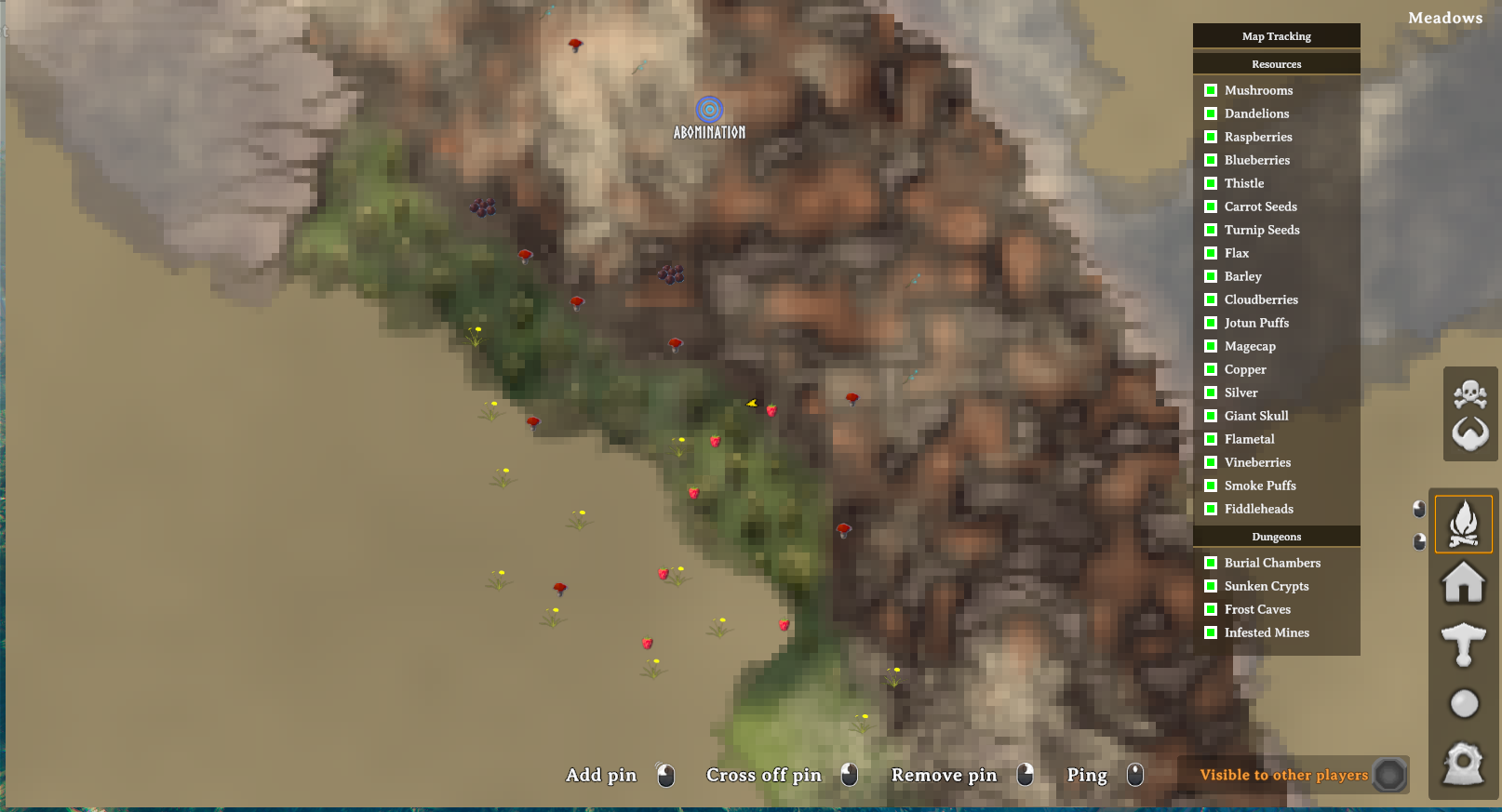
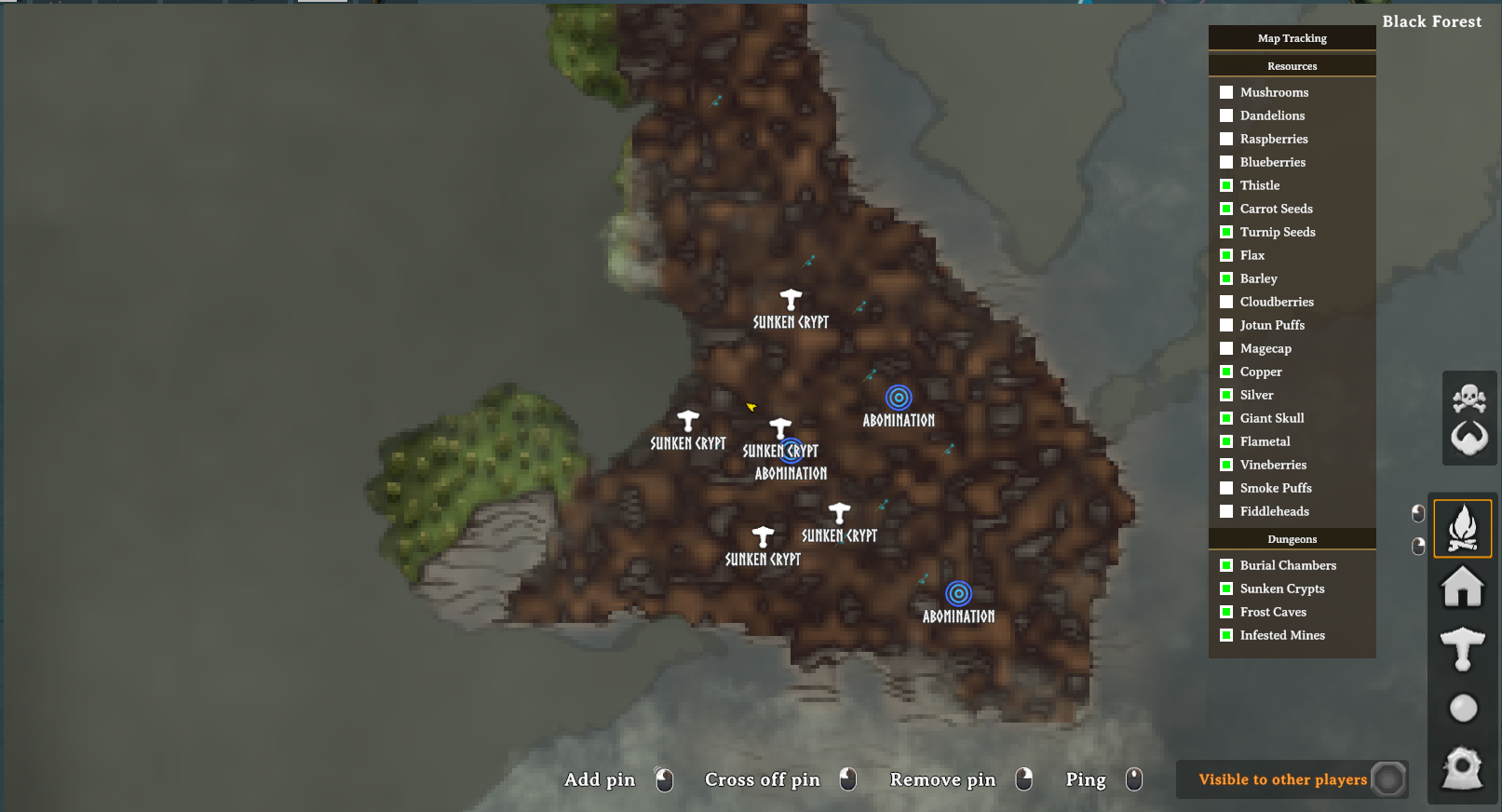
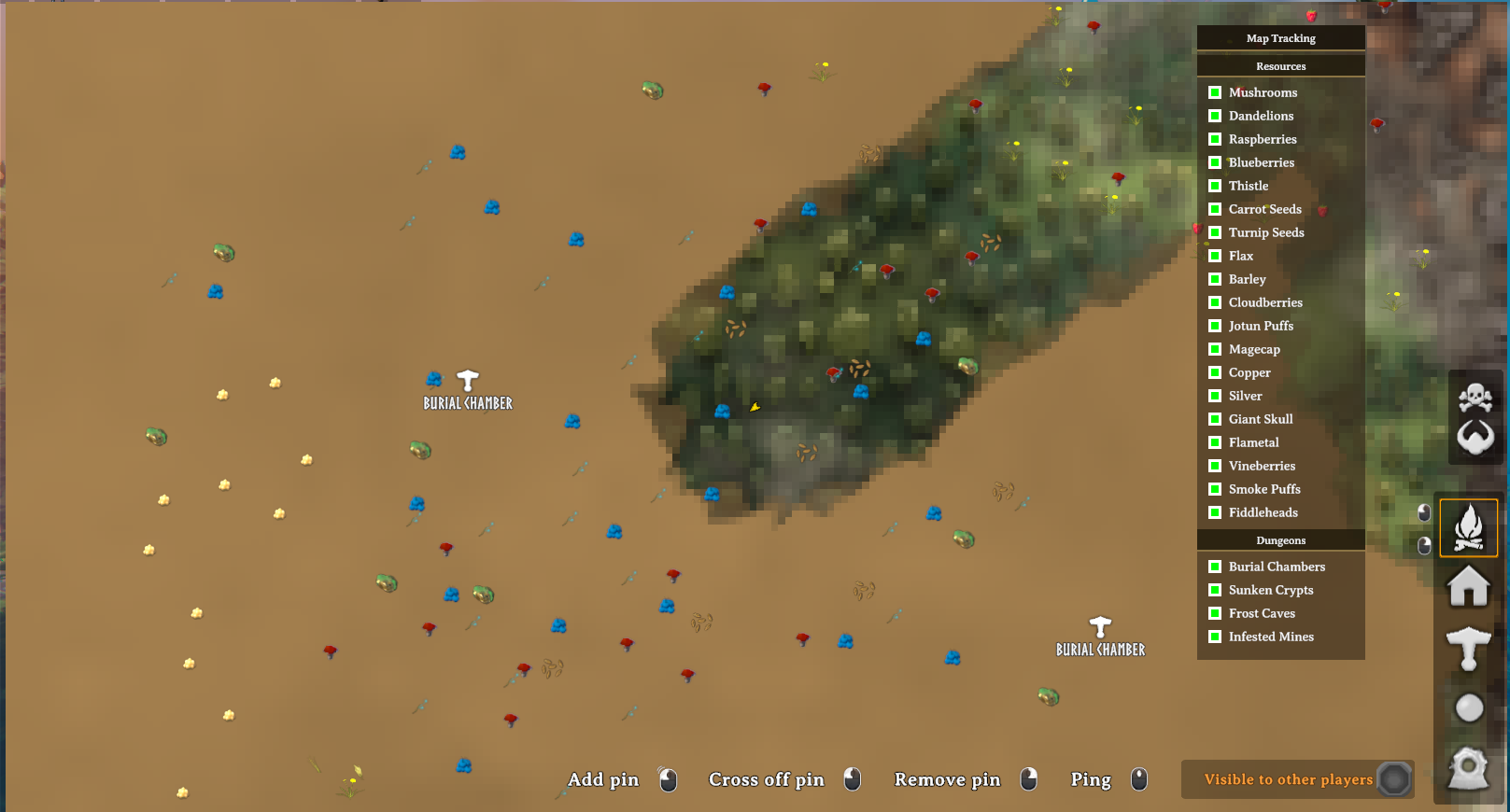
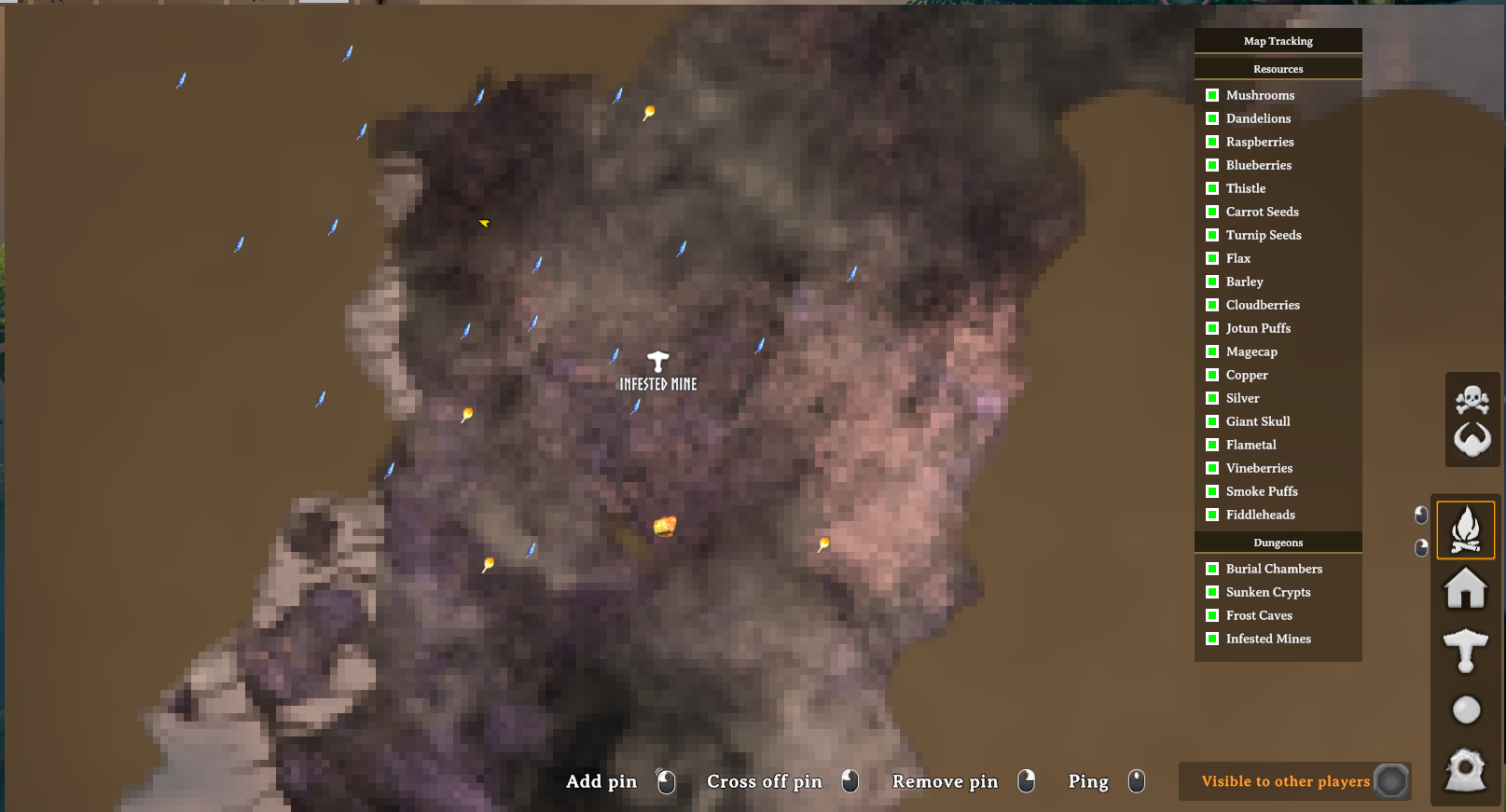
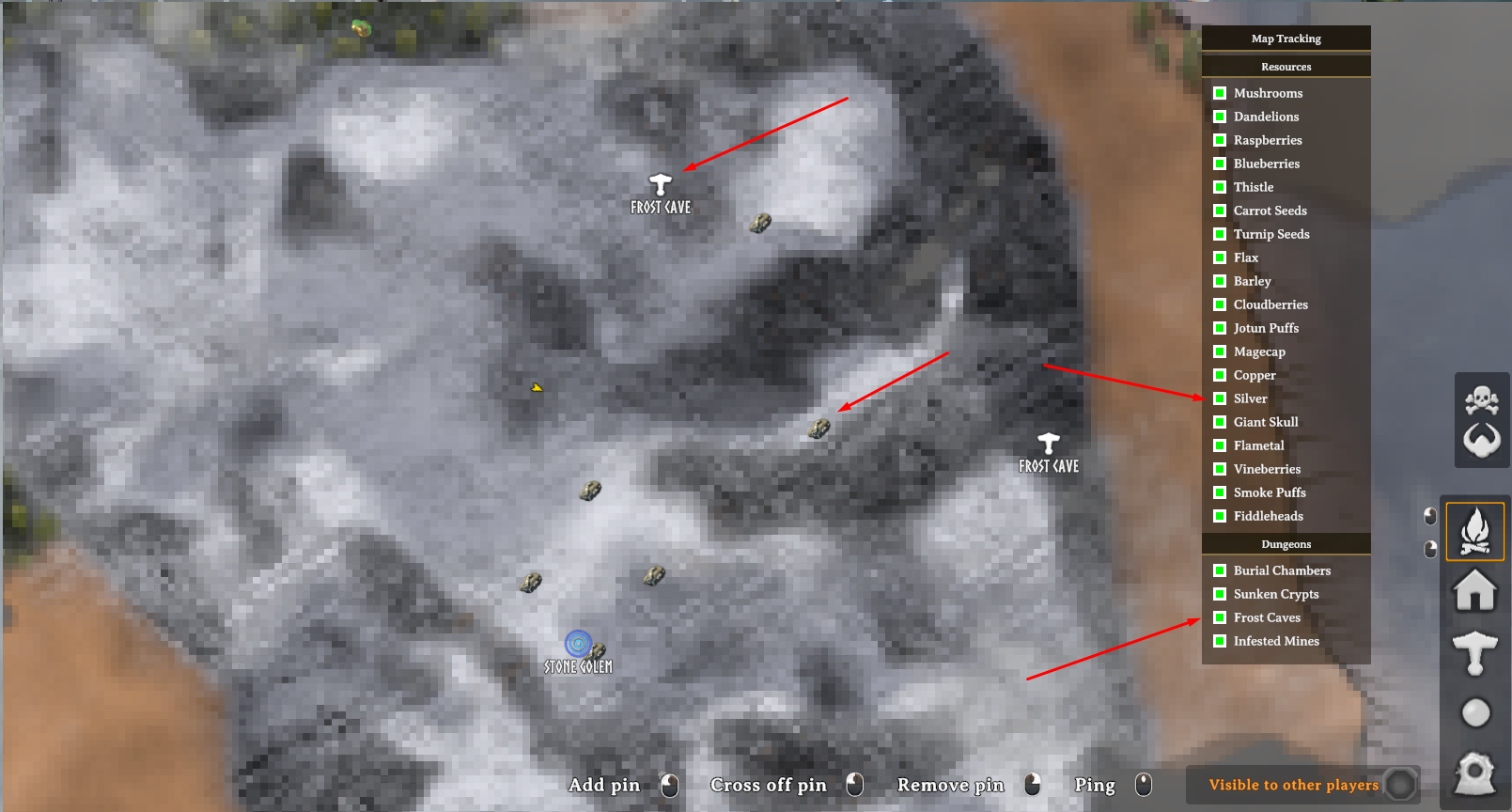
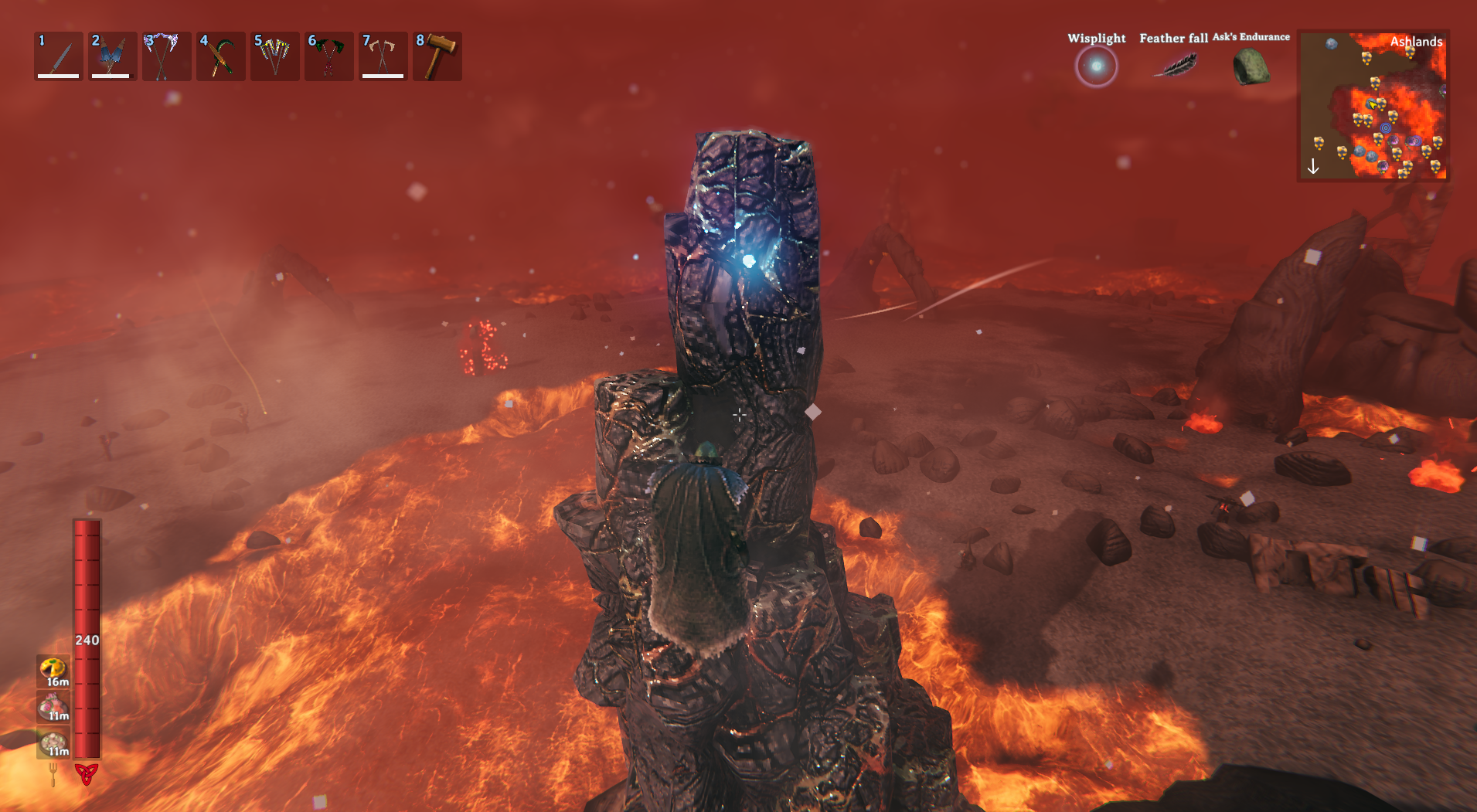
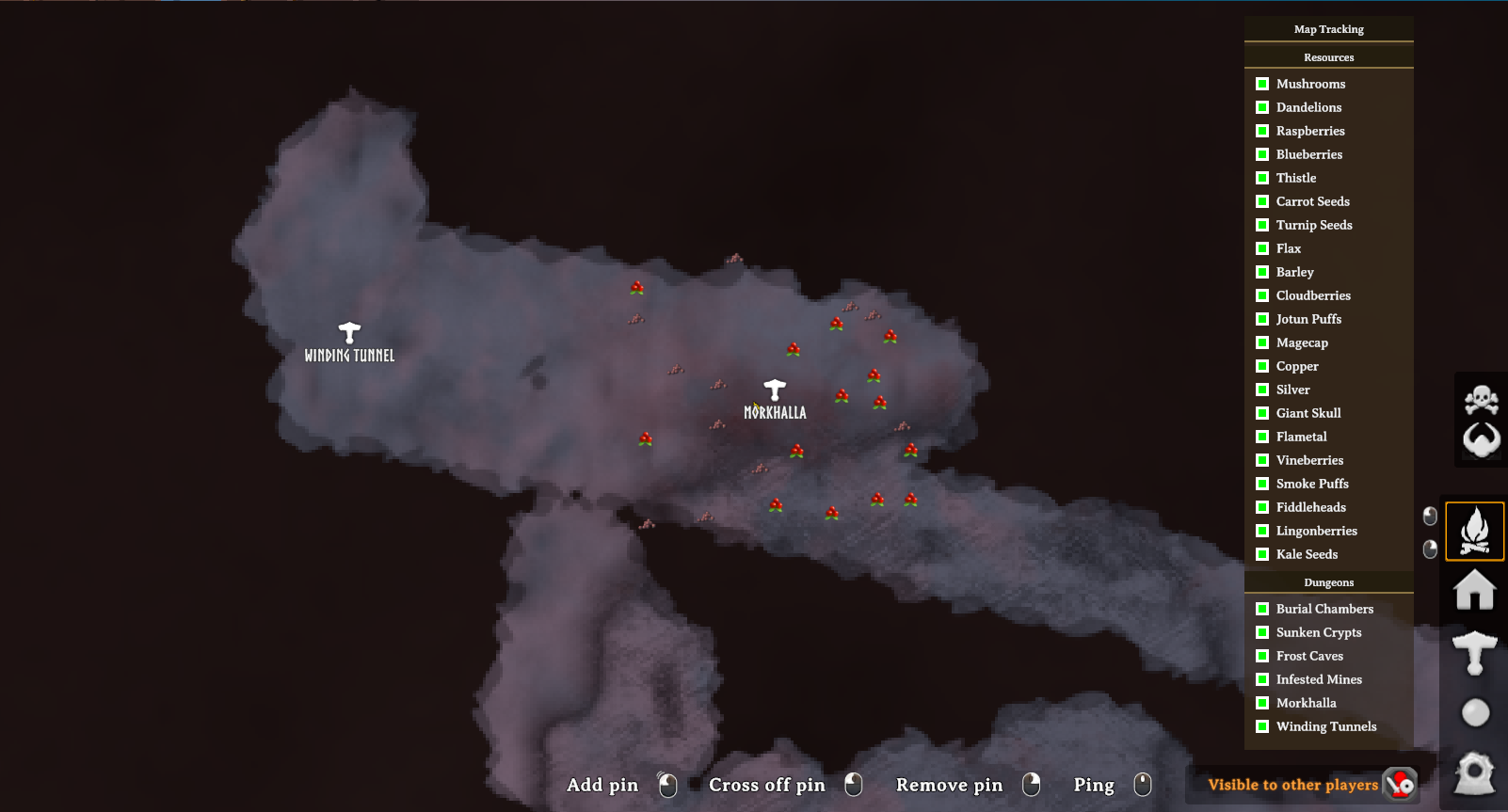
Tracking Modes
Zone Based
Tracks supported resources and dungeons as their surrounding zones are loaded by Valheim.
There is no configured distance limit in this mode.
Range Scanner
Only displays supported resources and dungeons within the configured Tracking Range of the player.
Pins are automatically added and removed as the player moves through the world.
Tracked Resources
Meadows
- Mushrooms
- Raspberries
- Dandelions
Black Forest
- Blueberries
- Thistle
- Carrot Seeds
- Copper
Swamp
- Turnip Seeds
Mountains
- Silver Veins
- Dragon Eggs
- Onion Seeds found in Mountain chests
Plains
- Wild Flax
- Wild Barley
- Cloudberries
Mistlands
- Jotun Puffs
- Magecaps
- Giant Skulls (Soft Tissue)
Ashlands
- Vineberries
- Fiddleheads
- Smoke Puffs
- Flametal Deposits
Deep North
- Lingonberries
- Kale Seeds
Tracked Dungeons
- Burial Chambers
- Sunken Crypts
- Frost Caves
- Infested Mines
- Morkhalla
- Winding Tunnels
Configuration
Tracking can be configured through the BepInEx configuration file or the in-game Map Tracking overlay.
Configuration options include:
- Tracking mode
- Range Scanner distance
- Individual resource tracking
- Individual dungeon tracking
Installation
Manual Installation
- Install BepInEx for Valheim.
- Extract the mod into your Valheim
BepInEx/pluginsfolder. - Launch the game.
Thunderstore / r2modman
- Install using Thunderstore Mod Manager or r2modman.
- Launch the game.
Compatibility
- Client-side only.
- Has not been tested in multiplayer or on dedicated servers.
Known Limitations
- Only supported resources and dungeon entrances are tracked.
- Valheim must load an object before the mod can discover and track it.
- Onion Seeds are tracked through naturally generated Mountain chests, not dropped or player-planted Onion Seed items.
- Pins do not persist across game sessions.
Feedback & Support
Report bugs, request features, or provide feedback through Discord:
