
Please disclose if any significant portion of your mod was created using AI tools by adding the 'AI Generated' category. Failing to do so may result in the mod being removed from Thunderstore.

Saiyaheim
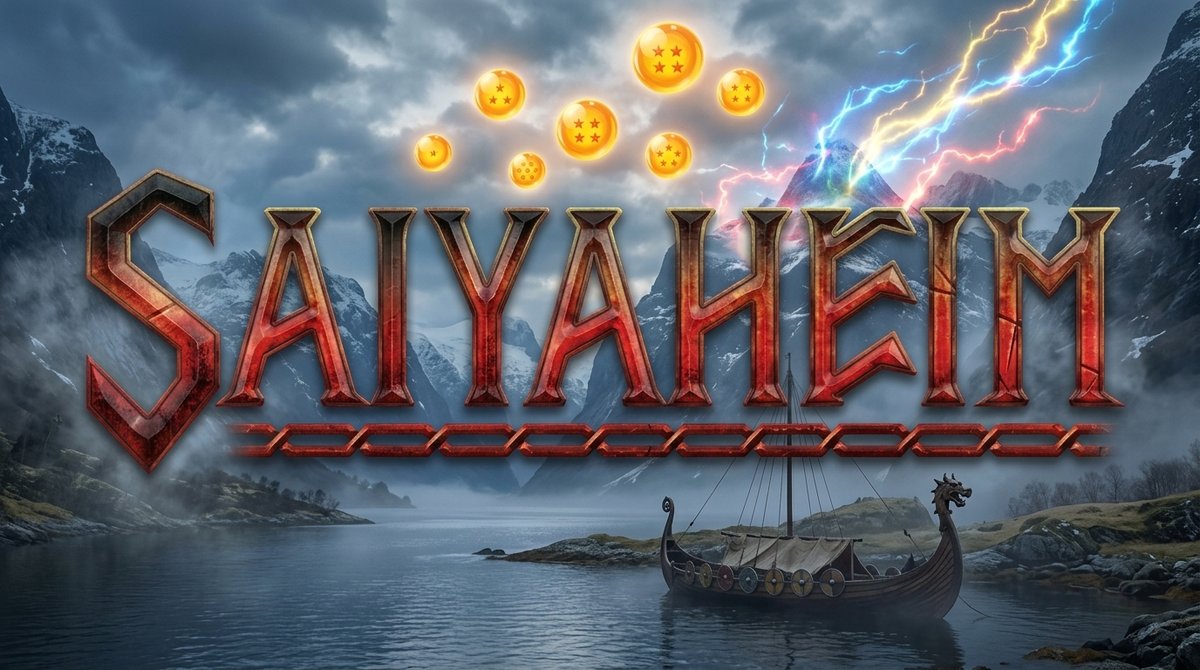
Dragon Ball Z (DBZ) mod for Valheim: ki, flight, unarmed combat, Kamehameha and ki blasts, and Super Saiyan transformations gated behind the bosses.
| Last updated | 3 days ago |
| Total downloads | 1517 |
| Total rating | 6 |
| Categories | Mods Misc Server-side Client-side |
| Dependency string | Hman-Saiyaheim-0.9.1 |
| Dependants | 0 other packages depend on this package |
This mod requires the following mods to function

denikson-BepInExPack_Valheim
BepInEx pack for Valheim. Preconfigured with the correct entry point for mods and preferred defaults for the community.
Preferred version: 5.4.2350
ValheimModding-Jotunn
Jötunn (/ˈjɔːtʊn/, 'giant'), the Valheim Library was created with the goal of making the lives of mod developers easier. It enables you to create mods for Valheim using an abstracted API so you can focus on the actual content creation.
Preferred version: 2.30.0README
Saiyaheim
A Dragon Ball mod for Valheim: ki, flight, unarmed combat, ki attacks and the Kaioken learned from the world's runestones, Super Saiyan transformations gated behind the game's bosses, and scouters to read anyone's battle power.
This is my first mod, and it is a work in progress. It is playable from start to finish of what it currently covers, but it is not finished — more transformations and more ki attacks are the whole point of the next versions. Feedback is very welcome, and so is patience.
What it does
Saiyaheim adds a second progression path next to the vanilla one. Turn ki on and your gear stops mattering: damage, armor, flight speed and everything else come from your own power instead. Turn it off and you are back to plain Valheim.
Ki
A resource of its own, with its own bar — not Eitr, so it works from the very first day in Meadows and not only after Mistlands.
- Regenerates over time; the vanilla
Restedbuff makes it regenerate faster. - Hold the charge key to charge it much faster than passive regeneration.
- Spent on punches, blocking, damage taken, ki attacks, flight and a small drain while transformed. Transforming does not cost much to hold — it costs more to fight in, and mastering that form takes the difference away.
Ki toggle
One key switches the mod's mechanics on and off per player. With ki off, the mod behaves as if you had zero ki: vanilla damage, vanilla armor from equipment and no XP. Useful for fair PvP, or for playing a normal Valheim session without uninstalling anything. Switching is instant and destroys nothing — your gear stays equipped and counts again the moment ki goes off.
Battle Power and the Power Level skill
Power Level is a custom 0–100 skill and the axis of progression while ki is on. It feeds Battle Power, a derived number built from your health and your level that decides:
- how hard your punches hit (added to base damage, not multiplied — so it stays sane against Valheim's roughly linear enemy HP curve),
- how much armor you have (equipment is ignored while ki is on),
- how fast you fly.
Weighted training: all Power Level XP is multiplied by how full your inventory is, up to
double at maximum carry weight (XpWeightBonus in the config). It is Goku's weighted
clothing, and it limits itself — the weight slows you down, eats stamina and cuts your flight
speed. Forms raise your carry limit, so the same load is worth a little less XP while
transformed.
Battle Power is shown on the HUD, and enemies show theirs under their health bar, on the same scale — as long as you are wearing a scouter (see below).
Scouters
Battle Power can only be read through a scouter, worn in the helmet slot. Without one, no number shows up at all — not for creatures, not for other players, not even your own.
Each scouter reads up to a limit. Anything stronger shows as static: digits flickering where the number should be. There is one tier per biome, crafted from that biome's metal, and each one reads roughly the common creatures of its biome:
| Scouter | Crafted from | At | Reads roughly |
|---|---|---|---|
| Flint | flint | Workbench | Meadows |
| Bronze | bronze | Forge | Black Forest, except Brutes and the Troll |
| Iron | iron | Forge | Swamp |
| Silver | silver | Forge | Mountain, except Fenrings and Stone Golems |
| Black Metal | black metal | Forge | Plains |
| Yggdrasil | Yggdrasil wood | Black Forge | Mistlands |
| Flametal | flametal | Black Forge | Ashlands |
| Bloodgold | bloodgold | Black Forge | Deep North |
The limit is about strength, not about biome, so the match is not exact: a biome's common creatures are readable from its own scouter on, but its biggest ones (Trolls, Stone Golems, Lox, Morgen) need the next tier. A biome's boss is always too strong for that biome's scouter.
- Every tier comes in four lens colors, picked by recipe: red (raspberries), green (greydwarf eyes), blue (blueberries) or purple (thistle).
- Hovering a scouter in the inventory shows your punch damage, block armour and ki costs, so you can compare your fists with a weapon or a shield — as long as the scouter can read your own power.
- It gives no armor and does not hide your hair. Scouters keep reading with ki off.
Unarmed combat
Punching is the core of the mod. Damage does not come from multiplying Valheim's very weak vanilla unarmed hit — it comes from Battle Power, so it scales predictably from Meadows to Plains. Transformations add their own flavor on top: slash damage on SSJ and SSJ God, lightning damage on SSJ2 and SSJ3.
Flight
Standing upright, Dragon Ball style, using the game's own flying movement by construction.
- Toggle key to take off and land, or a quick double tap of Jump to take off.
- While flying, the usual controls apply: Jump climbs, Crouch descends, Run flies fast.
- Flight follows your aim by default: moving forward flies where you are looking, up and down included. Alt+F switches to classic flight, where forward stays level. The choice is saved with the character.
- Costs ki continuously. Running out in mid-air means you fall.
- Speed scales with your Flight skill (its own custom skill) and with Battle Power, and drops with carried weight — on a curve, so a light load costs almost nothing and a full inventory costs a lot. Goku's weighted clothing, essentially.
- Touching the ground lands you.
Transformations
Four steps today, each gated behind a boss:
| Form | Unlocked by | Power | What sets it apart |
|---|---|---|---|
| SSJ | Eikthyr | ×2 | Yellow spiked version of your own hair, golden aura, slash damage |
| SSJ2 | The Elder | ×3 | Brighter hair, blue lightning, heavier ki drain |
| SSJ3 | Bonemass | ×4 | Long spiked hair (changes your silhouette), white lightning, strongest glow |
| SSJ God | Moder | ×3.5 | Red hair and aura, cheaper to fight in, and passive healing that ticks three times as often and keeps going through Wet, Cold and Freezing |
SSJ God is the odd one: it hits softer than SSJ3 on purpose. It is the control form, and what it buys is staying power rather than a bigger punch.
There is no activation cost, so stepping up and down is free. What a form costs is a small continuous drain plus a surcharge on everything you do in it — punching, blocking, taking hits and firing ki attacks all cost more while transformed, though the surcharge is far smaller than the power the form hands you. One key transforms straight into the highest form you have unlocked; another drops you back to base. Shift plus those keys walks the ladder one step at a time. Running out of ki drops you out of the form on its own.
Transformed characters glow, light up the terrain around them, and can be seen doing it by other players.
Mastery
Each form has its own mastery skill. It grows by fighting inside that form — damage dealt and damage taken — so standing around transformed, or flying, trains nothing. Mastery pays in ki efficiency: the drain goes down, and the surcharge the form charges you for fighting fades away. A form already pays better than your base form from the moment you unlock it, and at mastery 100 it costs nothing to keep and nothing extra to fight in, so the whole multiplier is yours.
Holding a high form also trains every form below it, so climbing the ladder never freezes the progress of the step you already use.
Kaioken
A short, expensive burst you switch on on top of any form, base form included. Forms are the state you hold; Kaioken is what you light up for a few seconds when the fight asks for it.
Five tiers — x2, x3, x4, x10 and x20 — each taught by the runestones of its own biome, and in order: a runestone only offers a tier once you know the one before it.
- Each tier multiplies your Battle Power on top of the form, and makes you much faster, on the ground and in the air (flight still has its top speed).
- It speeds up every melee swing: from 20% faster at x2 to twice as fast at x20. Bows, crossbows, staffs and ki attacks keep their own pace. Stamina per swing stays the same, so faster swings burn through it faster.
- It raises your max ki and fills the extra room at once. That ki is lent: whatever you have not spent is gone when Kaioken turns off.
- It costs stamina every second, and stamina does not regenerate while it is on. Run out and Kaioken drops, leaving you Exhausted for a few seconds.
- Below a tier's safe level it also drains health — the further below, the faster. It never kills you: low on health, it turns off by itself. Higher forms raise the level each tier needs, and mastering the form brings it back down.
- It has its own Kaioken skill, trained by dealing damage with it on. Pushing past your limit trains it faster, up to double.
- A red aura while charging ki, and a red glow, reddish skin and glowing armor while it is on — all visible to other players.
One key turns it on and steps up a tier; Shift plus that key turns it off.
Ki attacks
Aimed where you are looking, costing ki whether they hit or not. Each one is learned from the runestones (see below):
| Attack | |
|---|---|
| Ki Blast | A quick shot that explodes on impact |
| Kamehameha | Charges up, with three charge tells on the hands, and fires a beam |
| Kienzan | Charges a spinning disc over your head while you move, then throws it through everything in its path |
One key fires the selected attack, Shift plus that key cycles through the ones you have unlocked.
Radial menu
Forms, Kaioken and ki attacks are also on Valheim's own radial menu, the wheel you already open to switch weapons, eat or emote. The mod adds three groups to it — Forms, Kaioken and Ki attacks — so it costs you no extra key, and the hotkeys above keep working for anyone who prefers them.
- Every item shows what you need to know before you click it: a form shows its ki drain per second, an attack shows its ki cost and which one is currently selected.
- Picking an attack selects it, it does not fire. You aim and fire with your own key
afterwards, which is the point — it replaces cycling blind through
Shift+V. - Picking a form transforms you. The form you are already in is not on the wheel, and while transformed a Base form item is there to drop back.
- Picking a Kaioken tier switches straight to it, up or down, from any form. Each tier shows its power multiplier and what it costs right now, in stamina and, past your limit, health. While it is on, a Kaioken off item turns it off.
- Only what you have unlocked shows up. A group whose items are all still locked does not appear on the wheel at all, so the menu grows as you progress.
Runestones
The lore runestones scattered around the world can teach you new abilities — for now, the ki attacks and the Kaioken tiers. Read one and you may learn something; if you do not, keep exploring:
- Each biome has its own things to teach.
- Every runestone that teaches nothing makes the next one in the same biome likelier, so bad luck does not last forever.
- A runestone you already read recharges after a few in-game days and can be tried again.
- Learning is per character: each friend has to find their own.
Boss gating
Forms are unlocked with Valheim's own global keys, which means they are per world, not per character. Whoever joins your server later arrives with whatever the world has already unlocked. For a world played with friends this is the intended behavior.
Default keys
All of them are configurable.
| Key | Action |
|---|---|
K |
Toggle ki on/off |
R (hold) |
Charge ki |
F |
Take off / land (or double tap Jump to take off) |
Alt+F |
Switch between classic and aim flight |
T |
Transform into your highest unlocked form |
Shift+T |
Step up one form |
Z |
Drop straight back to base form |
Shift+Z |
Step down one form |
V |
Fire the selected ki attack |
Shift+V |
Cycle ki attacks |
Q |
Turn Kaioken on / step up a tier |
Shift+Q |
Turn Kaioken off |
G (vanilla) |
Open the radial menu, where the Forms, Kaioken and Ki attacks groups are |
Keys the base game already uses
The mod picks keys that Valheim leaves free where it can, but it cannot avoid every clash, and your own rebinds may create new ones. When two things share a key, both of them fire — the mod does not steal the press from the game. Some of these are harmless; others are not, so it is worth a look before you play.
Known cases with the default bindings:
G— the radial menu. The mod used to drop you back to base form withGtoo. Since 0.4.0 it usesZinstead, but a config file generated by an older version keepsG: if the wheel opens while you power down, setPowerDownKeytoZyourself.
To change them: the game's own keys are in Settings → Controls, and the mod's are in
com.hman.saiyaheim.cfg (ChargeKiKey, TransformKey, KaiokenKey and friends, all in the
1 - General section). The config file is read while the game runs, so a keybind change applies
without a restart.
Installation
Install with a mod manager (r2modman or Thunderstore Mod Manager) and it pulls the dependencies
for you. Manual install: drop Saiyaheim.dll into BepInEx/plugins/.
Requires:
- BepInExPack Valheim
- Jotunn
Multiplayer
It works, and everyone on the server needs the mod at the same version — the plugin enforces that. Transformations, auras, glow and ki attacks are synchronized, and boss unlocks come from the world itself.
That said, multiplayer is the least tested part of the mod: it has only been played by a handful of friends on one server. If something desynchronizes, please report it — see Bugs and feedback.
Configuration
Everything that can be balanced lives in com.hman.saiyaheim.cfg, generated on first launch:
multipliers, drains, ki costs, XP rates, HUD positions, colors, keybinds and the global key each
form and attack is gated behind. Gameplay values are server-enforced; keybinds and HUD tweaks are
per client.
The config file is watched, so editing it while the game runs applies the change without a restart. Handy for nudging the HUD around.
About the art (and my limits)
I am a programmer, not an artist, and the visual side of this mod is where that shows. I would rather say it up front than have you find out.
The hair is generated by a script. I do not know how to use Blender. The spiked hair of the Super Saiyan forms is not sculpted by hand — a Python script reads Valheim's own hair meshes, grows strands out of them, and the result gets packed into an AssetBundle. It is good enough to read as Super Saiyan from a distance, which is what I was after, but it is not the work of an artist and I know it.
The visual effects are Valheim's own prefabs. I do not know how to author new particle effects either, so nothing here is made from scratch: the auras, the ki charge, the lightning, the blast and the beam are all existing game effects, recolored, rescaled, sometimes stripped down to a piece of themselves and recombined. It goes further than it sounds — the game has around 1200 effect prefabs, and a fair amount of this mod's look came out of digging through them — but it is still assembly, not creation.
I would like to improve both later, either by learning the tools properly or with help from someone who already has. If you are a 3D or VFX artist and any of this makes you wince, I am genuinely open to advice.
Roadmap
The mod is far from done. What I want to add next, roughly in this order:
- More transformations — the ladder is designed to grow, and each new step is mostly configuration.
- More ki attacks — the radial menu is already there to pick them from.
- More items — the scouter is the first; more gear and consumables of its own, so ki progression has things to find and craft instead of only numbers to raise.
- Polish: better visual effects, sounds, and eventually better hair.
Bugs and feedback
Thunderstore pages have no comment section, so there are two places to reach me.
The issue tracker on GitHub:
github.com/HenriqueANunes/Saiyaheim/issues
Or, if you would rather not open a GitHub account, the mod's page on Nexus, which has a tab for each: Bugs for something broken, Posts for everything else.
Either one works for anything — a crash, a form that will not unlock, something desynchronizing in
multiplayer, a number that feels wrong, or advice on the art. For a bug, the useful things to
include are your Valheim and Saiyaheim versions, whether you were on a server or in singleplayer,
and your BepInEx/LogOutput.log.
Balance complaints are welcome too, and you do not have to wait for me: almost every number in this mod lives in the config file, so you can try your own value first and tell me if it plays better.
Credits and disclaimer
Built with BepInEx and Jotunn. Visual effects reuse Valheim's own prefabs.
The scouter model is "Scouter - Dragon Ball Z" by Yanez Designs, licensed under CC BY 4.0. Modified: scale, materials, lens colors and transparency.
Dragon Ball is the property of Akira Toriyama, Shueisha, Toei Animation and Bird Studio. This is a free, non-commercial fan project with no affiliation to any of them, made because I wanted to throw a Kamehameha at a troll.
