
Please disclose if any significant portion of your mod was created using AI tools by adding the 'AI Generated' category. Failing to do so may result in the mod being removed from Thunderstore.

FreshCommands
FreshCommands adds Valheim console/chat commands for instant corpse recovery and user defined teleportation locations. Build Corpsecaller's Effigy, Wayfarer's Oathstone, and Wayfarer's Reach for quick travel to your corpse, home, and saved locations.
| Last updated | 8 hours ago |
| Total downloads | 902 |
| Total rating | 1 |
| Categories | Mods Tweaks Utility Transportation |
| Dependency string | JuStIIFrEsH-FreshCommands-3.0.2 |
| Dependants | 0 other packages depend on this package |
This mod requires the following mods to function

denikson-BepInExPack_Valheim
BepInEx pack for Valheim. Preconfigured with the correct entry point for mods and preferred defaults for the community.
Preferred version: 5.4.2350
ValheimModding-Jotunn
Jötunn (/ˈjɔːtʊn/, 'giant'), the Valheim Library was created with the goal of making the lives of mod developers easier. It enables you to create mods for Valheim using an abstracted API so you can focus on the actual content creation.
Preferred version: 2.30.0README
FreshCommands
A lightweight standalone BepInEx mod that adds useful console and chat commands and related structures to Valheim.
Author: JuStIIFrEsH
Links
Requirements
- BepInEx 5
- Jotunn 2.30.0
Installation
Install FreshCommands through Thunderstore, or copy FreshCommands.dll into a folder under BepInEx/plugins and launch Valheim.
Dev commands do not need to be enabled.
Commands
In-game chat commands
/corpse tp— teleports the character to their most recently created tombstone./corpse recover— performs the normal tombstone interaction, collecting its contents when they fit or opening the standard inventory when they do not./tp home— teleports the character to their current spawn point./set <name>— saves the current player position as a named location and adds a circle marker to the map. For example,/set plains2followed by/tp plains2./set <name> <x> <z>— saves supplied X/Z coordinates as a named location. For example,/set crypt1 1250 -800./delete <name>— permanently removes a saved location from the world save./tp <name>— teleports to a saved location./tpby itself lists all saved locations and their coordinates./freshcommands— lists every available FreshCommands command.
Console commands
corpse tp— teleports the character to their most recently created tombstone.corpse recover— performs the normal tombstone interaction, collecting its contents when they fit or opening the standard inventory when they do not.tp home— teleports the character to their current spawn point.set <name>— saves the current player position as a named location and adds a circle marker to the map. For example,set plains2followed bytp plains2.set <name> <x> <z>— saves supplied X/Z coordinates as a named location. For example,set crypt1 1250 -800.delete <name>— permanently removes a saved location from the world save.tp <name>— teleports to a saved location.tpby itself lists all saved locations and their coordinates.freshcommands— lists every available FreshCommands command.
Map tools
With the main map open, cursor coordinates appear in the upper-left corner. Creating a saved location with /set places a portal marker on the map; Ctrl+Shift+Click the marker to travel to that saved location.
Placeable structures
FreshCommands also adds three custom teleportation structures.
Corpsecaller's Effigy
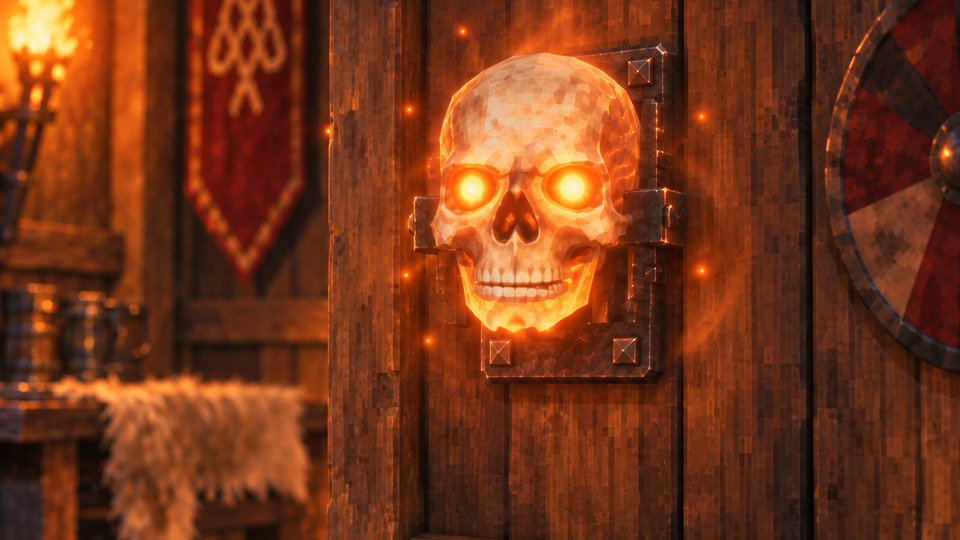
A wall-mounted skull for reaching your most recent corpse without opening the console.
- Requires a nearby workbench, 8 Bone Fragments, 4 Wood, and 5 Resin.
- Press E to recover your corpse inventory without moving your character.
- Press Shift+E to teleport to your most recent corpse using Valheim's normal loading transition.
Wayfarer's Reach
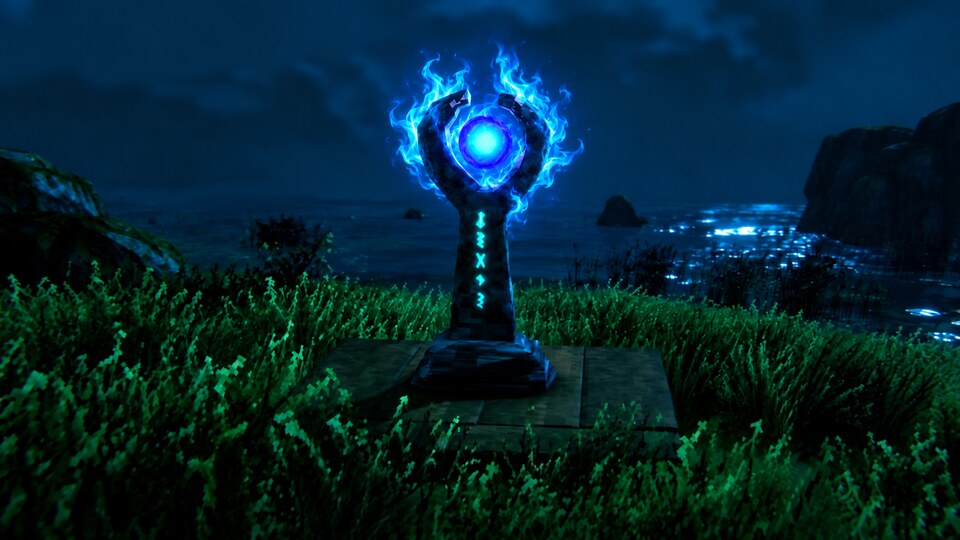
An outward teleportation device for your base.
- Requires a nearby workbench, 10 Stone, 1 Surtling Core, and 1 Greydwarf Eye.
- Press E to open a menu containing your saved locations.
Wayfarer's Oathstone
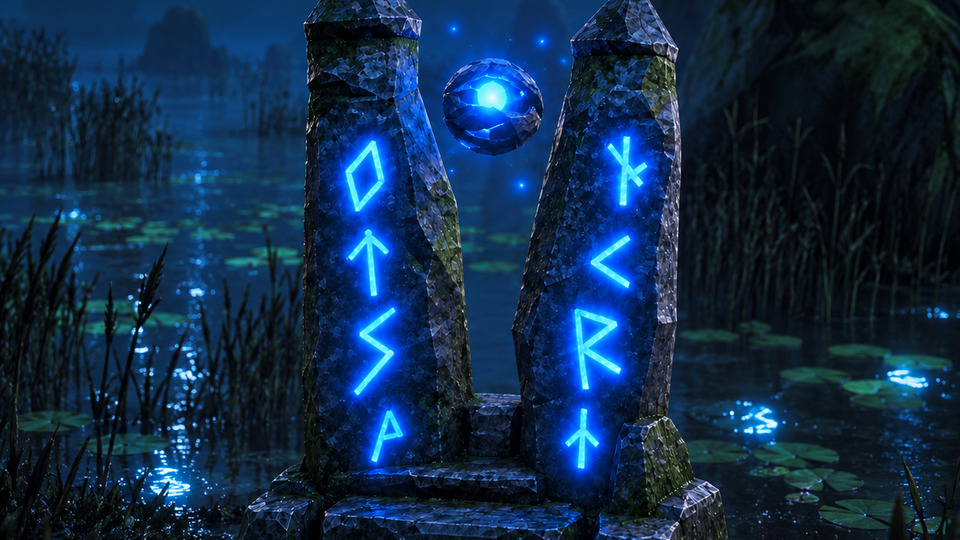
A stone shrine for returning to your current spawn point. Two fractured spires frame a hovering Greydwarf Eye with a soft blue glow.
- Can be built away from a workbench with 10 Stone and 1 Greydwarf Eye.
- Press E to teleport to your current spawn point, equivalent to
tp home.
Notes
- Saved locations are shared by everyone on the same world and persist in that world's database save data.
- Commands work in single-player and for the hosting player.
- Dedicated-server and remote-client command routing is not included.
