Please disclose if any significant portion of your mod was created using AI tools by adding the 'AI Generated' category. Failing to do so may result in the mod being removed from Thunderstore.

MordasGearhold
Three switchable equipment sets, shared inventory, 8 hotkey quickslots, 3 ammo slots, up to 3 trinkets and utilities, weightless coin slot, transmog looks, armour dyes and weapon glow colours in a Valheim-style panel.
| Last updated | 19 hours ago |
| Total downloads | 25 |
| Total rating | 2 |
| Categories | Tools Skins Client-side Deep North Update |
| Dependency string | Morda-MordasGearhold-1.0.0 |
| Dependants | 0 other packages depend on this package |
This mod requires the following mods to function

denikson-BepInExPack_Valheim
BepInEx pack for Valheim. Preconfigured with the correct entry point for mods and preferred defaults for the community.
Preferred version: 5.4.2351README
Morda's Gearhold
Inventory, Loadouts & Quickslots – Valheim 1.0.20, BepInEx 5.4.23.x · version 1.0.0
Three switchable equipment sets, a shared inventory, 8 hotkey quickslots, 3 ammo slots, up to 3 trinkets and utility items, transmog looks and armour dyes.
At a glance
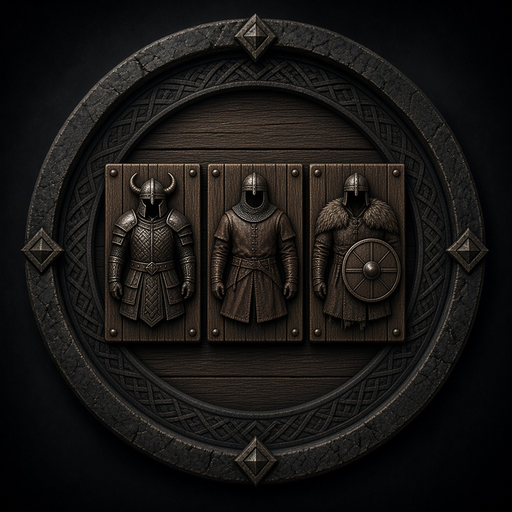 |
3 equipment sets – switch your whole loadout with one click or hotkey. The inventory stays shared. |
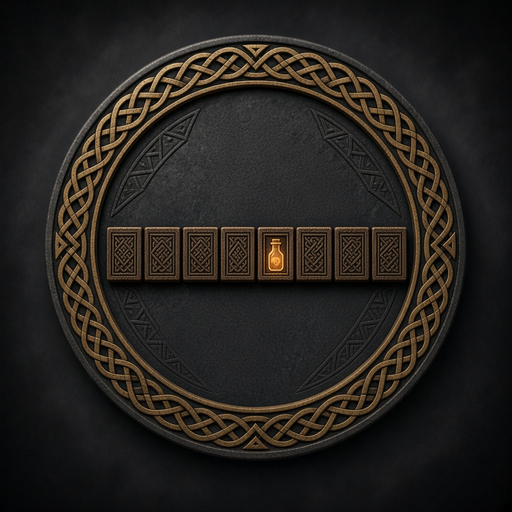 |
8 quickslots with your own hotkeys and a small bar on the HUD. |
 |
3 ammo slots – switch arrows instantly with Alt+1/2/3. |
 |
Up to 3 trinkets and 3 utility items worn at once (configurable 1–3). |
 |
Transmog – wear the look of any armour you know, per set. |
 |
Dyes – recolour your armour with swatches and fine controls, with a live 3D preview. |
 |
Death safe – only the active set goes into the grave; looting it puts everything back in place. |
In game
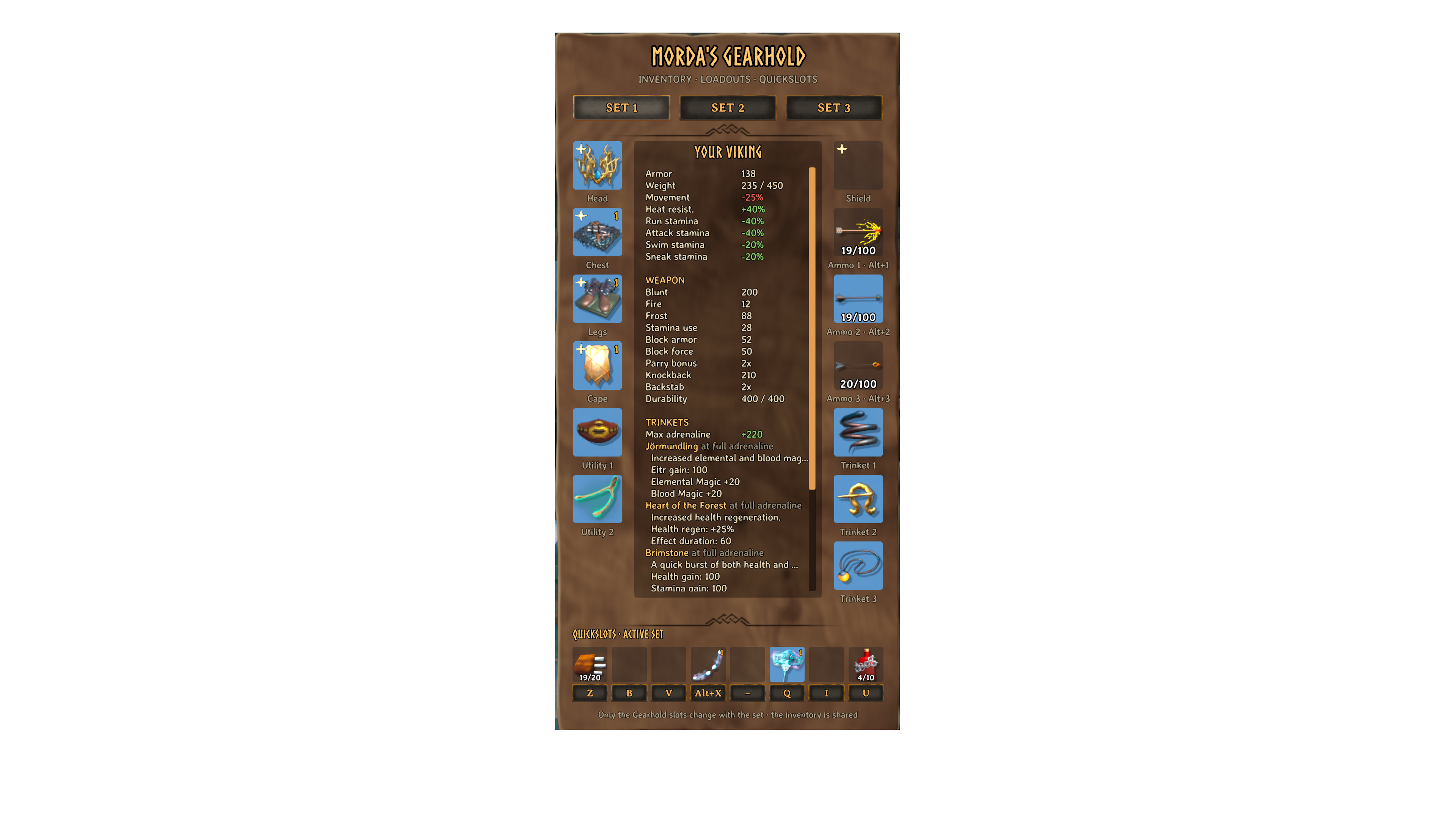
The Gearhold panel – sets, equipment slots, the YOUR VIKING sheet and the quickslots with their hotkeys:
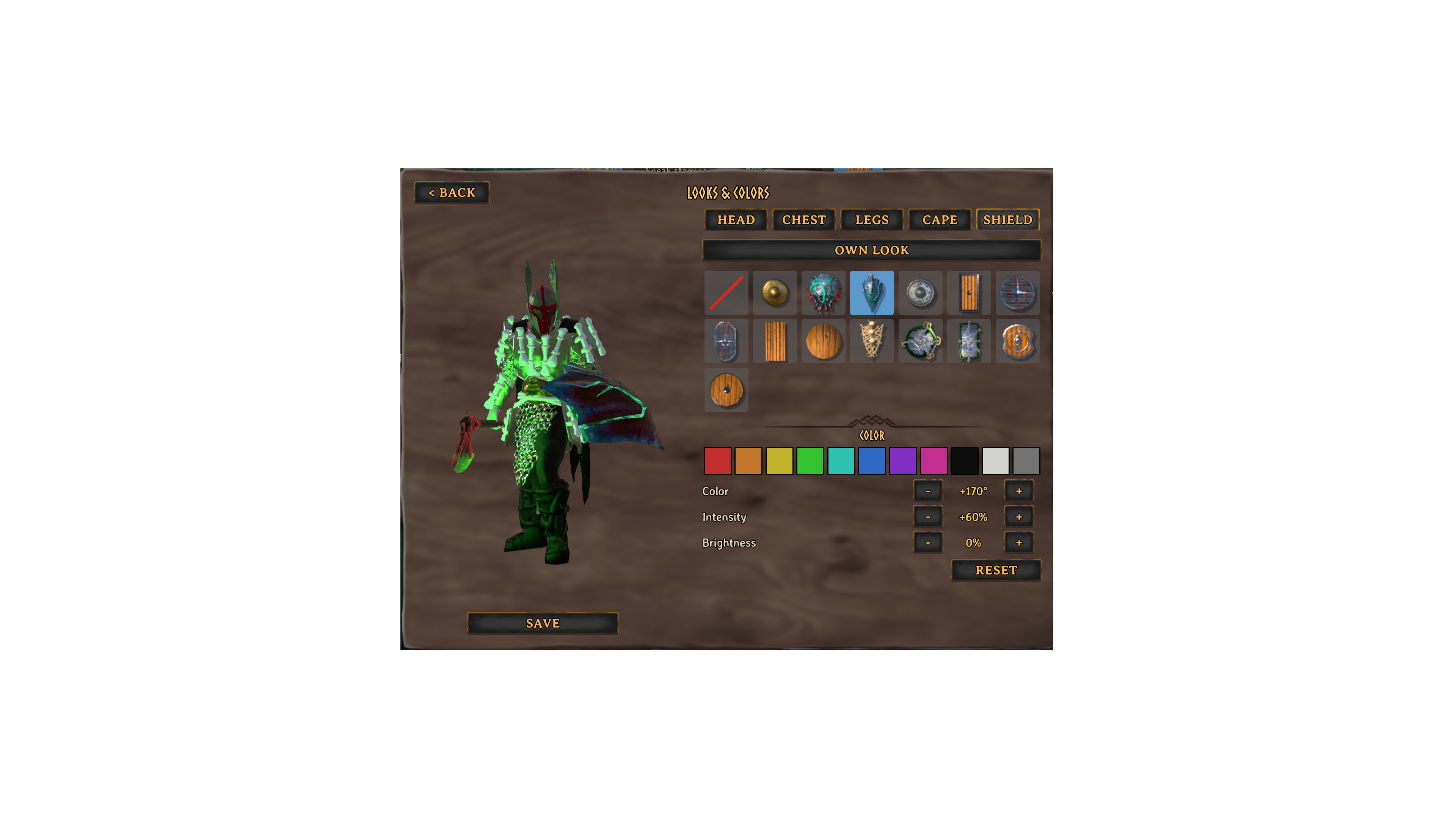
The look menu – tabs for every piece, pick a look, hide it or dye it, with a 3D preview of your character and SAVE:

What it does
-
Three independent equipment sets. A set is exactly what lies in the Gearhold panel: armour, shield, three utility items, three trinkets, three ammo slots and 8 quickslots (food, potions, ...).
-
Weapons and bows stay in your hotbar. The inventory grid, hotbar included, is shared by all sets. A set switch never touches it.
-
Quickslots with their own hotkeys (default
Z,B,N,H), changeable right in the panel. Example: put food in, press the key, eat.- Unlike the vanilla hotbar, a quickslot key never hands its item to what you are looking at (item stand, mannequin, ...). Switch this with
QuickslotsUseOnTarget.
- Unlike the vanilla hotbar, a quickslot key never hands its item to what you are looking at (item stand, mannequin, ...). Switch this with
-
Quickslot bar on the HUD: at the bottom centre you see every occupied quickslot with its item and amount, and its hotkey on one line above it (also long keys like
Alt+1). A changed key shows up immediately. The bar hides while the inventory is open; its size is set withQuickslotBarScale. -
Three ammo slots:
Alt+1,Alt+2,Alt+3pick the ammo you shoot. Holding Alt keeps the vanilla hotbar from also using item 1–3. -
Up to three trinkets and three utility items at once (switch slots 2 and 3 on with
TrinketSlots/UtilitySlots; by default only the vanilla slot is shown):- Slot 1 is the normal vanilla slot. Slots 2 and 3 are always active while something lies in them.
- Right-click a trinket or utility item in the inventory: when slot 1 is taken, it goes into a free slot 2 or 3.
- On death all three go into the grave like the rest of the set.
-
YOUR VIKING shows:
- your armour and weight,
- the equipment modifiers (movement, stamina costs, heat),
- WEAPON (only while a weapon is drawn): damage per type, stamina/eitr use, block armour, block force, parry bonus, knockback, backstab, durability,
- SHIELD (only while a shield is worn): block armour, block force, parry bonus,
- TRINKETS (only with active trinkets): total max adrenaline, and each effect with the game's own description, e.g. what happens at full adrenaline,
- RESISTANCES (e.g. Frost: Resistant, Spirit: Immune), including effects active right now.
Health, stamina and eitr are left out because the vanilla HUD already shows them.
-
Coin slot (top right of the panel, next to the title): coins you pick up go in there on their own and weigh nothing. It is shared by all three sets. It holds one full stack of coins; anything beyond stays in the inventory and weighs as usual. Turn the automatic moving off with
AutoStoreCoins. -
Auto-equip: new armour, shields, trinkets and ammo you pick up or craft go into an empty slot only. Gear you already wear is never replaced. A new trinket goes into Trinket 2 or 3 when Trinket 1 is taken.
-
Auto-shield:
- Equip a one-handed weapon from the hotbar, and the set's shield comes along.
- Put the weapon away, and the shield goes too. Swapping one weapon for another, or eating, keeps it.
- With a bow or two-hander, the shield is put away but stays in the shield slot.
Transmog (looks)
Change how your gear looks without changing the gear itself.
- Unlocking: every piece whose recipe you know is available right away, the same list the crafting menu uses. You do not need to own it. Pieces you crafted count as well.
- Armour and shield (Head, Chest, Legs, Cape, Shield): right-click one of these slots in the Gearhold panel. The menu opens in the middle of the screen, with a tab for each piece, so you can dress your whole set without leaving it.
- OWN LOOK shows the real item.
- The first cell, Hide (a box with a red slash), makes the piece invisible. To take gear off, left-click the slot.
- Or click one of your unlocked looks of the same kind.
- Looks are saved per set, so each set can have its own outfit.
- SAVE and BACK: every choice shows on your character right away, but only SAVE (under the character) keeps it. < BACK (top left), Esc or closing the inventory throws the changes away.
- Weapons and bows:
Alt+ right-click the weapon in the inventory, or right-click it in a quickslot. Only looks of the same weapon kind are offered (axe as axe, sword as sword), so grip and animations always fit.- The look stays with that weapon, in every set.
- Upgrading a weapon at a workbench makes a new item, so its look has to be picked again.
- Marker: a piece with a chosen look, colour or Hide shows a small gold sparkle (✦) in the top-left corner of its slot. This also works for weapons in the inventory and in quickslots.
- Visibility: other players see your looks too, because the game shares visible gear. A look only shows while real gear is worn in that slot.
- Character selection: the character on the selection screen already wears the looks and colours of its active set.
Dyes (colours)
Recolour Head, Chest, Legs, Cape and Shield in the same menu: your character is shown in 3D on the left, so every choice is visible at once (drag to turn it, mouse wheel to zoom); below the looks you find COLOR.
- Colour swatches (Red, Orange, Yellow, Green, Teal, Blue, Purple, Pink, Black, White, Grey): the piece's main colour is measured and shifted towards the swatch, so "Red" really ends up reddish.
- Fine controls: Color turns the colour around the colour wheel (±15° per click), Intensity makes it stronger or greyer, Brightness lighter or darker (±10 % per click).
- RESET goes back to the original colours of that piece.
- Skin under and around the armour keeps its colour: the painted armour is only recoloured where it covers the body.
- Colours are saved per set and work together with looks, so a borrowed look can be dyed as well.
- How it works: only your character's copy is recoloured, never the item itself or other players' copies.
- Helmet, cape, shield and the chest/leg models: the game's own colour controls (
_Hue,_Saturation,_Value). - Armour painted onto the body: a recoloured copy of its texture, made once per change.
- Helmet, cape, shield and the chest/leg models: the game's own colour controls (
- Multiplayer: for now only you see your colours. Showing them to other Gearhold players is planned.
Weapon glow
Weapons with glow effects (fire, frost, lightning, glowing cores and runes) get a GLOW section in their look menu.
- Colour swatches: every coloured glow part takes the chosen colour: particles, lights, glowing materials and the swing trail. White makes them white.
- Brightness and strength stay, so fire still flickers like fire.
- Smoke, white shimmer and the hit effects keep their own colours.
- RESET gives the weapon its own colours back.
- The colour belongs to that weapon and follows it into every set. A weapon with a glow colour gets the sparkle marker too.
- Like the looks, it shows once you SAVE. Draw the weapon to see it in the preview.
- Multiplayer: for now only you see the colour.
Panel controls
| Action | Result |
|---|---|
| Left-click an item in the inventory, then left-click a slot | The item moves into the slot. Armour is equipped; ammo is equipped if you have none in use. |
| Left-click a filled slot | Equipment goes back into the inventory grid. A quickslot item or the coins are picked up: click another quickslot to move or swap it, or an inventory cell to put it back. |
| Right-click a slot | Head, Chest, Legs, Cape, Shield, or a weapon in a quickslot: open the look menu. Other slots: use the item (eat, drink, use this ammo). |
| Key button under a quickslot | Click, then press the new key (Shift/Ctrl/Alt allowed). Esc cancels, Delete clears. |
| SET 1 / SET 2 / SET 3 tabs or hotkeys | Switch sets. |
Slots: Head, Chest, Legs, Cape, Utility 1–3 (left); Shield, Ammo 1–3, Trinket 1–3 (right); Quickslot 1–8. YOUR VIKING scrolls with the mouse wheel when it is longer than the panel. Right-click on Trinket/Utility 2 or 3 makes it the main one (it swaps with slot 1).
Key conflicts:
- A key you assign is taken away from any other Gearhold hotkey that used it.
- A key that vanilla also uses (e.g. X = Sit, Q = Auto-run) shows a note.
No set switch while attacking, dodging or swimming, while armour is still being put on, or while you hold an item on the cursor.
Death and tombstone
- Into the grave go the inventory grid and the active set's Gearhold slots, under the normal vanilla rules.
- The other two sets stay safely on the character.
- The grave remembers its set. If another set is active when you loot it, Gearhold switches back first. Items return to their old places, and gear in empty slots is worn again.
- Whatever does not fit stays in the grave, as in vanilla.
Safety
- Items of a missing mod are never deleted. They stay as dormant records and come back when the mod is installed again.
- A set switch runs within one game frame: every record is checked first, with a journal and rollback.
- Damaged data is never overwritten. It is kept under
MordasGearhold.Quarantine.*, and the log says why.
Uninstalling – please read
- The two inactive sets stay stored in the save, but cannot be reached without the mod. They come back on reinstall.
- Rows beyond the vanilla limit and the hidden slot rows are dropped on the ground by vanilla at the next spawn.
- Before uninstalling, empty the panel slots of all three sets and the lower grid rows into a chest.
Installation
- Mod manager (recommended): install Morda's Gearhold with r2modman or the Thunderstore Mod Manager.
- Manual: install BepInExPack Valheim. Then put
MordasGearhold.dllintoBepInEx/plugins/MordasGearhold/.
Source and issues: https://github.com/morda0511/MordasGearhold