Please disclose if any significant portion of your mod was created using AI tools by adding the 'AI Generated' category. Failing to do so may result in the mod being removed from Thunderstore.

ValheimMannequins
Player-shaped mannequins: dress them with real gear, pose them, name them and keep several gear sets. Swap a set with your own gear on Alt+number. Server + all clients.
| Last updated | a week ago |
| Total downloads | 89 |
| Total rating | 0 |
| Categories | Mods Skins Server-side Client-side Building Deep North Update |
| Dependency string | Morda-ValheimMannequins-0.3.0 |
| Dependants | 0 other packages depend on this package |
This mod requires the following mods to function

denikson-BepInExPack_Valheim
BepInEx pack for Valheim. Preconfigured with the correct entry point for mods and preferred defaults for the community.
Preferred version: 5.4.2350
ValheimModding-Jotunn
Jötunn (/ˈjɔːtʊn/, 'giant'), the Valheim Library was created with the goal of making the lives of mod developers easier. It enables you to create mods for Valheim using an abstracted API so you can focus on the actual content creation.
Preferred version: 2.30.2README
Player-shaped mannequins for your base. Dress them with your real gear, pose them, give them a name and keep several gear sets on each one. Swap a whole set with what you are wearing in one key press.
Required on the server and on every client. Valheim 1.0 · BepInExPack · Jotunn.

Features
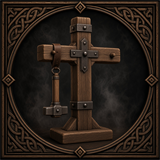 |
Build it. Hammer → Furniture → Mannequin. Rotate it like any piece, it uses the normal build system and ward rules. Default cost 20 Wood and 1 Iron, configurable. |
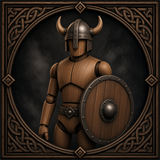 |
Dress it. Aim at it and press the hotbar key of an item: armor, cape, belt, weapons and shields appear on the mannequin exactly like on a player. Everything is a real item you can take back. |
 |
Gear sets. Up to 8 sets per mannequin (5 by default, change it with SetCount). The mannequin shows one set at a time. |
 |
Swap with yourself. Aim at it and press Alt + number. Your worn gear and the set trade places, weapons on the back come along. |
 |
Scroll to switch. Aim at it and use the mouse wheel to show the next set. |
 |
Name above the head. Shown exactly like another player's name. Every gear set has its own name, leave it empty to hide it. |
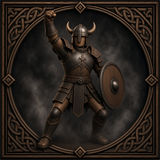 |
15 poses and a look of your own. Male or female body, hair style and colour, beard, skin tone and eye colour. |
How to use
Dress it
- Put an item on your hotbar, aim at the mannequin and press the item's hotbar key. It goes into the first free slot that fits.
- Slots: helmet, chest, legs, cape, belt, right hand, left hand, weapon on the back, shield on the back.
Manage it (press E)
- Set tabs at the top switch between gear sets.
- Take returns an item to your inventory.
- < > next to Pose changes the pose.
- Rename names the active gear set.
- Look opens the appearance settings.
Swap gear sets (aim at a mannequin, press Alt + 1…8, one key per gear set you have)
- Your worn gear (armor, cape, belt, both hands) moves into that set and the set's gear is equipped on you.
- The weapon or shield on the set's back slots goes to your inventory. The set remembers it and takes it back the next time you swap with the same set.
- If your inventory is too full, nothing changes.
Removing a mannequin drops every stored item of every set.
Configuration
BepInEx/config/morda.ValheimMannequins.cfg
| Setting | Default | Description |
|---|---|---|
Materials |
Wood:20,Iron:1 |
Build cost as Item:Amount,... |
DefaultPose |
0 |
Pose of a new mannequin |
SetCount |
5 |
Gear sets per mannequin (1–8) |
SwapModifier |
LeftAlt |
Key held together with the number. Use LeftControl if another mod already uses Alt + number |
ScrollSwitchesSet |
true |
Mouse wheel switches the shown set |
PanelScale |
1.6 |
Size of the management window |
NameDistance |
30 |
Distance up to which names are shown |
The build-menu icon is rendered once and saved as BepInEx/config/ValheimMannequins_icon.png. Replace it with your own picture or delete it to render a new one.
Installation
- Install BepInExPack Valheim
- Install Jotunn
- Install Valheim Mannequins on the server and on every client
Known limitations
- Tested in single player. Multiplayer and dedicated servers have not been tested yet.
- Texts are English only.
- Hair, skin and eye colours are presets.
Bug reports
Please attach BepInEx/LogOutput.log to your report.