
Please disclose if any significant portion of your mod was created using AI tools by adding the 'AI Generated' category. Failing to do so may result in the mod being removed from Thunderstore.

MapPinFilter
Three checkboxes on the large map: hide the map areas other players explored, the pins they shared through the cartography table, or your own pins. Nothing is deleted. Client-side only.
| Last updated | 2 weeks ago |
| Total downloads | 71 |
| Total rating | 1 |
| Categories | Utility Client-side |
| Dependency string | bukett-MapPinFilter-1.0.0 |
| Dependants | 0 other packages depend on this package |
This mod requires the following mods to function

denikson-BepInExPack_Valheim
BepInEx pack for Valheim. Preconfigured with the correct entry point for mods and preferred defaults for the community.
Preferred version: 5.4.2351README
MapPinFilter
Your friends shared their map at the cartography table and now yours is full of their pins and areas you've never been to? MapPinFilter adds checkboxes to the large map so you can hide what came from the table (or even your own pins) and see only what you want, then bring it all back with one click.
The problem
Read the cartography table once on a busy server and this is what your map turns into: hundreds of other players' pins and names piled on top of each other, until you can't find your own base, your portals or where you have actually been. The game only lets you hide everything shared at once, map and pins together.
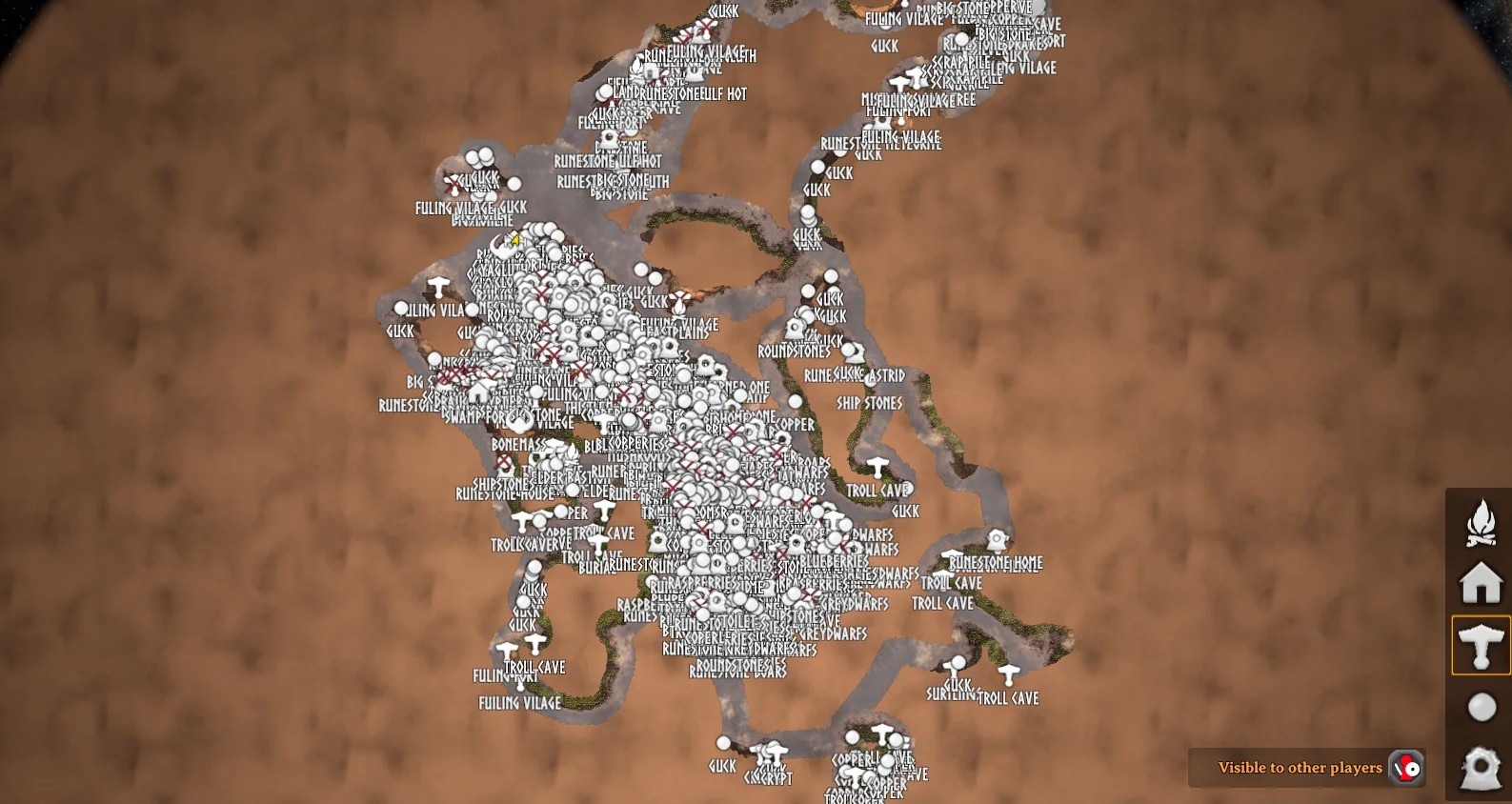
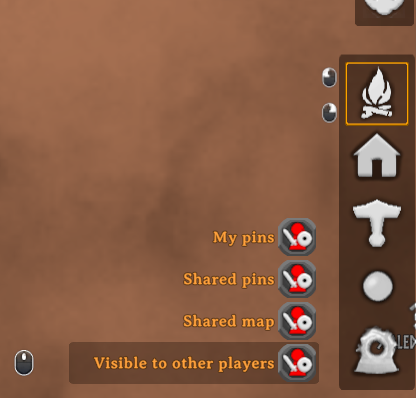
MapPinFilter lets you hide the shared map, the shared pins and even your own pins separately, so you can keep the explored terrain and drop the clutter, or the other way round.
Features
- Shared map: show or hide the areas other players explored. Only the areas you explored yourself stay uncovered, on the large map and on the minimap.
- Shared pins: show or hide the pins other players shared with you through the cartography table.
- My pins: show or hide your own pins (the ones you placed, your tombstones and discovered bosses). Player markers and pings are never hidden.
- Independent: each checkbox works on its own. They replace the game's "Cartography Table" checkbox, which could only hide the shared map and pins together.
- Nothing is deleted: it only changes what you see. Tick the box again and everything is back.
- Remembered: the checkboxes keep their state between sessions.
- Safe: hidden pins can't be removed by accident with a click.
- Translated: follows the game language (14 languages, English for the rest).
- Client-side only: other players and the server don't need it.
How to use
- Open the large map (M).
- In the bottom-right corner, above Visible to other players, use the Shared map, Shared pins and My pins checkboxes.
Configuration
BepInEx/config/HideFriendMapPings.adrirf7.cfg:
| Setting | Default | Description |
|---|---|---|
ShowSharedPins |
true |
Show the pins shared through the cartography table. |
ShowSharedMap |
true |
Show the map areas explored by other players. |
ShowOwnPins |
true |
Show your own pins. |
TogglesOffset |
0, 0 |
Moves the checkboxes by this many pixels (x = right, y = up). |
Installation
Install with r2modman / Thunderstore Mod Manager, or manually: put HideFriendMapPings.dll in BepInEx/plugins/HideFriendMapPings/.
