
Please disclose if any significant portion of your mod was created using AI tools by adding the 'AI Generated' category. Failing to do so may result in the mod being removed from Thunderstore.

Hafvisir
A fuel-driven autopilot for ships with its own sea chart, and a fleet table for sending ships across the world with no one aboard.
By loaflabs
| Last updated | 8 hours ago |
| Total downloads | 17 |
| Total rating | 2 |
| Categories | Server-side Client-side Transportation Deep North Update |
| Dependency string | loaflabs-Hafvisir-1.0.0 |
| Dependants | 0 other packages depend on this package |
This mod requires the following mods to function

denikson-BepInExPack_Valheim
BepInEx pack for Valheim. Preconfigured with the correct entry point for mods and preferred defaults for the community.
Preferred version: 5.4.2333README
Hafvisir
Hafvísir /ˈhav.viː.sɪr/ means "sea-guide", from Old Norse haf (sea) and vísir (guide).
Hafvisir adds a fuel-driven autopilot to Valheim's ships. Set a destination on the sea chart, load fuel into the ship's storage, and engage it at the rudder. The ship plots a route around land and rocks and sails it without further input. The Captain's Table extends this to unmanned ships, which can be sent across the world and tracked on a live chart.
Sail by chart
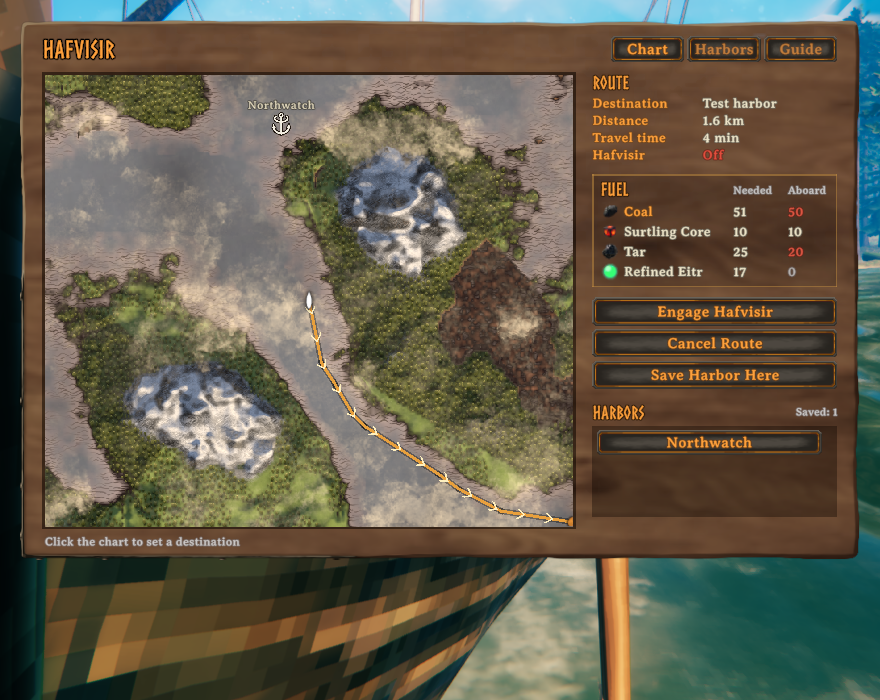
- Board a ship and press N.
- Click where you want to go. The gold line is the route.
- Put fuel in the ship's storage, hold the rudder, and press H.
You can walk the deck while it sails. Steering, or pressing H at the rudder, pauses it. If you leave the ship, it stops.
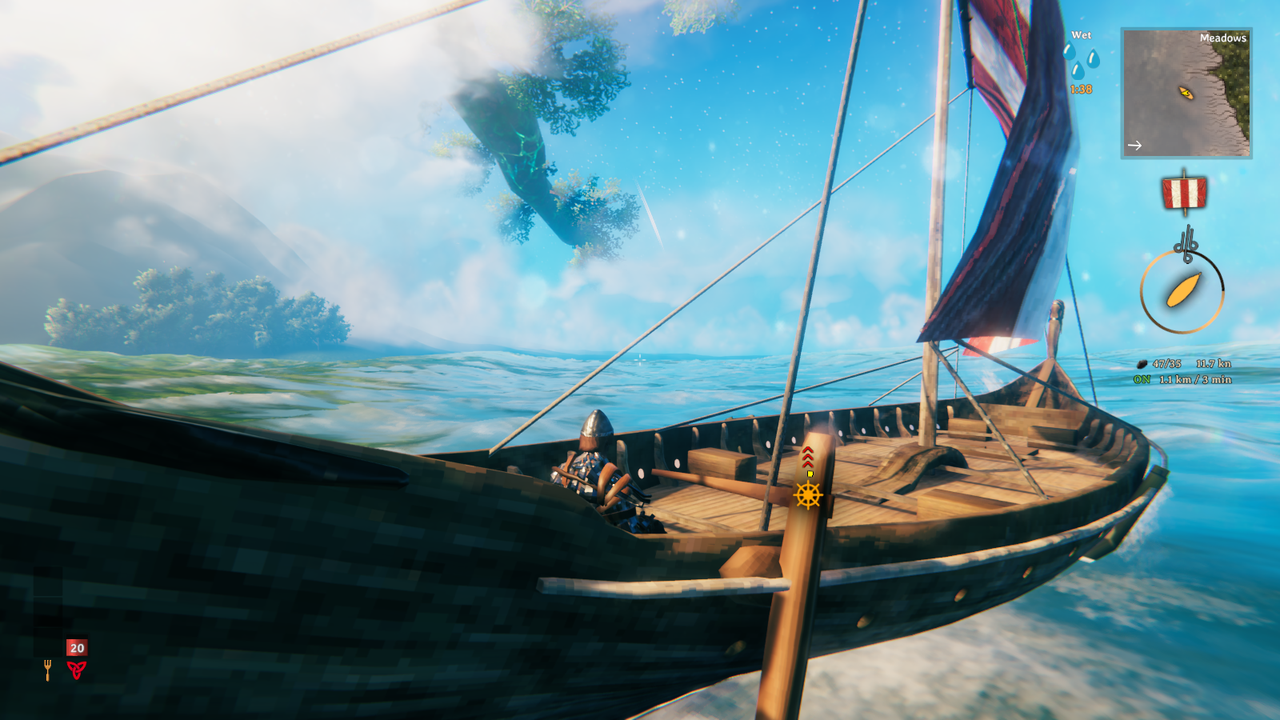
A small readout under the wind marker shows fuel, speed in knots, and the distance and time left.
Fuel
Hafvisir does not need wind. It burns fuel from the ship's storage, top-left slot first. Each step up is faster.
| Fuel | Speed | Centre of the world to the edge |
|---|---|---|
| Coal | 13 knots | about 310 |
| Surtling Core | 18 knots | about 60 |
| Tar | 23 knots | about 150 |
| Refined Eitr | 33 knots | about 100 |
Coal is slower than sailing by hand with a tailwind, so it is mainly useful when the wind is against you. The chart shows how much of each fuel a route needs before you leave.
Captain Mossbeard
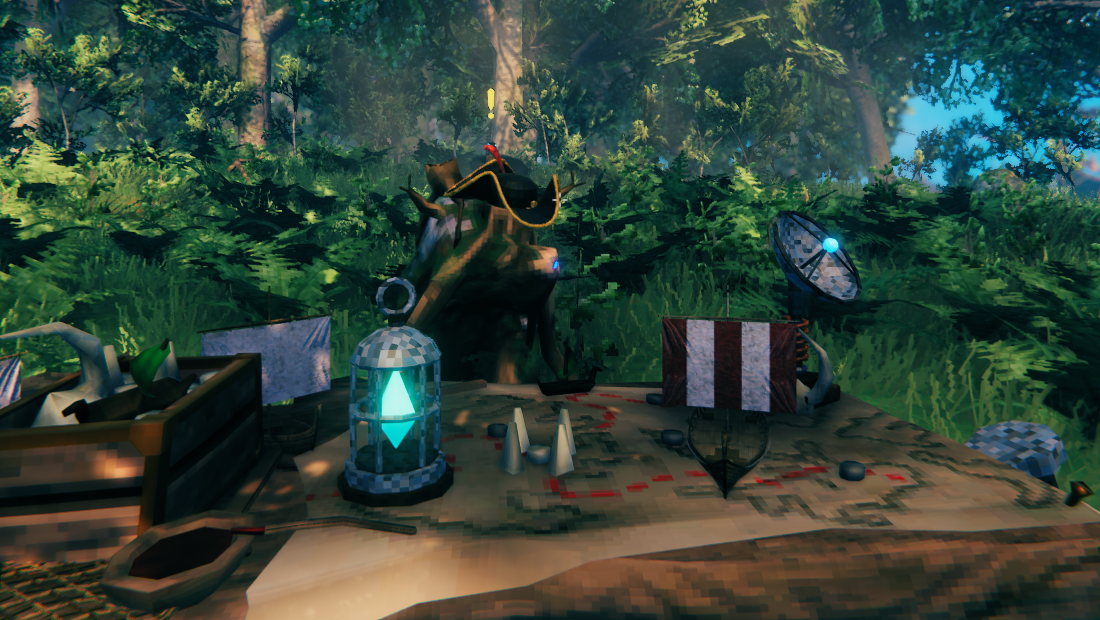
Build the Captain's Table with the hammer (20 Wood, 50 Coins). Behind it stands Captain Mossbeard, a greydwarf who went to sea and came back with a hat.
He sells four ship modules, and each one works for as long as it is kept in a ship's storage.
| Module | What it does | |
|---|---|---|
 |
Hafvisir Beacon | Lets the ship be sent to sea with no one aboard. |
 |
Sonar Antenna | Uncovers the map three times as far around the ship. |
 |
Fuel Regulator | Burns a quarter less fuel on every trip. |
 |
Fishing Nets | Lands fish as the ship sails, if the right bait is aboard. |
Send ships with no crew
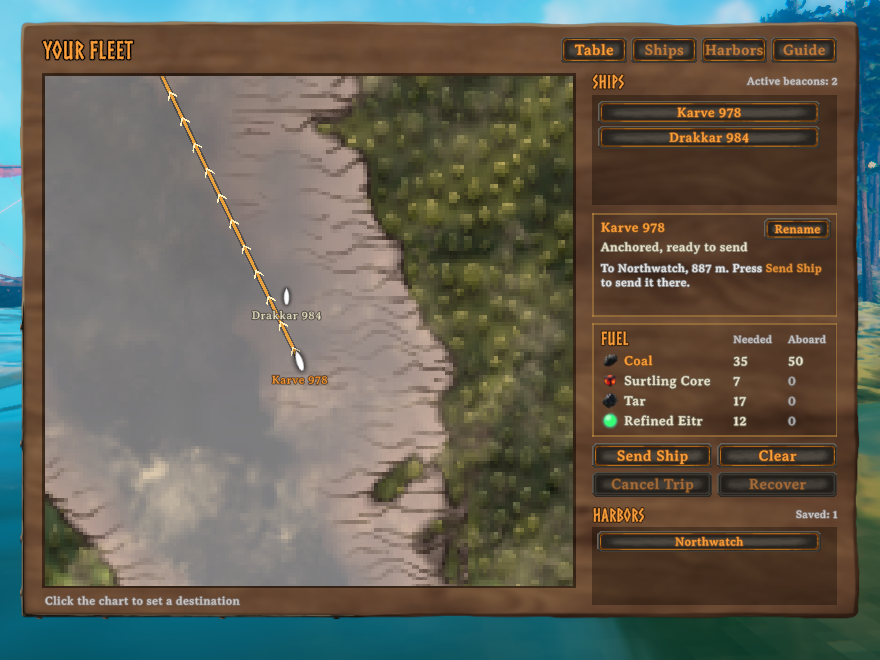
Use the table to open Your Fleet. Every ship carrying a beacon is on the chart, wherever it is in the world.
- Select a ship, click the chart or a saved harbor, and press Send Ship.
- Cancel Trip stops it where it is and gives back the fuel it did not use.
- The Ships tab shows what is in each ship's storage.
- Several ships sent to one harbor each take their own spot.
If you step aboard a ship that is sailing by itself, the trip ends and you can steer it as normal.
Harbors
A harbor is a named spot on the chart, marked with an anchor. Save one from the sea chart with Save Harbor Here, then pick it from the list in place of clicking the chart. Harbors are shared with everyone on the server.
Aegir's Curse
A ship with no crew is an insult to Aegir, the old sea jotunn. Occasionally he stops a ship at the halfway mark and its fuel is lost. The captain's crew will tow it back for a fee in coins, and the chance of the curse can be changed or turned off in the config.
Drawbridges and tight water
- Sailing up to a lowered drawbridge, Hafvisir raises it, waits, passes, and lowers it again behind you.
- A ship's hull never catches on a drawbridge or the beams around it, so a gated harbor is never a trap.
- A ship wedged in a cove is swung onto its course in a few seconds.
- In narrow rivers the hull passes through small loose rocks.
Keys
| Key | Does |
|---|---|
| N | Open or close the sea chart (aboard a ship) |
| H | Engage, pause or resume Hafvisir (at the rudder) |
| Esc | Close a window |
Both keys can be changed in the config.
Multiplayer and servers
- Each player who wants the chart, the readout and the fleet table needs the mod.
- Unmanned trips and shared harbors need the mod on the game hosting the world: the dedicated server, or the player who hosts.
- Everyone should run the same version.
Configuration
Everything is in BepInEx/config/loaflabs.hafvisir.cfg, and editable from your mod manager's config editor:
- Speed, strength and burn time of each fuel
- Chance of Aegir's Curse, recovery fees, harbor size
- Module prices, Sonar Antenna radius, Fuel Regulator saving
- Fishing: distance per fish, whether bait is needed, bait per fish
- Keys, readout position, the captain's hat
On a server, the settings for unmanned trips are read from the server's copy.
Good to know
- Routes follow water at least 2.5 m deep. The first time a ship meets a rock or a dock it charts it and remembers.
- A ship sailing by itself passes through docks, rocks and other ships instead of steering around them.
- Hafvisir does not avoid the Ashlands, so a ship routed through that water will take damage as usual.
