
Please disclose if any significant portion of your mod was created using AI tools by adding the 'AI Generated' category. Failing to do so may result in the mod being removed from Thunderstore.
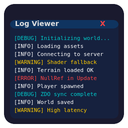
UnityLogViewer
In-game log viewer for Unity Games
CHANGELOG
Changelog
0.0.4
- Fix: The window can now be dragged by its title bar, and its position and size are saved when you let go rather than on every frame.
- Fix: The window is kept on screen, so a layout saved on a larger monitor (or the old default position) no longer leaves it out of view. New installs start at a smaller default size.
- Fix: The Clear button no longer logs an error.
- Fix: Text in log lines that looks like formatting tags (such as
<b>or<color>) is shown as written instead of changing how the line looks. - Fix: The font selector works: it now opens as a list inside the viewer, with a sample of each font.
- Fix: A highlight color that isn't recognized is skipped with one warning in the log, instead of showing raw tags on every matching line. New installs also color
[FATAL]lines red. - Change: The filter-clear button is now ×, which displays in every game's font.
- Change: The viewer does no work while it's hidden.
- Change: Built for .NET Standard 2.0 against an older Unity version, so one download works across Unity games.
0.0.3
- Feature: Upgraded the log viewer to use BepInEx's
ILogListener. The viewer now captures all mod logs (Logger.LogInfo) instead of just Unity engine logs, perfectly mirroringLogOutput.log. - Fix: Resolved a major scrolling bug where multi-line logs (like exceptions) and the horizontal scrollbar would cause the virtual scroll view to miscalculate its bounds and prevent scrolling to the bottom.
0.0.2
- Added a config entry ShowWindow as a fallback for games not compatible with current keyboard shortcut.
0.0.1
- Initial release.
