
Please disclose if any significant portion of your mod was created using AI tools by adding the 'AI Generated' category. Failing to do so may result in the mod being removed from Thunderstore.
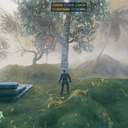
NoSnowyBiome
Removes snow accumulation visuals from vegetation-like world objects in selected biomes, mainly for custom biomes added by Expand World Data
| Date uploaded | 11 hours ago |
| Version | 1.1.0 |
| Download link | sighsorry-NoSnowyBiome-1.1.0.zip |
| Downloads | 10 |
| Dependency string | sighsorry-NoSnowyBiome-1.1.0 |
This mod requires the following mods to function

denikson-BepInExPack_Valheim
BepInEx pack for Valheim. Preconfigured with the correct entry point for mods and preferred defaults for the community.
Preferred version: 5.4.2333
JereKuusela-Expand_World_Data
Allows adding new biomes and changing most of the world generation.
Preferred version: 1.68.0README
NoSnowyBiome
In Valheim, snowy visuals on pieces and vegetation are hardcoded. This mod removes the snow accumulation visual effect from vegetation-like world objects in selected biomes, mainly for custom biomes added by Expand World Data.
The active build handles vegetation-oriented world object snow visuals.
Expand World Data is the intended setup because this mod reads custom biome rules from expand_biomes.yaml.

Snowy visuals of vegetations and pieces over altitude > 50

After installing this mod and configuring to not have snowy visuals
(Can't remove snowy visuals on pieces for now unfortunately)
What It Reads
This mod supports extra fields inside Expand World Data's expand_biomes.yaml biome entries:
noSnownoSnowMinAltitude
These are not official Expand World Data fields. NoSnowyBiome reads them from the same synced YAML and applies its own behavior.
expand_biomes.yaml Example
- biome: MyCustomBiome
  terrain: Plains
  nature: Plains
  noSnow: true
  noSnowMinAltitude: 50
Meaning:
noSnow: trueEnables snow visual removal for supported vegetation-like objects in that biome.noSnowMinAltitude: 50Starts removing supported object snow visuals at altitude50and above.
Behavior Priority
For world object snow removal, priority is:
expand_biomes.yamlrule for that biome
If a biome does not have a noSnow YAML rule, the active build leaves that biome unchanged.
If noSnowMinAltitude is missing but noSnow: true exists, the active build uses the internal default altitude 50.
Minimap Colors
NoSnowyBiome 1.1.0 no longer patches minimap colors. Expand World Data 1.68 and later provide their own minimap color controls, so configure minimap behavior through Expand World Data instead. Legacy noSnowWhitening fields are not supported.
Installation
- The server does not need
NoSnowyBiome.dll, but fields in the server'sexpand_biomes.yamlcan be synced to clients. - Clients need
NoSnowyBiome.dllfor thenoSnowfields to take effect. They do not need duplicate local entries when the server syncs them.
Supported Active Object Types
The active build attaches suppression to vegetation-oriented runtime objects such as:
StaticPhysicsPickablePickableItemPlantTreeBaseTreeLogDestructibleMineRock5
How Vegetation Suppression Works
The vegetation patch is simple:
- When a supported vegetation-like object wakes up, the mod checks its biome and altitude.
- If that biome has
noSnow: trueand the object is above the configured minimum altitude, the mod forces the material snow value_AddSnowto0. - If the shader uses the
_ADDSNOW_ONkeyword, that snow path is disabled as well.
In practice, this means the mod is not repainting the whole world every frame. It attaches to supported vegetation-style objects when they load, applies the no-snow material state, and then stops.
Why Pieces Are Not Patched In The Active Build
Vegetation and pieces do not expose the same controls.
- Vegetation shaders expose
_AddSnow, so the active mod can disable snow accumulation directly and cleanly. - Many build pieces use
Custom/Piece, and that shader path does not expose a matching_AddSnowcontrol in the same way.
That made piece handling much less reliable:
- direct suppress paths did not consistently remove the visual
- replacement-material experiments changed the look of the piece and could drift away from the original material appearance
CHANGELOG
Version |
Update Notes |
|---|---|
| 1.1.0 | - Updated for Expand World Data 1.68 and removed the redundant minimap color patch and legacy config path |
| 1.0.2 | - Suppressed snowy visuals on MineRock5 components too |
| 1.0.1 | - Suppressed snowy visuals on Destructible components too |
| 1.0.0 | - Initial Release |
