
Please disclose if any significant portion of your mod was created using AI tools by adding the 'AI Generated' category. Failing to do so may result in the mod being removed from Thunderstore.

PortalRules
Adds secure portal travel with a map for choosing destinations, Personal, Public, Invite, Clan and Tagged access modes, Steam account and Clan limits, Admin portals, GlobalKey gates, favorites, cooldowns, and optional distance-based Coin fares.
| Date uploaded | a month ago |
| Version | 1.0.2 |
| Download link | sighsorry-PortalRules-1.0.2.zip |
| Downloads | 181 |
| Dependency string | sighsorry-PortalRules-1.0.2 |
This mod requires the following mods to function

denikson-BepInExPack_Valheim
BepInEx pack for Valheim. Preconfigured with the correct entry point for mods and preferred defaults for the community.
Preferred version: 5.4.2351README
PortalRules
PortalRules adds map-based portal travel, access modes, portal limits, Admin portals, and optional Coins fares to Valheim.
The server filters the portal catalog for each player and authorizes every handled trip. Clients receive catalog entries only for portals they are allowed to use.
Showcase
Portal map and favorites
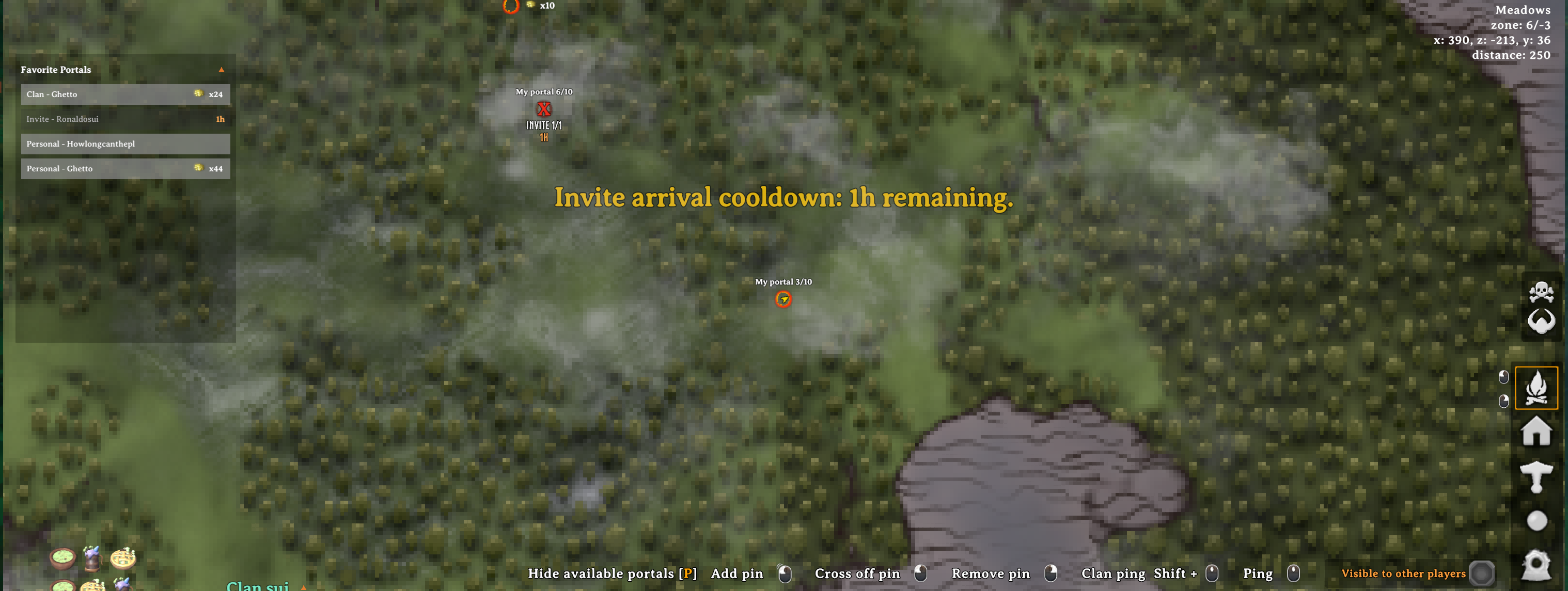
Browse every portal available to your character from the destination map. Pin overlays show travel restrictions, Coins fares, ownership limits, access modes, and portal tags.
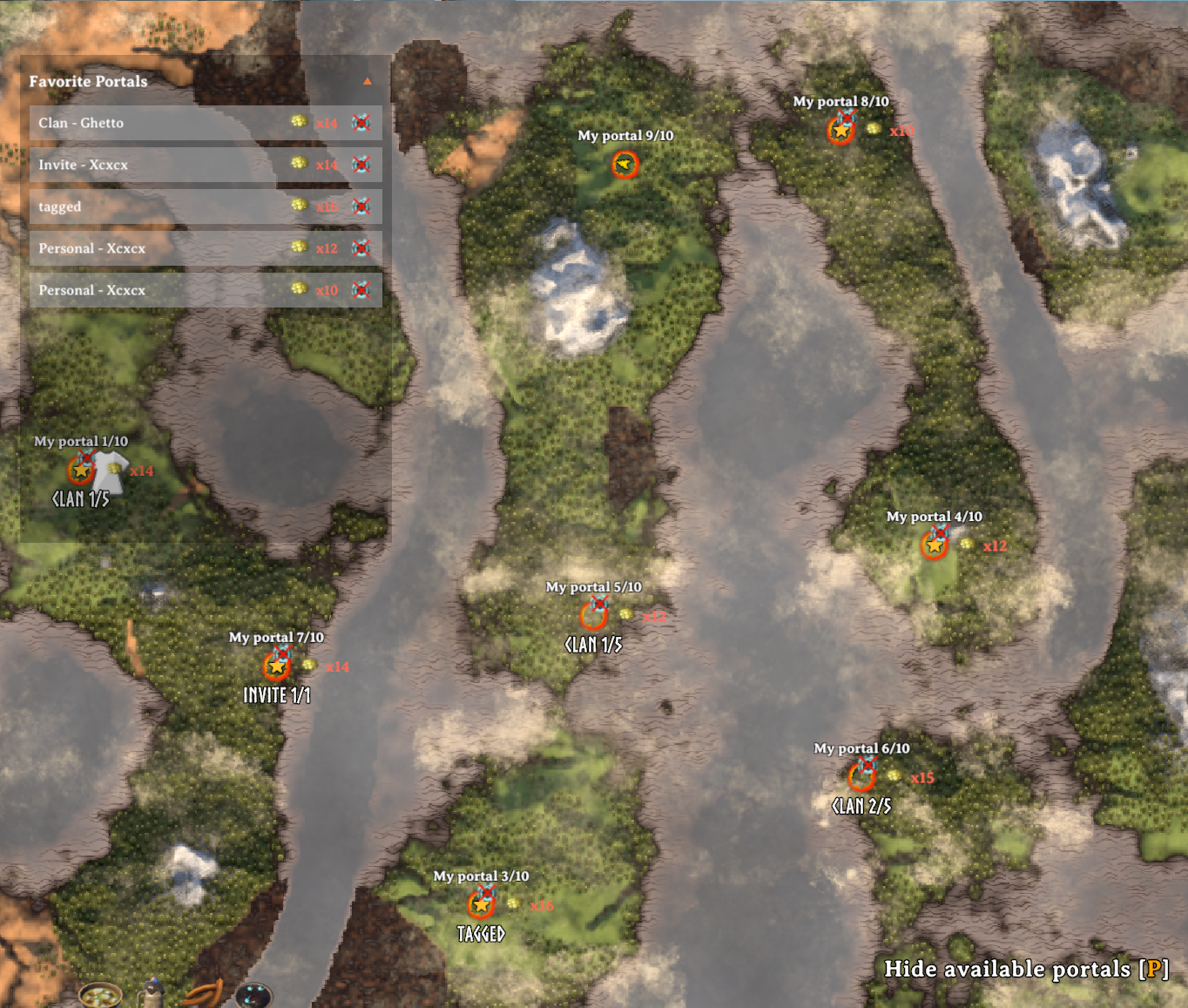
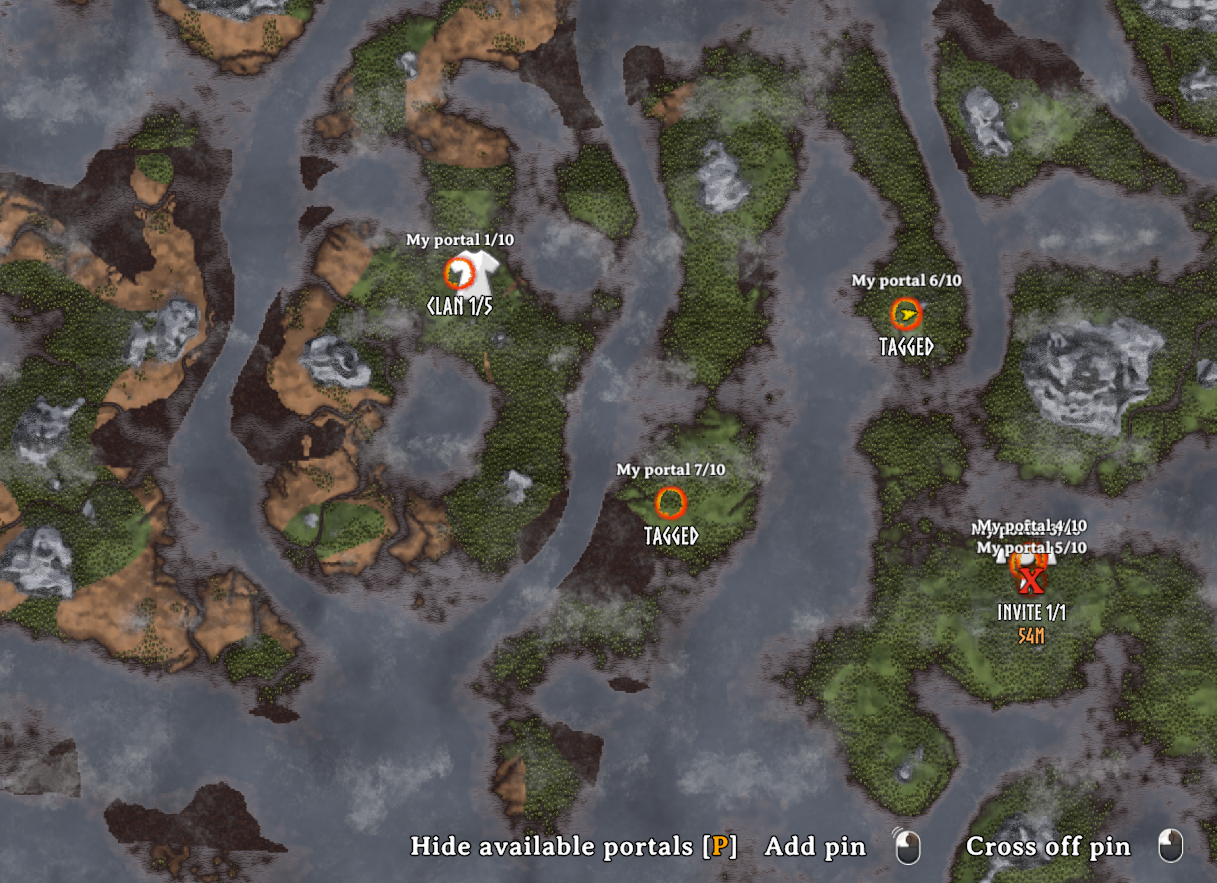

Favorites provide quick travel rows and focus the map on a destination when hovered.
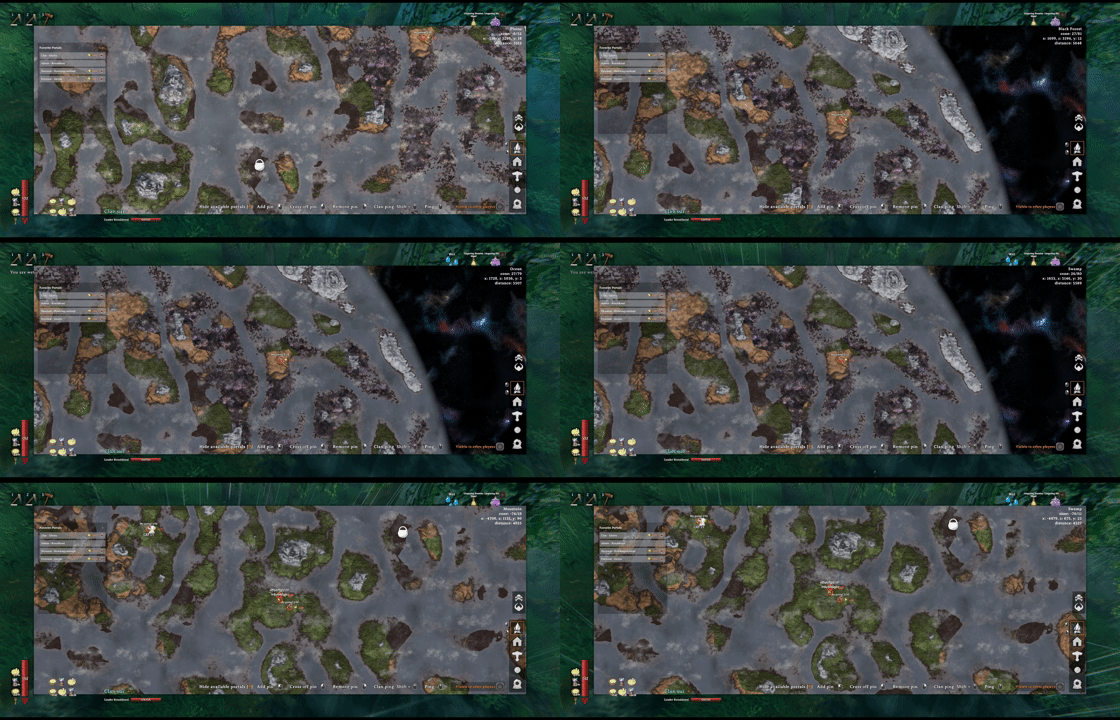
Access modes
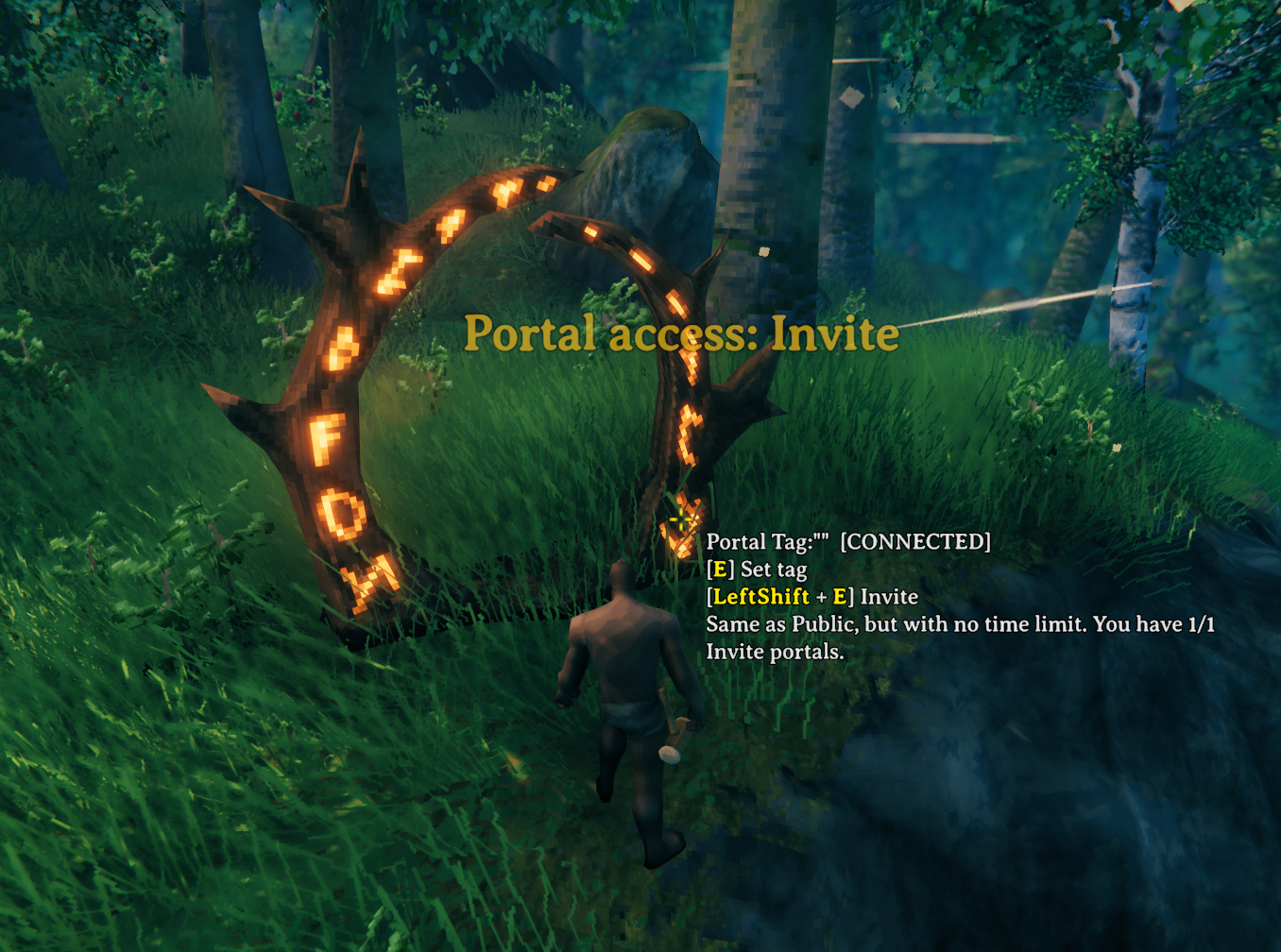
Cycle access modes at the portal, then identify Public and reciprocal Tagged connections at a glance.
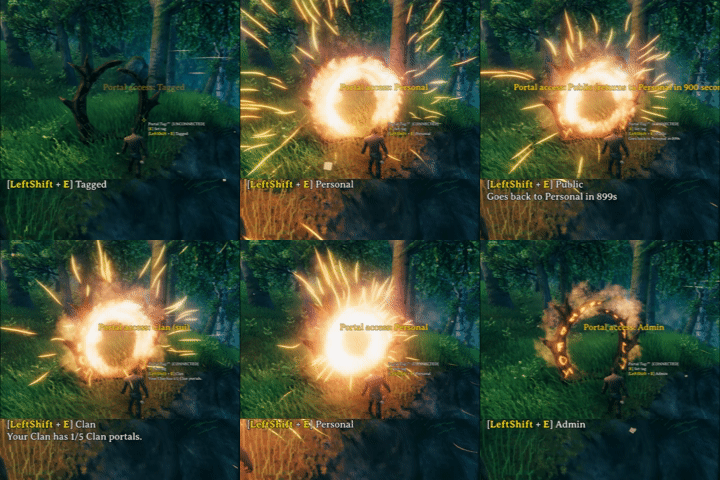
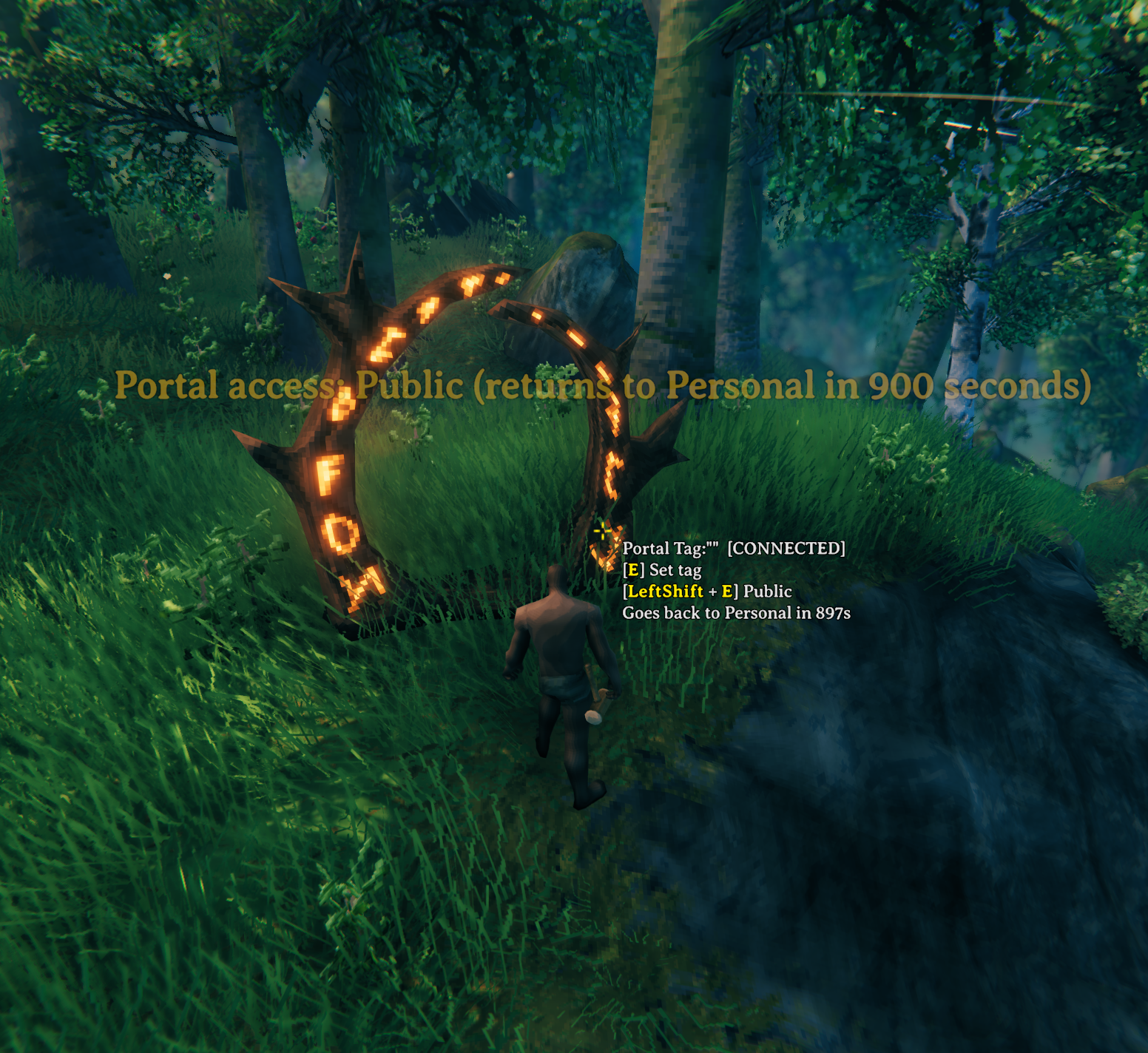
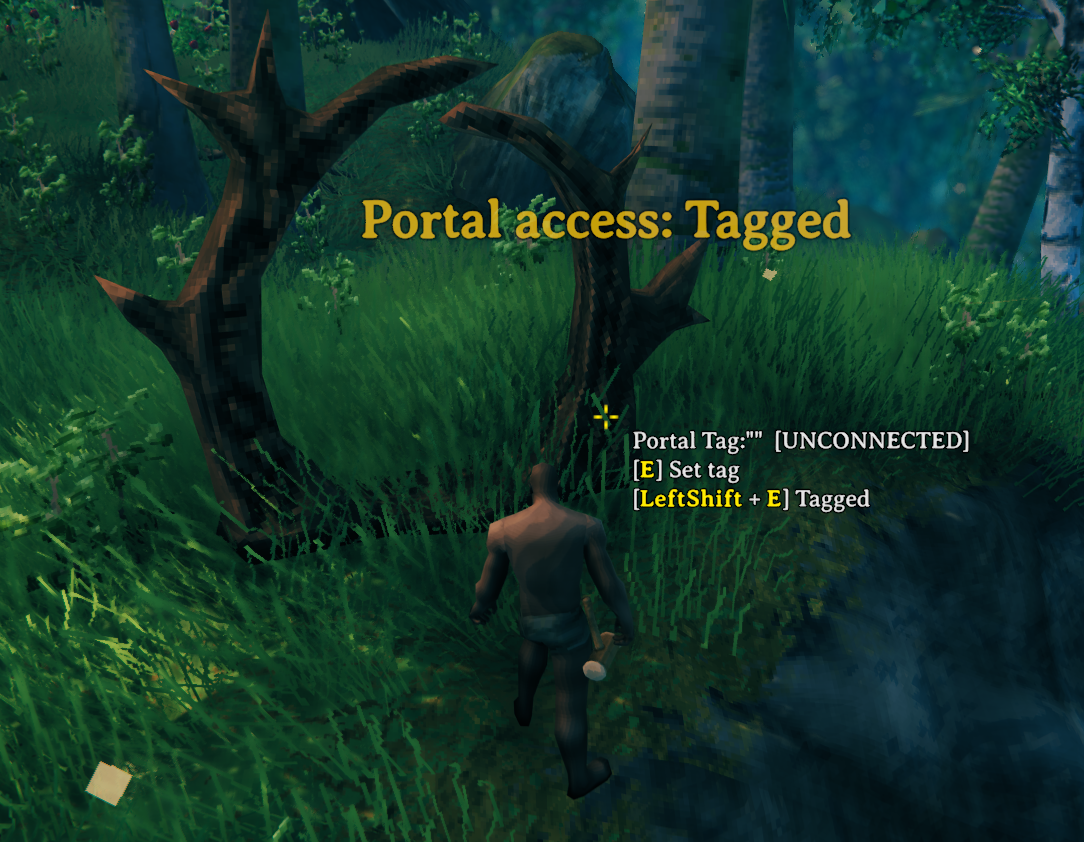
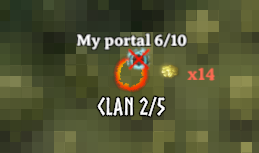
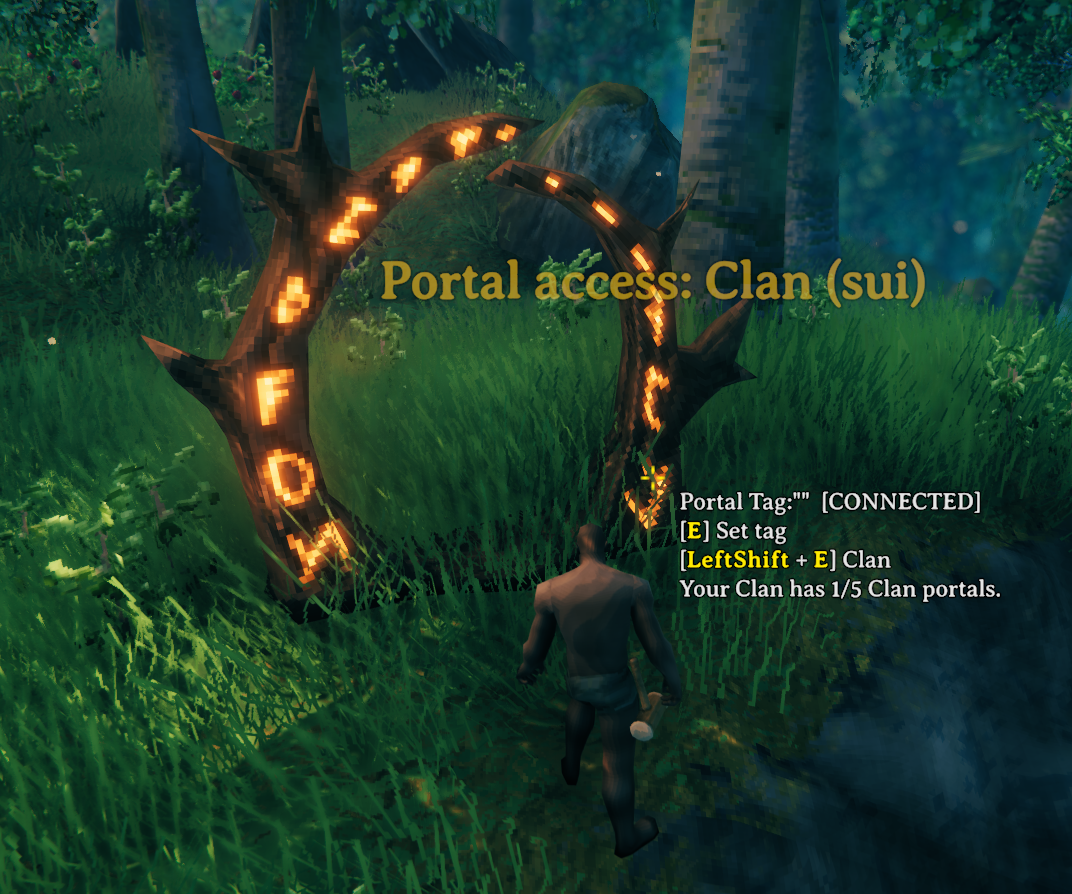
Clan portals expose their bound access and quota state both on the map and in hover details.
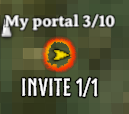
Invite portals use dedicated map and hover indicators, with cooldown feedback when travel is temporarily unavailable.
Admin and location portals
Admin portal pieces appear to server administrators in debug mode. Their controls are protected, and Required GlobalKeys can gate progression.

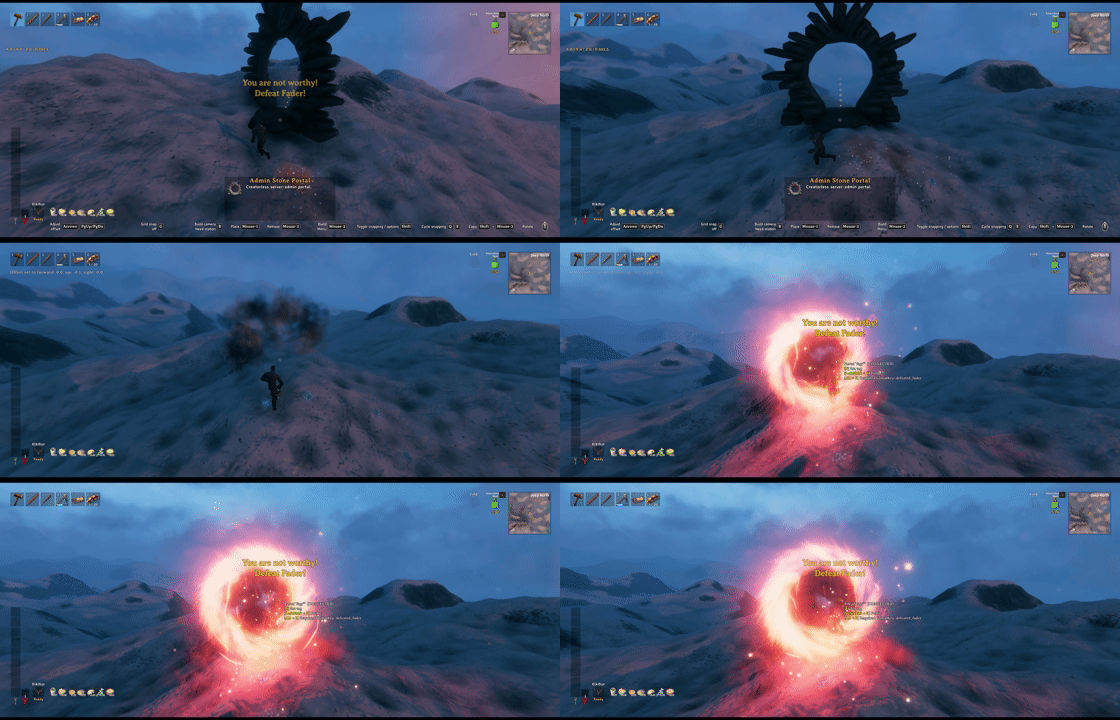

Admin portals can also be embedded into generated world locations.
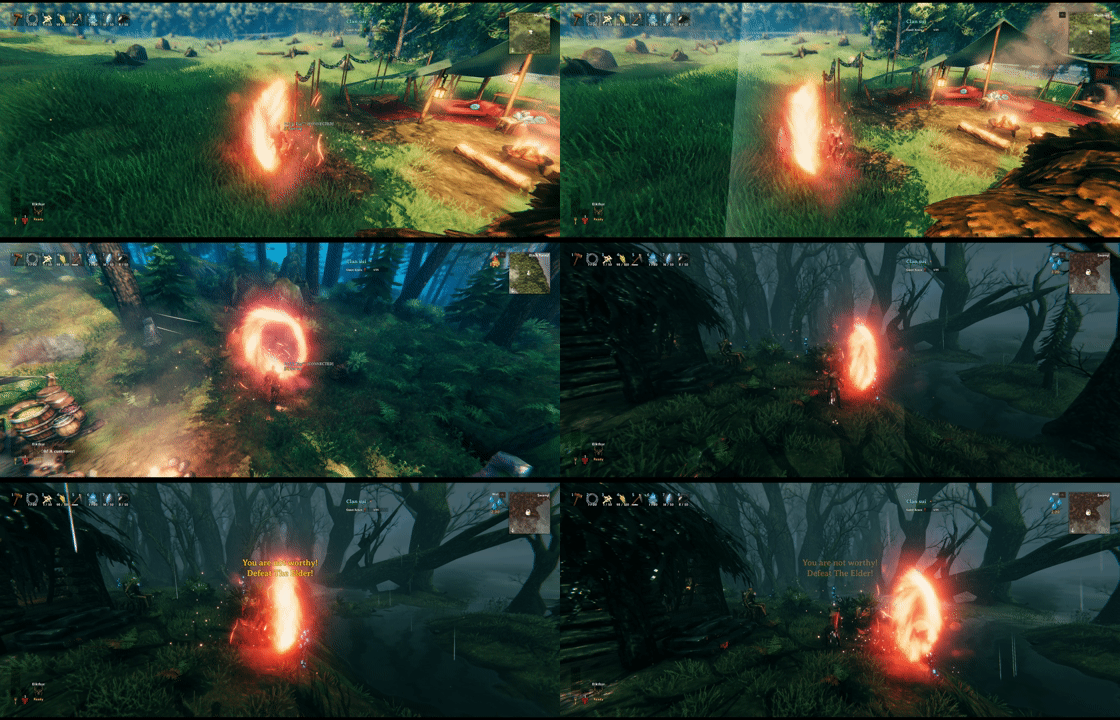
Expand World Data can place Admin portals inside generated locations. Add an Admin portal object under each target prefab in expand_locations.yml, then reset the affected location instances to generate the new portals.
- prefab: BogWitch_Camp
  objects:
  - admin_portal_stone, 0,15,0.5, 180,0,0

- prefab: Hildir_camp
  objects:
  - admin_portal_stone, -0.5,14,-0.5, 180,0,0

- prefab: Vendor_BlackForest
  objects:
  - admin_portal_stone, -7,7,-0.5, 135,0,0
Adjust the position and rotation for each location. Editing the YAML does not modify instances that already exist until those locations are reset.
Quick start
| Action | Default control |
|---|---|
| Set a portal tag | Interact |
| Change access mode | LeftShift + Interact |
| Show or hide accessible pins | P on the large map |
| Add or remove a favorite | Right-click a portal pin |
| Travel to a favorite | Left-click its row |
| Remove a favorite | Right-click its row |
| Focus the map on a favorite | Hover its row |
| Edit an Admin portal GlobalKey | LeftAlt/RightAlt + Interact |
When Enable Portal Map is On, enter a handled non-Tagged portal to open the destination map. Select an accessible portal pin to travel.
The arrow beside Favorite Portals collapses the list. Its state is saved locally.
Access modes
| Mode | Who can use it |
|---|---|
Personal |
The immutable portal Builder. |
Admin |
The Builder and server-approved administrators. |
Public |
Everyone. Eligible player portals later return to Personal. |
Invite |
Everyone, without the Public timer. Only the Builder may enter or leave this mode; limits and cooldowns apply. |
Clan |
The Builder and members of the Builder's bound primary Clan. Primary and Guest members may use it, but Guest-only membership cannot assign it. |
Tagged |
Uses Valheim's reciprocal tag connection. Ordinary portals are limited to the Builder and the Builder's bound primary Clan, including Guest members. |
Normal portals cycle:
Personal → Admin → Public → Invite → Clan → Tagged
Unavailable modes are skipped. Admin portal prefabs default to Public and cycle only:
Admin → Public → Tagged
An ordinary portal's modes may be cycled by its immutable Builder, Primary or Guest members of the Builder's current primary Clan, or a server administrator in debug mode. Invite entry and exit remain Builder-only. Personal, Clan, and Tagged attribution always comes from that Builder, not the player interacting with it. If the Builder has no resolvable primary Clan, only the Builder or an administrator in debug mode may change it.
A Required GlobalKey, when present, is checked in addition to the access mode.
Key defaults
| Rule | Default |
|---|---|
| Portal map | On |
| Public duration | 900 seconds / 15 minutes |
| Portals per Steam account | 10 |
| Invite portals per Steam account | 1 |
| Invite departure / arrival cooldown | 1 hour / 1 hour |
| Clan portals per Clan | 5 |
| Coins fares | Off |
All settings are documented in sighsorry.PortalRules.cfg. Map keys, auto-close grace, map zoom, and the access modifier are client-local; the remaining gameplay rules are server-synchronized and can be locked by the server.
Setting an effective Invite limit to 0 returns eligible Invite portals to their Builder's Personal mode. Raising the limit later does not restore Invite automatically.
Public expiry uses an absolute UTC deadline, so server downtime and unloaded regions still count. Admin portal prefabs and Builderless portals are excluded from that timer.
Disabling Enable Account Portal Limit bypasses only the overall account limit and portal_limit overrides. Invite and Clan limits remain active.
Overall and Invite limits are shared by every character on the authenticated Steam account. The configurable default counted prefabs are portal_wood, portal, and portal_stone; Admin portals and normal portals with neither a valid Builder nor a creator ID are excluded. Lowering the overall limit never destroys existing portals.
Portal map and favorites
- Favorites survive world reloads, but dismantling and rebuilding creates a new portal identity.
- Rows stay in add order from oldest to newest; re-adding one moves it to the bottom.
- At the 10-favorite limit, a new favorite may replace the oldest saved portal that is no longer available.
- Invite cooldowns, fares, and blocked-item marks appear on pins or favorite rows.
My portal n/limit,Invite n/limit, andClan n/limitshow quota positions.- Tagged Admin portal prefabs remain usable as connected portals by every eligible player, but their map pins are visible only to server administrators in debug mode.
If Enable Portal Map is Off, PortalRules uses connected destinations for all modes while still applying server authorization.
Admin portals and GlobalKeys
Admin Wood and Admin Stone appear under Hammer → Misc only for server administrators in debug mode. They are creatorless, Builderless, quota-exempt, and restricted to Admin, Public, and Tagged access. Their Tagged mode is a separate public connection pool; Required GlobalKeys still apply.
Placed frames are invisible and non-solid, with a whirling marker while a player is nearby. Placement, editing, and dismantling require administrator debug access; dismantling returns no resources.
Use physical Alt + Interact to set or clear a Required GlobalKey. Without YouAreNotWorthy, PortalRules checks shared world GlobalKeys. With a compatible YNW API, ordinary progression keys can be evaluated per character.
Coins fares
fare = Base Coin Cost
     + ceil(Coins Per Kilometer × max(0, XZ distance − included distance) / 1000)
| Scope | Charged trips |
|---|---|
Off |
None. |
All |
Every handled trip. |
AdminPortalTrips |
Either endpoint is an Admin portal prefab, regardless of access mode. |
PersonalAndClanRoutesFree |
Every trip except one whose two endpoints are both Personal or Clan. |
AllItemsSourceTrips |
The source portal allows every item; the destination capability is ignored. |
The server calculates the route and final fare. Denied trips and teleports that fail to start do not consume Coins. Carried-item restrictions always follow the source portal's own item rule.
Server files
PortalRules stores server-only data under BepInEx/config/PortalRules/.
| File | Use |
|---|---|
player-identities.yml |
Generated character-to-Steam identity registry. Do not edit while running. |
portal-limit-overrides.yml |
Administrator-edited account and Invite limits; hot-reloaded. |
invite-travel-cooldowns.yml |
Generated per-world cooldown history. Do not edit while running. |
admin-portal-biome-global-keys.yml |
Administrator-edited biome defaults for new Admin portals; hot-reloaded. |
Account overrides
format_version: 2
overrides:
  "76561198000000000": 10
  "76561198000000001": 10, 1
The first value is portal_limit. The optional second value is invite_limit; when omitted, it follows the global Invite setting.
Values are -1 for unlimited, 0 to block or disable, or 1..10000 for a custom limit.
Use overrides: {} to clear the table. Invalid reloads keep the last valid data. Because Invite-to-Personal conversion is one-way, load positive or unlimited exceptions and wait for the successful Loaded ... account limit override(s) server log before changing the global Invite limit to 0.
Admin portal biome keys
format_version: 1
biomes:
  Meadows:
  BlackForest: defeated_eikthyr
  Swamp: defeated_gdking
  MyCustomBiome:
An empty value means no requirement. The file is generated once with vanilla biomes and registered Expand World Data biome identifiers. For custom biomes, use the stable biome: identifier rather than a translated name or runtime number.
Biome defaults apply only when a new Admin portal first receives authority. They do not rewrite existing portals. An explicitly stored value, including an explicit empty value, overrides the biome default.
World-editing mods
- InfinityHammer blueprints must use
data=true; creatorless normal-portal materialization restores only a complete current PortalRules authority stamp in Public mode. Use an Admin portal prefab for creatorless Tagged connections. - After
zones_reset, run a non-emptyzones_generateor visit the zone to recreate the portal. - In Expand World Data locations, put
PortalRules RequiredGlobalKeyin childobjectDataorlocationObjectData. Explicit child or blueprint data overrides the biome default.
Misc
Optional integrations:
- Clan API v4 on the server for Clan access; without it, Clan selection and non-Builder access fail closed
- A compatible YouAreNotWorthy installation for character GlobalKeys and its localized missing-key message when available
If YouAreNotWorthy is installed but its compatible API is unavailable, key-gated portals fail closed.
CHANGELOG
Changelog
1.1.6
- Added the server-synchronized
Enable Portal Protectionsetting, disabled by default. Outside active STUWard areas, protected player portals block player and tamed-creature attacks; dismantling requires the original Builder's account, trusted Clan membership, or administrator debug access. - Protected portals resist hostile-creature attacks while unattended and allow unsupported collapse only while a living trusted player is nearby. Combat uses a 40-metre presence range and 10-second departure grace; collapse has no departure grace. Actual support values and other environmental wear remain unchanged.
- Added optional STUWard 1.3.18 integration. Inside an active ward, portal damage and dismantling follow STUWard's rules and unsupported collapse works normally. PortalRules protection resumes outside active coverage; unavailable or failed integration keeps PortalRules protection in place.
- Fixed Invite cooldown commits when a portal is destroyed during an in-flight journey. The destroyed portal's history stays deleted, while a surviving Invite endpoint still records its cooldown without releasing the pending journey early.
- Added protection, ward-transition, removal-authority and Invite-destruction regression checks. Update PortalRules on the host/server and clients together, and update STUWard too when using the integration. Portal travel permissions and fares are unchanged.
1.1.5
- Increased the portal-map click radius by one third, making both destination selection and favorite toggling easier while still choosing the nearest portal.
- Enlarged favorite stars by about 15% and increased their text area while keeping them centered on portal pins.
- Update the host/server and clients together.
1.1.4
- Updated the Thunderstore package icon to the new portal artwork.
- Fixed remote clients blocking Shift+E mode-change requests for portals built by another clan member. Clan permissions are now checked by the server instead of an unavailable client-side Clan lookup. Update the host/server and clients together.
- Kept server authorization, Invite restrictions, and Admin portal rules unchanged. Personal ownership and Clan selection continue to use the original builder.
- Added regression checks for remote requests, server rejection of unauthorized changes, and builder-based mode cycling.
1.1.2
- Fixed Required GlobalKey portal access and requirement editing with YouAreNotWorthy 1.0.8 (API v2), while retaining API v1 support.
- Existing personal progression keys are recognized without defeating bosses again or migrating saved data. Install the update on the host/server and clients.
- Added regression checks for both API versions, existing local and remote personal keys, and denied access when the API or key data is unavailable. Unsupported API versions still block key-gated travel.
1.1.1
- Changed the default Invite portal limit to 0 for new configurations. Existing saved settings and per-account overrides are preserved.
- Reworked the README showcase with resized static images, full-size GIFs, and separate player and server guides.
1.1.0
- Added optional EndosCoinPurse support for portal fares, using wallet Coins before inventory Coins without counting the wallet twice.
- Added source-aware EndosCoinPurse refunds, including empty-wallet refunds above the normal stack limit, partial-payment rollback, immediate save/HUD updates, and duplicate-refund protection.
- Retained CurrencyPocket 1.0.15 support and documented using one wallet mod at a time. Added focused wallet regression tests.
- Updated the required BepInExPack Valheim dependency to 5.4.2351.
1.0.11
- Fixed Crossplay portal placement being cancelled with
Crossplay identity verification failedin mod combinations that wrap the PlayFab connection through ServerSync. Authenticated PlayFab identity and portal ownership checks remain enforced.
1.0.10
- Respect Valheim's final modded item-teleportability result before PortalRules blocks travel or calculates a fare. Items explicitly allowed by another mod, including absolute-restriction items, can travel without a PortalRules Coin fare while the existing vanilla and fare rules remain unchanged otherwise.
- Show unlimited own-portal map labels as
My portal ninstead ofMy portal n/∞; finite account limits retain then/limitformat.
1.0.9
- Added the server-synchronized
Default Portal Modesetting for newly placed ordinary player portals, withPersonal,Clan, andPublicchoices. Clan safely falls back to Personal when membership or quota cannot be confirmed, while Public follows the existing expiration rule. - Changed ordinary portal mode cycling to
Personal → Clan → Public → Invite → Tagged → Personal; Admin remains available only to Admin portal prefabs, while an existing ordinary Admin-mode portal can still cycle out to Public. - Clarified insufficient-fare messages so players know Coins are required because they are carrying items that cannot normally be teleported.
- Centralized network-session travel cleanup and simplified positive-fare UI rendering without changing authorization, transaction, refund, or display behavior.
1.0.8
- Added Crossplay portal ownership based on the authenticated PlayFab entity, covering placement, Builder editing, Personal access, Invite limits and cooldowns, and travel authorization. Steam and PlayFab ownership remain separate.
- Automatically disables the overall account portal limit during Crossplay without changing its saved setting, while keeping Invite and Clan rules independent.
- Added a second-line Crossplay diagnostic when portal placement identity verification fails, and a separate PlayFab character identity registry for safe persistence across reconnects.
- Kept the mouse cursor visible and unlocked when the portal destination map opens after remote server approval.
1.0.7
- Changed the account portal limit default to Off for new configurations while preserving existing saved values.
- Added a specific two-line placement message when account portal limits are enabled with Crossplay/PlayFab, explaining that Steamworks is required and that players can disable Crossplay or the account portal limit.
1.0.6
- Debounced local configuration saves and external-file reloads, preventing repeated writes caused by clustered setting and file-watcher events while keeping live configuration updates.
- Cleaned up configuration callbacks and file watching during shutdown or reinitialization so handlers do not accumulate in the same game process.
- Reorganized configuration ownership and portal lifecycle Harmony wiring to reduce maintenance and verification cost without changing settings, network messages, access rules, or travel behavior.
1.0.5
- Simplified fare options to (distance)*(weight of non teleportable items)*k
1.0.4
- Updated PortalRules for Valheim 1.0.7, including portal registration, portal-list access, map pointer/right-click handling, hover status formatting, and changed game method signatures.
- Removed the hard Jotunn dependency. Admin portal cloning, network-scene and Hammer registration, cleanup, and UI font selection are now owned by PortalRules while preserving the existing admin portal prefab names and hashes.
- Preserved portal authority changes in Valheim's separate portal save chunk, including admin creator metadata, and made server-world readiness idempotent across the new load path.
- Applied Valheim's absolute item restrictions to all-items portals and prevented refund overflow from creating world drops before CurrencyPocket fallback, reducing item loss or duplication risk.
- Updated the bundled ServerSync to the reviewed
valheim-1.0.7-r1build, preserving configuration/version contracts while fixing 1.0.7 API access and connection-initialization message ordering. - Updated the required BepInExPack Valheim dependency to 5.4.2350 and added client/dedicated static compatibility and focused behavior checks.
1.0.3
- Show CONNECTED only for Tagged portals with a reciprocal connection; hide connection status in other access modes.
- Check restricted items before opening the portal map and again after server approval, showing Valheim's item restriction message when travel is blocked.
- Add an All Items Teleportable header above portal hover details, with English and Korean translations.
- Remove restricted-item icons from map pins and favorites, and reduce the favorites panel width from 320 to 292. Travel validation, fares, and Invite cooldown indicators remain in place.
- Reduce redundant portal checks, repeated UI lookups, and allocations in idle travel-ticket and reservation cleanup paths.
- Support automatic local Debug DLL deployment through DeployToGame=true after assembly merging.
1.0.2
- Fixed dedicated-server character verification blocking portal use and access-mode changes.
- Fixed authenticated server admins being unable to place Admin portals on dedicated servers.
- Added safe Public handling for creatorless server and location portals.
1.0.1
- Fixed portal catalog updates occasionally being missed after portal changes.
- Enforced Tagged portal connection scopes even when Portal Map is disabled.
- Improved compatibility and payment handling for CurrencyPocket.
- Reduced unnecessary server synchronization traffic and improved state-file write safety.
- Improved resilience to Valheim UI and portal connection API changes.
1.0.0
- Initial release.
