
WorldEventsMultiplier
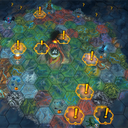
Configurable world-map generation tweaks: multiply world events and modifiers, allow modifiers next to events, allow world events near the capital, and keep world events until triggered.
By LUCKY_CLOVER
| Last updated | 2 months ago |
| Total downloads | 165 |
| Total rating | 0 |
| Categories | Mods |
| Dependency string | LUCKY_CLOVER-WorldEventsMultiplier-1.2.0 |
| Dependants | 0 other packages depend on this package |
This mod requires the following mods to function

BepInEx-BepInExPack
BepInEx pack for Mono Unity games. Preconfigured and ready to use.
Preferred version: 5.4.2305README
World Events Multiplier
Configurable tweaks for the world map in Against the Storm. Everything can be toggled and scaled via the generated config file.
Features
- Multiply world events on the world map (
WorldEventsMultiplier). - Multiply modifiers on the world map (
ModifiersMultiplier). - Allow modifiers next to world events — by default the game keeps modifiers and events apart (
AllowModifiersNextToEvents). - Allow world events near the capital — lets world events spawn in the starting area, which is normally empty (
AllowWorldEventNearStart). - Keep world events until triggered — world events are no longer auto-removed as years pass; they persist until you trigger/complete them (
KeepEventsUntilTriggered).
Configuration
After running the game once, edit BepInEx/config/com.worldevents.multiplier.cfg:
| Key | Default | Description |
|---|---|---|
WorldEventsMultiplier |
1.5 |
Multiplier for the number of world events generated. |
ModifiersMultiplier |
1.5 |
Multiplier for the number of modifiers generated. |
AllowModifiersNextToEvents |
false |
true = modifiers may spawn adjacent to world events. |
AllowWorldEventNearStart |
false |
true = world events may spawn near the starting capital. |
KeepEventsUntilTriggered |
false |
true = world events persist until triggered (no time-based removal). |
Requirements
Installation
- Install with a mod manager (r2modman / Gale) or extract the zip into the game folder.
- Launch the game once, then edit the config to your liking.
- Start a new cycle / regenerate the world map to see the changes.
