
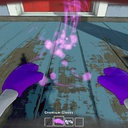
GloveRangeAdjust
Adjust the levitation distance of Gnomium Gloves items with the mouse wheel or controller LB/RB while using the gloves.
By TeeTeeArrr
| Last updated | 3 months ago |
| Total downloads | 1280 |
| Total rating | 0 |
| Categories | Mods |
| Dependency string | TeeTeeArrr-GloveRangeAdjust-1.1.3 |
| Dependants | 0 other packages depend on this package |
This mod requires the following mods to function

BepInEx-BepInExPack
BepInEx pack for Mono Unity games. Preconfigured and ready to use.
Preferred version: 5.4.2100README
GloveRangeAdjust
Adjust how far items levitate when using the Gnomium Gloves in Burglin' Gnomes. Scroll the mouse wheel or tap LB/RB on your controller to push items further away or pull them closer — no more being stuck at the distance the raycast happened to land on.
Features
- Mouse & keyboard — Use the scroll wheel while levitating an item to adjust its distance. Scroll up to push away, scroll down to pull closer.
- Controller — Hold LB to pull closer, hold RB to push away. Features auto-repeat for smooth continuous adjustment, matching the feel of hand range controls in ControllerSupport.
- Configurable range — Set a minimum distance to prevent items from clipping into your gnome, and optionally override the maximum distance to extend range beyond the game's default.
- Adjustable sensitivity — Configure how much each scroll notch or bumper press changes the distance.
- ControllerSupport compatible — When both mods are installed, ControllerSupport automatically suppresses LB/RB (ragdoll/drop) while you're actively levitating an item, so the bumpers are free for range control. No hard dependency — each mod works independently.
Controls
| Input | Action |
|---|---|
| Mouse Wheel Up | Push item away |
| Mouse Wheel Down | Pull item closer |
| LB (controller) | Pull item closer |
| RB (controller) | Push item away |
Range adjustment is only active while the Gnomium Gloves are equipped and actively levitating an item.
Configuration
All settings can be changed from the BepInEx config file or via the in-game settings.
| Setting | Default | Description |
|---|---|---|
ScrollSensitivity |
0.5 | Distance change per scroll wheel notch. |
Step (Gamepad) |
0.5 | Distance change per LB/RB press. |
MinRange |
1.5 | Minimum levitation distance in metres. |
MaxRangeOverride |
0 | Override the maximum distance (0 = use the glove's built-in max). |
Requirements
- BepInEx (v5.4.2100 or later)
Installation
- Install BepInEx via r2modman or Thunderstore Mod Manager.
- Install this mod via r2modman or Thunderstore Mod Manager.
- Launch the game — the mod loads automatically.
Compatibility
- ControllerSupport — Works together seamlessly. When both are installed, holding RT to use the gloves and pressing LB/RB adjusts the levitation distance instead of ragdolling or dropping. Without ControllerSupport installed, LB/RB still adjust glove range independently.
- Works in both single-player and co-op.
Support
If you run into any issues, have questions, or want to suggest improvements, feel free to reach out on Discord: @teeteearrr
