
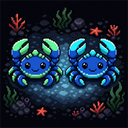
Everything is Multiplayer
Two-player local co-op for Everything is Crab. Requires two gamepad controllers to play, with a shared camera, multiplayer HUD, progression, and revives.
| Last updated | 3 hours ago |
| Total downloads | 0 |
| Total rating | 0 |
| Categories | Mods |
| Dependency string | HOPL_EverythingIsCrab-Everything_is_Multiplayer-0.6.1 |
| Dependants | 0 other packages depend on this package |
This mod requires the following mods to function

BepInEx-BepInExPack_IL2CPP
BepInEx pack for IL2CPP x64 Unity games. Preconfigured and ready to use.
Preferred version: 6.0.755README
Everything is Multiplayer
Play Everything is Crab in local two-player co-op on one shared screen. Two connected gamepad controllers are required to play.
Features
- Spawns a second playable character for local co-op.
- Gives each player independent movement, aiming, attacks, dashing, health, temperature, and charm ownership.
- Centers the shared camera between both living players and zooms out as they separate.
- Expands the nighttime visibility area so both players remain illuminated.
- Replaces the single-player HUD with health, cooldown, DNA, charm, timer, progress, event, and boss information for co-op play.
- Shares XP and level-ups, with player-one mutation choices applied to both players.
- Allows enemies to target either player using the same distance-based rules.
- Treats creatures charmed by either player as allies of both players.
- Keeps the run active while either player remains alive.
- Lets player one revive player two from the level-up screen by spending DNA.
- Disables friendly fire by default, with an optional toggle in the homepage
LOCAL CO-OPmenu.
Installation
Install with Thunderstore Mod Manager or r2modman. The required BepInEx IL2CPP pack is installed automatically with this package.
For a manual installation, install BepInExPack_IL2CPP version 6.0.755 or newer, then copy Everything_is_Multiplayer.dll to:
Everything is Crab/BepInEx/plugins/Everything_is_Multiplayer.dll
Getting Started
- Connect both gamepad controllers before launching the game.
- Launch Everything is Crab through your modded Thunderstore or r2modman profile.
- Use the first controller for player one and the second controller for player two.
- Start a run normally. Player two spawns beside player one after gameplay begins.
Player one uses the game's normal controller bindings. Player two uses:
- Left stick: move.
- Right stick: aim.
- Right trigger, right shoulder, or south face button: primary attack.
- Left trigger or west face button: secondary attack.
- North face button: tertiary attack.
- D-pad left/right: additional attacks.
- Left shoulder or east face button: dash.
Co-op Rules
- XP earned by either player advances the shared level-up flow.
- Player one selects mutations and specializations; the selected upgrades are applied to both players.
- If player two dies, the run continues with player one. A
REVIVE P2button appears on level-up screens and costs 3 DNA by default. - If player one dies, control of the run and camera transfers to player two.
- Friendly fire is off by default and can be changed from the homepage
LOCAL CO-OPmenu. - Player one handles explicit interactions and singleton-driven menus.
Configuration
After the first launch, player settings are written to:
BepInEx/config/local.everythingiscrab.multiplayer.cfg
Common settings include:
General.Enabled: enable or disable local co-op.Input.PlayerTwoGamepadIndex: select the zero-based gamepad index used by player two. The default1selects the second connected gamepad.Gameplay.FriendlyFireEnabled: allow players to damage each other. Defaultfalse.Gameplay.PlayerTwoReviveMutagenCost: DNA cost to revive player two. Default3.Gameplay.PlayerTwoReviveHealthFraction: health restored when player two is revived. Default0.25.Gameplay.SharedNightVisionEnabled: keep both living players inside the nighttime visibility area. Defaulttrue.HUD.ReplaceStockHud: use the multiplayer HUD. Defaulttrue.Visuals.TintPlayerTwo: tint player two cyan for identification. Defaulttrue.Visuals.LabelPlayerTwo: show theP2label above player two. Defaulttrue.Camera.*: adjust shared-camera follow, zoom, and padding behavior.
Current Limitations
- Mutation and specialization choices are shared rather than selected independently.
- Explicit interactions, tutorials, and non-gameplay menus remain controlled by player one.
- Player-two controller bindings are fixed and do not use the game's rebinding menu.
- Two gamepad controllers are required; keyboard-and-gamepad co-op is not supported during normal play.
Support
Report issues at DakotaOberon/EverythingIsMultiplayer.
