

ForgeOrdnance
Call-in support for GTFO: hold a key, enter a directional code and throw a beacon. Includes the call-in platform, the Arsenal (supply pods, turrets, strikes, heavy weapons) and four powered exosuits. Add your own call-ins with simple files.
| Date uploaded | a day ago |
| Version | 1.0.2 |
| Download link | NAinfini-ForgeOrdnance-1.0.2.zip |
| Downloads | 15 |
| Dependency string | NAinfini-ForgeOrdnance-1.0.2 |
This mod requires the following mods to function


BepInEx-BepInExPack_GTFO
BepInEx pack for GTFO. Preconfigured and includes Unity Base DLLs.
Preferred version: 3.2.4

NAinfini-ForgeCore
Public GTFO mod foundation: asset bundles, logging, settings, pools, networking, input leases, local saves and calls into the game's own systems.
Preferred version: 1.0.1README
Forge Ordnance
Call in supplies, turrets, strikes, heavy weapons and powered exosuits in GTFO. Hold a key, enter a code with the arrow keys, throw the beacon, and what you called arrives where it lands.
Report bugs on GitHub, or find me on the GTFO Modding Discord as nainfini.
The mod comes with thirty call-ins (supply pods, turrets and standing devices, strikes, heavy weapons) and four exosuits, all listed below. Rundowns and other mods can add their own.
The former packages ForgeOrdnance_Arsenal and ForgeOrdnance_Frames are now part of Forge Ordnance and are no longer updated. Uninstall both before you install this version.
How to call something in
-
Pick your call-ins in the lobby. The ORDNANCE button under APPAREL shows how many slots you have filled, for example
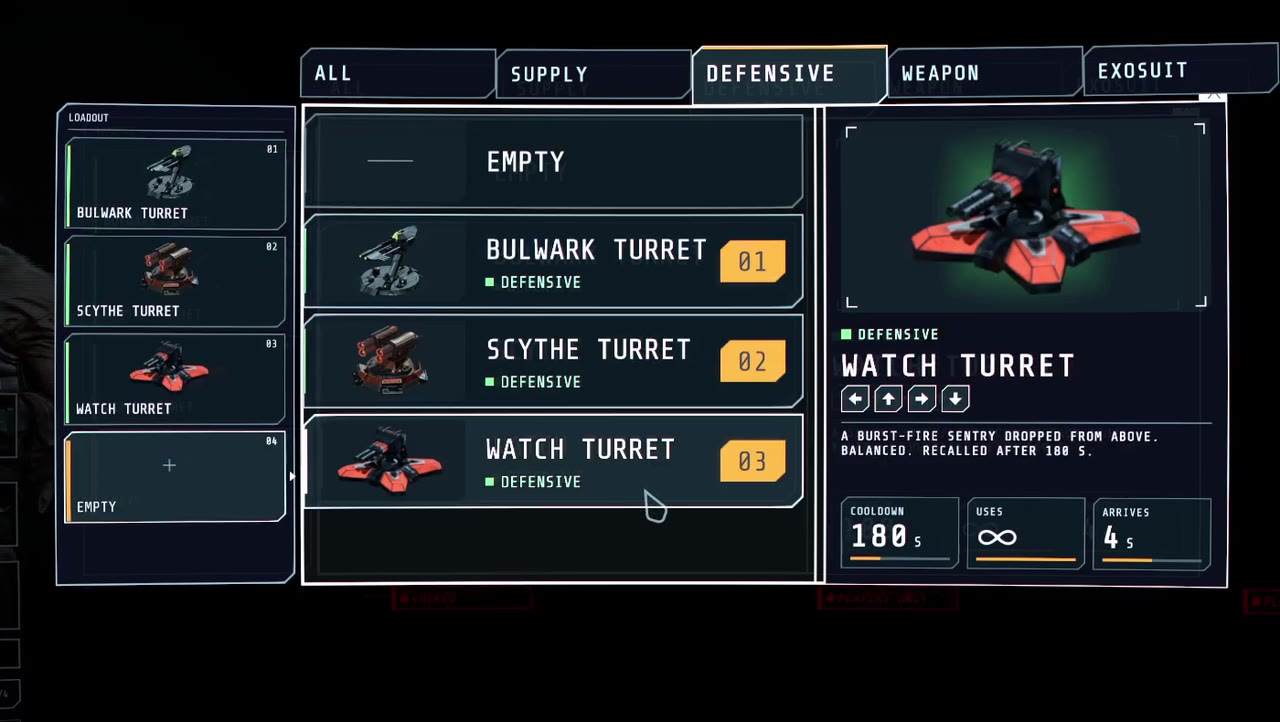
3/4. Click it, click a slot, then click a call-in. EMPTY clears the slot. Two call-ins whose codes start the same way cannot be picked together. Your picks are saved on your computer. The level decides how many slots you get (4 by default) and may limit the choice.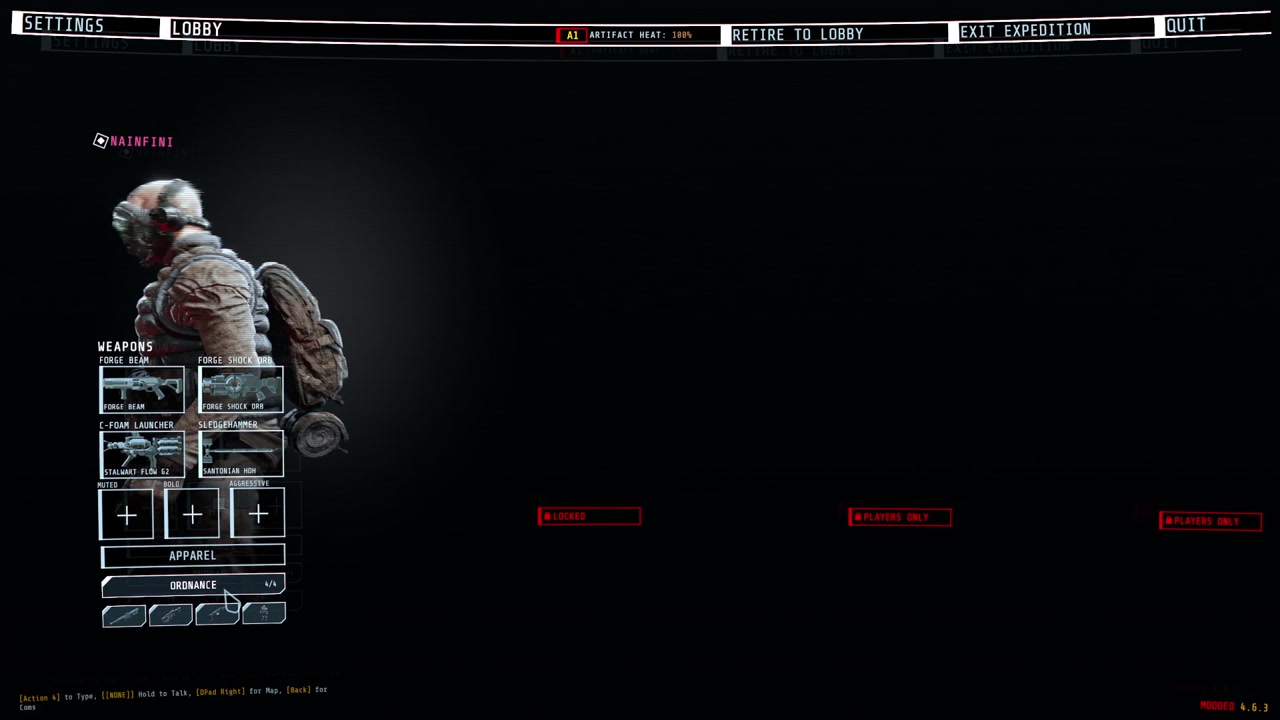
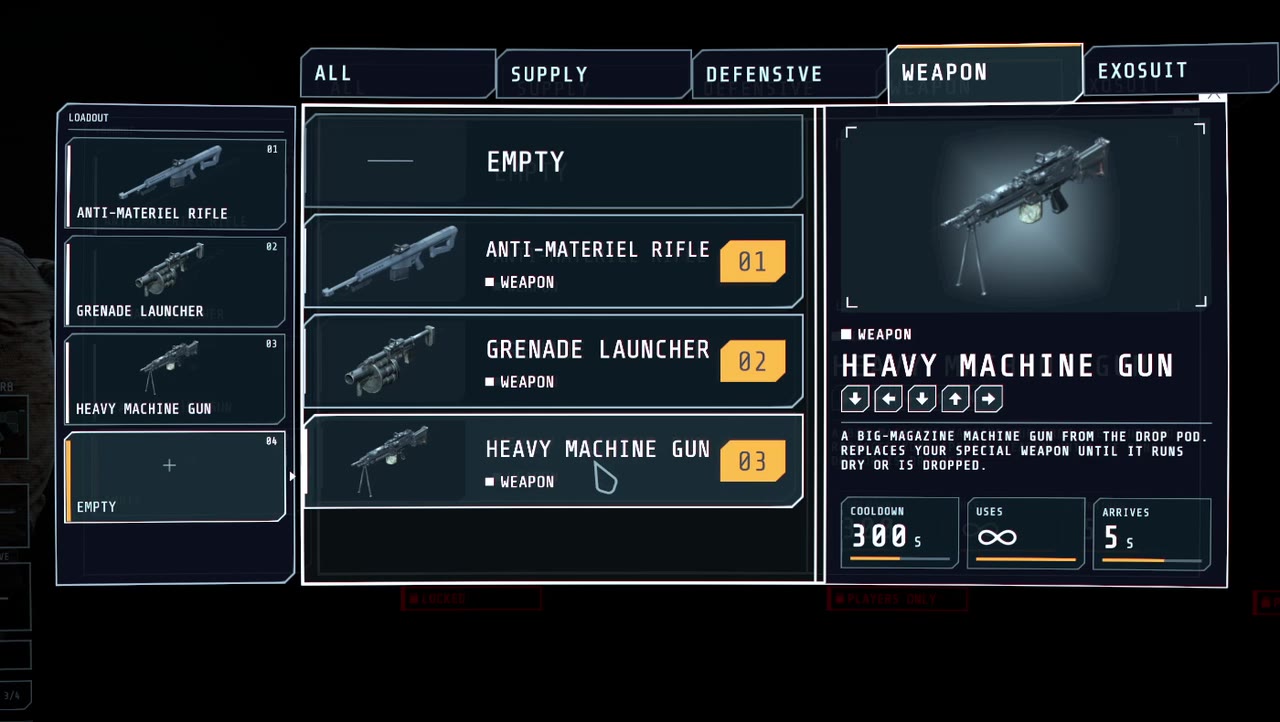
-
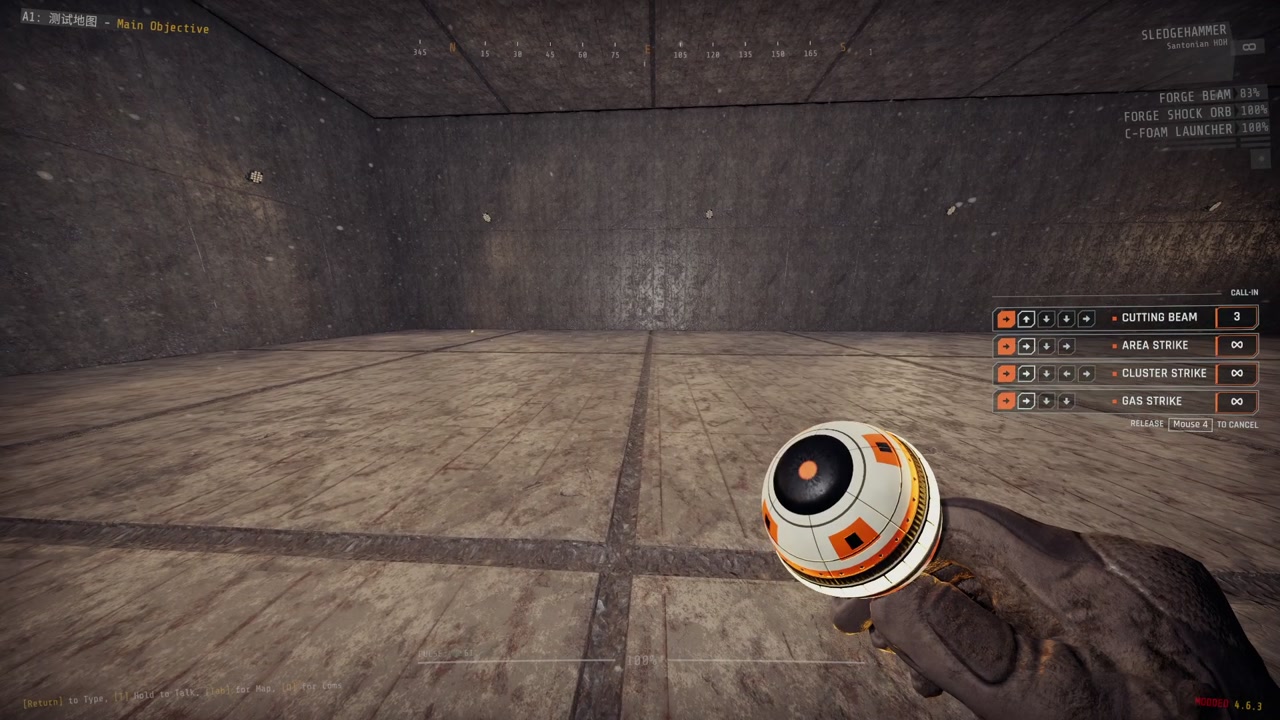
Hold the call key (rear mouse side button by default). The call-in list on the right of the screen shows every code. Your weapon is put away and the beacon appears in your hand. While you hold the key, movement, firing and weapon switching are off.
-
Enter a code with your movement keys or the arrow keys. Steps you have entered light up, call-ins that no longer match fade out, and call-ins on cooldown show a bar. A wrong step clears the code. Let go early and the beacon disappears.
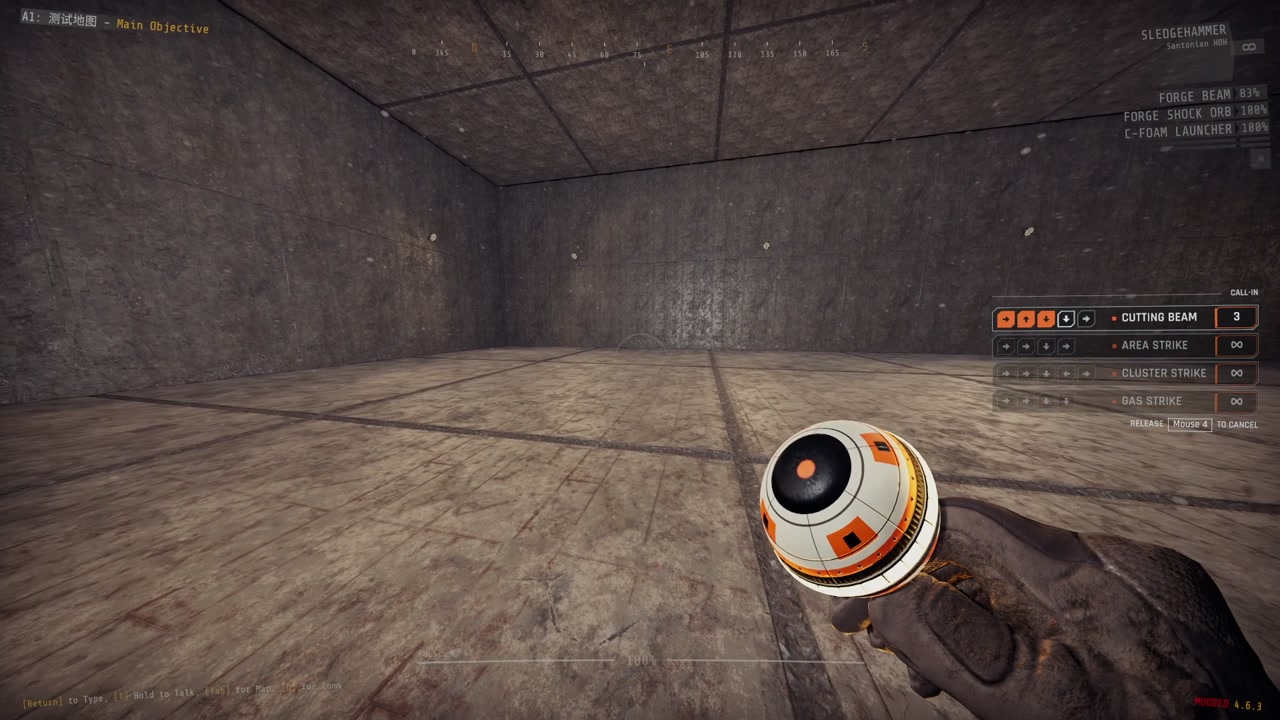
-
Throw the beacon. After a complete code the beacon stays in your hand when you release the call key and all keys work again. Fire charges and throws it like a glow stick. Pressing the call key again or switching weapons puts it away. Afterwards you get back the consumable and weapon you had before. You cannot start a call while carrying a cell or other heavy item.
-
Wait for arrival. When the beacon stops, the host checks the call: it must be in your loadout, off cooldown, have uses left, and land within range on ground a player could stand on. A refused call tells you why. An accepted call raises a glowing beam with a countdown label. When the countdown ends, the call-in arrives.
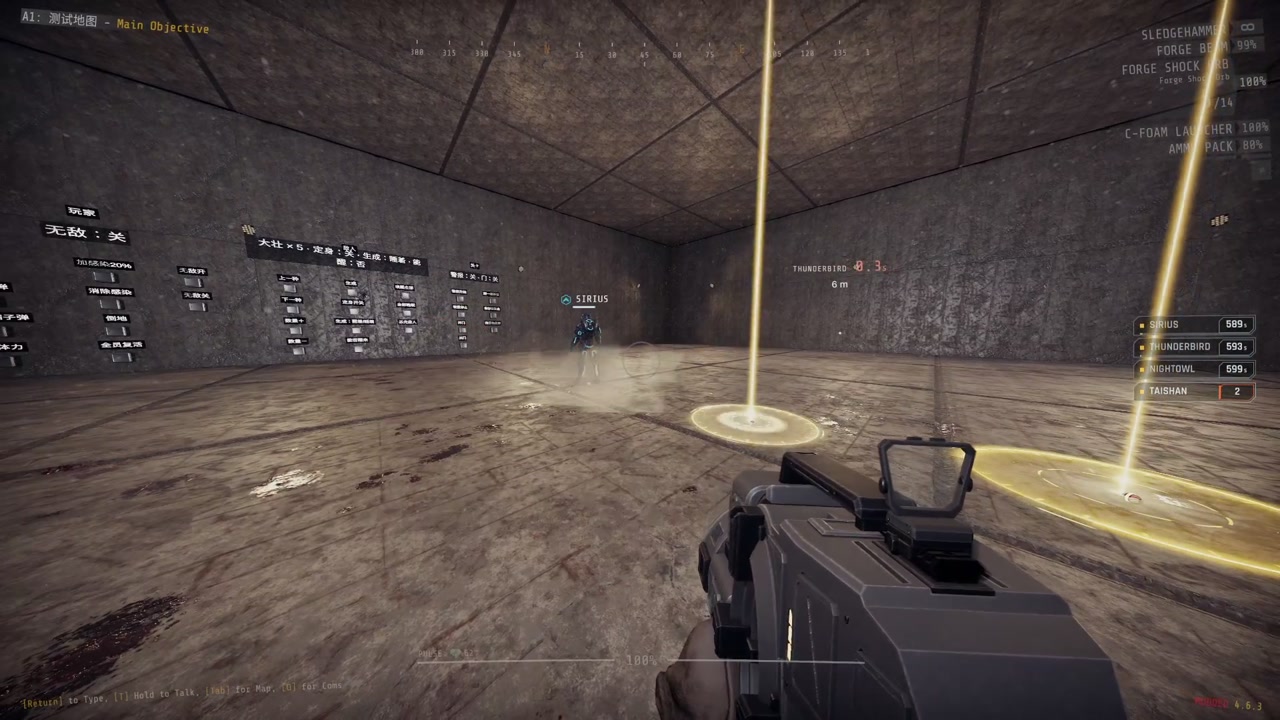
Supplies come down in a drop pod that opens its doors; take the packs from inside. Turrets arrive drill first, bore into the ground and rise up, level with the floor. The screen shakes if you are close.
Rules
- Every player has their own cooldowns and uses.
- Cooldowns and uses return to their checkpoint values after a checkpoint reload. A call still on its way is lost.
- The level can change the number of slots, the allowed call-ins, cooldowns, uses and the maximum throw distance. It can also place call-ins itself or turn the players' call-ins off; the ORDNANCE button and the call list are then not shown.
Supplies
Supplies arrive in a drop pod. Take the packs out of it.
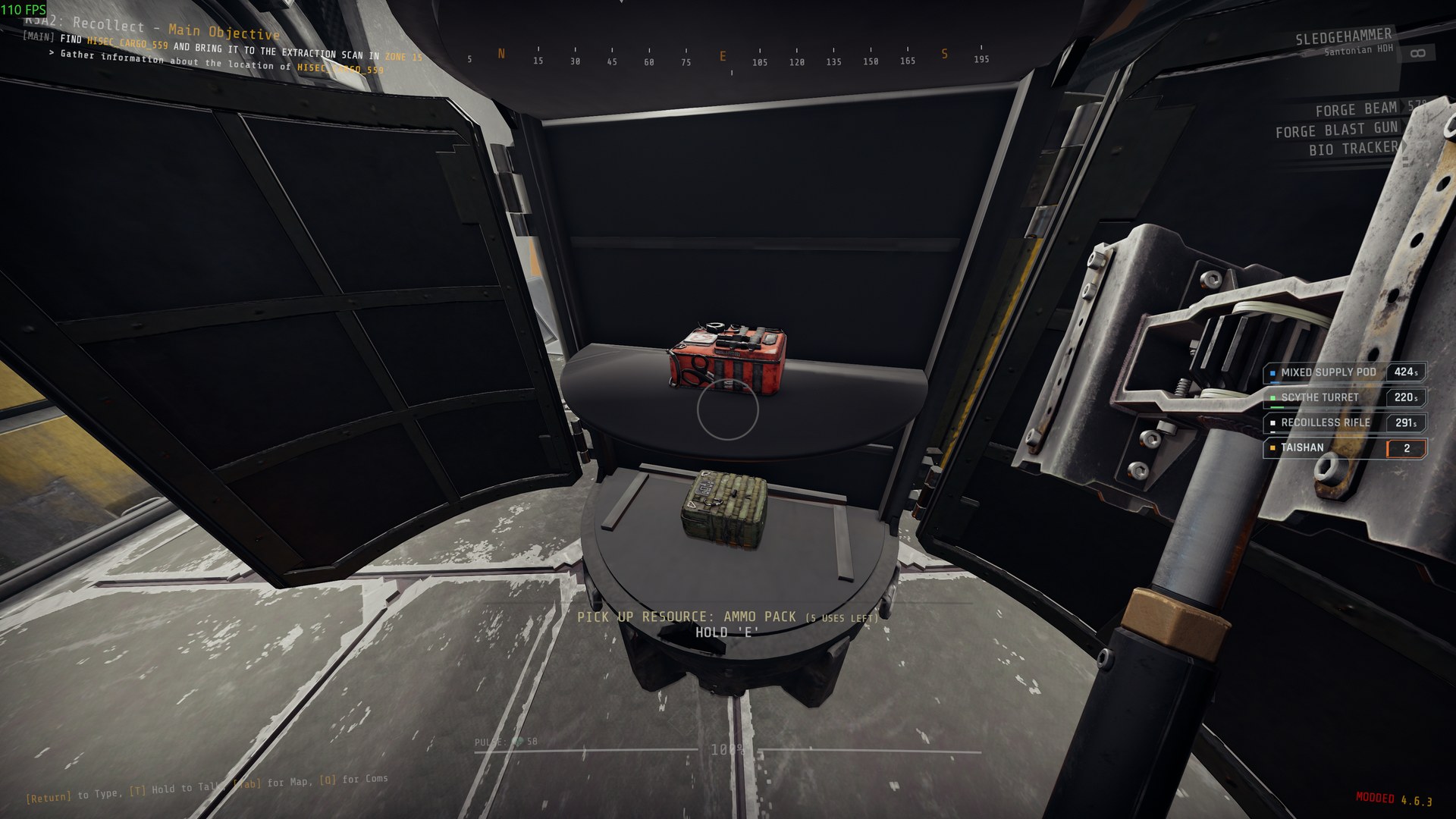
| Call-in | Code | Cooldown | Contents |
|---|---|---|---|
| Mixed Supply Pod | ↑ ↓ ↑ → | 450 s | Ammo pack x2, medipack x1, tool refill x1 |
| Ammo Pod | ↑ ↓ ↑ ← | 360 s | Ammo pack x3 |
| Medical Pod | ↑ ↓ ↓ → | 360 s | Medipack x2, disinfection pack x1 |
| Tool Pod | ↑ ↓ ↓ ← | 240 s | Tool refill x2 |
| Consumables Pod | ↑ ↓ ← ↑ | 240 s | C-foam grenade x2 |
| Syringe Pod | ↑ ↓ ← ↓ | 480 s, 2 uses | Health syringe x2, melee syringe x2 |
| Mine Pod | ↑ ↓ → ↓ | 420 s | Explosive trip mine x2, C-foam trip mine x2 |
| Utility Pod | ↑ ↓ → ↑ | 420 s | Fog repeller x1, lock melter x1, C-foam grenade x2 |
Turrets
Each turret drills into the ground and rises up level with the floor, barrel up, then turns it level. It is stronger than the game's sentry of the same type, cannot be picked up, and sinks back underground when it runs out of ammunition or after 180 seconds. Do not plan on topping one up: an empty turret is already gone.
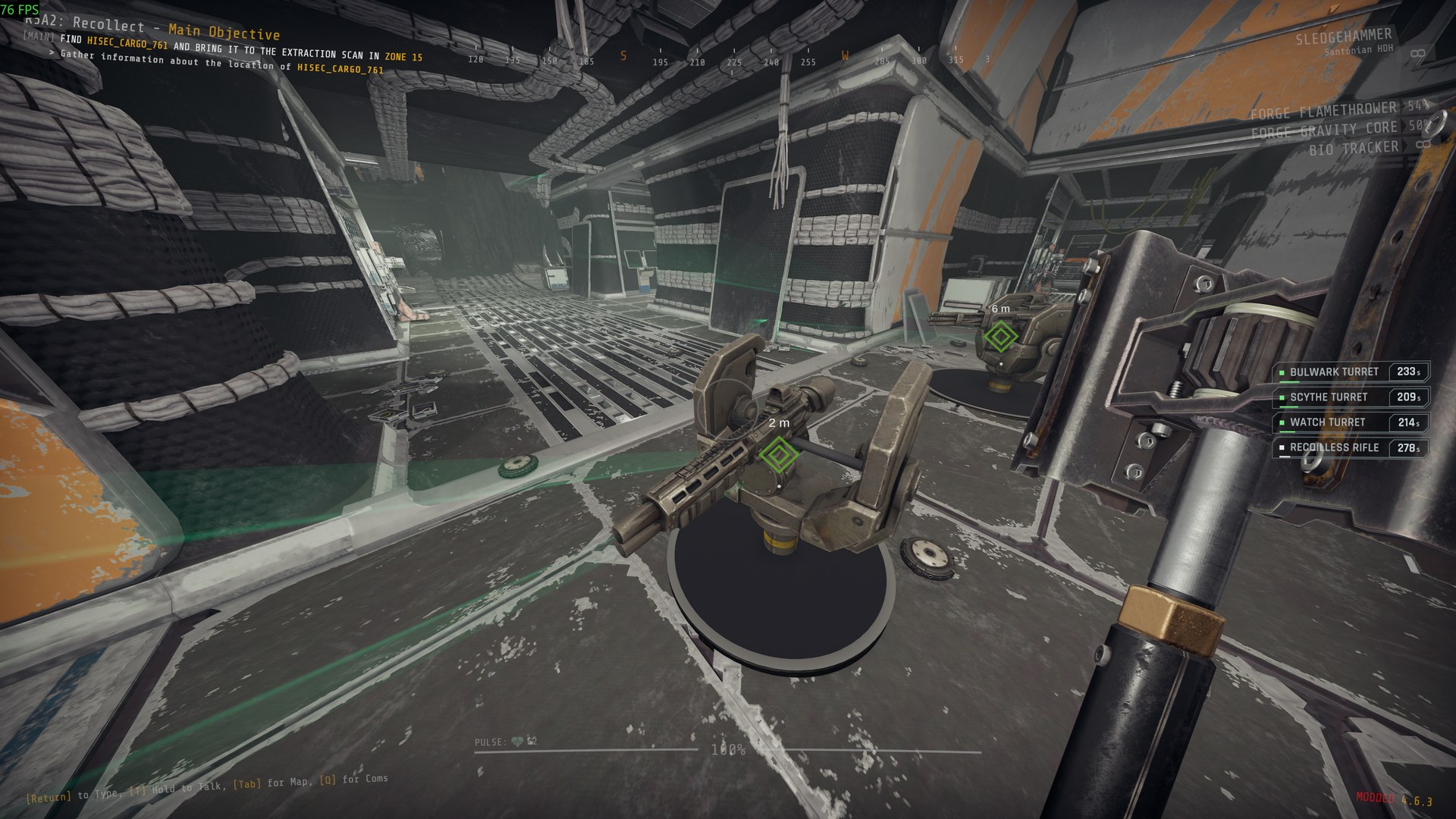
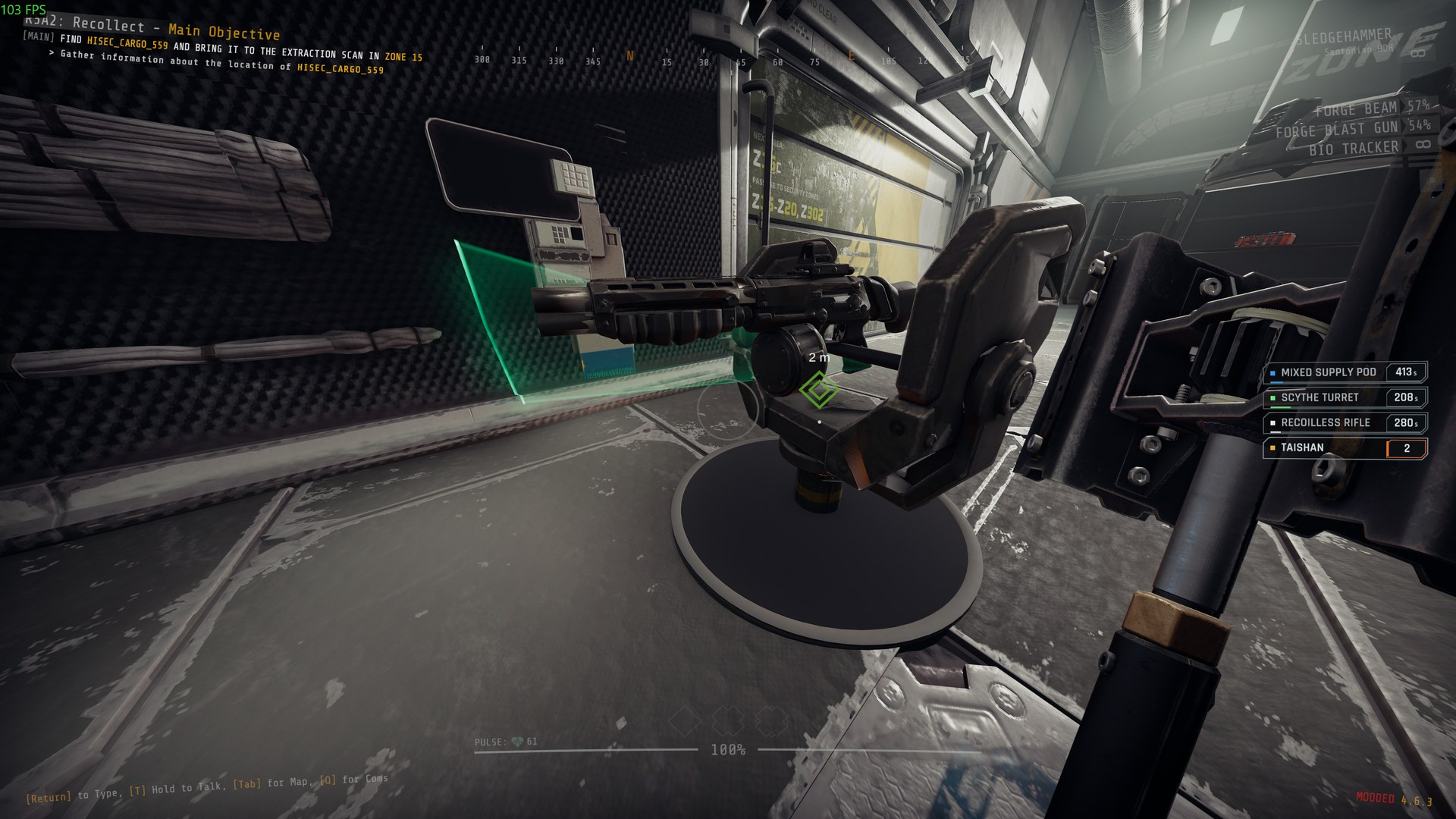
Turrets
| Call-in | Code | Cooldown | Based on |
|---|---|---|---|
| Watch Turret | ← ↑ → ↓ | 240 s | Burst sentry |
| Bulwark Turret | ← ↑ → ↑ | 270 s | Sniper sentry |
| Scythe Turret | ← ↑ → ← | 240 s | Shotgun sentry |
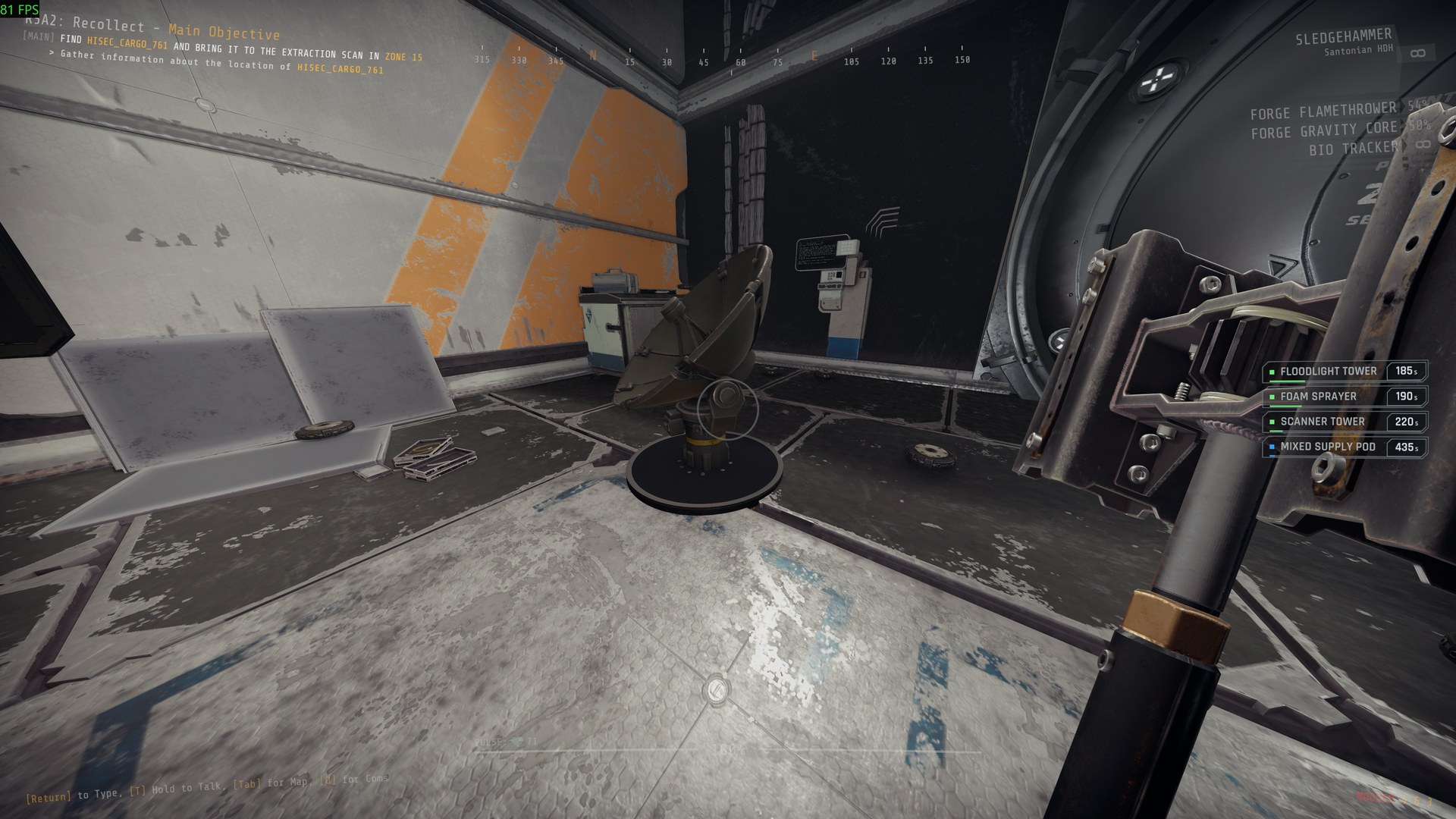
| Foam Sprayer | ← ↓ ← ↓ | 240 s | Throws foam mines all around; they spray foam near enemies |
| Mine Layer | ← ↓ ← ↑ | 240 s | Throws mines all around; they burst near enemies |
| Scanner Tower | ← ↓ ← → | 240 s | Tags awake enemies in range for the team |
| Floodlight Tower | ← ↓ ← ← | 240 s | Lights an area and pushes the fog back |
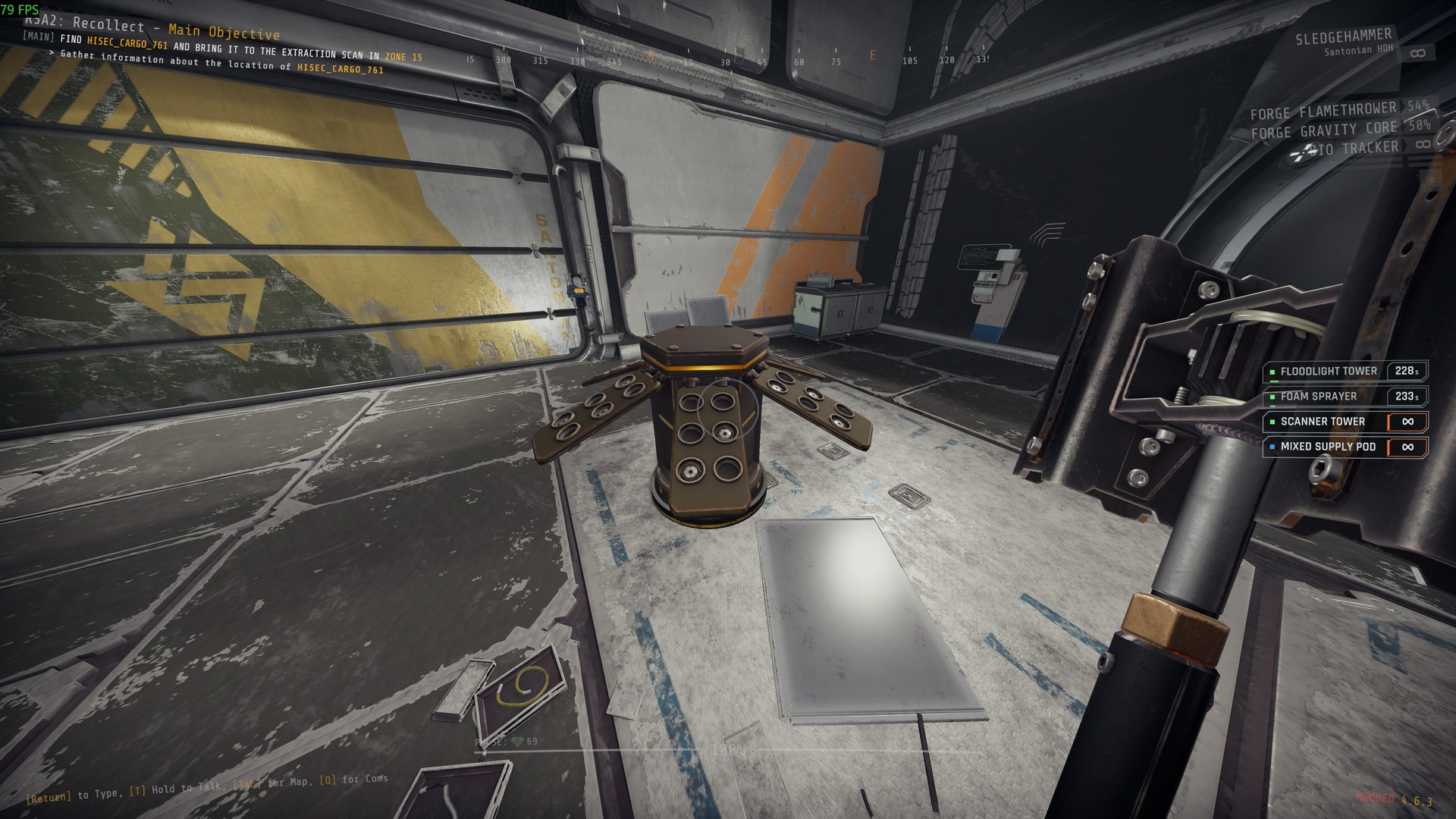 |
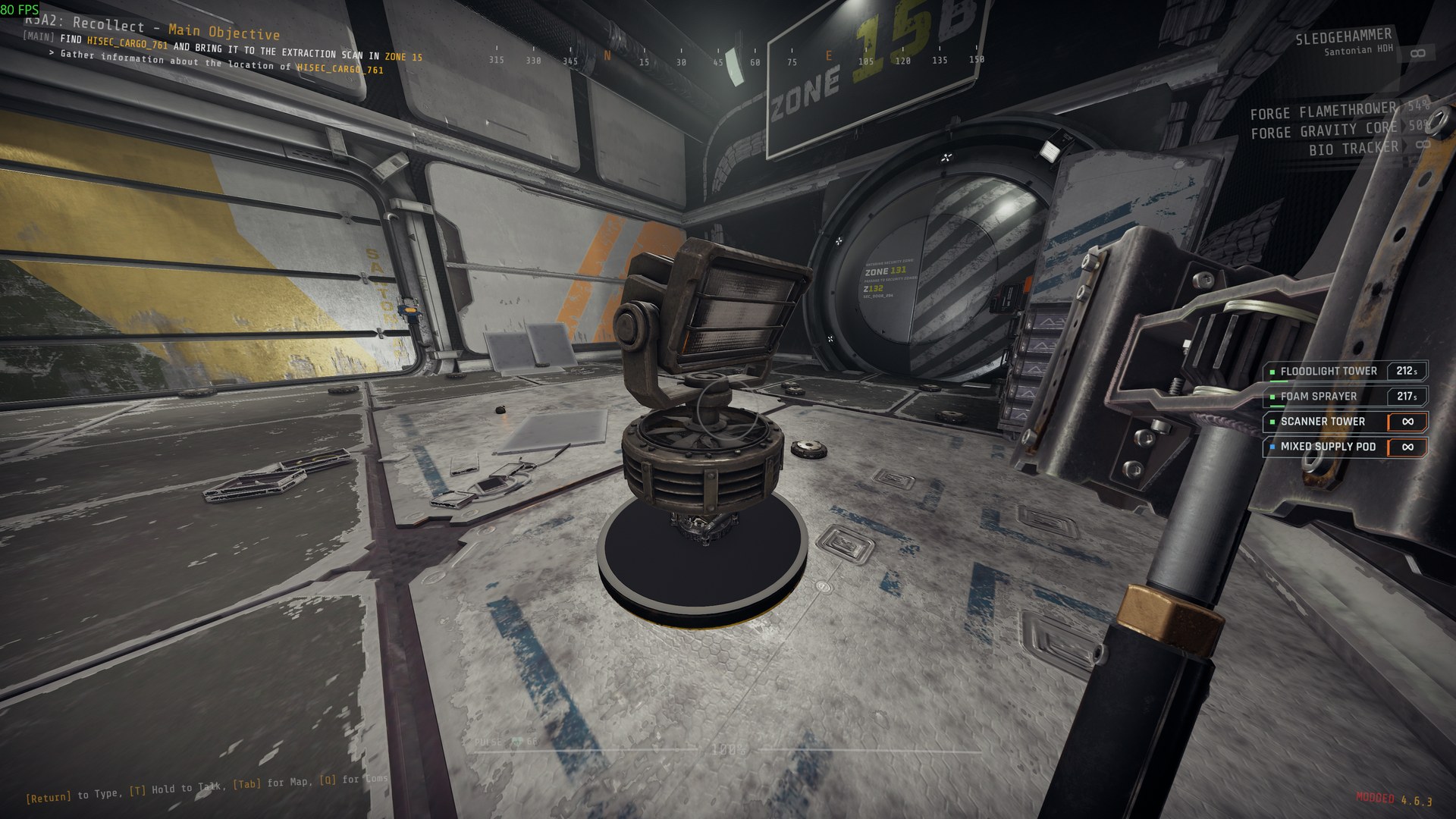 |
 |
|---|---|---|
| Foam Sprayer | Floodlight Tower | Scanner Tower |
Strikes
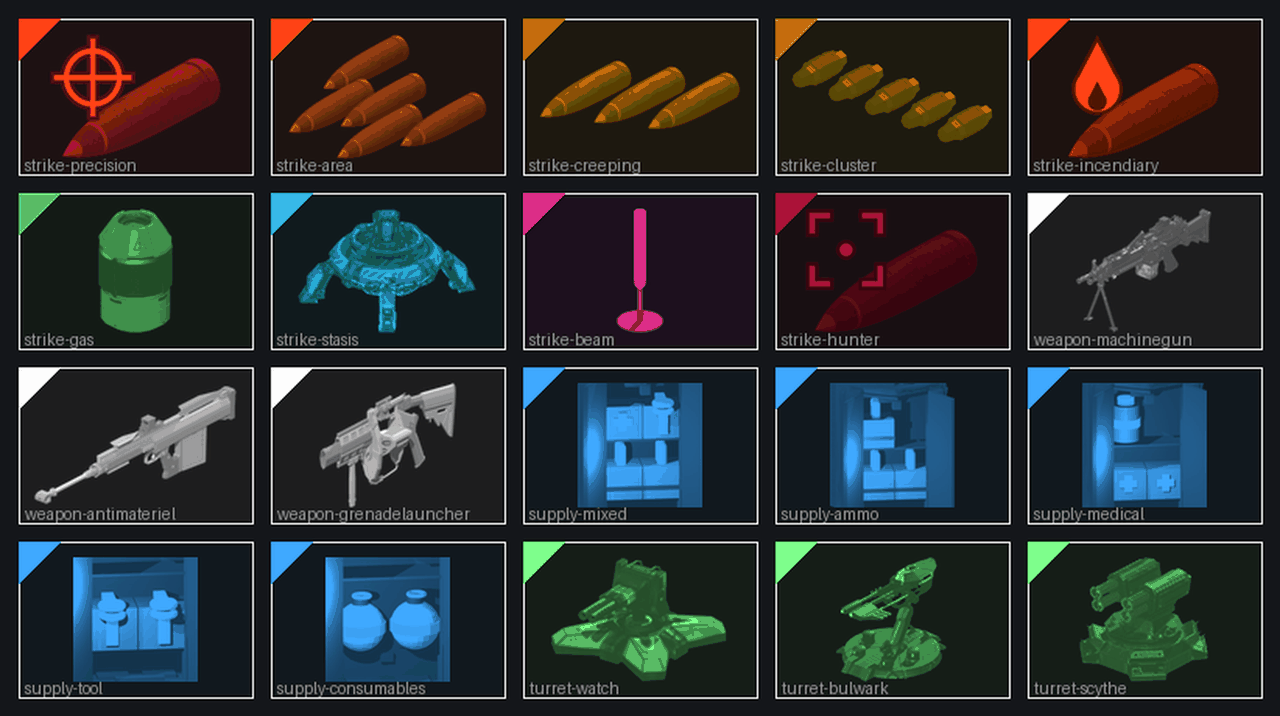
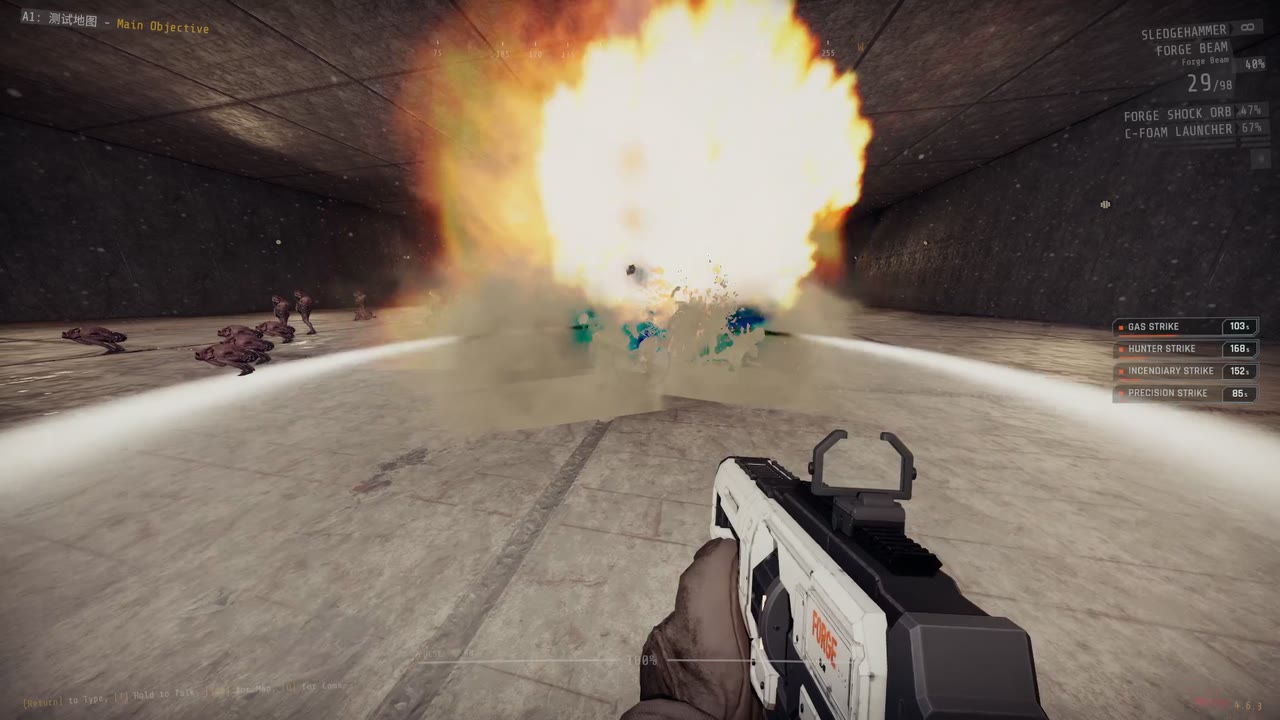
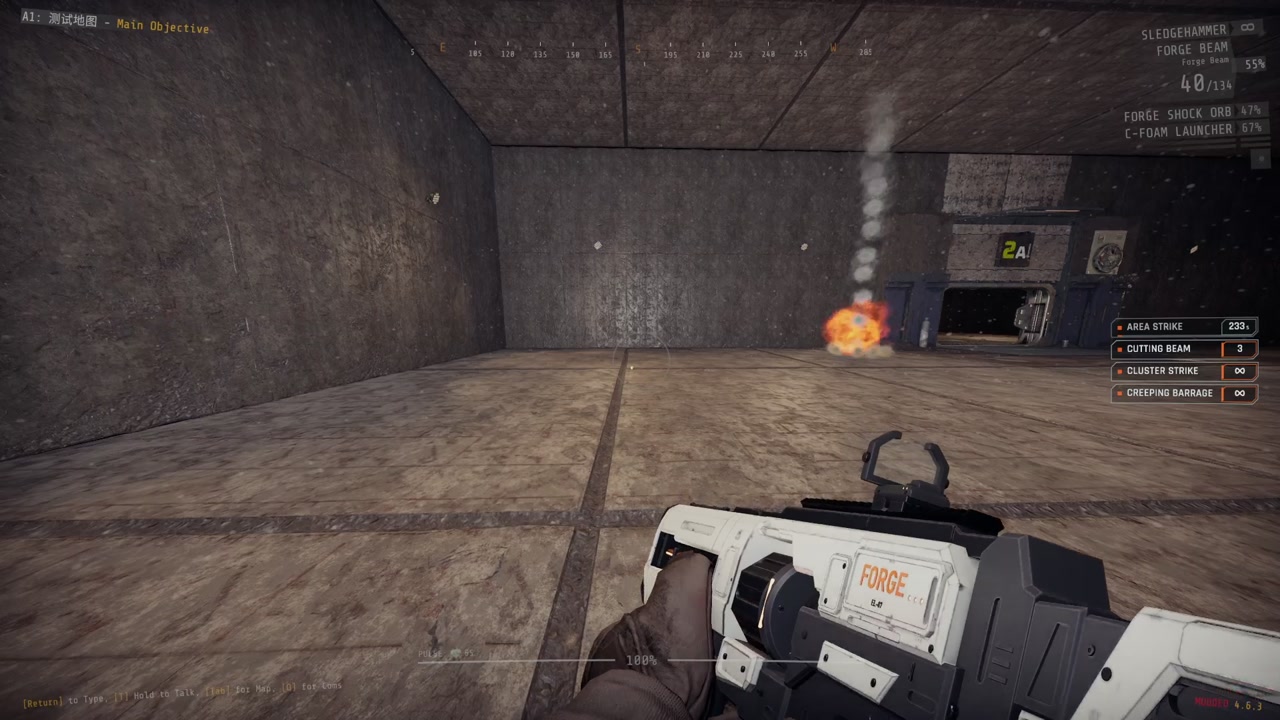
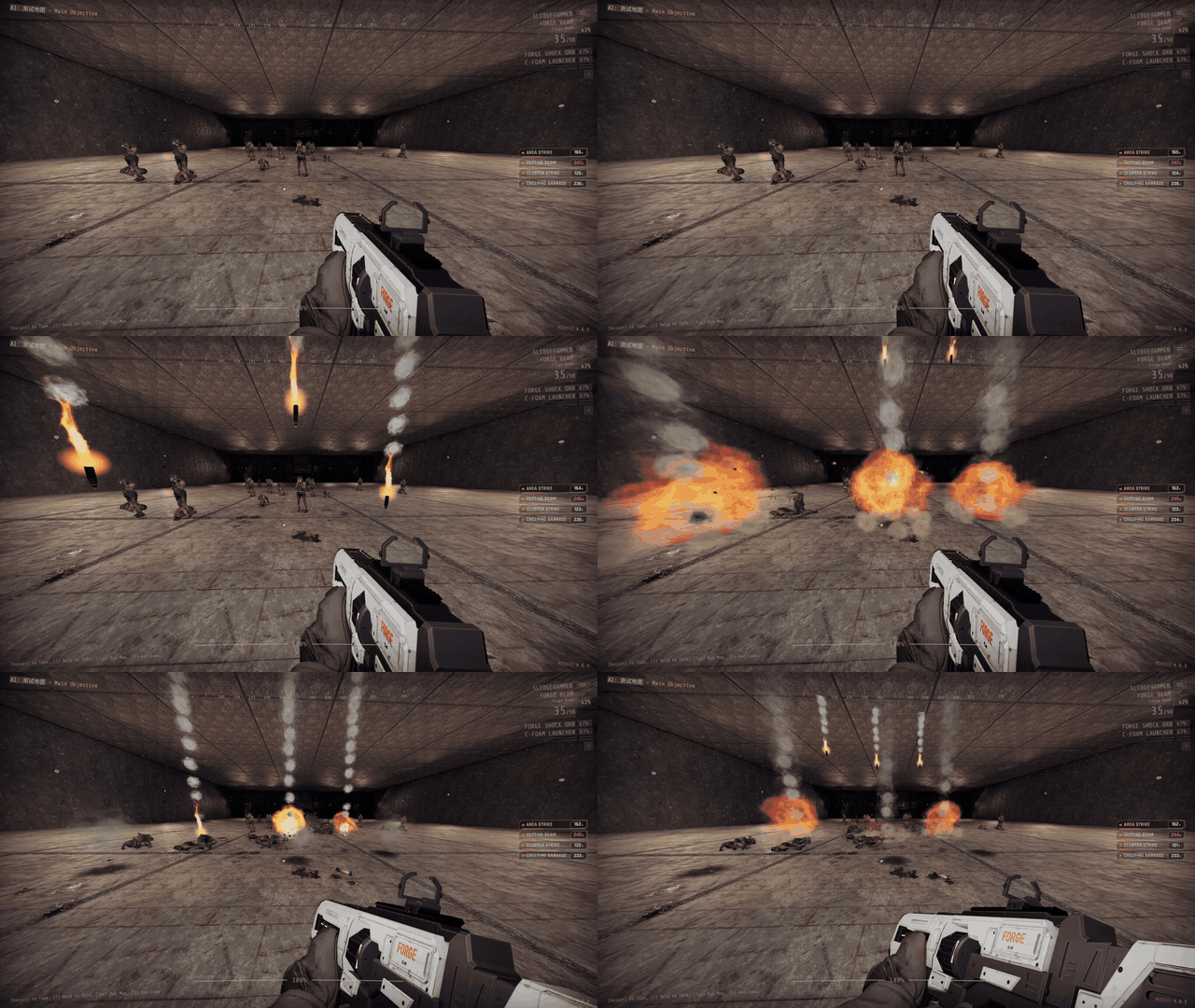
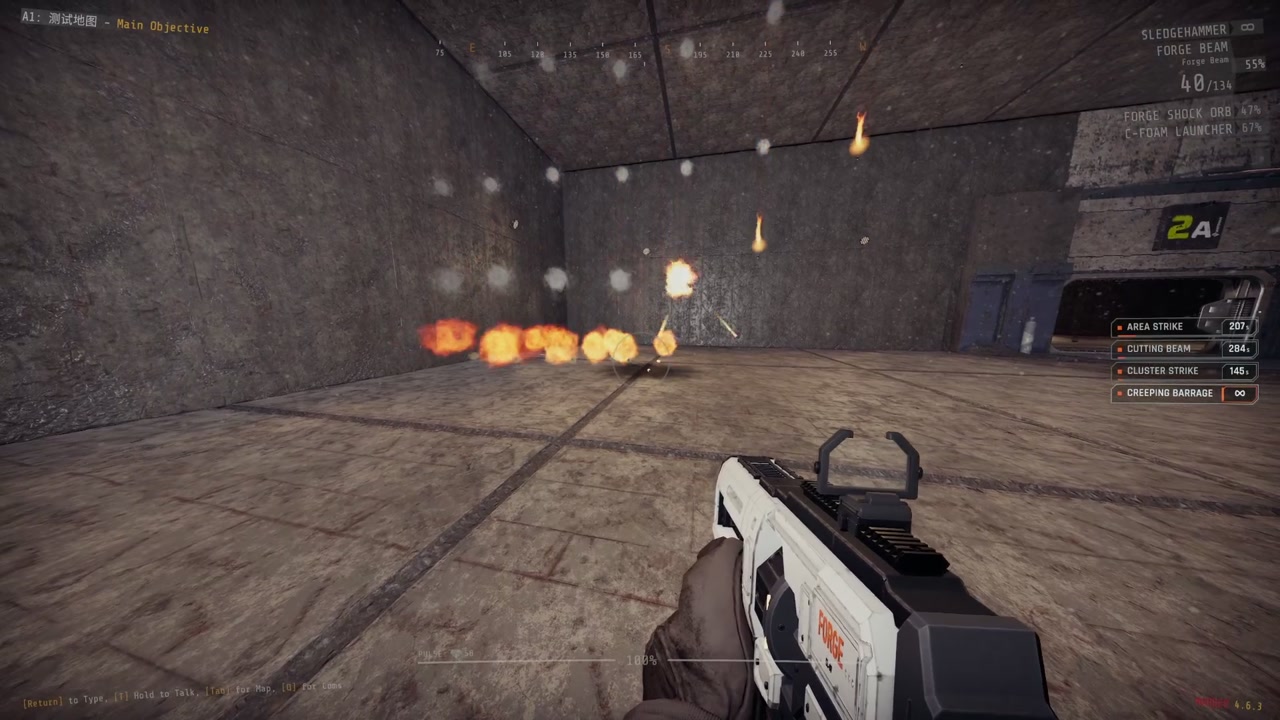
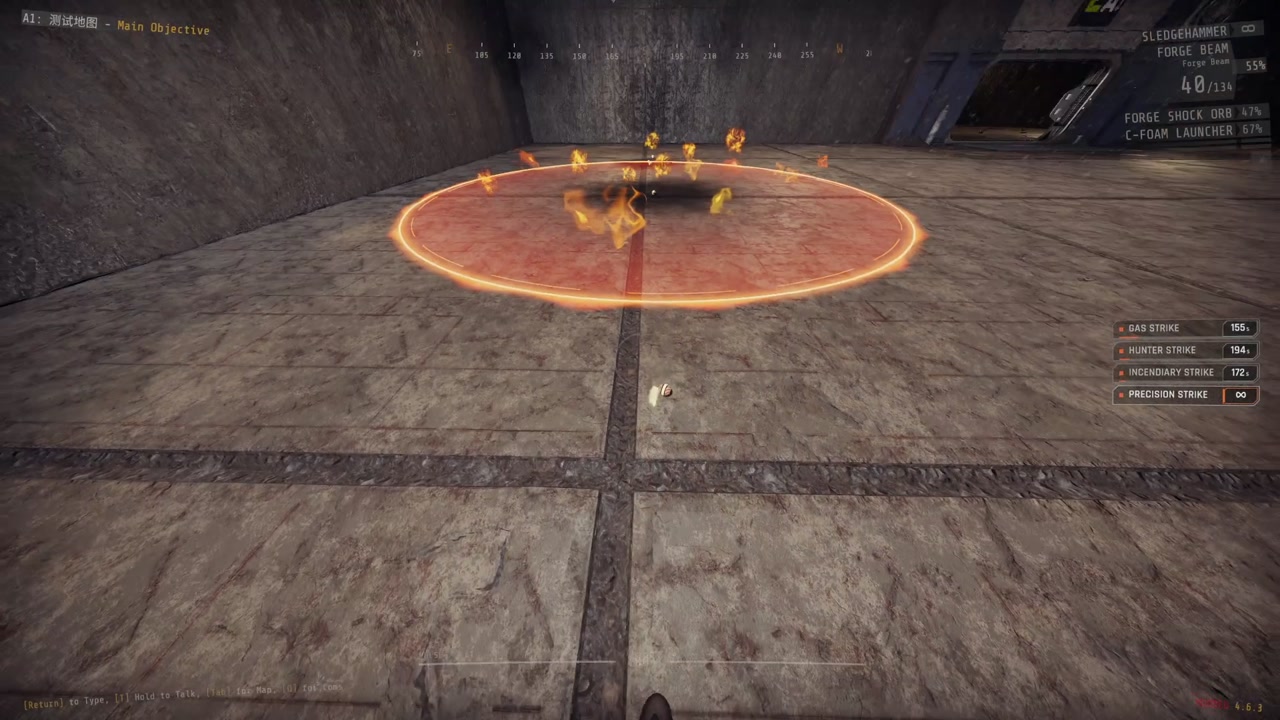
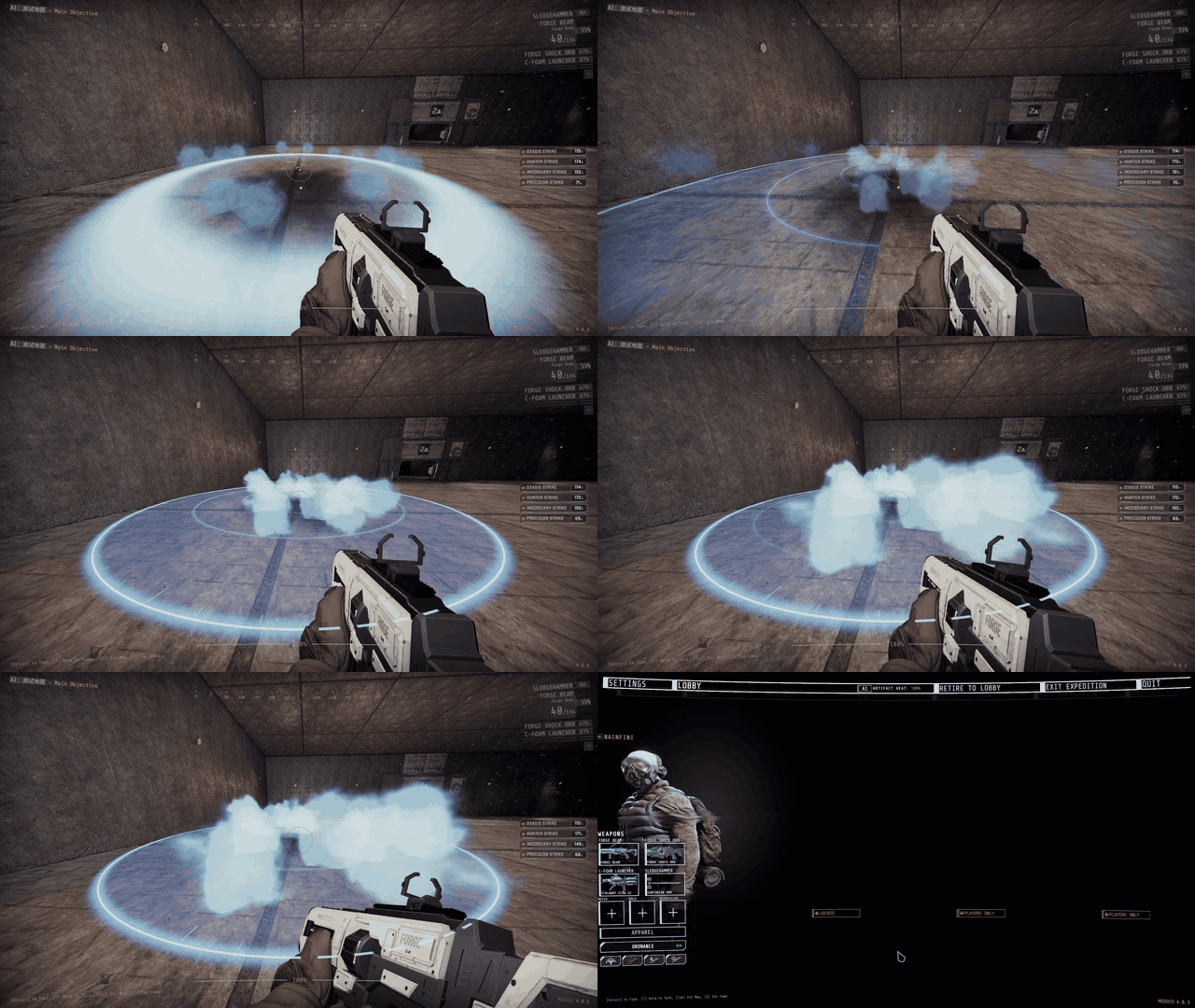
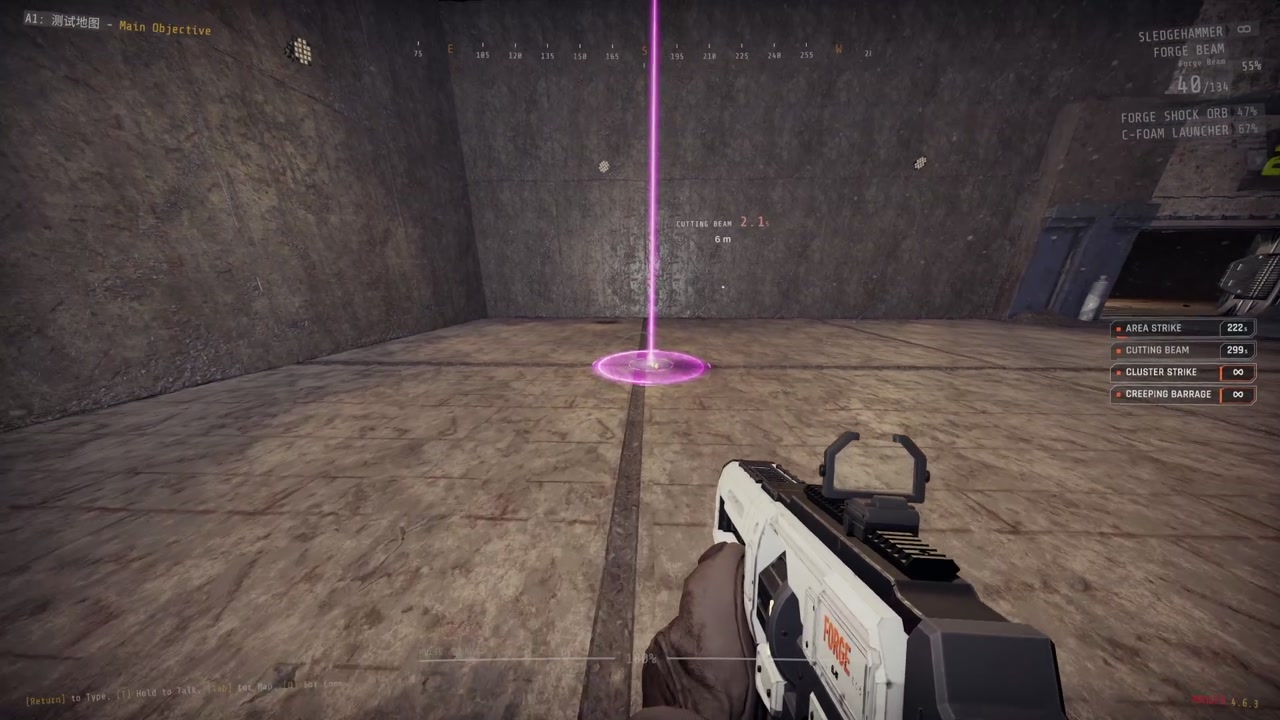
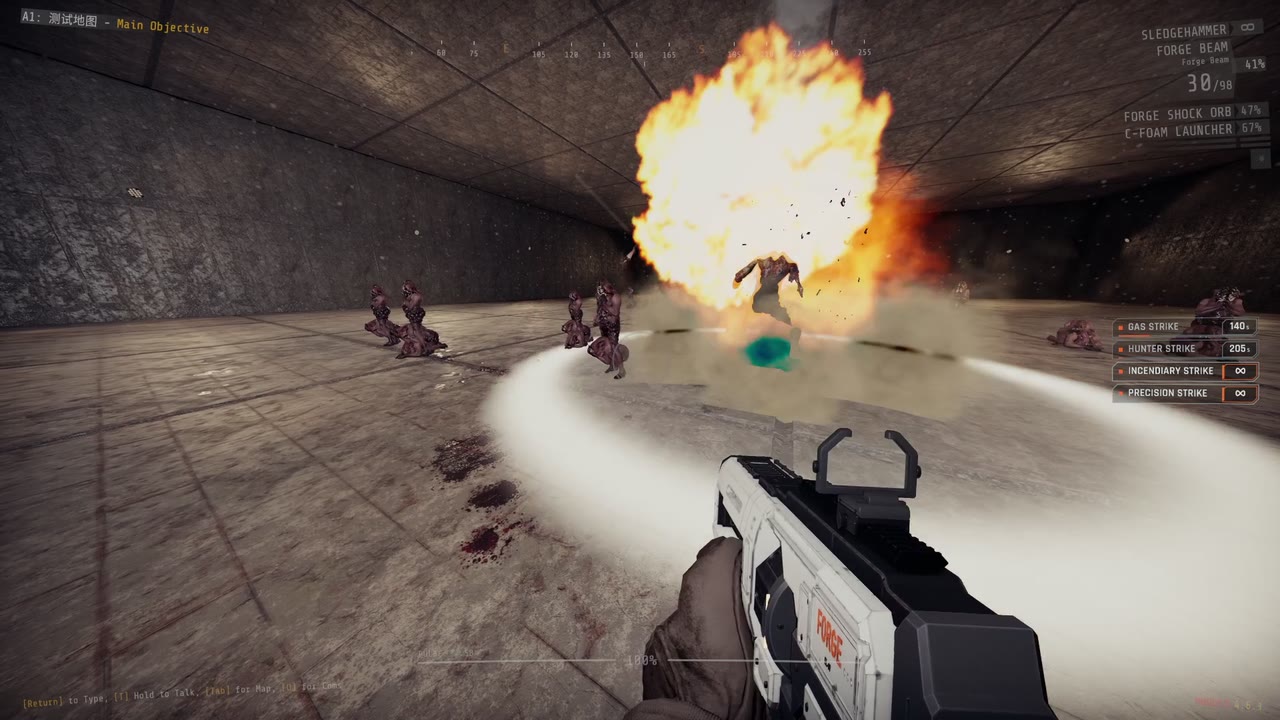
Strikes come down through the ceiling. Gas, fire and explosions hurt your teammates.
 |
 |
 |
| Precision | Area | Creeping Barrage |
 |
 |
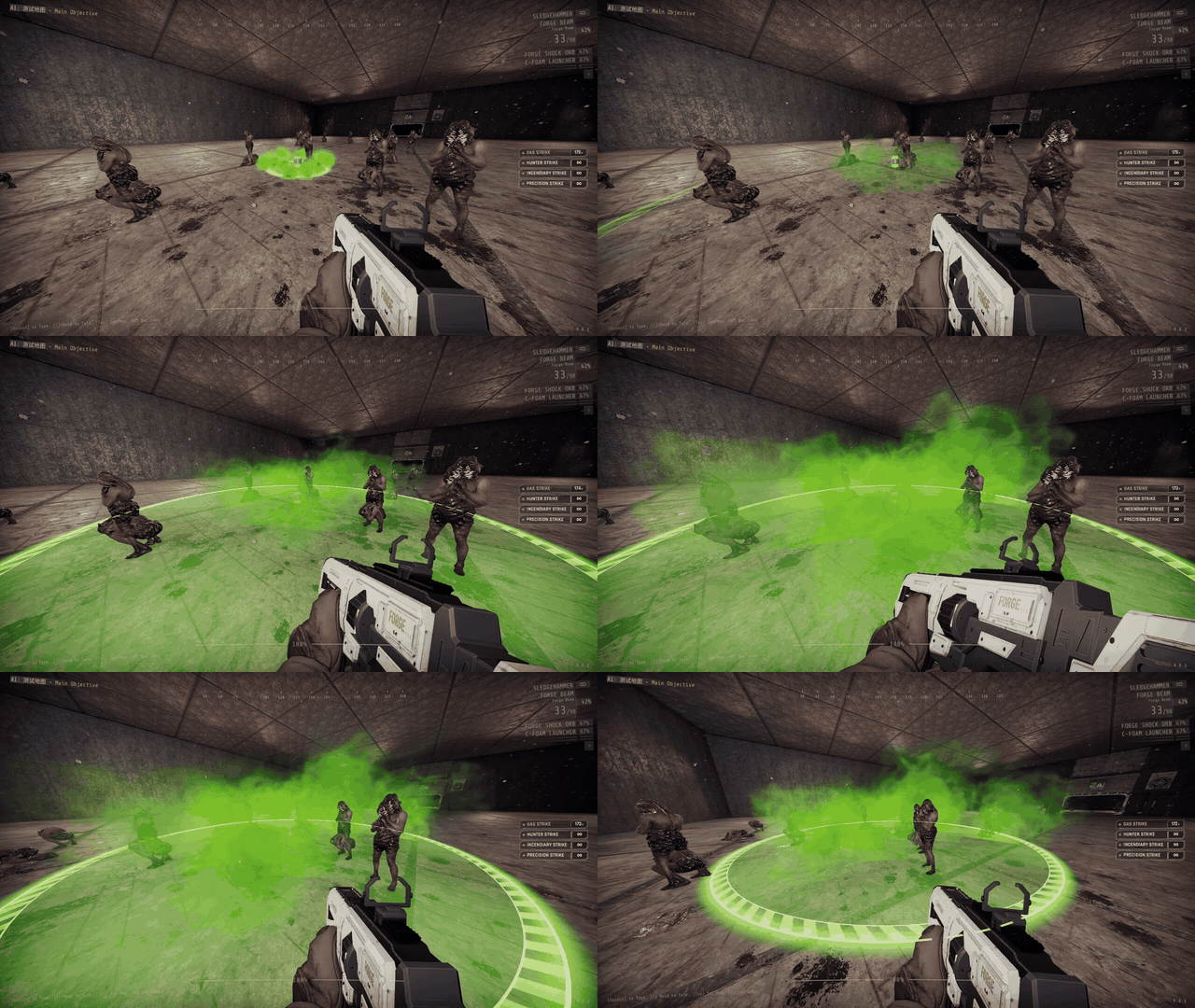 |
| Cluster | Incendiary | Gas |
 |
 |
 |
| Stasis | Cutting Beam | Hunter |
| Call-in | Code | Cooldown | Effect |
|---|---|---|---|
| Precision Strike | → → ↑ | 120 s | One heavy shell on the beacon |
| Area Strike | → → ↓ → | 240 s | 7 shells within about 15 m over 3.5 s |
| Creeping Barrage | → ↓ ↑ ← → | 270 s | Rows of shells walking forward along your throw |
| Cluster Strike | → → ↓ ← → | 150 s | Bomblets along a 20 m line across your throw |
| Incendiary Strike | → → ← | 180 s | A shell, then 10 s of fire around it |
| Gas Strike | → → ↓ ↓ | 150 s | A canister releasing 12 s of gas |
| Stasis Strike | → ↓ → ↑ | 120 s | Slows enemies within 8 m to a fifth of their speed for 20 s and outlines them in blue while they stay inside |
| Cutting Beam | → ↑ ↓ ↓ → | 240 s | A beam from above that cuts the nearest enemy it can walk to for 10 s |
| Strafing Run | → ↑ → ↓ | 180 s | A gun run along your throw: tracers only, no explosions, only enemies in the strip are hit |
| Hunter Strike | → ↑ ← ↑ | 210 s | A laser locks the biggest enemy in the beacon's room, then one fast shell |
Heavy weapons
A drop pod brings a heavy weapon. Walk up to the open pod, look at the weapon and press the use key. It takes the place of your special weapon, and your own special weapon waits with its magazine and reserve.
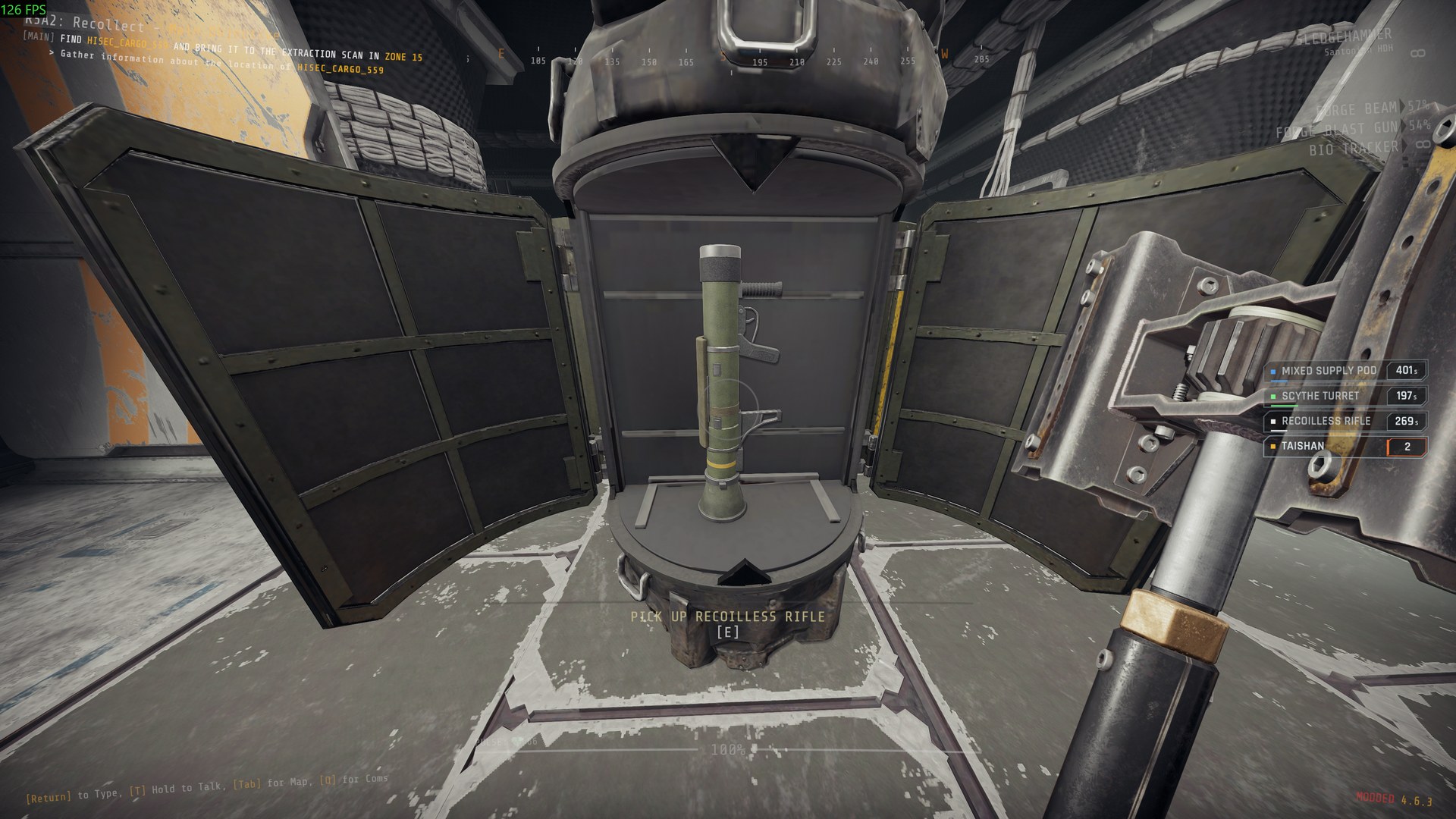
- While a special weapon is in your hands, press the special weapon key (slot 3, as you have bound it) again to swap between your own special weapon and the heavy weapon. Both keep their magazine and reserve. It does not swap during a reload.
- When the heavy weapon runs out of ammunition it is gone, and your own special weapon comes back for good.
- Ammunition packs never refill a heavy weapon. They refill your own special weapon, even while the heavy weapon is in your hands.
- G, going down, or the end of the level also end the loan; you are left with your own special weapon and its ammunition. Reloading a checkpoint does the same.
- Climbing into an exosuit puts the heavy weapon away with its magazine and reserve. While you pilot, the special weapon key swaps between the suit's gun and your own special weapon, and no heavy weapon can be taken from a pod. When you climb out, by any way, the heavy weapon is back as it was: in your hands if you held it when you climbed in, otherwise still waiting. Reloading a checkpoint while piloting ends the loan as above.
| Call-in | Code | Cooldown | Weapon |
|---|---|---|---|
| Heavy Machine Gun | ↓ ← ↓ ↑ → | 300 s | Machine gun |
| Anti-Materiel Rifle | ↓ ← → ↑ ↓ | 300 s | Heavy rifle |
| Grenade Launcher | ↓ ← ↑ ← ↓ | 300 s | Grenade launcher |
| Recoilless Rifle | ↓ → ↑ ↓ | 300 s | Single-shot rocket launcher; its blast ignores armour and fades to half at the edge |
| Tracking Rifle | ↓ → ↑ ← | 300 s | Automatic rifle whose tracers bend toward enemies near your crosshair |
Exosuits
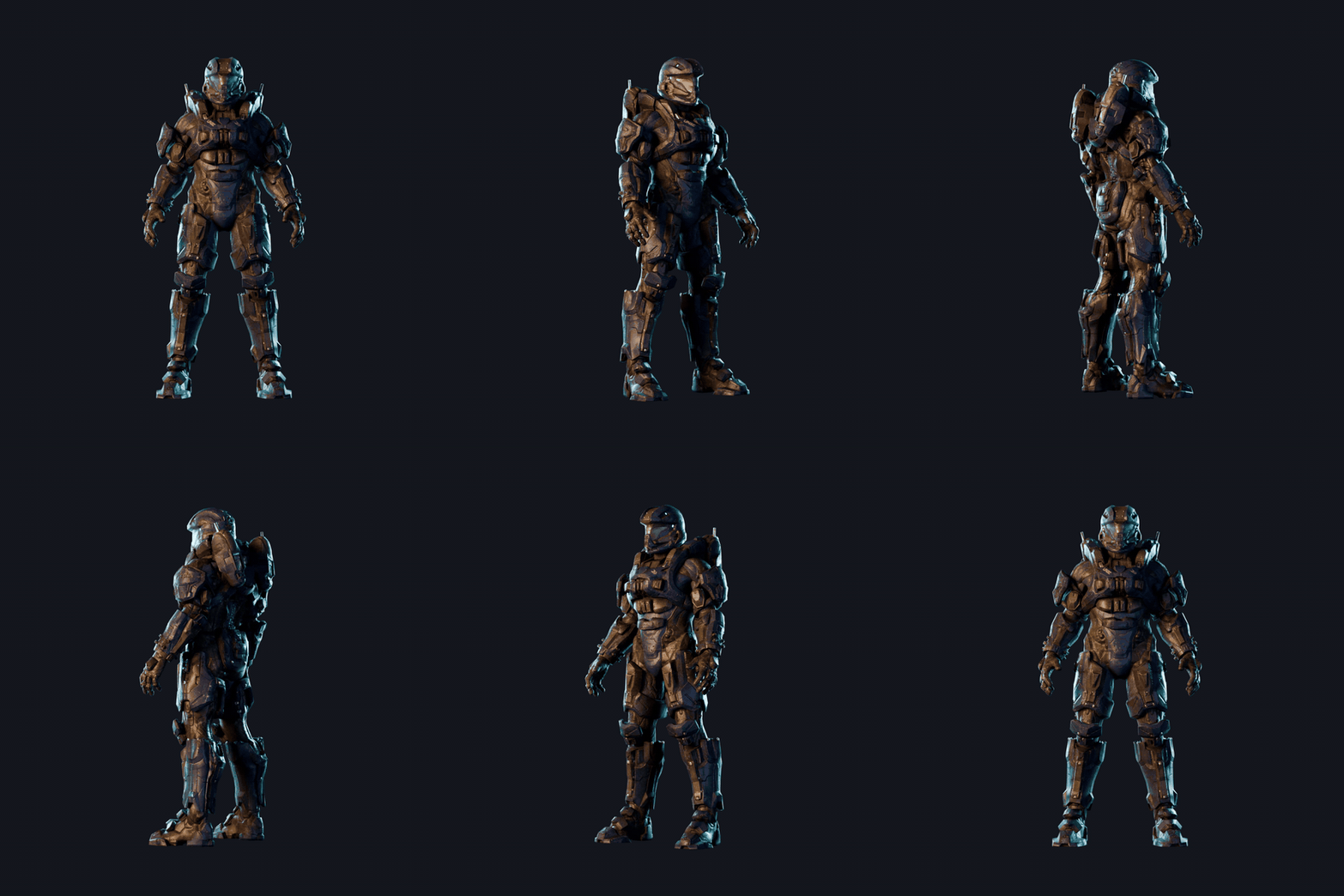
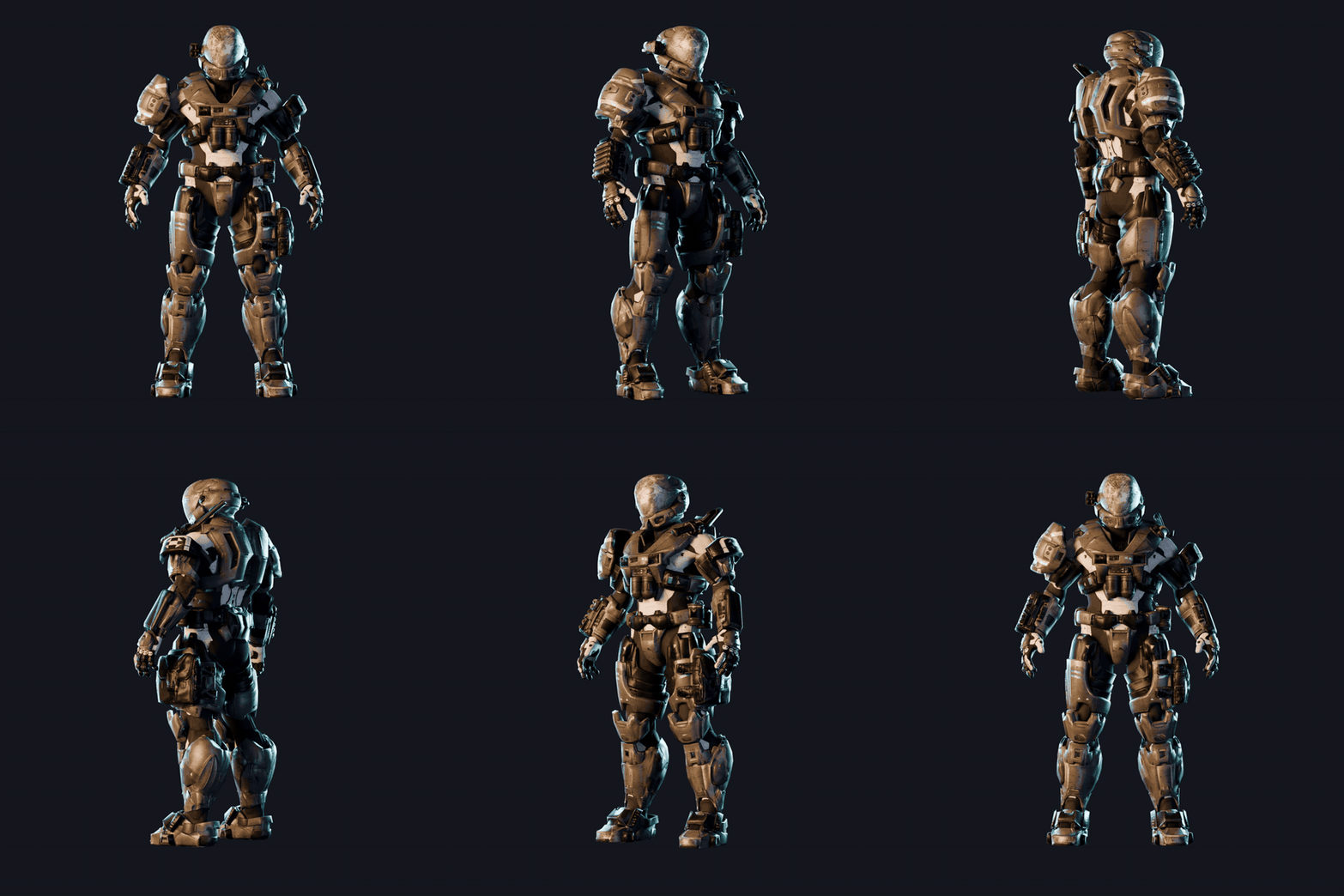
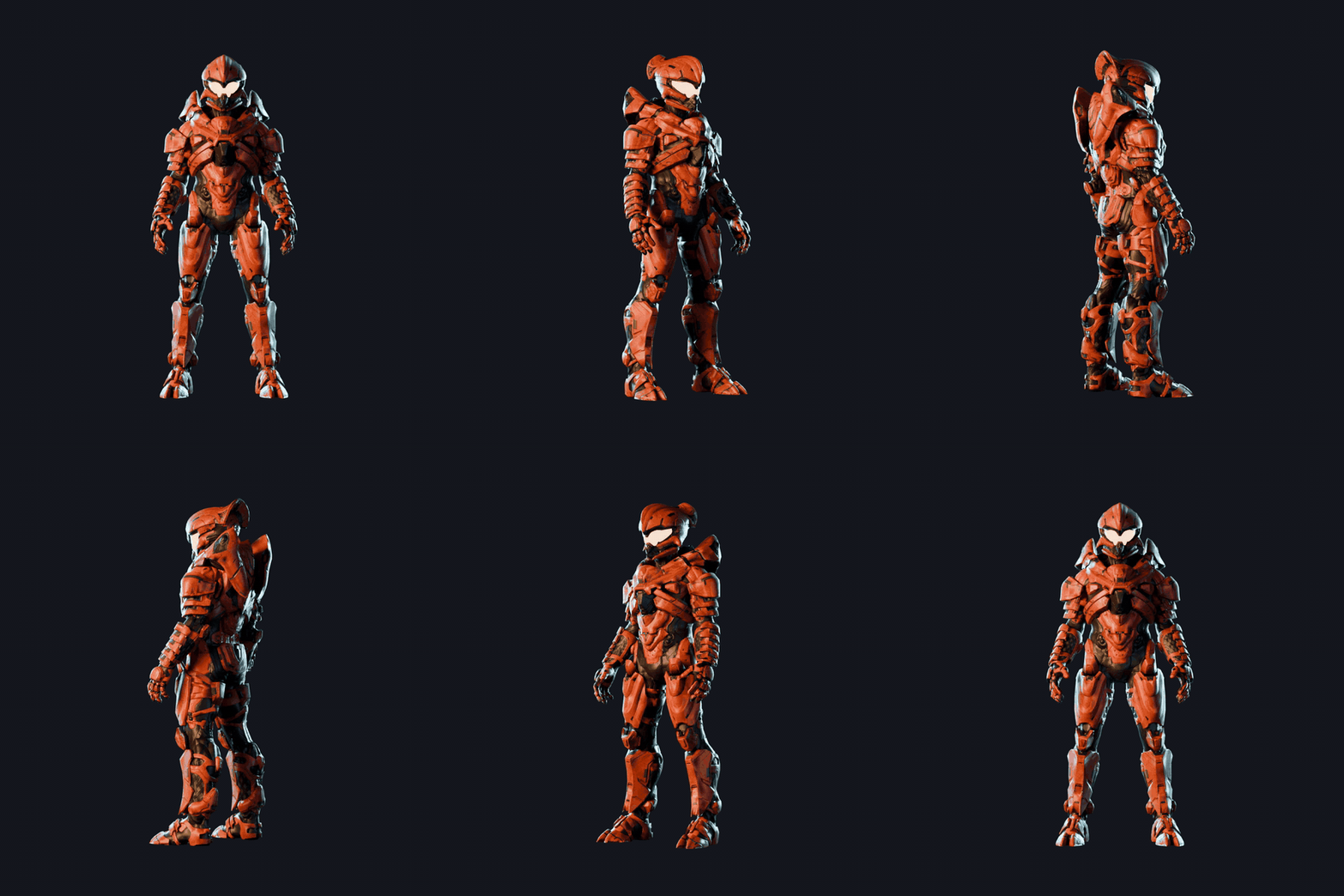
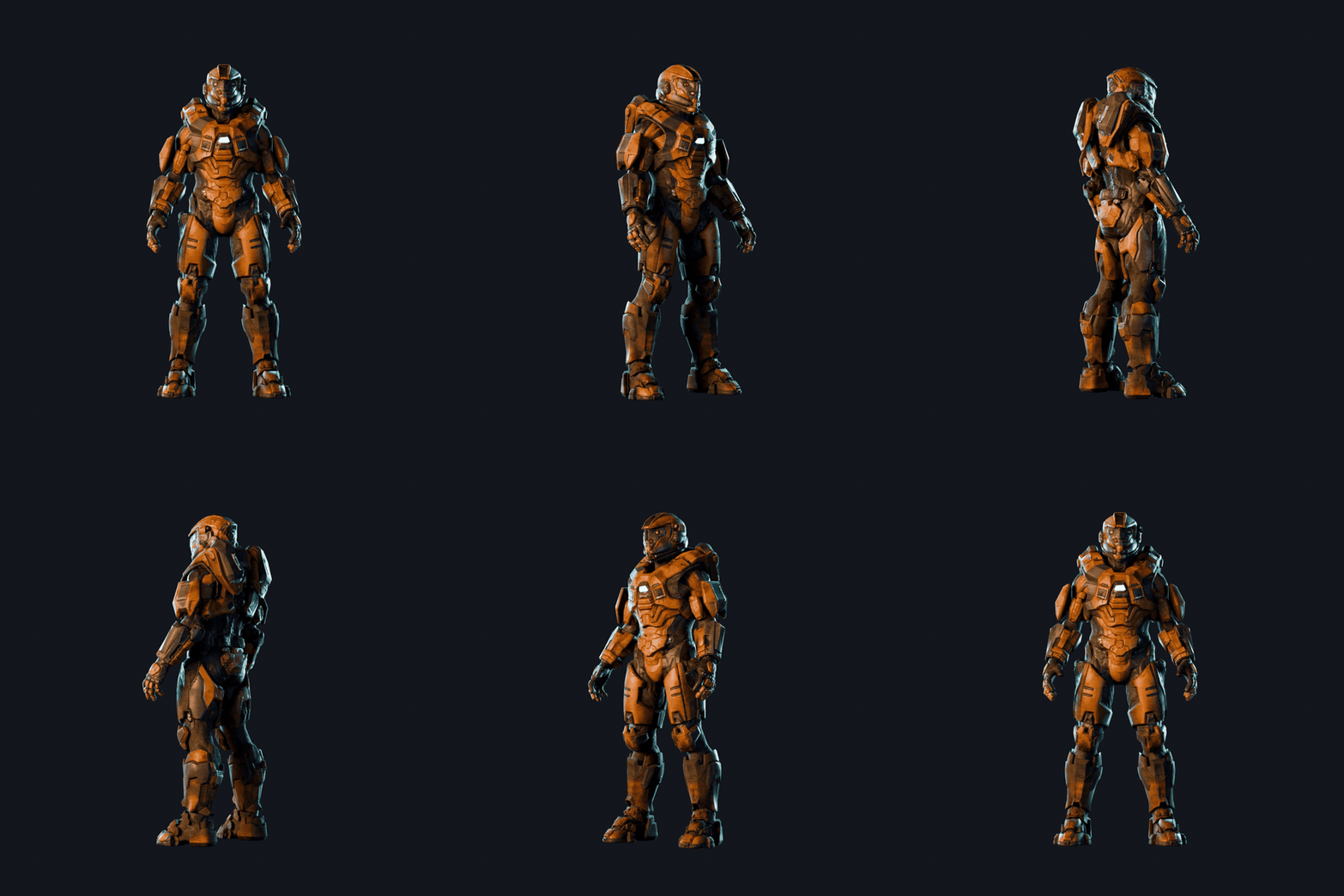
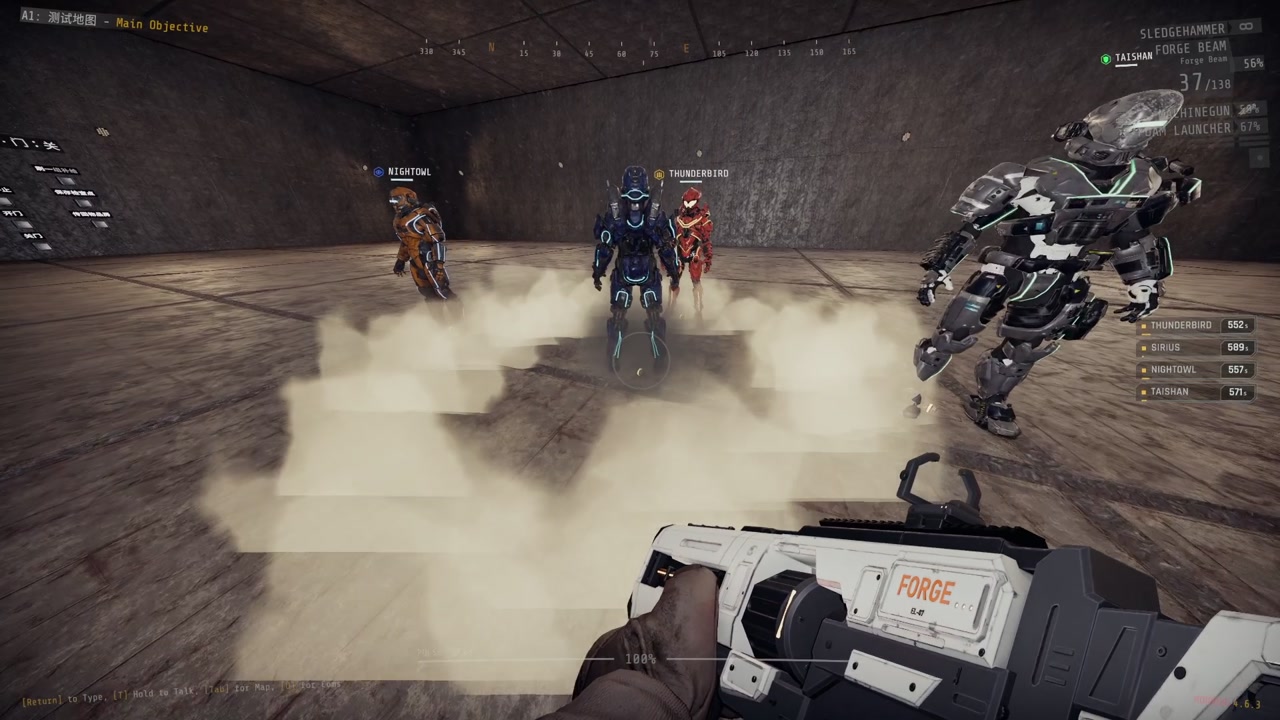
Four powered exosuits. Call one in, it drops through the ceiling, you climb in from behind and fight in heavy armor.
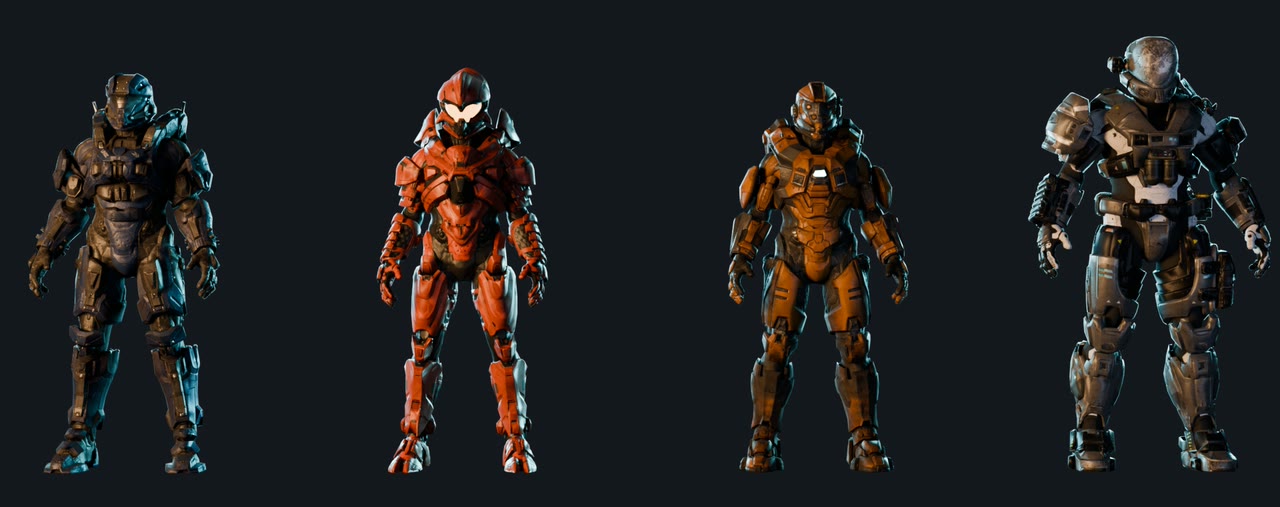
Each suit has a cooldown of 480 s (Nightowl), 540 s (Sirius) or 660 s (Thunderbird, Taishan), 2 uses per level and arrives 8 seconds after the beacon lands. All four codes start with ← ↓ → ↑ ← ↓ and end with one more arrow.
| Suit | Last arrow | Role | Special |
|---|---|---|---|
| Sirius (assault) | ↓ | Balanced, heavy machine gun | V: a short charge that breaks weak doors and shoves enemies aside (standing still, it charges where you look) |
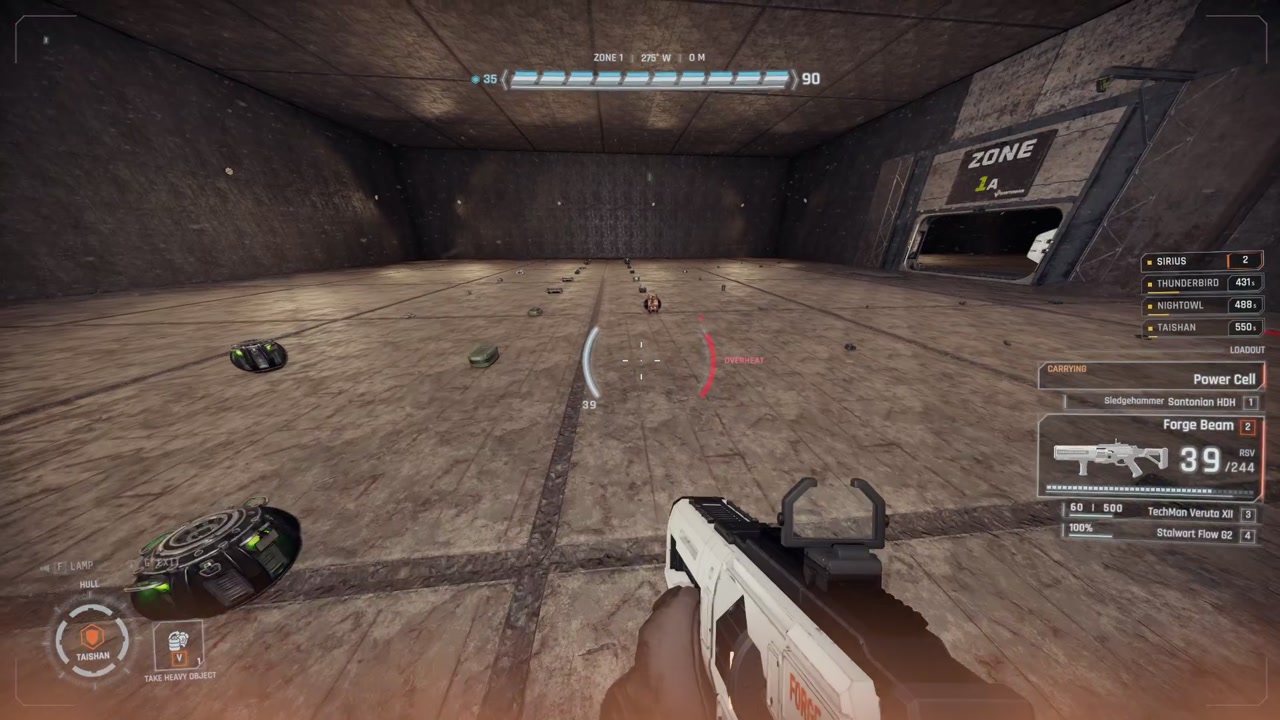
| Taishan (tank) | ↑ | Heaviest armor and slowest, heavy machine gun | Energy barrier that stops enemy attacks from outside (no dome around the suit, only a short flash when it stops a hit or breaks; its bar sits on top of the armor bar). It breaks when emptied and returns after a pause. V: stow a heavy object on the suit's back and take it again |
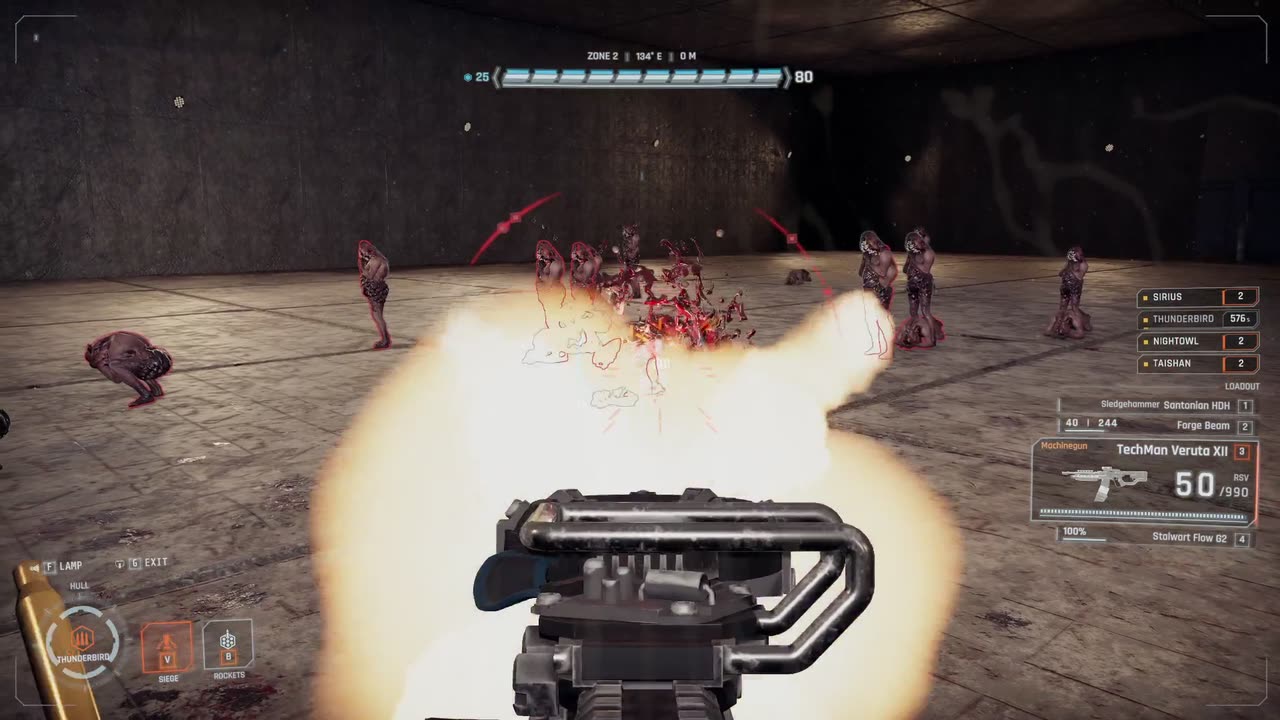
| Thunderbird (firepower) | ← | Hardest-hitting heavy machine gun | V: plant the suit for 1.2 s with movement locked, then the suit's gun hits harder and fires faster, every gun you hold reloads faster, and you take less damage. V again cancels or packs up. B: four shoulder rockets at the point you look at, then 20 s to reload (refused when the point is close enough for the blast to reach you) |
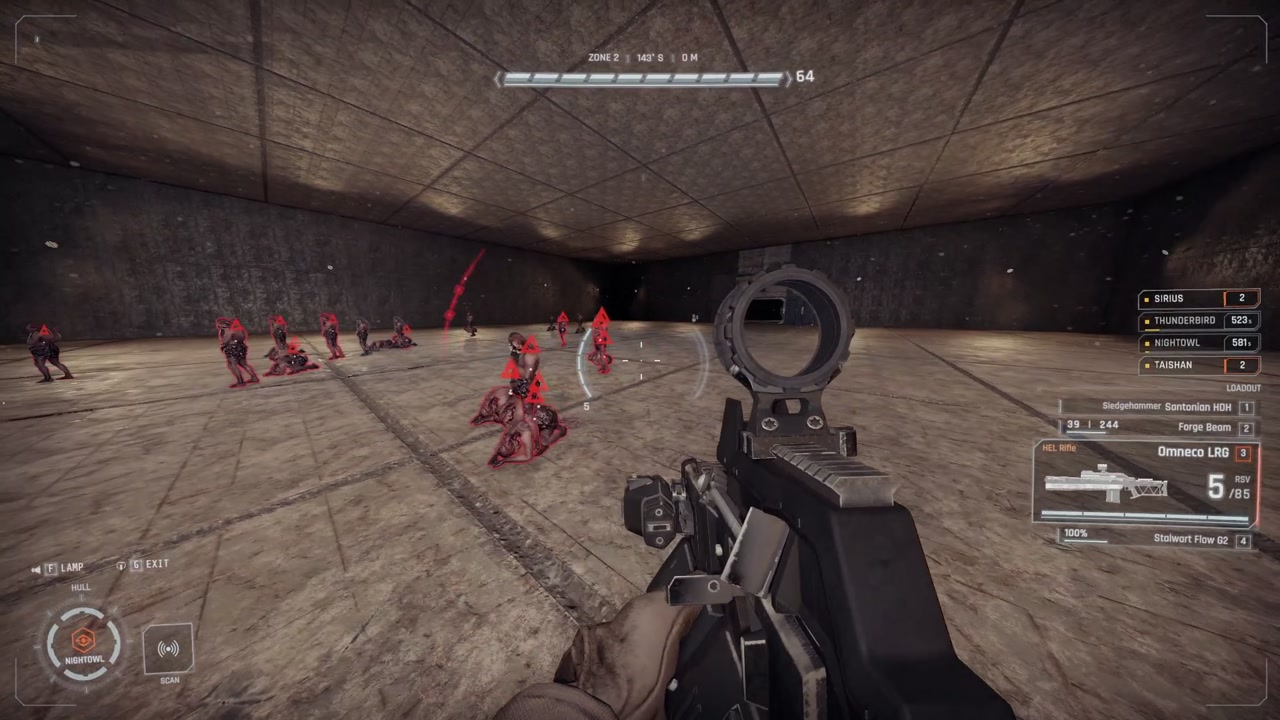
| Nightowl (scout) | → | Light, fast, longest sprint, anti-materiel rifle | Every 5 seconds it marks every awake enemy within 30 m, like the bio tracker |
 |
 |
|---|---|
 |
 |
Using a suit
 |
 |
| Landing | Climbing in |
 |
 |
| Power-up | Cockpit |
 |
 |
| Sirius charge | Nightowl scan |
 |
 |
| Thunderbird | Taishan carrying a cell |
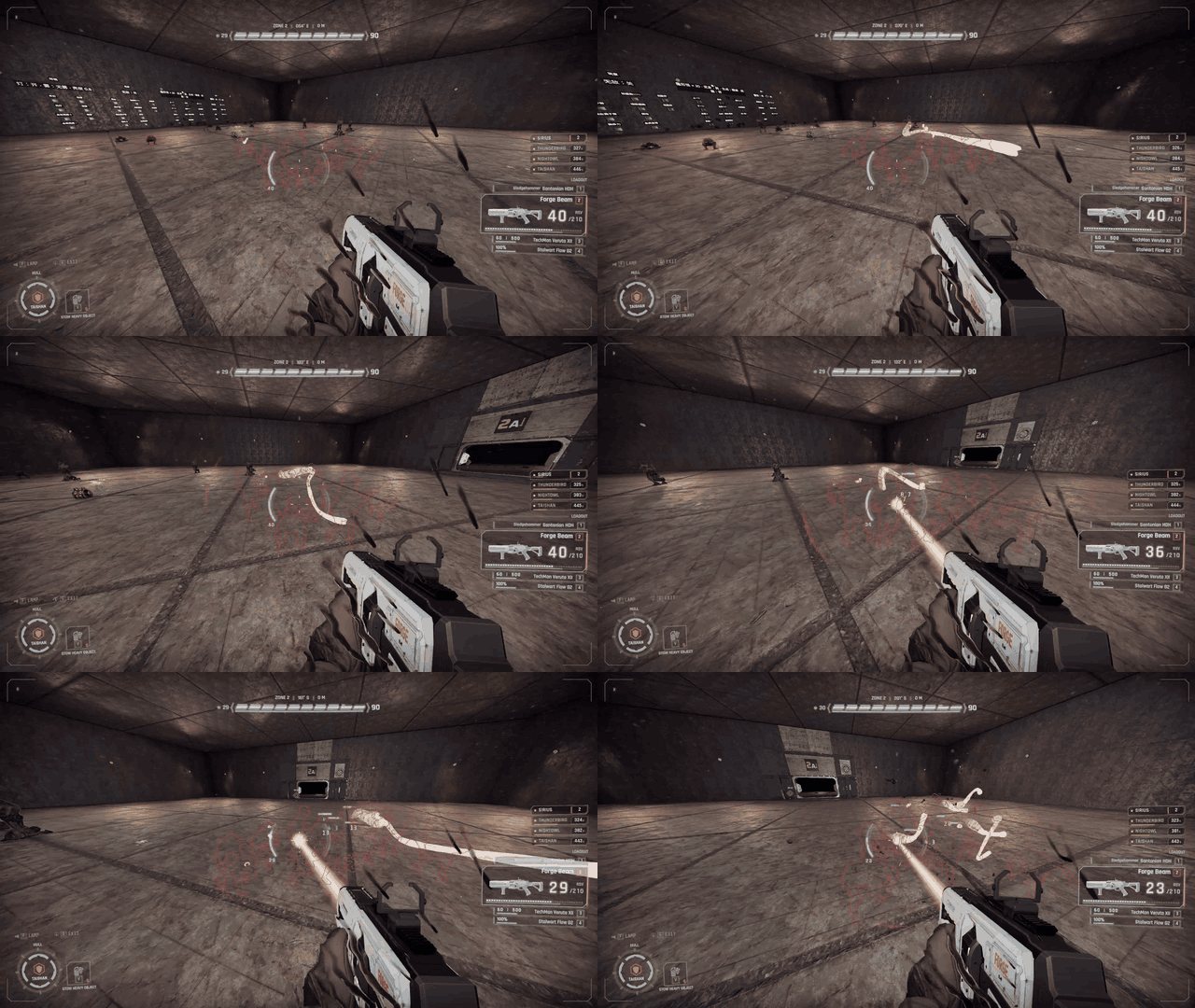
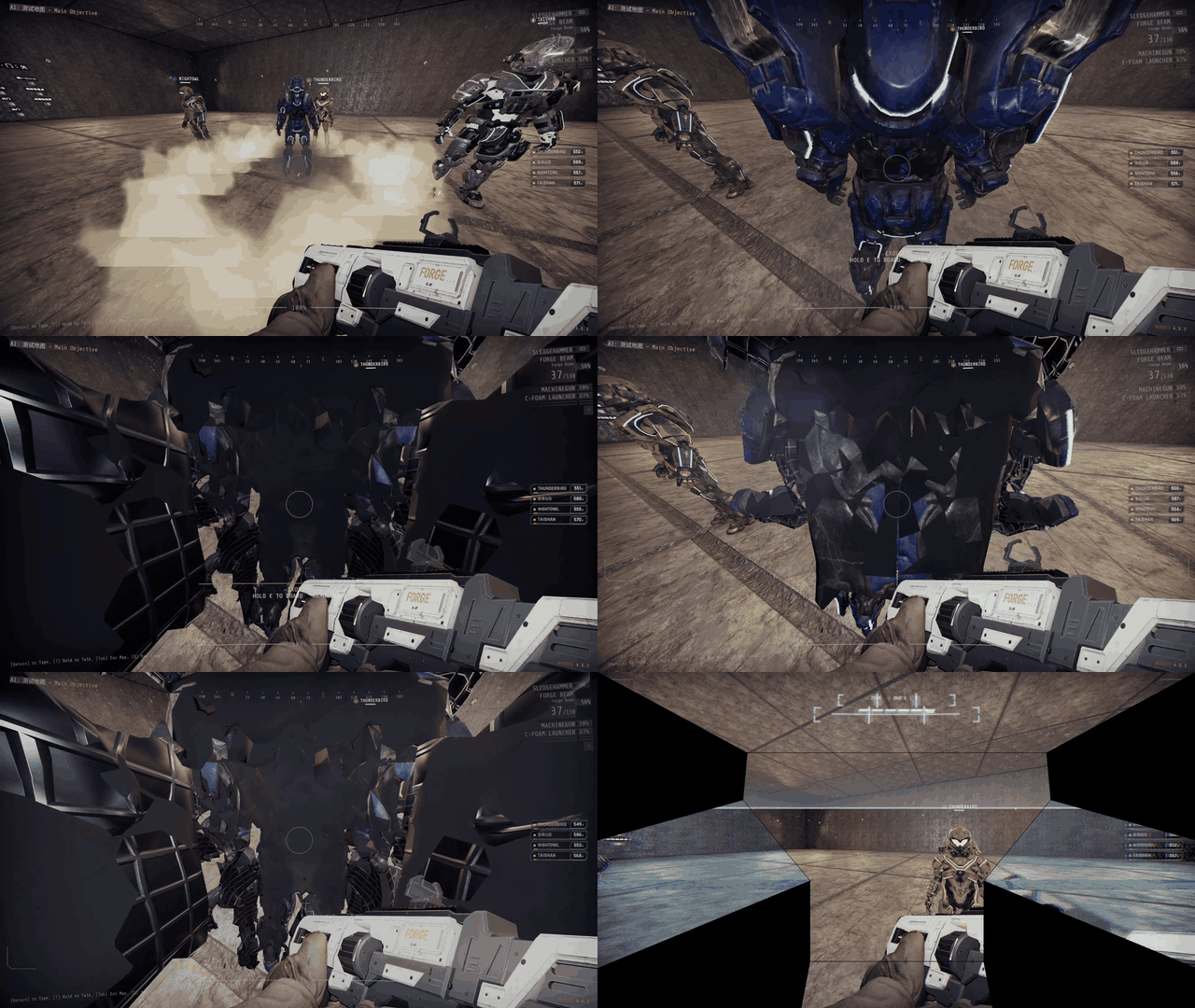
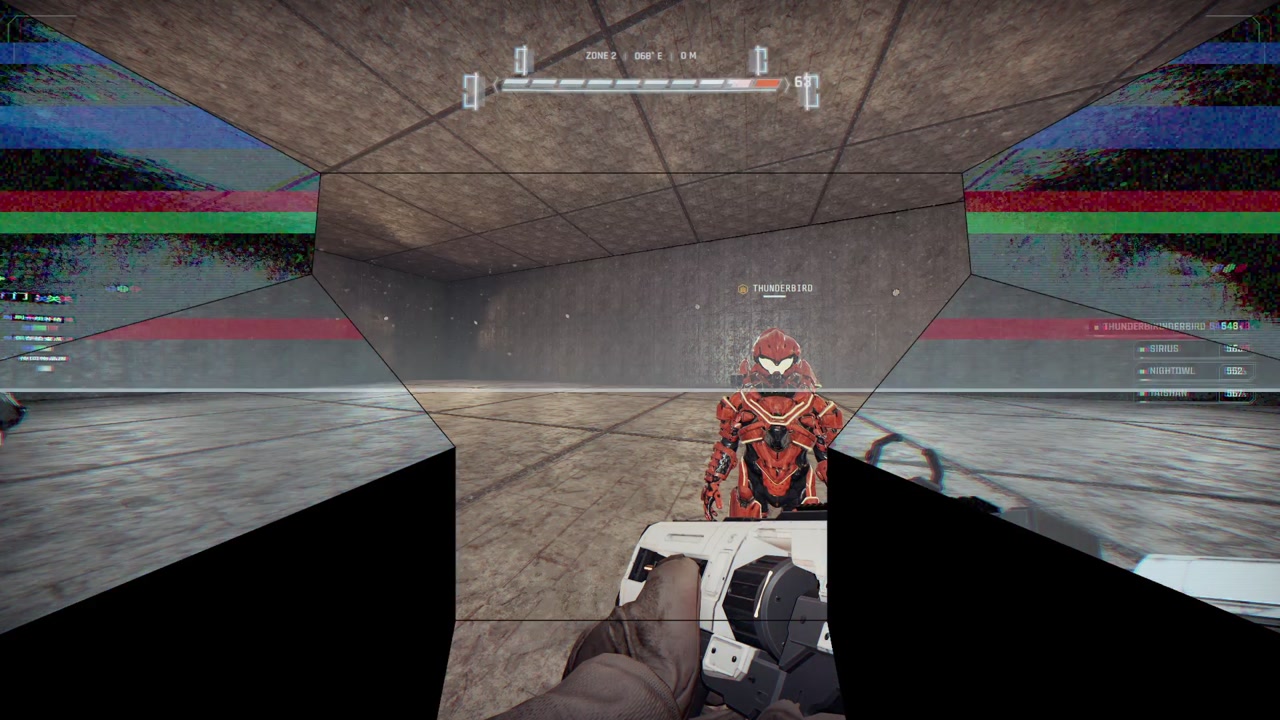
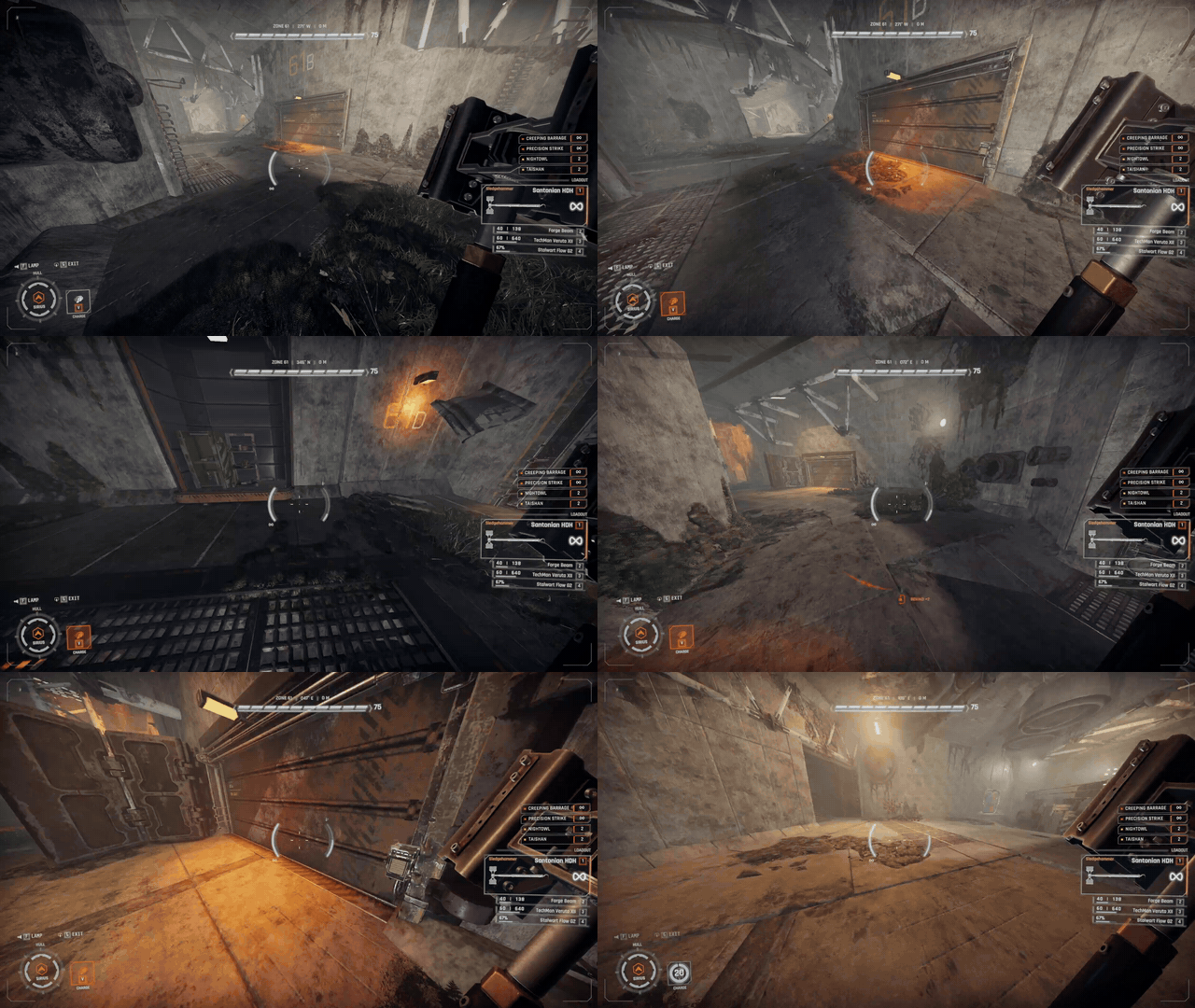
- Walk up behind an empty suit and hold the Use key to climb in. Climbing in plays a short animation, then the screen powers up. You can move once the last block of the power-up starts to come on; the rest plays on while you walk.
- Everything you normally do still works: jump, crouch, sprint, use, ping, map, chat, reload, switching weapons, tools, ladders and heavy objects.
- The suit's gun takes your special weapon slot, under the game gun's own name. It hits harder than the same gun in your hands. Press your special weapon key again while holding it to switch between the suit's gun and your own special weapon; each keeps its magazine and reserve. Its ammo is limited and nothing refills it: once it runs dry your own special weapon comes back and the suit's gun cannot be picked again. When you climb out your own special weapon comes back and the suit keeps the rounds left in its gun.
- Climbing in with a heavy weapon from a drop pod puts it away with its ammunition; the switch is always between the suit's gun and your own special weapon. While you pilot, no heavy weapon can be taken from a pod. When you climb out, the heavy weapon comes back as it was (a checkpoint reload ends the heavy weapon's loan instead).
- The suit steadies every gun you hold: less recoil and reloads in three quarters of the time. Your own guns keep their damage, fire rate and magazine.
- Ammo packs and boxes refill only your own gear: primary, tool and your own special weapon, even while the suit's gun stands in for it. A medical pack heals you as usual; it never repairs the suit.
- Every suit walks, sprints and jumps further than you do on foot. Shift sprints until the suit overheats and has to cool down. Nightowl is the fastest, then Sirius, Thunderbird and Taishan. Suits have no stamina.
- Every hit lands on the suit's armor, not on you, and the armor stops part of each hit. Armor never regenerates and nothing repairs it. At zero the suit is wrecked and you are thrown out. If you go down for any other reason, you are forced out.
- Your flashlight key switches on the suit's lamp, which is brighter and wider than a flashlight.
- Hold G to climb out. The suit stays where it stood, with its remaining armor and ammo, and anyone can climb in. The screen stays black until you have landed outside and the camera is back at your own eyes, so you never see the inside of the suit.
- Suits are loud. The landing and every step wake sleeping enemies nearby.
- You can still call things in while wearing a suit.
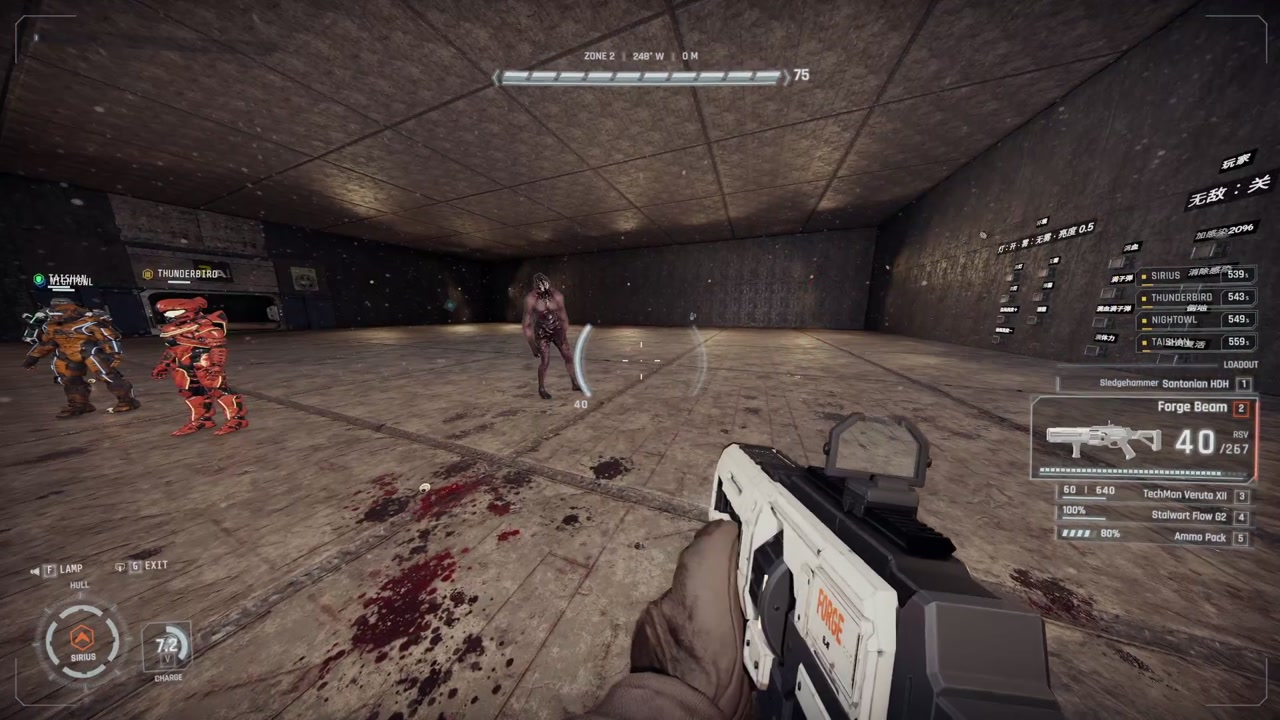
Inside a suit the normal HUD makes way for the suit's cockpit: armor, barrier and your health at the top with a damage silhouette, magazine and heat beside the crosshair, objectives at the top left, the interaction prompt where the game puts its own, subtitles under the crosshair, the gun at the bottom right, skills, lamp, exit and teammates at the bottom left, and chat at the bottom right. Nearby enemies show as a faint bearing ring and an outline; an enemy you hit gets a thin health bar with a small damage number, and a kill a short mark; hits glow at the screen edge they came from. Everything comes back when you climb out.
Settings
Keys are changed in the game's settings, Controls. Your own movement keys always enter codes too.
| Key | Group in Controls | Default | Meaning |
|---|---|---|---|
| Call-in | Forge Ordnance | Rear mouse button (Mouse3) |
Hold to enter a code. |
| Code up, down, left, right | Forge Ordnance | Arrow keys | The steps of a code. |
| Return weapon | Forge Arsenal | G | Gives up a borrowed heavy weapon at once, also while it is put away. |
| Exit frame | Forge Frames | G | Hold for 0.8 seconds to climb out of a suit. |
| Special skill | Forge Frames | V | Sirius charge, Thunderbird siege mode and Taishan heavy-object stow. The Taishan barrier and Nightowl scan are passive. |
| Rocket salvo | Forge Frames | B | Thunderbird rockets. |
| Setting | Where | Default |
|---|---|---|
| Language of every text | NAinfini.ForgeCore.cfg: Language Language (Auto follows the game; en, zh) |
Auto |
| Move the lobby button | NAinfini.ForgeCore.cfg: Lobby ButtonOffsetX / ButtonOffsetY |
0 |
| Sound volume | NAinfini.ForgeCore.cfg |
1 |
| Camera shake from drop pods, strikes and exosuit landings (0 off, 1 full) | NAinfini.ForgeCore.cfg, section Camera: ShakeStrength |
1 |
Light flashes from strikes and from a destroyed suit follow ForgeCore's Effects / FlashLights setting in NAinfini.ForgeCore.cfg. A burning wreck's light and the planted siege lamp always stay on.
Multiplayer
Everyone in the lobby needs the same Forge Ordnance version and the same call-in files. A player whose files differ is told in chat and cannot call anything until they match. The others are not affected. Players without the mod can play along but cannot call. The host decides every call, every hit, boarding and suit ability. Other players see the suit instead of you.
Installation
Install with r2modman or the Thunderstore Mod Manager. It also installs BepInExPack_GTFO, GTFO_API, MTFO and ForgeCore. MTFO marks the game as modded, which turns off achievements and public matchmaking.
For rundown and mod makers
Writing your own call-ins, placing drop pods, turrets or suits from a rundown, changing the strikes or adding a suit is in the developer guide.
License
Code: MIT. Models, effects and sounds keep their own licenses and credits, listed in the NOTICE and LICENSE.forge files shipped in the package and in fx-licences.forge (the Asset Store packs the effect bundles are rebuilt from): effect textures are CC0 or free Unity Asset Store packs (commercial use allowed), sounds come from the author's licensed Sonniss GameAudioGDC 2026 and Boom Library collections. The four suits are adapted from models players made and shared on Sketchfab, each credited by author in NOTICE. Three of the four suit models are CC BY-NC 4.0, so this mod is free and non-commercial.
CHANGELOG
Changelog
1.0.2
ForgeOrdnance_Arsenal and ForgeOrdnance_Frames are now part of this package and are no longer updated. Uninstall both before you install it; their own changelogs are at the end of this file.
- Needs ForgeCore 1.0.1.
- Multiplayer: this version cannot play together with earlier ones. Its messages changed, so the two refuse each other (a line in each log) and every player needs the same version.
- A claim on a delivery that the host turns down because of the player's state (already borrowing a heavy weapon, for example) no longer writes an error to the log; only a check that itself fails is reported, once.
- Less network traffic, the same effects: an exosuit's shot is 24 bytes instead of 37 and names no suit (the sender's own suit is meant); when a player joins, the rows and kept states whose times count from when they were written are rewritten for that player alone instead of being sent again to everyone.
- Add-ons: the bytes
IOrdnancePayload.RefreshStatereturns reach only the player who joined; the other peers keep the state they hold. - The grenade launcher's explosion ships in this package (
Vfx/HeavyBlast/) instead of with ForgeCore. - The carrier's, Arsenal's and the exosuits' effects are one bundle (
Vfx/forge-ordnance-fx.bundle) instead of three, each texture in it once: a smaller download, the same effects. - Heavy weapon supply points: a heavy weapon placed by a level with
SupplyorRestockin itsOverrideshands out one weapon after another (Supply, 0 for no limit;Restockseconds between them;Countlying at once). See DEVELOPERS.md. - A rundown package's own
ForgeOrdnance/Settings.forgeis read for its levels, so a rundown exported from the Forge website can carry Ordnance rules. - A heavy weapon placed with
"Arrival": "Direct"now shows its model on the ground for every player (before, only a player who joined later saw it), facing the drop'sYaw. - The suits saved at a checkpoint now travel in the same checkpoint copy as the call-in uses and cooldowns; every player needs the same version.
- Models, textures and effects are loaded when a level is built, only for the call-ins that level offers, instead of all at game start.
- The ORDNANCE lobby button is half as wide and sits on one row with the SKINS button.
- Numbers in call-in descriptions are filled in from each call-in's own settings.
- Enemy projectiles hit the local pilot's exosuit shell.
- A borrowed heavy weapon shows its own name.
- Interface:
OrdnanceApi.WorldEpochis removed; there is no replacement. Recompile add-ons that read it.
1.0.1
Changes since the first upload. Version 1.0.1 because it is released early; it still needs ForgeCore, ForgeUI, ForgeAudio and ForgeVisual 1.0.0.
- Turrets and devices now arrive by burrowing: the base drills in, the top half rises out of the opening, then the host spawns the sentry. New public
BurrowSpec,OrdnanceShellAppearancewithIOrdnancePayload.GetShellAppearance(default returns null),OrdnanceDelivery.ShellRiseDelay/ShellReadyDelay,OrdnanceShell.Head/HeadRise, andTurretLookSpec.Burrow. - A turret that runs out of ammunition is recalled at once instead of sagging.
- Strikes show their real radius on the ground and warn players standing inside it. Walls now block gas, fire and stasis by line of sight.
- Hunter strikes that find no target search for 5 seconds, tell the caller and refund the use (
OrdnanceApi.RefundCall,PostNotice). - Supply pods can hold two heavy weapons per pod and leave once everything is taken.
- Host change: a sentry now keeps its strength and timer, and its shell and look stay bound to it; the new host takes running sentries over, and a pod still holding something to claim opens again. A checkpoint reload clears sentry state.
- A call-in's starting use count now travels with its slot, so a refund after a host change cannot exceed it. The slot record is 32 bytes; every player needs the same version.
- A saved loadout with an Id this install does not load is kept in the file and counts as empty, with no error line.
- The host's incoming call beams, warnings and strikes now show to every player in the level, even before that player's own call-in checks finish.
- A level with a bad number in its call-in settings now says which value is wrong instead of quietly using the default.
Interface changes
OrdnanceApi.DeclareLevelcopies theOverridesof each drop, so changing the dictionary afterwards no longer changes the level.OrdnanceDelivery.ShellContentsDelay(arrival)is removed. UseOrdnanceDelivery.ShellRiseDelay(arrival, burrow)for when the top half rises andShellReadyDelay(arrival, burrow)for when the turret may start.OrdnanceDelivery.AddClaimable(summonerLookup, throwId, position, openAfter, spec)andOrdnanceDelivery.HostOpenClaim(summonerLookup, throwId)gained a trailingint bay = 0parameter. Recompile; callers that pass the old arguments keep working at source level.IOrdnancePayloadgainedGetShellAppearance(definition)with a default body; implementers need no change.IOrdnancePayloadgainedRefreshState(summonerLookup, throwId, tag, data)with a default body (the kept bytes unchanged); implementers need no change.OrdnanceApi.WorldEpochis new.
1.0.0
First release.
- Call-ins by code: hold the call key, enter a code with your movement keys or the arrow keys, throw the beacon, and the call-in arrives where it lands.
- Loadouts are picked in the lobby with an ORDNANCE button under APPAREL and saved on your computer. The level can set the number of slots and limit which call-ins are offered.
- Every lobby player bar shows the call-ins that player picked (frames, Arsenal weapons, strikes, supplies, turrets), updated as they change their picks. Call-in details in the picker can show rating bars (
Stats). - A call-in list at the right edge of the screen shows your call-ins with uses left or cooldown, and opens to every code while you hold the call key. The beacon never shows up in your weapon list.
- The summoning beacon is a throwable item. Other players see it fly, and you get your own consumable and weapon back afterwards.
- The host checks every call: loadout, uses, cooldown, throw range and standable ground. Each player has their own cooldowns and uses.
- Supplies arrive in a drop pod with opening doors. Turrets arrive in a shell that falls open around them. Both have their own effects and sounds.
- The beacon shows a beam and a countdown label. Arrival, landing and door effects use pooled particles and add no network traffic.
- Call-ins are
.forgefiles (JSON inside). Level rules are set per expedition inSettings.forge. - Two built-in call-in kinds:
Item(pickups) andGear(sentry turrets with tunable damage, fire rate, ammo, range and turning). - Other mods can add new call-in kinds, custom drop pods and their own art through the public extension API.
- Extension API: add-ons register payload types with
RegisterPayload(type, payload). The special weapon slot lease is ForgeCore'sGear.SpecialSlot, shared by every mod that lends a gun into the slot. Multiplayer compatibility is ForgeCore's automatic message format fingerprint. - Only faults are logged, and an exact repeat of a message is written once.
- Networking, the call key's input hold and logging go through ForgeCore (required, installed with it). Players with different call-in files or versions are refused on both sides and told in chat.
- Pods, strikes and exosuit landings shake the camera through ForgeVisual (its one setting
Camera / ShakeStrength, 0 to 1). - Add-on interfaces: claiming from a pod, the shared camera shake and container-free drops, turret look registration with turret events, pod bay fitting, and registering categories.
- Late joiners see beacons, pods and turrets already in the level. Checkpoint reloads and host changes are handled.
- Every text is in English and Chinese and follows ForgeUI's
Languagesetting, which by default follows the game. Call-in packs can translate their names and descriptions with alang/folder. - The call key (rear mouse button by default) and the code keys (arrow keys) are changed in the game's settings, Controls; your movement keys also enter codes.
- Requires MTFO, ForgeUI, ForgeAudio and ForgeVisual, which r2modman installs with it.
ForgeOrdnance_Arsenal (before it became part of this package)
1.0.1
Changes since the first upload. Version 1.0.1 because it is released early; it needs ForgeOrdnance 1.0.1.
- Strikes are rebuilt with a drop warning and fast fall; the hunter strike locks the largest enemy with a laser, and gas and fire only count half for teammates.
- Turrets and devices arrive by burrowing (see ForgeOrdnance 1.0.1), and a spent turret is recalled at once.
- Heavy weapons: grenades can deal true damage with an edge share, and the heavy weapons take a homing spec and a recoil scale. New: Recoilless Rifle and Tracking Rifle (five heavy weapons in all).
- New strike: Strafing Run (ten in all), and supplies grew to eight pods (adding syringe, mine and utility).
- New standing devices (the
arsenal.Deployablekind): Foam Sprayer, Mine Layer, Scanner Tower and Floodlight Tower. - Fixes: a late joiner or a new host now sees the mines still lying with the right definition; a pod's heavy weapons are racked for the right count; the heavy weapon caches no longer mix up two weapons that share a model; a recoilless rocket is drawn as a rocket on every peer; a Strafing Run hits each enemy once per pass.
- The grenade launcher's blast is now the shared heavy explosion from ForgeVisual, the same one the Blast Gun uses.
- Heavy weapons hold better: the left hand follows the game's own grip and is pulled back along the gun when it is out of reach.
Interface changes
ClusterScatteris removed. Cluster bomblet offsets are now computed inside the strike code and are not public; there is no replacement.HeavyWeaponSpec.Restore(model, gearId, ammoRatio, grenade, tuning)gainedHomingSpec? homing = null, float recoilScale = 1f. Recompile callers.GrenadeSpec(Damage, Radius, Speed)gainedTrueDamage = falseandEdgeShare = 0.5f. Recompile callers.ShellLookgainedPrecision,HunterandIncendiary; code that switches over it must handle them.- Some strike timing constants (
FallSeconds,IgniteDelay,BeamChargeSeconds) are removed; read the values from the strike definitions instead. - The rack record (
RackBytes, now 108) carries the pod's weapon count, the mine record carries its definition's hash, and the grenade burst record (41 bytes) says whether the round was a rocket. Every player needs the same version.
1.0.0
First release.
- Five supply pods: mixed, ammo, medical, tool and consumables.
- Three sentry turrets: Watch (burst), Bulwark (sniper) and Scythe (shotgun), with their own models and sounds. They are stronger than the game's sentries and sink back underground when out of ammunition or after 180 seconds.
- Nine strikes: precision, area barrage, creeping barrage, cluster, incendiary, gas, stasis, cutting beam and hunter shell.
- The cutting beam only chases enemies it can walk to and see, and follows the path around corners.
- Stasis slows enemies inside its field and gives them back their exact speed when they leave.
- Three heavy weapons that arrive in a drop pod: a machine gun, an anti-materiel rifle and a grenade launcher. They take the place of your special weapon; the special weapon key swaps between the two with both keeping their ammunition. A spent heavy weapon is gone, packs never refill it (they refill your own special weapon), and G, going down or a checkpoint reload leave you with your own special weapon.
- Grenades are launched and settled by the host, so every player sees the same blast.
- Every call-in has its own beacon colour, picture, effects and sounds.
- Every name, description and prompt is in English and Chinese, following ForgeUI's
Languagesetting. - The give-back key is in the game's settings, Controls.
- Requires Forge Ordnance, MTFO, ForgeUI, ForgeAudio and ForgeVisual, which r2modman installs with it.
ForgeOrdnance_Frames (before it became part of this package)
1.0.1
Changes since the first upload. Version 1.0.1 because it is released early; it needs ForgeOrdnance 1.0.1.
- A suit request or rocket salvo made before a checkpoint reload or in an earlier boarding is no longer carried out afterwards, and a plant request no longer toggles. A player who joins later gets the suit's cooldowns as they stand, not as they stood when last sent.
- Suit effects now come from the ForgeVisual effect slots (
frame.wreck.smoke,frame.charge.dustand the others) instead of an effects package built into Frames. - Leaving a suit no longer shows the inside of the suit: the screen stays black until you have landed and the camera is back at your own eyes.
- Hits on the suit's shell now count for the local pilot, even when they land outside the body.
- A suit placed in the level is ready before you reach it, so the first boarding no longer stutters.
Interface changes
- The built-in effects builder
FrameFxBuildandFrameFxPrevieware removed. Use the ForgeVisual effect slot table (FxSlots) to replace a suit effect. - The public thrust, jet and heat helper functions in
FrameFx(ArrivalThrust,JetSpeed,JetSize,JetLife,HeatLevel,HeatInterval,ExplosionFlash) and their constants are removed. Effects are driven by the slot table; there is no replacement.
1.0.0
First release.
- Four exosuits as Forge Ordnance call-ins: Sirius (assault), Taishan (tank), Thunderbird (firepower) and Nightowl (scout). Each drops through the ceiling and stands empty until someone boards it.
- An empty suit shows its badge, name and armor 20 cm over its helmet in its glow colour. A worn suit carries its pilot's own name tag there instead, the name in the suit's colour behind its badge.
- Board from behind by holding the Use key. Only the back opens, along the armor's own seams: the back plates lift, then the rear plate of each arm and leg slides out and swings open on its own hinge; feet, hands and helmet stay shut. You step in, and the screen powers up. Hold G to climb out.
- The suit's gun takes your special weapon slot under the game gun's own name and hits harder. Press the special weapon key again to switch between it and your own special weapon. Its ammo is limited and nothing refills it; your own special weapon comes back when it runs dry or you climb out.
- Every gun you hold in a suit kicks less and reloads faster; your own guns keep their damage. Ammo refills only your own gear; medical packs heal you, never the suit.
- Every hit lands on the suit's armor. Armor never regenerates. At zero the suit is wrecked and you are forced out.
- Every suit walks, sprints and jumps further than you do on foot. Shift sprints until the suit overheats. Suits have no stamina.
- In first person you see the suit's own arms and legs holding your weapon. Other players see the suit instead of you, its hands on your item's grips like a player's.
- Sirius: a charge that breaks weak doors and shoves enemies aside.
- Taishan: an energy barrier that stops enemy attacks from outside (it is not drawn in the world; its bar sits on top of the armor bar), and heavy objects stowed on its back with V.
- Thunderbird: siege mode with higher damage, faster fire and reload and a planted barrier, plus four rockets (B) from a launcher set into the right shoulder: they leave its four tubes in turn with a muzzle flash, and the empty tubes reload one by one.
- Nightowl: marks every enemy within 30 m every 5 seconds.
- Inside a suit the normal HUD makes way for a cockpit: barrier, armor and health bars with a damage silhouette at the top, magazine and heat arcs beside the crosshair, objectives at the top left, the interaction prompt where the game puts its own and subtitles under the crosshair, the gun and its reserve at the bottom right, skills and teammates at the bottom left, chat moved to the bottom right. Nearby enemies show as a faint bearing ring and an outline, enemies you hit get a thin health bar with damage numbers and a kill mark, a banner warns while the pilot is grabbed or stunned, hits glow at the screen edge on their side, and a faint visor reddens when the suit overheats and cracks as its armor runs low. Everything comes back as it was when you climb out.
- The suit powers up with you: the visor slides in, each screen panel lights as a plate locks shut, the cockpit reports in part by part and the suit greets you. Move or fire to skip it.
- Idle suits and suits other players wear show their model and armor above them. The boarding prompt shows the suit's armor, and an arrow points you round to its back.
- English and Chinese.
- A lamp on the suit that your flashlight key switches on. Suit landings and steps wake sleeping enemies.
- Climbing out leaves the suit standing with its armor and ammo. Late joiners see suits already in the level.
- The climb-out, special and rocket keys are in the game's settings, Controls.
- Requires Forge Ordnance, ForgeCore, ForgeUI, ForgeAudio and ForgeVisual, which r2modman installs with it.
- The opening and closing play from the model's own keyed open clip, parts moving along their own hinges in order. The sounds and the steam at the seam follow the moments the parts actually unlatch, turn and come to rest.
