

ForgeOrdnance
Call-in support for GTFO: hold a key, enter a directional code, throw a beacon and receive supplies or turrets. JSON-defined, extensible, host authoritative.
| Last updated | 2 days ago |
| Total downloads | 34 |
| Total rating | 0 |
| Categories | Rundown Mods |
| Dependency string | NAinfini-ForgeOrdnance-1.0.0 |
| Dependants | 2 other packages depend on this package |
This mod requires the following mods to function


BepInEx-BepInExPack_GTFO
BepInEx pack for GTFO. Preconfigured and includes Unity Base DLLs.
Preferred version: 3.2.4

NAinfini-ForgeCore
Public GTFO mod foundation: asset bundles, logging, settings, pools, networking, input leases, local saves and calls into the game's own systems.
Preferred version: 0.1.0
NAinfini-ForgeAudio
Public GTFO audio library: Ogg Vorbis cues, positioned and attached playback, voice budgets, occlusion and sounds every player hears.
Preferred version: 0.1.0
NAinfini-ForgeUI
Shared GTFO interface for mods: lobby buttons, pickers, menu pages, HUD elements and ready-made HUD templates, in the game's own style.
Preferred version: 0.1.0
NAinfini-ForgeVisual
Public GTFO world-visuals library: effects by name, particle pools, ground markers, glow materials and model loading.
Preferred version: 0.1.0README
Forge Ordnance
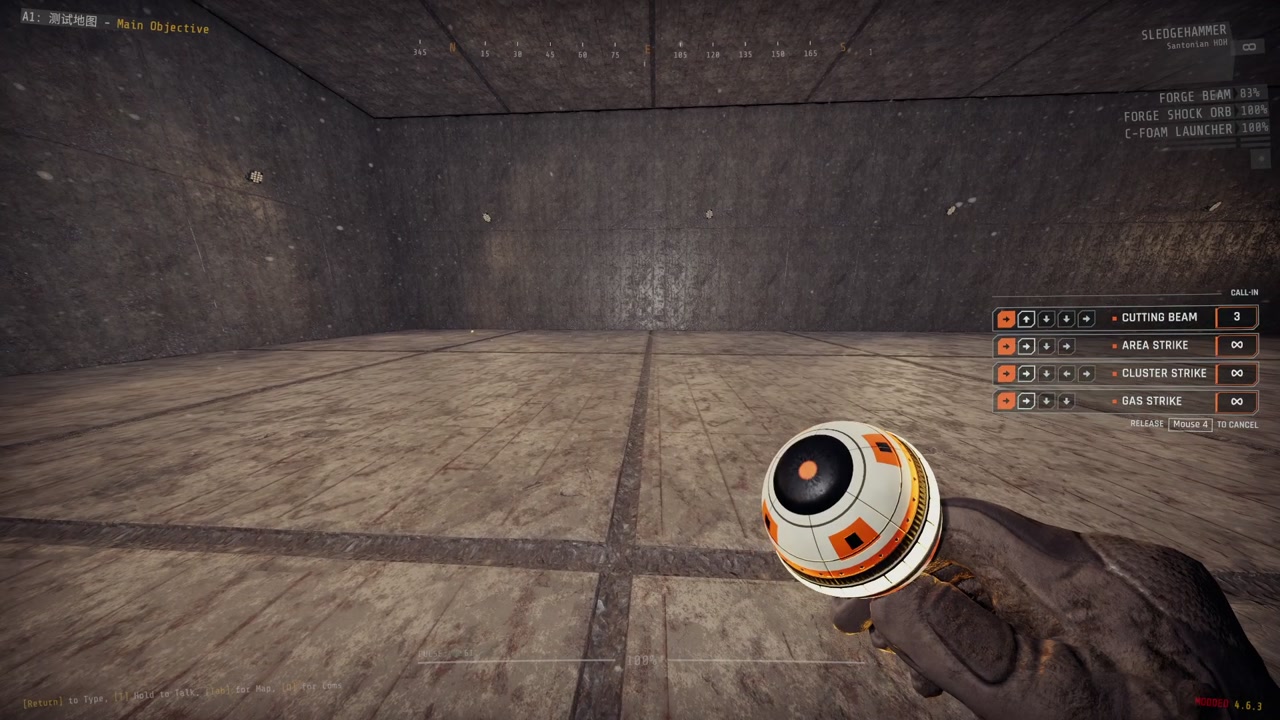
Call in supplies, turrets and strikes in GTFO. Hold a key, enter a code with the arrow keys, throw the beacon, and what you called arrives where it lands.
Report bugs on GitHub, or find me on the GTFO Modding Discord as nainfini.
Forge Ordnance is the framework and ships no call-ins of its own. Install a content mod such as Forge Ordnance Arsenal or Forge Ordnance Frames.
How to call something in
-
Pick your call-ins in the lobby. The ORDNANCE button under APPAREL shows how many slots you have filled, for example
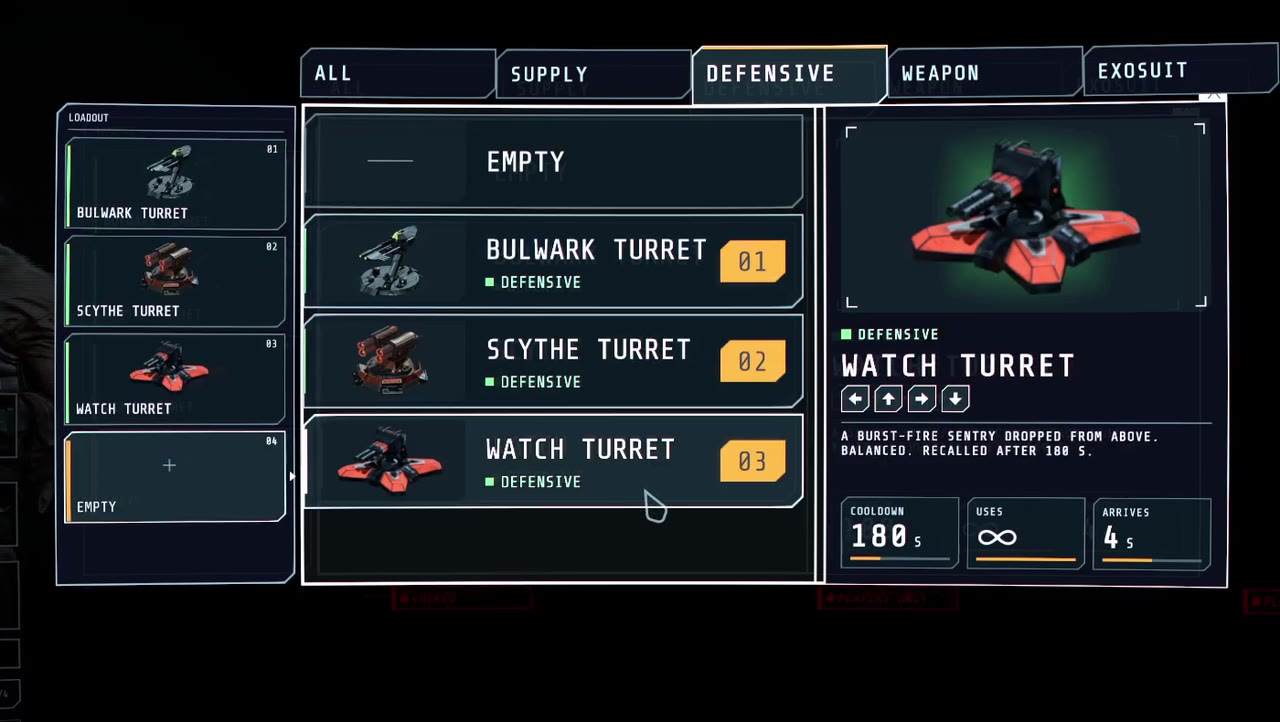
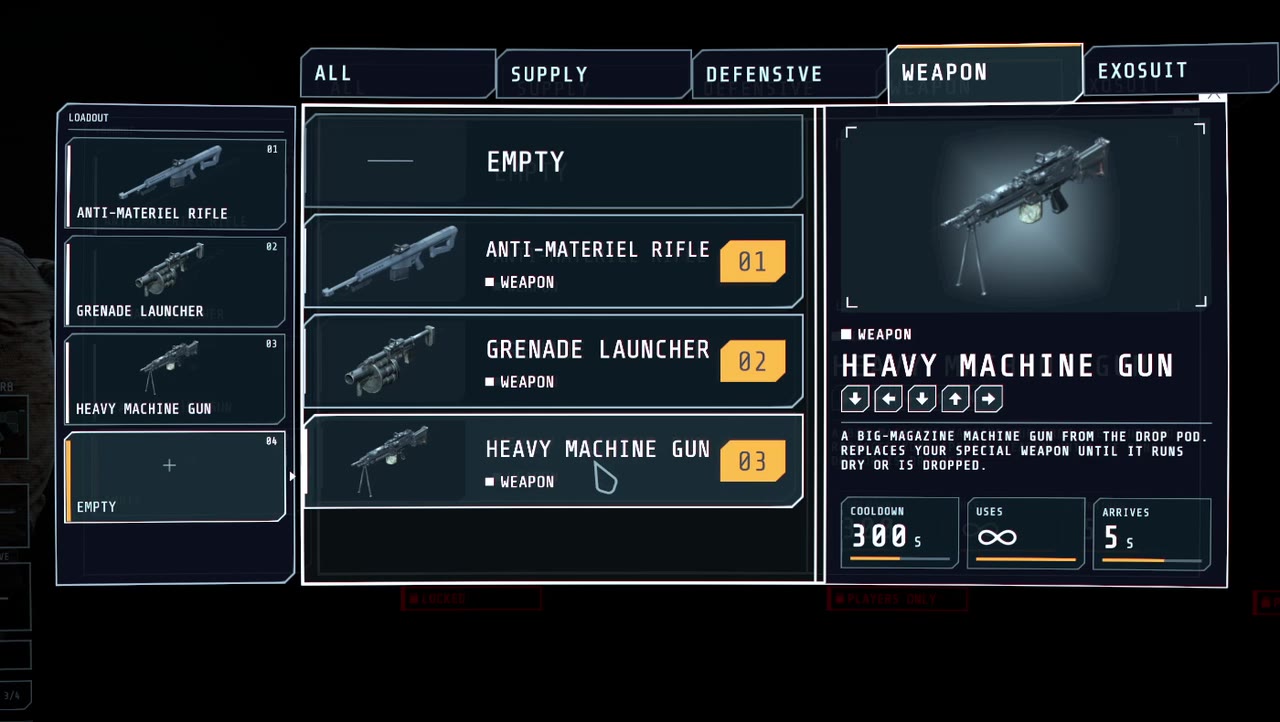
3/4. Click it, click a slot, then click a call-in. EMPTY clears the slot. Two call-ins whose codes start the same way cannot be picked together. Your picks are saved on your computer. The level decides how many slots you get (4 by default) and may limit the choice.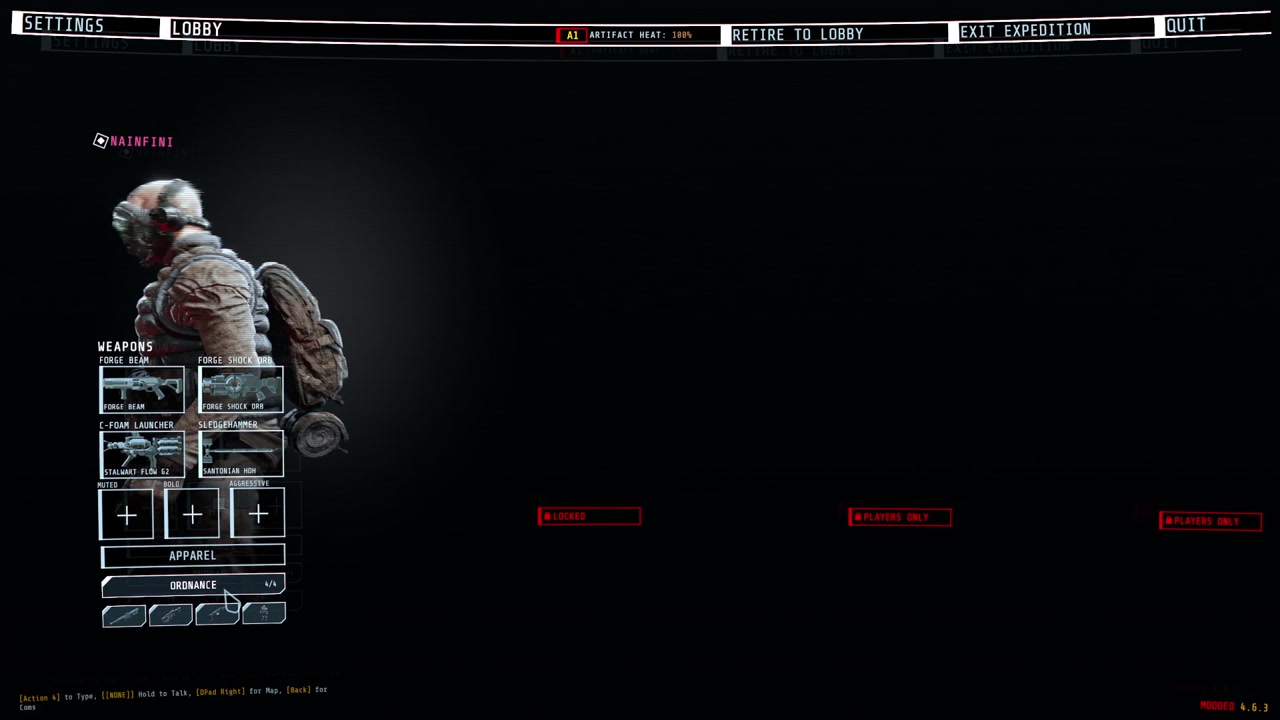
-
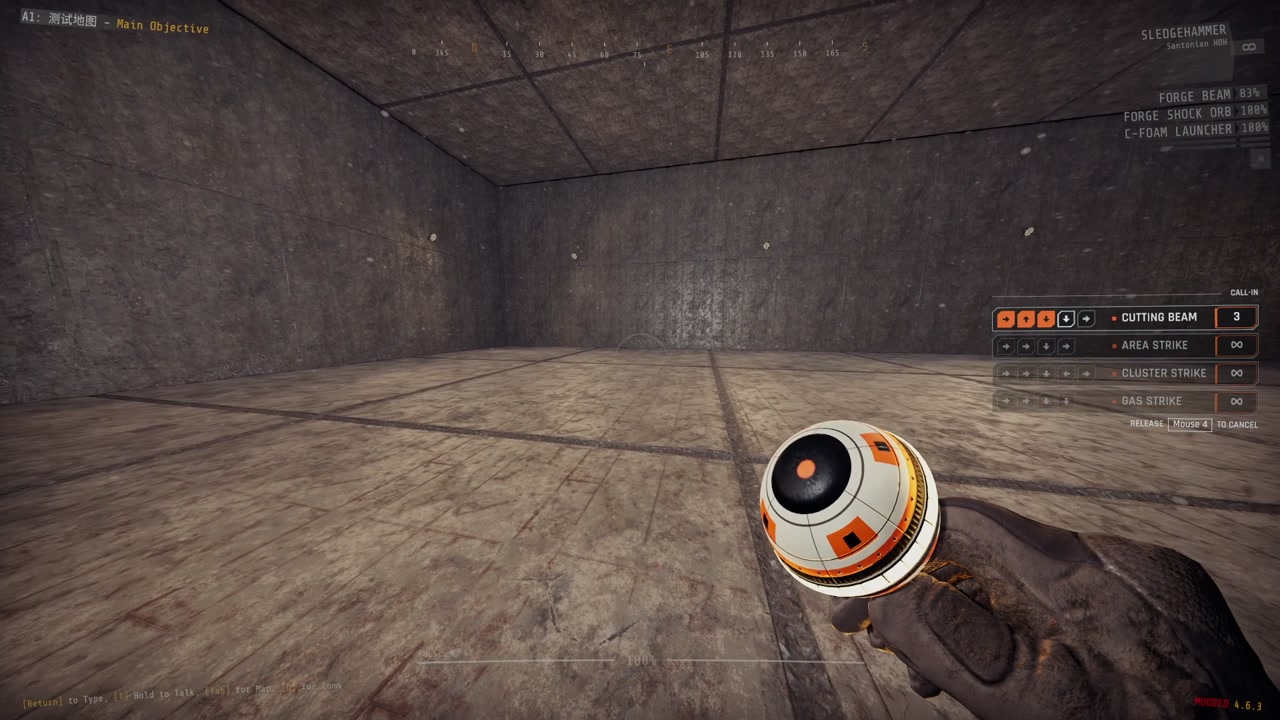
Hold the call key (rear mouse side button by default). The call-in list on the right of the screen shows every code. Your weapon is put away and the beacon appears in your hand. While you hold the key, movement, firing and weapon switching are off.
-
Enter a code with your movement keys or the arrow keys. Steps you have entered light up, call-ins that no longer match fade out, and call-ins on cooldown show a bar. A wrong step clears the code. Let go early and the beacon disappears.
-
Throw the beacon. After a complete code the beacon stays in your hand when you release the call key and all keys work again. Fire charges and throws it like a glow stick. Pressing the call key again or switching weapons puts it away. Afterwards you get back the consumable and weapon you had before. You cannot start a call while carrying a cell or other heavy item.
-
Wait for arrival. When the beacon stops, the host checks the call: it must be in your loadout, off cooldown, have uses left, and land within range on ground a player could stand on. A refused call tells you why. An accepted call raises a glowing beam with a countdown label. When the countdown ends, the call-in arrives.
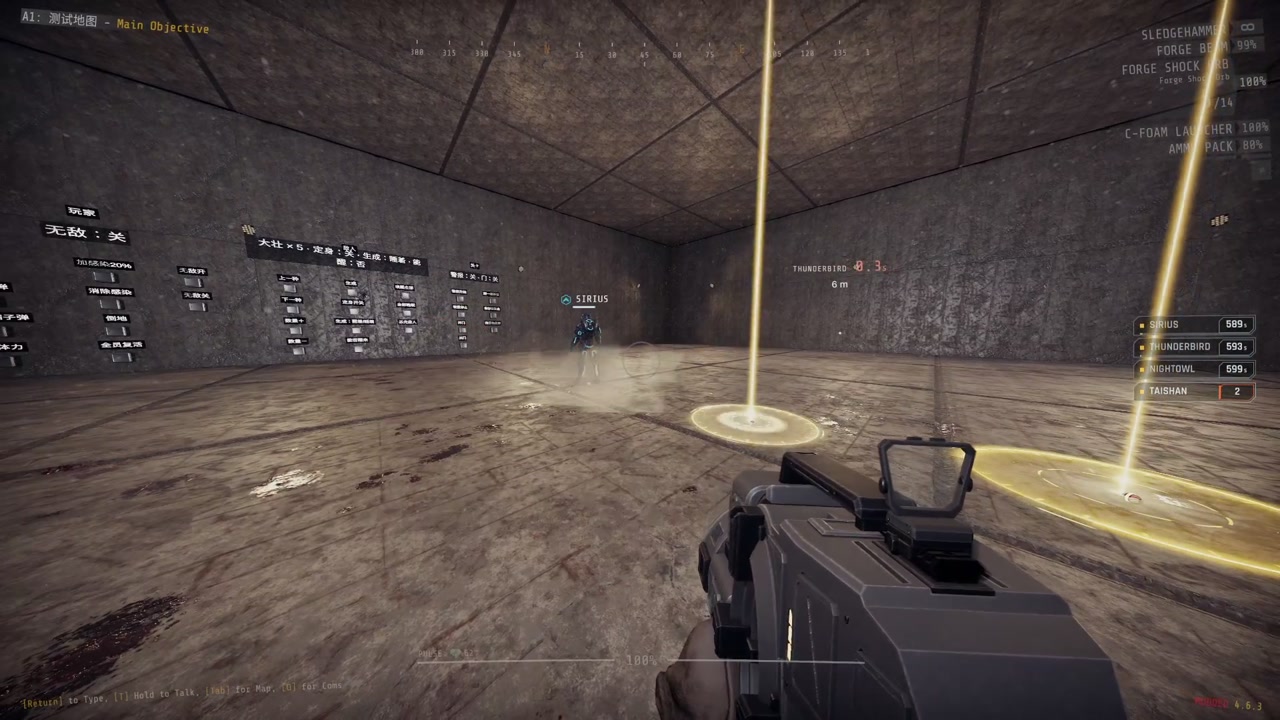
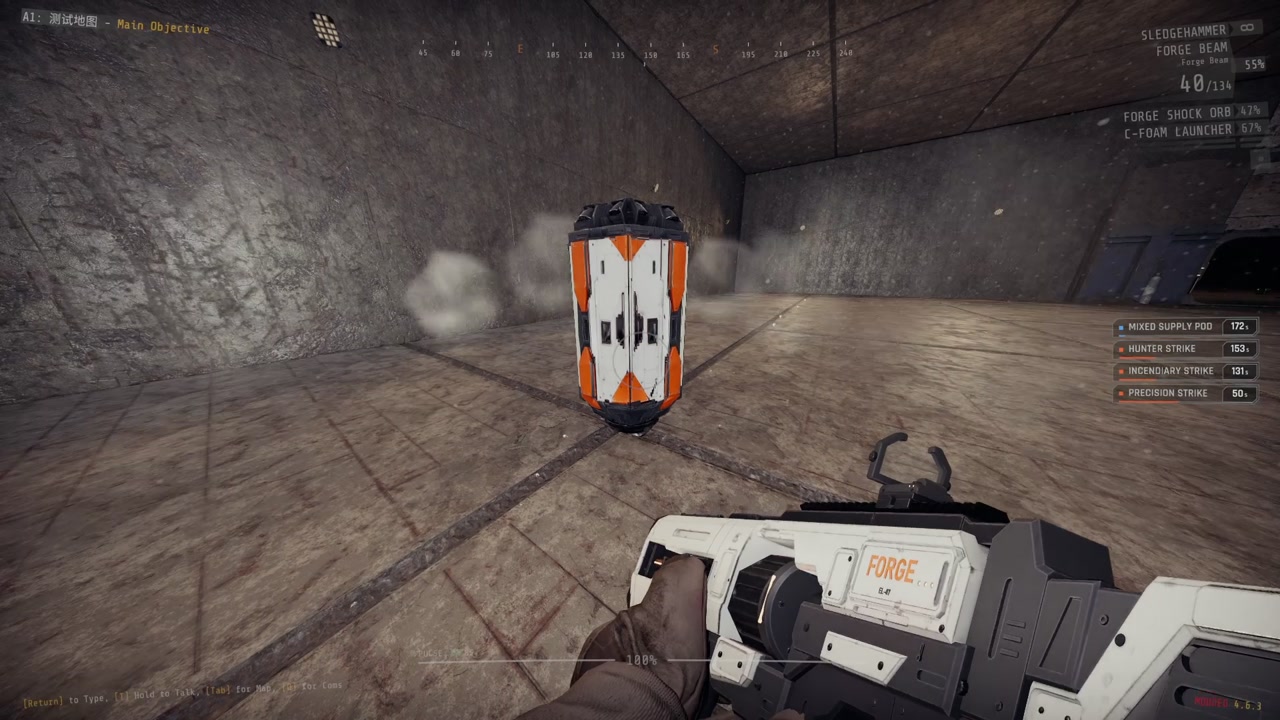
Supplies come down in a drop pod that opens its doors; take the packs from inside. Turrets arrive in a shell that falls open around them. The screen shakes if you are close.
Rules
- Every player has their own cooldowns and uses.
- Cooldowns and uses return to their checkpoint values after a checkpoint reload. A call still on its way is lost.
- The level can change the number of slots, the allowed call-ins, cooldowns, uses and the maximum throw distance. It can also place call-ins itself or turn the players' call-ins off; the ORDNANCE button and the call list are then not shown.
Settings
| Setting | Where | Default |
|---|---|---|
| Call key and code keys | The game's settings, Controls, under Forge Ordnance | Rear mouse button (Mouse3); arrow keys |
| Language of every text | NAinfini.ForgeUI.cfg: Language Language (Auto follows the game; en, zh) |
Auto |
| Move the lobby button | NAinfini.ForgeUI.cfg: Lobby ButtonOffsetX / ButtonOffsetY |
0 |
| Sound volume | NAinfini.ForgeAudio.cfg |
1 |
| Camera shake from drop pods, strikes and exosuit landings (0 off, 1 full) | NAinfini.ForgeVisual.cfg, section Camera: ShakeStrength |
1 |
Your own movement keys always enter codes too.
Multiplayer
Everyone in the lobby needs the same Forge Ordnance version and the same call-in files. A player whose files differ is told in chat and cannot call anything until they match. The others are not affected. Players without the mod can play along but cannot call. The host decides every call.
Installation
Install with r2modman or the Thunderstore Mod Manager. It also installs BepInExPack_GTFO, MTFO, ForgeCore, ForgeUI, ForgeAudio and ForgeVisual. MTFO marks the game as modded, which turns off achievements and public matchmaking.
For rundown and mod makers
Writing your own call-ins, placing drop pods or turrets from a rundown, and the extension API are in the developer guide.
License
Code: MIT. Models and sounds keep their own licenses, listed in the License.txt files shipped in the package: effect textures are CC0 or free Unity Asset Store packs (commercial use allowed), sounds come from the author's licensed Sonniss GDC 2026 and Boom Library collections.
