

ForgeReplay
Records every GTFO level you play and replays it in game: open Replays on the main menu, pick a run, then scrub the timeline and follow any player.
| Last updated | a day ago |
| Total downloads | 59 |
| Total rating | 0 |
| Categories | Client Mods AI Generated Quality of Life |
| Dependency string | NAinfini-ForgeReplay-1.0.1 |
| Dependants | 0 other packages depend on this package |
This mod requires the following mods to function

BepInEx-BepInExPack_GTFO
BepInEx pack for GTFO. Preconfigured and includes Unity Base DLLs.
Preferred version: 3.2.4

NAinfini-ForgeCore
Public GTFO mod foundation: asset bundles, logging, settings, pools, networking, input leases, local saves and calls into the game's own systems.
Preferred version: 1.0.1README
Forge Replay
Records every level you play and plays it back inside the game, on the normal map, with the normal models, sounds and effects.
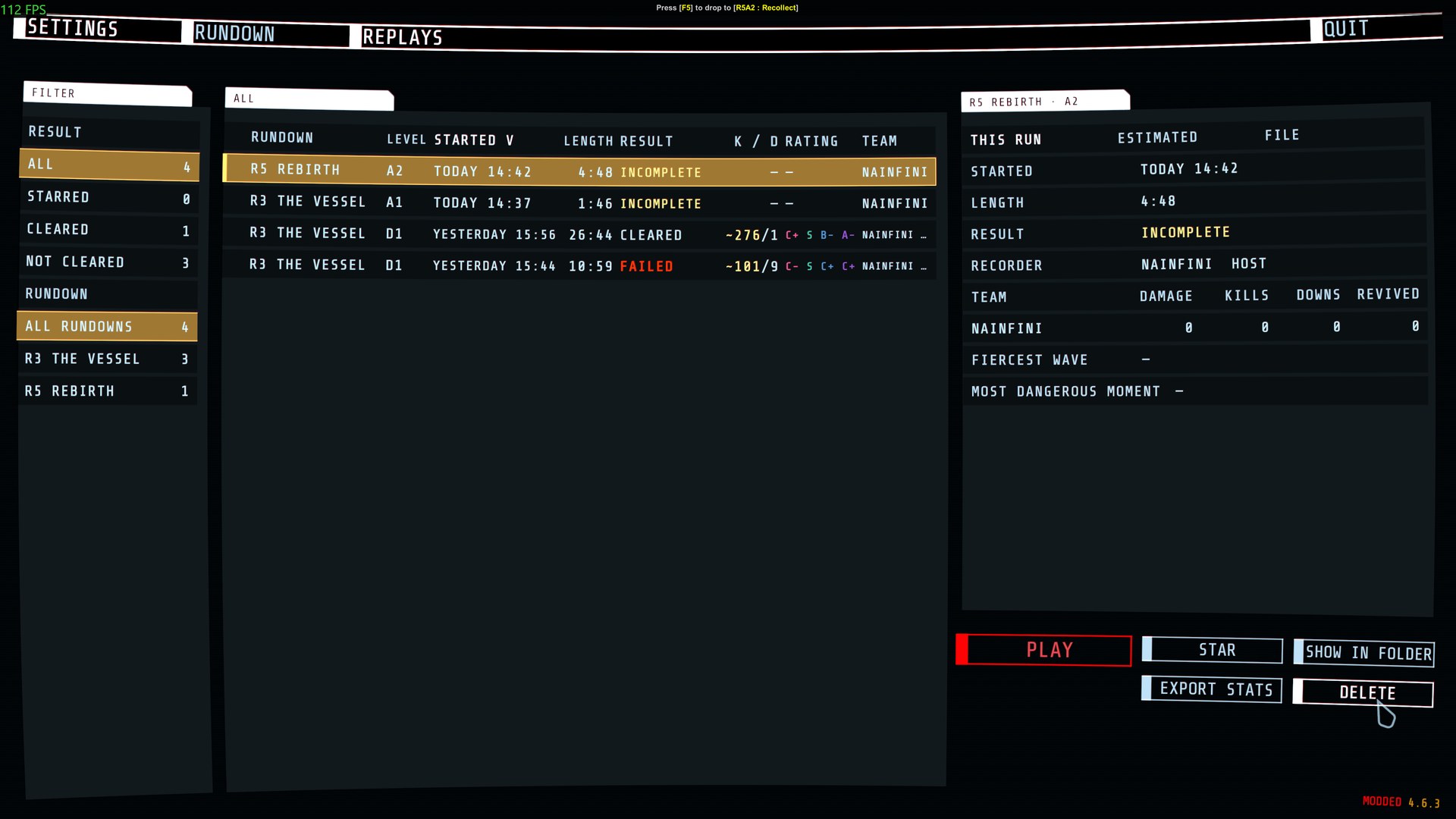
Report bugs on GitHub, or find me on the GTFO Modding Discord as nainfini.
Recording
Every level is recorded into the replay folder beside the game as .frpl files, as host or as client. The newest 20 recordings are kept, starred ones are never deleted, and the folder is pruned at 200 MB by default (Recording.DiskLimitMB). A recording cut short by a crash or by closing the game still plays up to its last whole second.
Only you need the mod. If the host also runs Forge Replay and is recording, it adds what its game settles for every player (damage, kills, packs, supplies and what hurt each player) to your recording, so your statistics show exact numbers for everyone. Without the host's records, other players' numbers are worked out from the shots and weapon data your game saw and are marked with a ~.
To stop recording set Recording.Enabled to false in BepInEx/config/NAinfini.ForgeReplay.cfg.
To keep recordings somewhere else, set Recording.Folder in the same file to a full folder path (empty: the replay folder beside the game, shared by every mod manager profile). A missing folder is created; if it cannot be created or written, recordings stay beside the game and the replays list says so. Recordings already in the old place are not moved: move them yourself.
Watching
Open REPLAYS in the main menu bar, pick a run and press PLAY. The game starts that level alone from what the recording holds and shows the run again: every player and enemy where it was, the shots, hits, doors, scans, alarms, waves, terminals and chat.
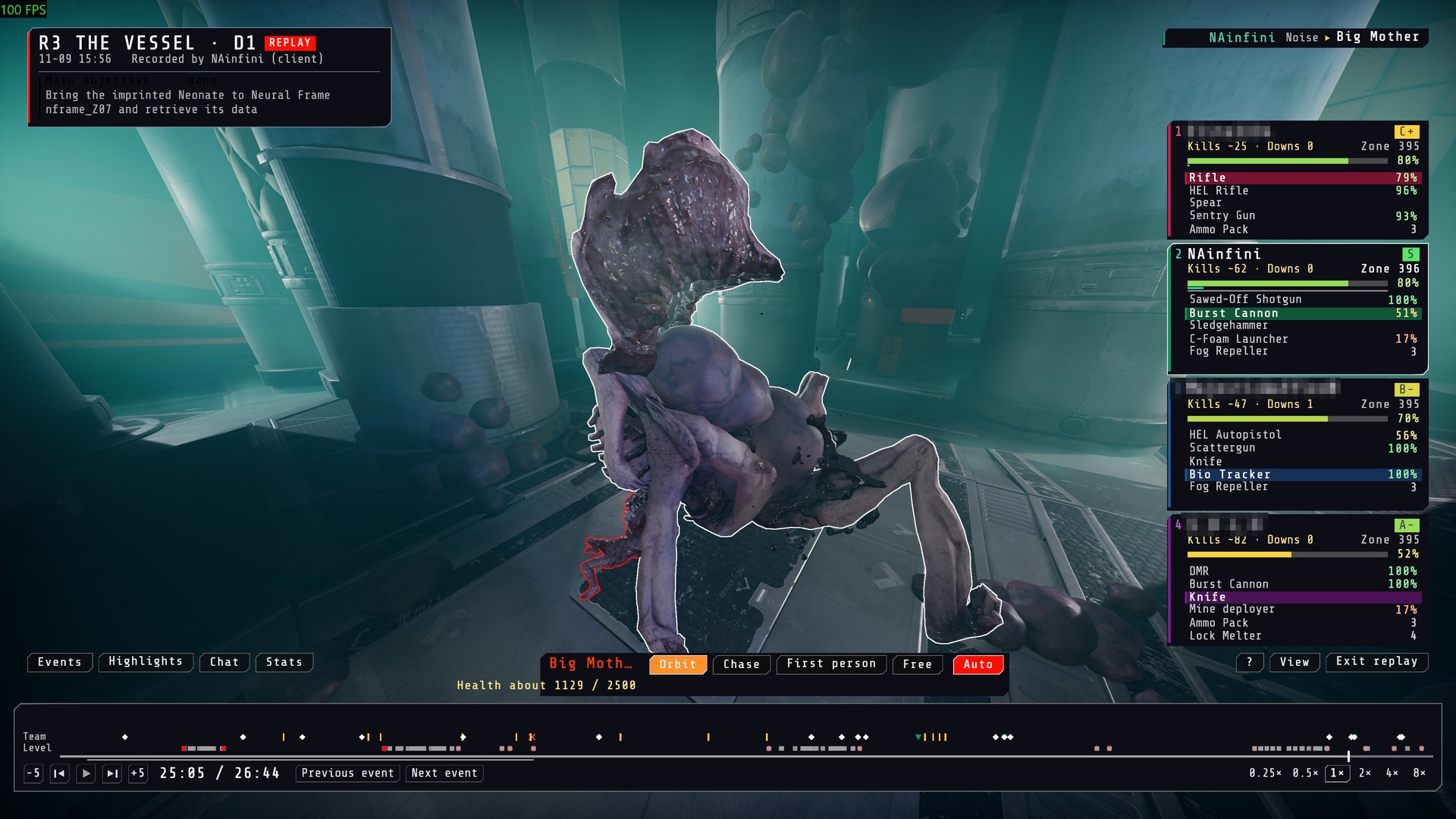
- Time bar: play, pause, drag, step by frame, 0.25x to 8x, with downs, wipes, waves, scans, alarms, the reactor, checkpoints, kills worth a mark, pings and notes marked on it.
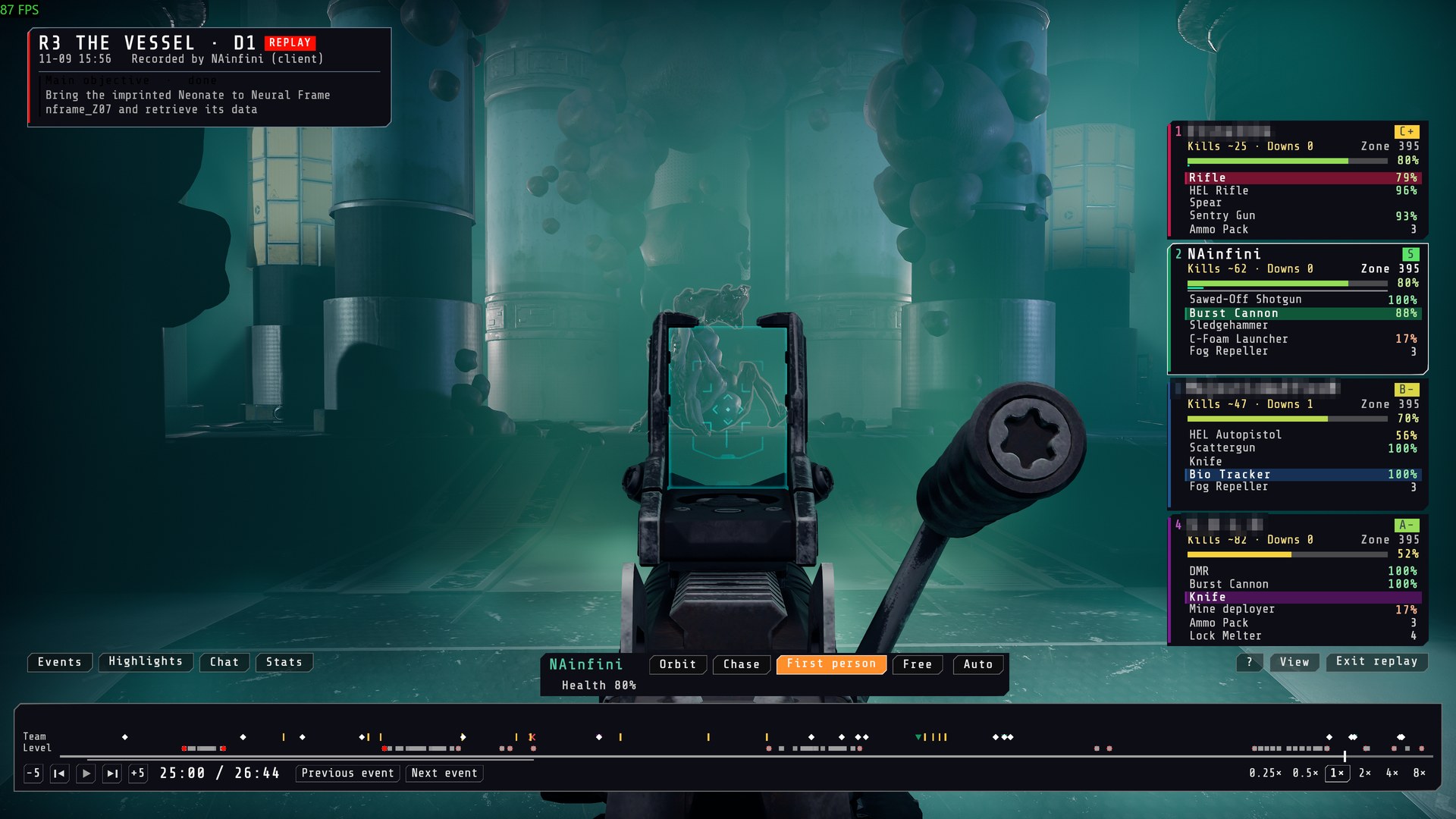
- Views: Auto, Chase, First person, Free and Orbit, with an overhead view on its own key. Orbit circles a player with the mouse; Chase stays behind the player and looks where they looked; the wheel changes the distance. First person shows the recorded player's own eyes, arms and gun, including aiming down sights.
- Watch an enemy: its name and current health show on the plate, with
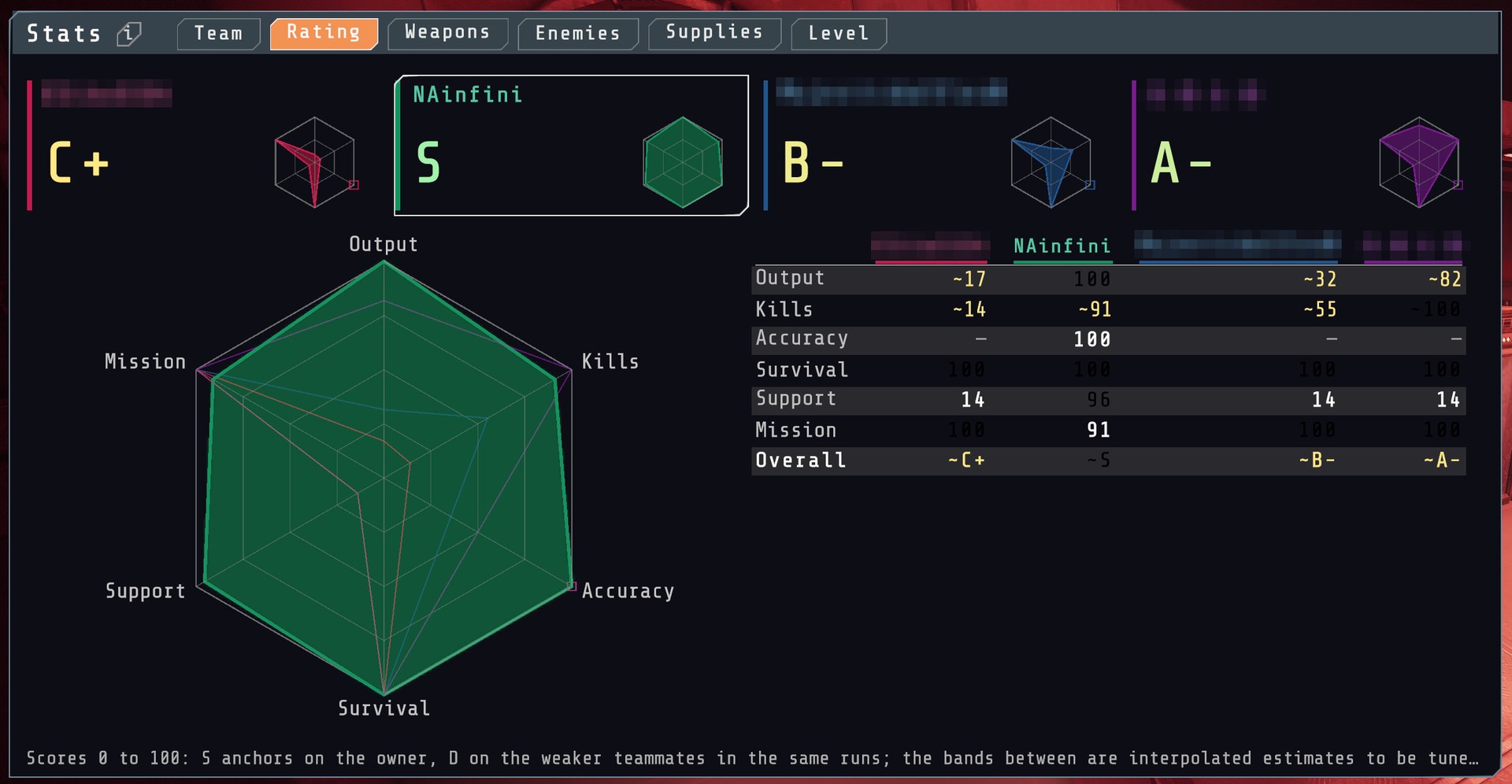
aboutwhen the health is an estimate. Esc goes back to the player. - Stats: Team, Rating, Weapons, Enemies, Supplies and Level. Stats → Rating gives each player a grade from Output, Kills, Accuracy, Survival, Support and Mission, with a radar chart and an overall grade. The replay list and a run's details also show the grades. Grades run from D- to S+, and
~marks an estimate. - Each player appears in the clothes and face they wore, and in their ForgeSkin character and gun skins when you have those skin packs.
- Player cards, chat log, highlights, enemy and teammate outlines, clear fog and brighten, in the game's own colours. Press Ctrl to use the mouse, hold Tab for the scoreboard.
Give a .frpl file to a friend to share a run: they need the same game build and the same level mods.
Limits
- A recording only plays on the game build and level files it was made on. The list says why a recording cannot be played.
- Recordings made with Forge Replay 1.0.0 cannot be played: recordings are now stored in a new, much smaller way that gets on better with other mods, and this version cannot read the old one.
- In a recording made as client, other players' numbers are exact when the host also runs Forge Replay and is recording. Without the host's records, the numbers worked out from shots and weapon data are marked
~. - Aiming down sights is only known for the player whose machine recorded the run; another player's first-person view does not show it.
- A run under two minutes, or one where fewer than three of the six rating categories can be worked out, gets no grade.
- Sound is not recorded; the game's own sounds are triggered again by the recorded events, so the voices of other players are not heard.
Installation
Install with r2modman or the Thunderstore Mod Manager. It also installs BepInExPack_GTFO, GTFO_API and ForgeCore.
For mod authors
The public control, the events other mods can hear and the recording file format are in the developer guide.
