
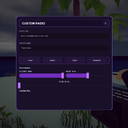
CustomURLRadio
Play your own music from any URL on any in-game radio, synced for everyone.
| Last updated | 2 months ago |
| Total downloads | 3428 |
| Total rating | 3 |
| Categories | Mods Misc Audio |
| Dependency string | NekoTeam-CustomURLRadio-1.0.1 |
| Dependants | 0 other packages depend on this package |
This mod requires the following mods to function

BepInEx-BepInExPack
BepInEx pack for Mono Unity games. Preconfigured and ready to use.
Preferred version: 5.4.2100README
📻 Custom Radio
Play your own music from any URL, right from any in-game radio in How To Fish.
Paste a direct audio link into any radio's new menu, hit play, and stream it for everyone nearby — fully synced over multiplayer.
✨ Features
- 🎵 Play any direct audio link —
.mp3,.ogg,.wav,.aiff - 🌐 Fully multiplayer-synced — what you play, everyone on the server hears, including players who join mid-track
- 🔊 Volume & bass controls with a live low-pass bass filter
- ⏱️ Seek bar to scrub through the track
- ⭐ Favorites list — save your go-to tracks and reload them with one click, persists between sessions
- 🎨 Clean custom UI — doesn't touch or replace the game's default menus
🎮 How to use
- Pick up any radio in the world.
- Press Y (default, configurable) to open the Custom Radio menu.
- Paste an audio URL into the AUDIO URL field.
- (Optional) Give the track a name in TRACK NAME.
- Hit PLAY.
💡 Tip: Hit FAVORITE to save the current track to your favorites list at the bottom of the menu. Click any saved favorite later to instantly reload and play it.
💡 Tip: Pausing, resuming, and seeking are all synced — everyone listening to that radio stays in sync with you.
💡 Tip: Not every link works. The source needs to serve a direct audio file ending in
.mp3,.ogg,.wav, etc. — streaming platform pages like YouTube or Spotify links won't work directly.
⚙️ Configuration
A config file is generated on first launch at:
BepInEx/config/neko.howtofish.customradio.cfg
| Section | Setting | Default | Description |
|---|---|---|---|
General |
ToggleKey |
Y |
Key that opens/closes the radio menu. Change this if it conflicts with another mod. |
Audio |
DefaultVolume |
1.0 |
Starting volume for a freshly opened radio (0.0–1.0). Only used the very first time if RememberLastSettings is on. |
Audio |
DefaultBass |
1.0 |
Starting bass level (0.0–2.0). 1.0 = unmodified sound; higher values apply a stronger low-pass filter. |
Audio |
RememberLastSettings |
true |
If enabled, the volume/bass you set on one radio carries over to every other radio you open in the same play session. |
Menu |
CloseMenuOnEscape |
true |
Whether pressing Escape closes the radio menu. |
📥 Installation
Via Thunderstore Mod Manager / r2modman: just click Install — dependencies are handled automatically.
Manual install:
- Install BepInEx for How To Fish, if you haven't already.
- Drop the mod's
.dllintoBepInEx/plugins/. - Launch the game once to generate the config file, then adjust settings as needed.
🧩 Compatibility & known issues
- Playback is synced across the server — all connected players hear the same track, including those who join mid-song.
- Favorites are saved locally per-player, not shared over the network.
- Some CDNs/hosts block direct linking (CORS/hotlink protection). If a URL won't load, try a different host.
🐛 Found a bug?
Please report it with as much detail as possible (a BepInEx log helps a lot) — happy to take a look!
🙏 Credits
Made by Neko (NekoCuteJs).
Enjoy the tunes! 🎶
