

MoreCosmetics
10 new hats, 9 accessories and 9 outfits for your character, all colorable in the character customizer.
| Last updated | 20 hours ago |
| Total downloads | 96 |
| Total rating | 1 |
| Categories | Mods AI Generated |
| Dependency string | justresearch-MoreCosmetics-0.2.1 |
| Dependants | 0 other packages depend on this package |
This mod requires the following mods to function

BepInEx-BepInExPack
BepInEx pack for Mono Unity games. Preconfigured and ready to use.
Preferred version: 5.4.2305README
More Cosmetics
New hats, accessories and outfits for How to Fish, all in the character customizer and fully colorable with the game's three color slots.
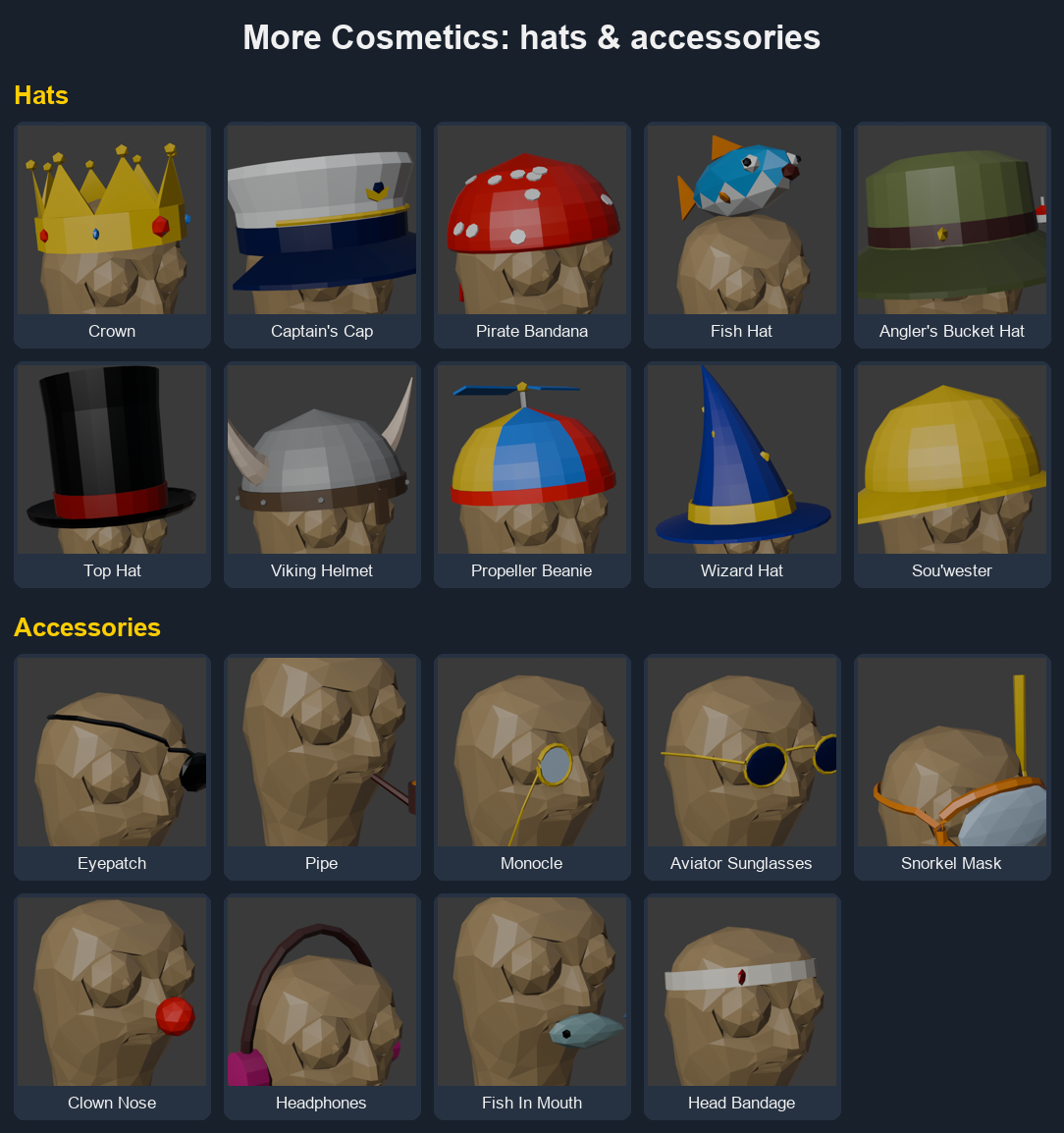
Hats: Crown, Captain's Cap, Pirate Bandana, Fish Hat, Angler's Bucket Hat, Top Hat, Viking Helmet, Propeller Beanie, Wizard Hat, Sou'wester
Accessories: Eyepatch, Pipe, Monocle, Aviator Sunglasses, Snorkel Mask, Clown Nose, Headphones, Fish In Mouth, Head Bandage
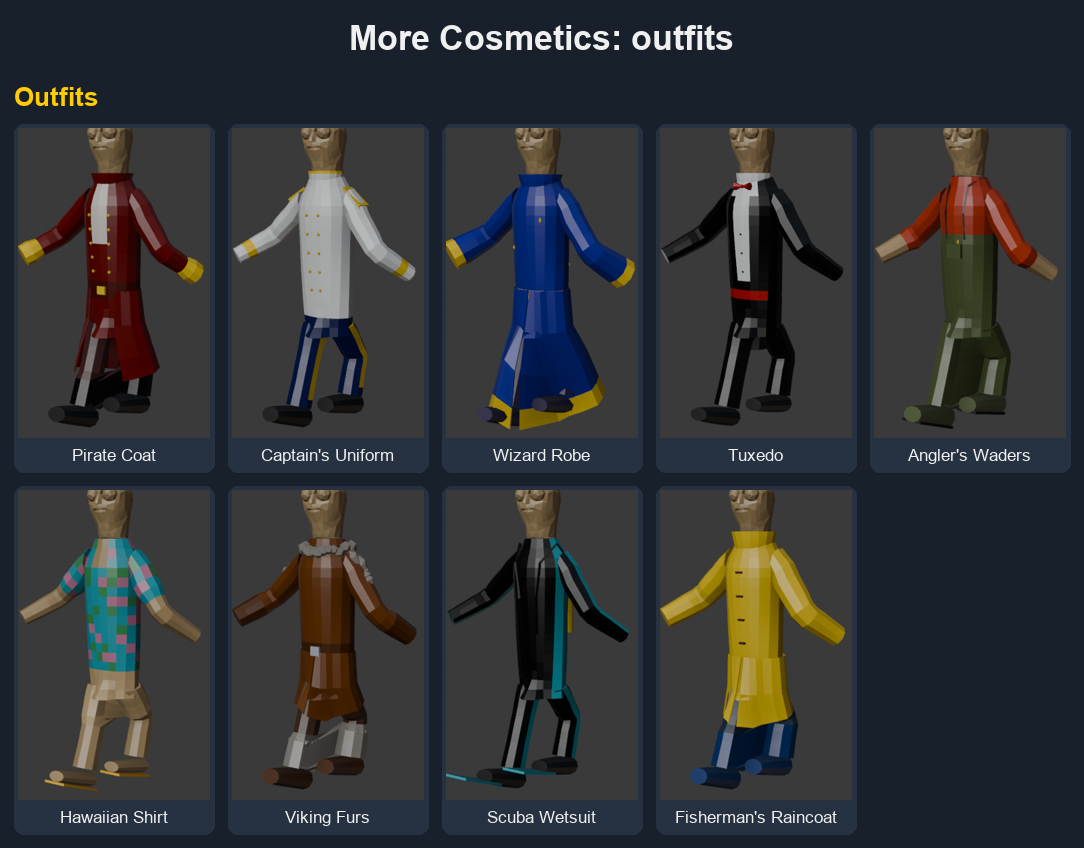
Outfits: Pirate Coat, Captain's Uniform, Wizard Robe, Tuxedo, Angler's Waders, Hawaiian Shirt, Viking Furs, Scuba Wetsuit, Fisherman's Raincoat
New items appear at the end of each list in character customization.
Multiplayer
Everyone in the lobby needs the mod (same version) to see each other's custom items. Players without it see the game's last item in that list instead (Hood, Face Mask or Archer outfit).
Building from source
Needs the .NET SDK, How to Fish and an r2modman profile with BepInEx. The models are already exported to Assets/*.json, so building the mod is just:
dotnet build -c Release
This copies the DLL into your r2modman profile and writes a Thunderstore-ready zip to dist/. Change GameDir/ProfileDir in MoreCosmetics.csproj if your paths differ.
Changing or adding models
The cosmetics are generated by blender/cosmetics.py, which needs reference shapes from the game (head, rest-pose body, skeleton, palette). Those come from the game's own assets, so they aren't in this repo; make them from your copy:
- Build
tools/OutfitDumperand run the game once with it (open character customization, wait a few seconds). It writesBepInEx/OutfitDumpin your profile. - Copy
rest_*.obj,rest_bones.txtandtex_Colors.pngfrom there intoblender/refs/. - Run Blender headless (the script header has the exact command), then rebuild the mod.
Only ever add new cosmetics at the end of the COSMETICS list in the script: an item's position is what gets saved and synced in multiplayer.
