
Please disclose if any significant portion of your mod was created using AI tools by adding the 'AI Generated' category. Failing to do so may result in the mod being removed from Thunderstore.
Getting started
Updated a day agoYour first run with LethalRPG: installing it, your first upgrade and your first skill. As of version 0.10.0.
Install
- Install LethalRPG with your mod manager (r2modman, Gale, the Thunderstore Mod Manager, …); it adds BepInExPack.
- Everyone in the lobby needs it, in the same minor version as the host: 0.10.x plays with every 0.10.x, but not with 0.9.x or older. A player without LethalRPG, or with another minor version, can still play, but LethalRPG is off for them in that lobby: no budget, no XP, no purchases. Please update together.
- LethalConfig and InputUtils are optional (see "Compatibility"). Without them everything works; the settings are then
in
BepInEx/config/cucumis.lethalrpg.cfg, which the game creates on its first start with LethalRPG.
Two kinds of progress
- Upgrades (21, on the BODY and TOOLS tabs) such as Stamina, Vitality and Inventory have several levels and cost
budget: your share of the money the crew earns above the quota. They last one run: when the crew gets fired they
are reset, and
rpg rebuybuys your build again in the next run (the host can turn the reset off withResetOnGameOver). - Skills (23 unique and 8 ultimate, on the UNIQUE and ULTIMATE tabs) such as Compass, X-Ray Scan and Second Wind are learned once with XP. XP comes every day: from your rank, scrap you bring to the ship, monsters you kill, surviving and completing a quota. XP and skills stay in your profile on your PC and go with you to every lobby, unless the host keeps them per save (see "Saves and profiles").
Your first day
- Open the menu. On the ship, press K, or type
rpgat the terminal. The first time in a lobby, until your first purchase, the menu opens on the GUIDE tab (rpg guide): it shows your next step and the rules of the ship you are on. - Earn XP. Land, bring scrap to the ship, survive. After each day a short report shows the XP you earned and what you can afford now.
- Complete a quota. When the crew sells more than the quota, part of the surplus becomes budget (by default 50%, split by the scrap each player brought to the ship).
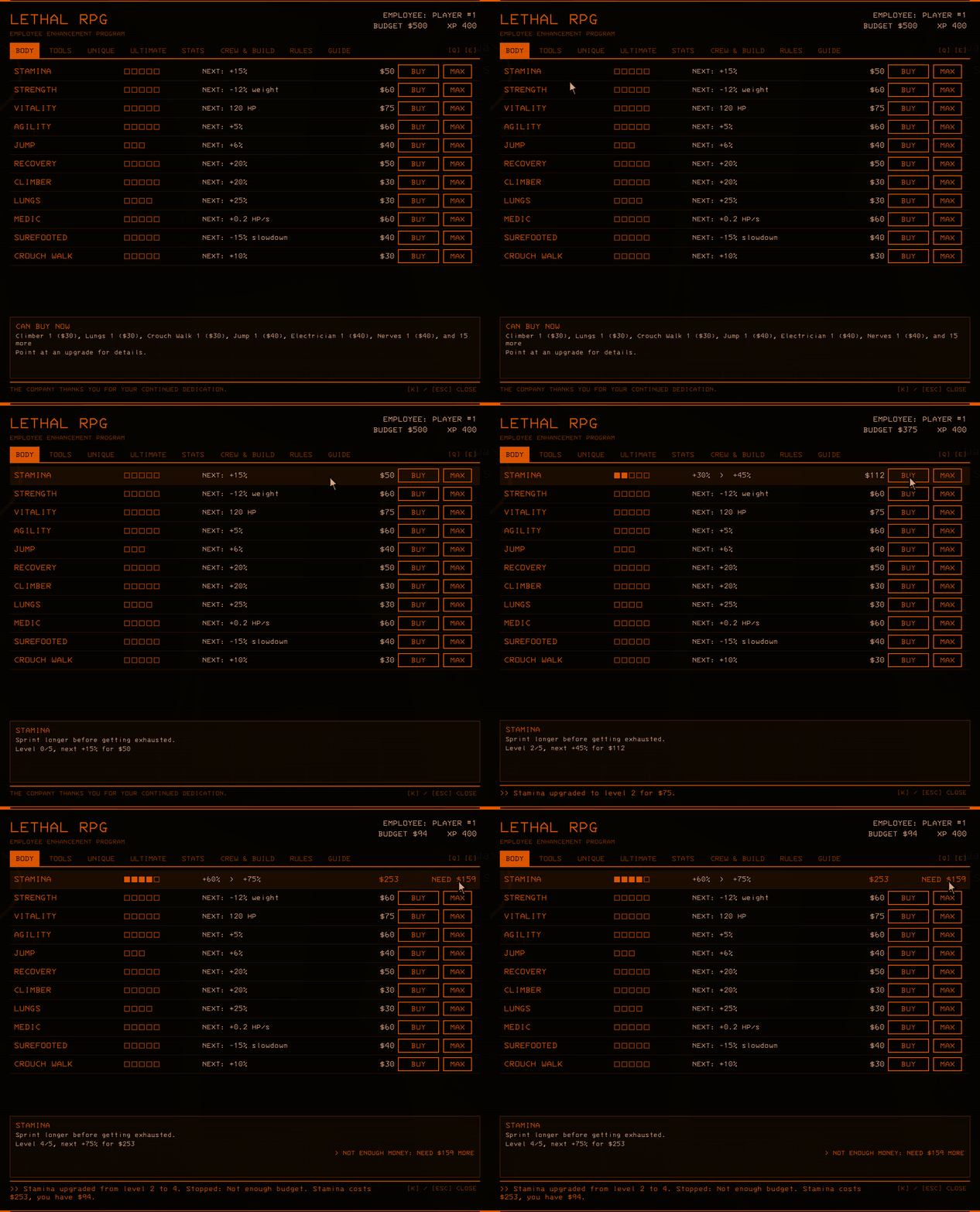
- Buy an upgrade. On the BODY or TOOLS tab, point at a row to see what it does and what the next level
costs, then click BUY (one level) or MAX (as many as you can afford). In the terminal:
rpg buy staminaorrpg buy stamina max. Buying works on the ship. - Learn a skill. Each skill needs a level in a related upgrade, and an ultimate also needs a unique skill. Compass,
for example, needs Analyst 1 and costs 20 XP. On UNIQUE or ULTIMATE, click LEARN; with TREE (or
rpg tree) you see which upgrade each skill hangs under.
A row you cannot afford says what is missing (NEED $40, NEED 12 XP). With the mouse on no row, the info box shows
CAN BUY NOW: everything you can buy right now, cheapest first (rpg buy in the terminal). SKILL READY below the
weight tells you when you can learn a new skill.
Good to know
- The host's settings are the rules for the whole lobby: how the budget is split, team or personal upgrades, prices,
difficulty.
rpg infoand the RULES tab show them on every PC. Hosts: see "Host guide". - Changed your mind?
rpg refundshows what you get back;rpg refund confirm(or RESPEC on the STATS tab) resets your upgrades and skills and gives back 50% of what you spent by default. Before that, LethalRPG keeps a backup of your profile. - Tips for players new to LethalRPG come at most one per lobby;
ShowTips = falsein5. Interface (this PC)turns them andSKILL READYoff for you. - Every tab and command: "Skill menu and terminal". Every upgrade and skill with its values: "Upgrades and skills". Questions: "FAQ".
