
Please disclose if any significant portion of your mod was created using AI tools by adding the 'AI Generated' category. Failing to do so may result in the mod being removed from Thunderstore.

HolsteredItemPositions
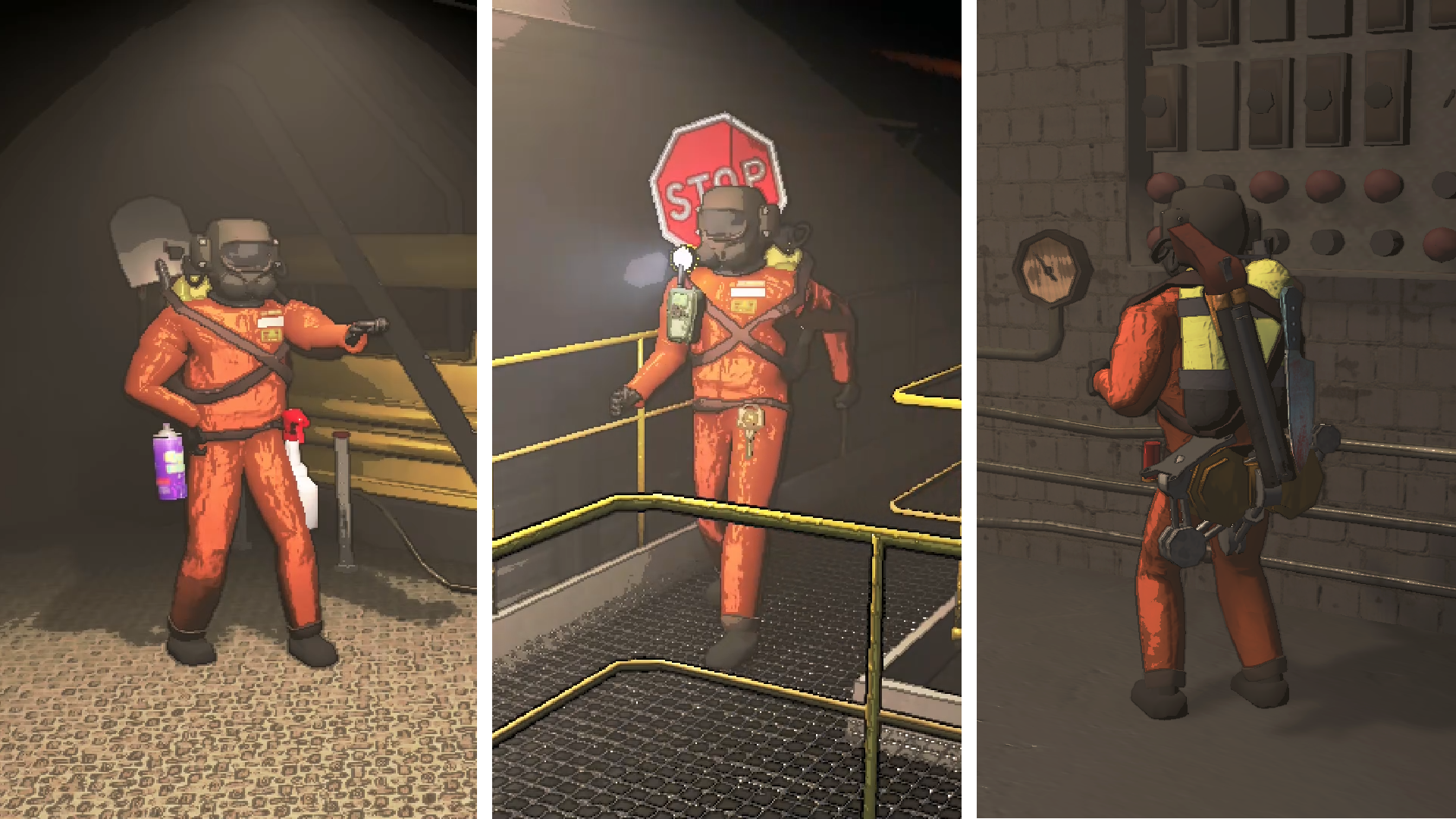
[v81] Attaches holstered items to the player model
| Last updated | a week ago |
| Total downloads | 2536 |
| Total rating | 6 |
| Categories | Mods Misc Client-side Server-side Equipment Items Cosmetics |
| Dependency string | HQ_Team-HolsteredItemPositions-1.2.2 |
| Dependants | 10 other packages depend on this package |
This mod requires the following mods to function

BepInEx-BepInExPack
BepInEx pack for Mono Unity games. Preconfigured and ready to use.
Preferred version: 5.4.2305
TeamXiaolan-DawnLib
A modern API for Lethal Company content and all sizes of mods [V81]
Preferred version: 0.9.25README
HolsteredItemPositions
An updated version of ReservedSlotPositionsForInventory. Compared to the original, this version:
- Comes with most of ReservedCustomPosition built in
- Does not rely on ReservedItemSlotCore with a bunch of jank setup
- Syncs the visible items on players after joining
- Uses DawnLib's
NamespacedKeysfor items, allowing any item to have their own custom position, even items with the same name - Provides a custom GUI for anyone to easily create their own positions, which can be enabled in the config under
General->Enable Setup HUD. PressF10after loading into a lobby to access the GUI.
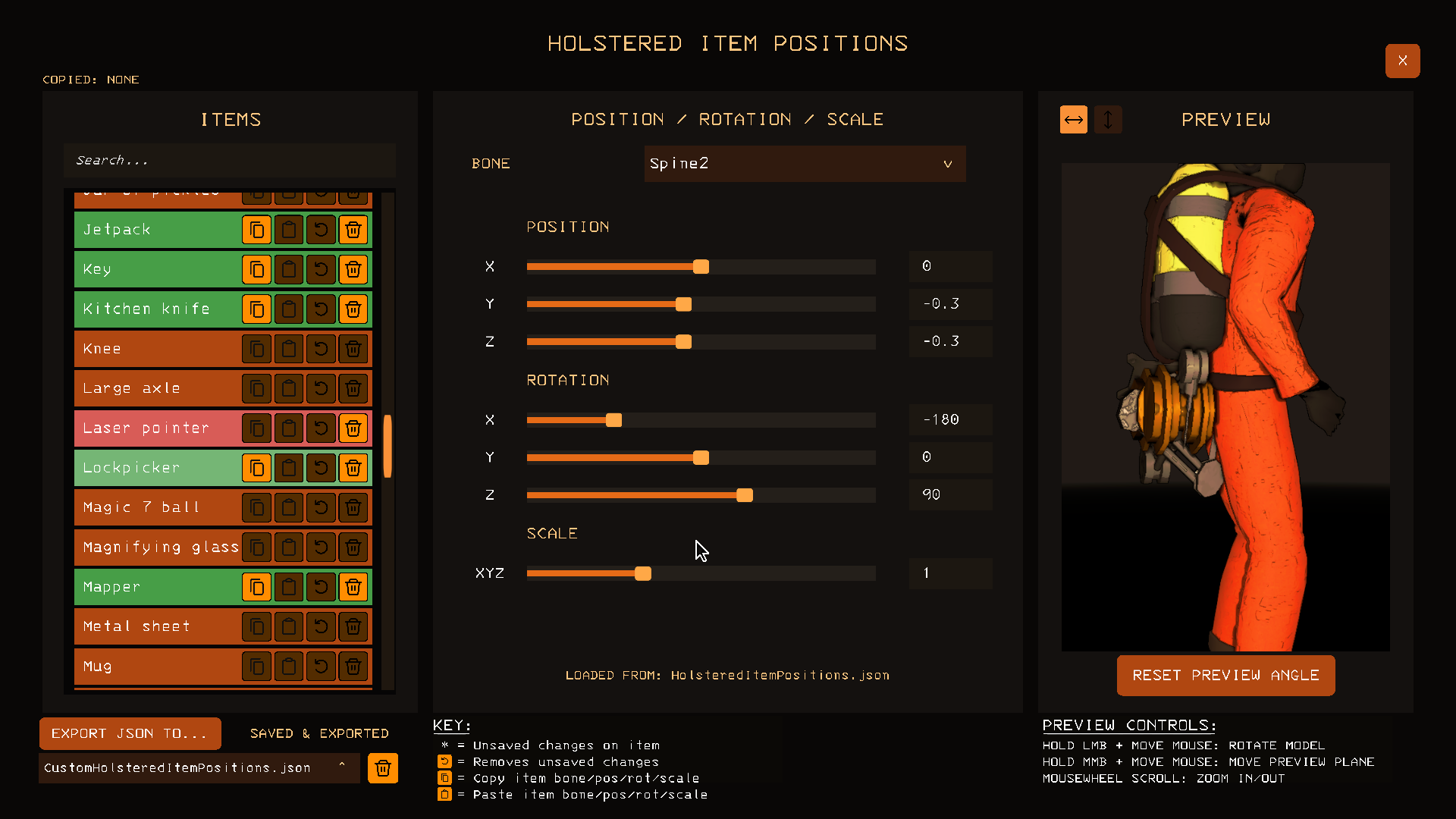
Custom GUI
This GUI exists to help make the creation of .json files bearable. To use the custom GUI, simply enable the config under General -> Enable Setup HUD and load into a lobby and press F10.
For more advanced users, the path you will find the .json files at is \profiles\<profile_name>\BepInEx\config\HolsteredItemPositions. In this folder:
HolsteredItemPositions.json- These are the item positions that install with
HolsteredItemPositionsby default. Deleting this will cause it to re-download whenever you download or updateHolsteredItemPositions.
- These are the item positions that install with
CustomHolsteredItemPositions.json- These are the item positions that are set through the ingame custom GUI, any entries in here will override anything in
HolsteredItemPositions.json.
- These are the item positions that are set through the ingame custom GUI, any entries in here will override anything in
<AnyCustomJsonFileName>.json- These are item positions from a
CustomHolsteredItemPositions.jsonfile that has been renamed by other users to upload on thunderstore.
- These are item positions from a
The .json files have a load order, from highest priority to lowest priority:
CustomHolsteredItemPositions.json<AnyCustomJsonFileName>.json- alphabeticallyHolsteredItemPositions.json
Example of syntax in CustomHolsteredItemPositions.json:
{
  "lethal_company:flashlight": {
	"bone": "Spine3",
	"position": {
	  "x": 0.2,
	  "y": 0.25,
	  "z": 0.0
	},
	"rotation": {
	  "x": 90.0,
	  "y": 0.0,
	  "z": 0.0
	},
	"scale": {
	  "x": 1.0,
	  "y": 1.0,
	  "z": 1.0
	}
  },
  "metalitemvariants:golden_flashlight": {
	"disabled": true
  }
}
Compatibility
🟢 Explicit Compatibility:
- ReservedItemSlotCore (specifically version
2.0.55)- Fixes a bug in the mod with player join syncing for the utility slot
- Disables their item positions in favour of this mod
- TooManyEmotes
- Supports emoting
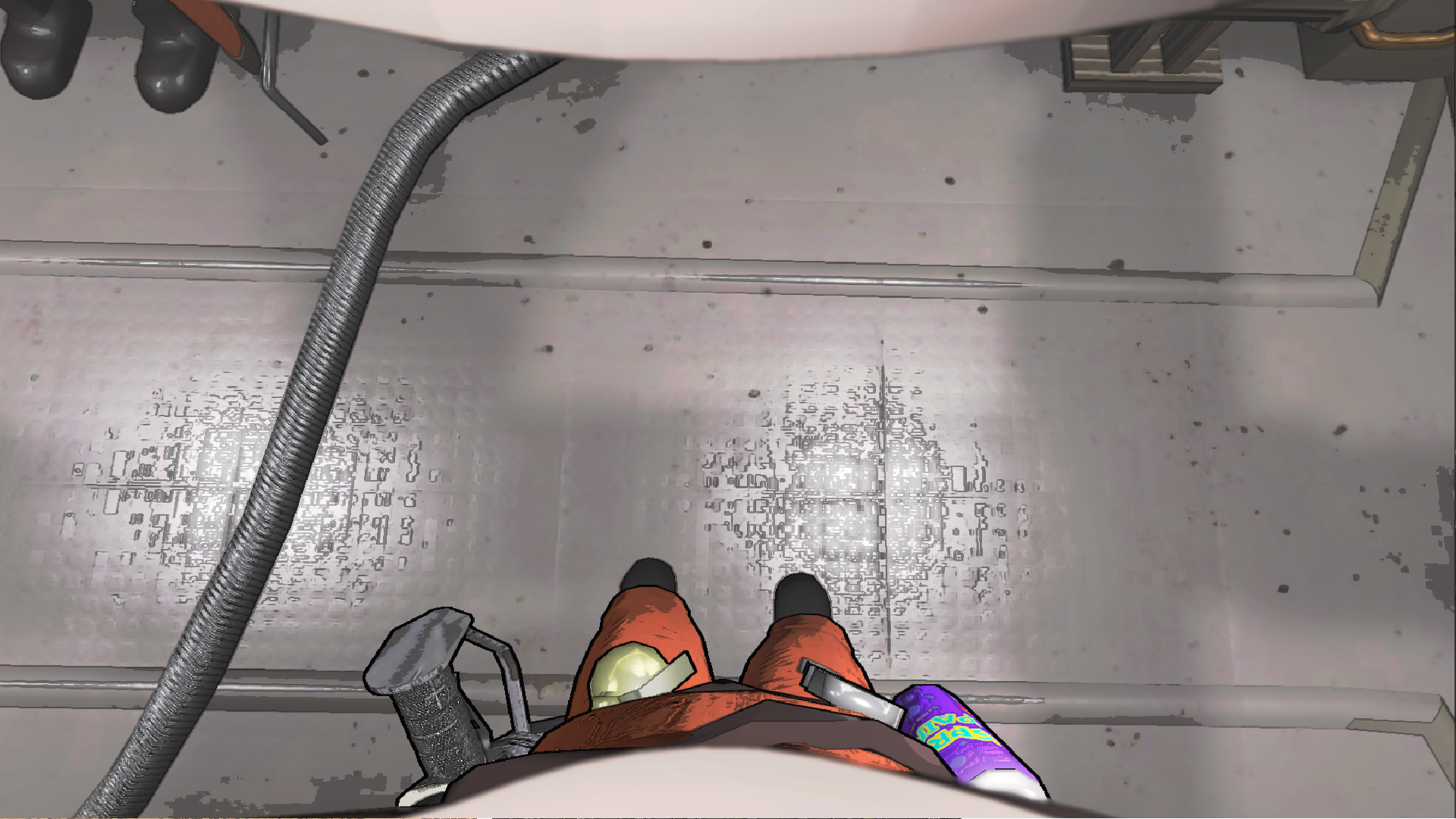
- First Person View
- Shows holstered item positions in first person
-
Screenshot
🟡 Partial Compatibility:
- HotbarPlus
- Will have sync issues with extra inventory slots, I will not be adding explicit compatibility due to the mods syncing issues. 4 slots with other settings enabled should cause no issues
🔴 No Compatibility:
- None that we're aware of yet
⚪ Unknown Compatibility:
- NicheTweaks
Pick up items in orderconfig optionPut two handed items in slot oneconfig optionRearrange inventory after droppingconfig option
Credits
- XuXiaolan and contributors for creating DawnLib
- Moroxide for the custom positions from ReservedCustomPosition and the mod icon
- debbicar for testing, creating custom positions for various items and screenshots
- Lunxara for creating custom positions for flashlights
- FlipMods for ReservedItemSlotCore, which originally housed this idea
- ThecheeseXD for playing DOOM: Eternal on the clock
- Trash Can Icon, authored by
artcoholic, licensed underMIT License - Undo Icon, authored by
krystonschwarze, licensed underCC Attribution License - Copy Icon, authored by
Konstantin Filatov, licensed underCC Attribution License - Paste Icon, authored by
Konstantin Filatov, licensed underCC Attribution License - Arrow Up Down Icon, authored by
Catalin Fertu, licensed underCC Attribution License
