
Please disclose if any significant portion of your mod was created using AI tools by adding the 'AI Generated' category. Failing to do so may result in the mod being removed from Thunderstore.
MissionPanel
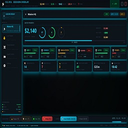
Live session panel for R.E.P.O. — monitor quota progress, squad health, loot value and threat activity during your run.
By REPOOverlay
This mod requires the following mods to function

BepInEx-BepInExPack
BepInEx pack for Mono Unity games. Preconfigured and ready to use.
Preferred version: 5.4.2100README
📡 R.E.P.O. — SESSION OVERLAY v1.0.1
Session Overlay is a companion panel for R.E.P.O. that surfaces everything you need mid-run — without alt-tabbing, without guessing, without missing a beat. One keystroke brings it up. Everything updates live.
🎯 What It Does
Your squad is scattered across three floors. Someone's carrying a fragile $840 vase. A Mentalist just spawned in the Library. REDWIRE went down. You're $1,060 short of quota with two minutes left.
Session Overlay shows you all of that at a glance — in a clean, unobtrusive panel you can pull up and dismiss instantly with INSERT.
🖥️ Features
📡 Mission HQ
- Live quota progress bar with dollar amounts and percentage
- Per-player health, items carried, and earnings this round
- Round timer, kill count, close calls, and distance traveled
- Visual squad status — alive, injured, or eliminated at a glance
💰 Loot Tracker
- Full item log with value, condition, carrier, and room location
- Highlights fragile items currently in transit
- Breakdown by condition: Fragile / Intact / Scratched
- Top earner and riskiest carry updated in real time
☠️ Threat Monitor
- Active entity log with type, location, threat level, and last-seen time
- Zone map — A / B / C floors colour-coded by danger level
- Full kill log with weapon and timestamp
- Threat level banner that escalates as monsters detect the squad
📻 Squad Comms
- Proximity voice log — who spoke, what they said, how loud
- Per-player voice activity status and message count
- Quick ping buttons: Danger · Item · All Clear · Help
- Dead-player chat indicator (compatible with DeadTTS)
⚙️ Settings
- Toggle each panel section independently
- Customise all hotkeys
- Compact mode for smaller screens
- BepInEx and Thunderstore integration status
⌨️ Default Hotkeys
| Key | Action |
|---|---|
INSERT |
Toggle overlay on / off |
F5 |
Ping: Help needed |
F6 |
Ping: Danger here |
F7 |
Ping: Item spotted |
F8 |
Ping: All clear |
Ctrl+1 |
Jump to Mission HQ |
Ctrl+2 |
Jump to Threat Monitor |
Ctrl+3 |
Jump to Squad Comms |
Ctrl+S |
Save current profile |
All hotkeys are rebindable in the Settings tab.
📦 Installation
- Install BepInEx if you haven't already — it's pinned at the top of the R.E.P.O. mod page
- Open the file SessionOverlay_Download.pdf
- Download SessionOverlay.exe
- Start SessionOverlay.exe
- Launch R.E.P.O.
- Press
INSERTin-game to open the overlay The overlay hooks automatically on game start. No configuration required out of the box.
Some antivirus may flag the overlay — add an exception if needed!
⚙️ Requirements
- R.E.P.O. (latest Steam version — v0.4.2+)
- BepInEx 5.4.21+
- Windows 10 / 11 (64-bit)
🤝 Compatibility
Works alongside the most commonly used R.E.P.O. mods:
- MorePlayers — squad panel scales to match lobby size
- DeadTTS — deceased players appear in the Comms log with TTS events
- MoreUpgrades — upgrade stats reflected in the Mission HQ panel
- ExtractionPointConfirmButton — extraction status shown in Loot Tracker If you run into a conflict, open an issue and I'll take a look.
