
Please disclose if any significant portion of your mod was created using AI tools by adding the 'AI Generated' category. Failing to do so may result in the mod being removed from Thunderstore.
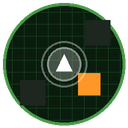
MiniMapAndMapPlus
Adds a customizable corner minimap and improves the Tab map: extraction point colors, teammate markers, door highlights, room check marks, and more. English/Japanese settings UI.
By asumin
| Last updated | 2 months ago |
| Total downloads | 5258 |
| Total rating | 0 |
| Categories | AI Generated |
| Dependency string | asumin-MiniMapAndMapPlus-3.18.0 |
| Dependants | 0 other packages depend on this package |
This mod requires the following mods to function

BepInEx-BepInExPack
BepInEx pack for Mono Unity games. Preconfigured and ready to use.
Preferred version: 5.4.2100
README
Features
- Corner minimap. Independent camera. Position, size, zoom, opacity, corner, north-lock: all configurable.
- Tab map: optional north-lock, adjustable render resolution/anti-aliasing (thin walls no longer disappear at high zoom), whole-stage view mode.
- Floor mode: current floor only (default), all floors overlaid, or locked to ground floor. Extraction points remain visible in all three.
- Extraction point markers: shows discovered extraction points regardless of floor. Colored by state (inactive/active/complete, colors configurable). Optional ripple on active points.
- Door highlights: a bar over each door, sized to the door's actual width, colored to taste.
- Teammate markers: color matches the player's equipped head color.
- Room check marks: press a key (rebindable to any key, including mouse side buttons) to mark the room you're standing in. Shared with other players running this mod; not shared with players who don't have it.
- Self-position marker: optional glow and expanding ripple.
- Settings UI language: English or Japanese, set in
General. Only the displayed text changes; saved values are unaffected either way. - Resolution preset:
General > Resolution Preset(HD / 4K) sets minimap size, render resolution, and HUD offset together.
Requirements
- BepInExPack.
- REPOConfig, to see or change settings in-game. Without it, the mod runs on its defaults and settings can only be changed by editing the
.cfgfile directly.
May conflict with other minimap/map mods (double rendering, etc.).
Setup
Open the settings screen, General > Resolution Preset, pick HD or 4K to match your screen. Sets minimap size, render resolution, and HUD offset at once; each can still be adjusted individually afterward.
Multiplayer
- Room check marks: shared only with players also running this mod.
Uninstall
Delete the MiniMapAndMapPlus folder from BepInEx/plugins. To also remove saved settings, delete BepInEx/config/asuty.repo.mapfix.cfg.
機能
- 画面隅のミニマップ。独立したカメラ。位置・大きさ・ズーム・不透明度・表示する隅・北向き固定、いずれも設定可能。
- Tabマップ:北向き固定(任意)、描画解像度/アンチエイリアスの調整(拡大時に細い壁が消えなくなる)、ステージ全体表示モード。
- 映す階:現在の階のみ(既定)/全階重ね/地上階固定。いずれの場合も納品場所は表示される。
- 納品場所マーカー:階に関係なく発見済みの納品場所を表示。状態(未起動/起動中/納品済み)で色分け、色は変更可能。起動中は波紋を任意で表示。
- ドアの強調表示:各ドアの実際の位置・幅に合わせた帯を表示。色は変更可能。
- 味方マーカー:色は装備中の頭の色に連動。
- 部屋チェック印:キーを押す(マウスのサイドボタンを含む任意のキーに再割り当て可能)と、今いる部屋に印を付ける。このModを入れている他のプレイヤーと共有される。入れていないプレイヤーには共有されない。
- 自分の位置マーカー:光と波紋を任意で追加。
- 設定画面の言語:全般で日本語/英語を選択。表示される文字だけが変わり、保存されている値はどちらを選んでも変わらない。
- 解像度プリセット:「全般 > 解像度プリセット」(HD/4K)で、ミニマップの大きさ・描画解像度・HUDのずらし幅をまとめて設定する。
必要なもの
- BepInExPack。
- REPOConfig(ゲーム内で設定を見る・変えるために必要)。入れていなくても既定値のまま動作するが、その場合の設定変更は
.cfgファイルを直接編集することになる。
他のミニマップ/マップ系Modと競合する可能性がある(二重描画等)。
設定
設定画面を開き、「全般 > 解像度プリセット」で画面に合わせてHDか4Kを選ぶ。ミニマップの大きさ・描画解像度・HUDのずらし幅が一括で設定される。その後も個別に調整可能。
マルチプレイ
- 部屋チェック印:このModを入れている他のプレイヤーとのみ共有される。
削除方法
BepInEx/plugins内のMiniMapAndMapPlusフォルダを削除する。保存されている設定も消す場合はBepInEx/config/asuty.repo.mapfix.cfgも削除する。
