
Some mods target the Mono version of the game, which is available by opting into the Steam beta branch "alternate"

ActuallyWorkingEmployees
Employees that keep working: fixes for stuck botanists, chemists, handlers and cleaners, and every employee setting in a phone app. Replaces Harder Working Employees.
| Last updated | 11 hours ago |
| Total downloads | 67 |
| Total rating | 1 |
| Categories | Mods |
| Dependency string | DooDesch-ActuallyWorkingEmployees-1.0.0 |
| Dependants | 0 other packages depend on this package |
This mod requires the following mods to function

LavaGang-MelonLoader
The World's First Universal Mod Loader for Unity Games compatible with both Il2Cpp and Mono
Preferred version: 0.7.3
ifBars-S1API_Forked
S1API is an open source collaboration project to help standardize Schedule One modding processes. The goal is to provide a standard place for common functionalities so you can focus on making content versus reverse engineering the game.
Preferred version: 3.2.1
DooDesch-Sideload
Write a mod interface as HTML, CSS and JavaScript. Sideload renders the web bundle into real Unity UI and puts it on the in game phone, so an app is three files instead of a thousand lines of panel code.
Preferred version: 1.36.3README
Actually Working Employees - Employees That Keep Working
🛟 Need help or found a bug? Get support at support.doodesch.de/actuallyworkingemployees.
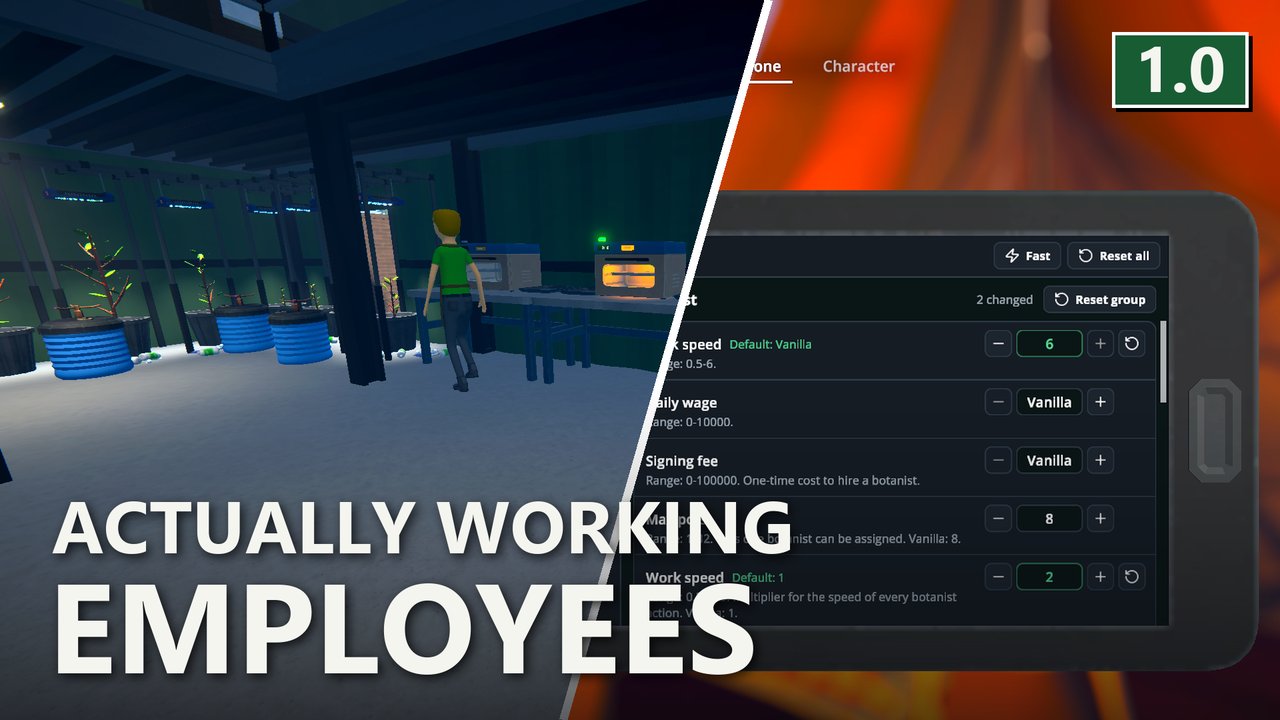
Botanists, chemists, handlers and cleaners that stop mid-job, walk in circles or stand idle without a reason? This mod fixes them on the host and puts every employee setting in a phone app. Every setting starts at the vanilla value. Built on S1API and Sideload.


Features
Fixes for all four employee roles. They run on the host and stay on while you change settings:
- No more endless walks. An employee that loops a failed walk, or stands still while it should walk, is moved to its target.
- Chemists keep going. A chemist that fills a cauldron counts as working and is not sent to a new task. A chemist that sits without a task is reset, but a running station is never interrupted.
- No leftover locks. Stations and slots are freed when an employee stops working or is fired, and before the night is skipped.
- No lost items. Something an employee still carries goes back to its source slot when the task is cut short.
- Real reasons. Idle chemists and cleaners say which station or bin holds them back.
- Cheaper path checks. Whether a station can be reached is remembered for a few seconds instead of checked every tick.
On top of that:
- Every employee balance setting. Walk speed, wages, signing fees, assignment limits and the time of each action, for botanists, chemists, handlers and cleaners. All at the vanilla value until you change them.
- Fast preset. One button doubles the work speed and raises the walk speed of all four roles. Wages and limits stay as they are.
- Handler routes. Wait for a worthwhile load before a trip, and pick the fullest, emptiest or nearest route first.
- Botanists and sprinklers. The botanist can leave pots alone that a sprinkler watered recently.
- Station and growth speed. Speed multipliers for plants, mushrooms, drying racks, cauldrons, lab ovens and mixing stations.
- More employees per property. Properties can hold more employees than idle spots, and the employee limit can be changed.
- Walk through each other. Employees can ignore each other and furniture colliders while walking.
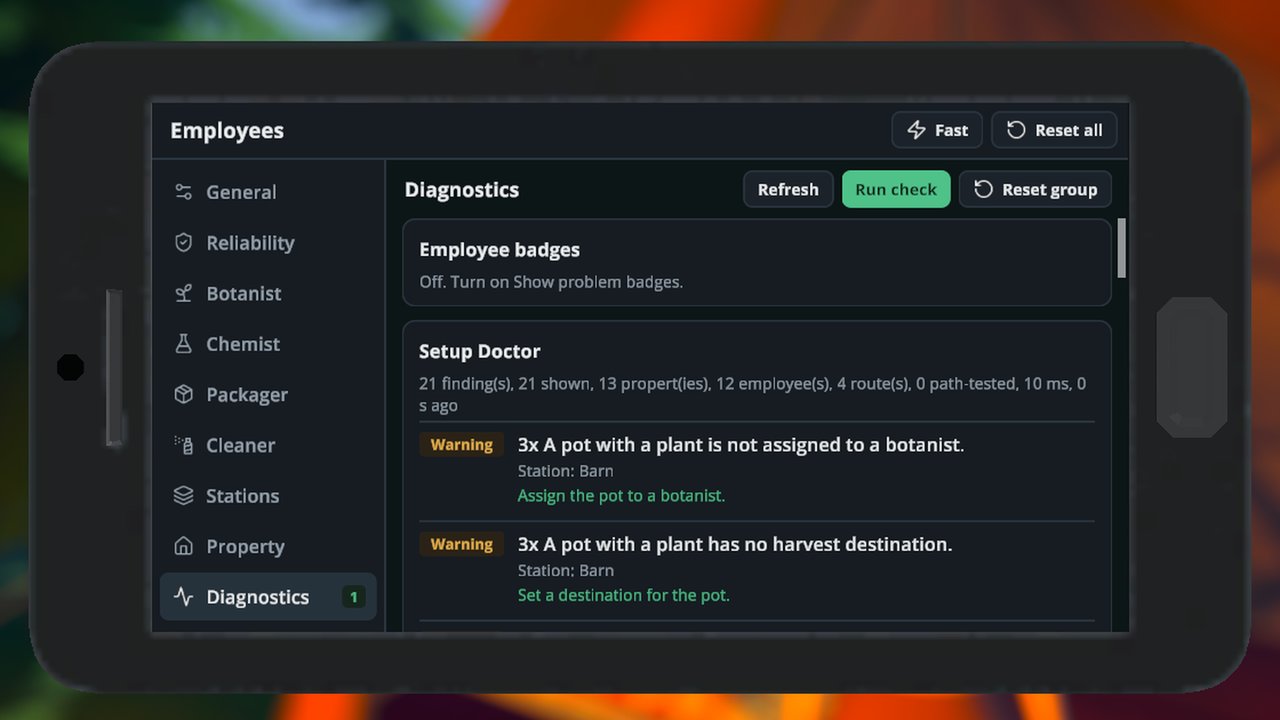
- Diagnostics. Problem badges, a Setup Doctor and idle time tracking show what holds an employee back. All three are off by default.
The phone app
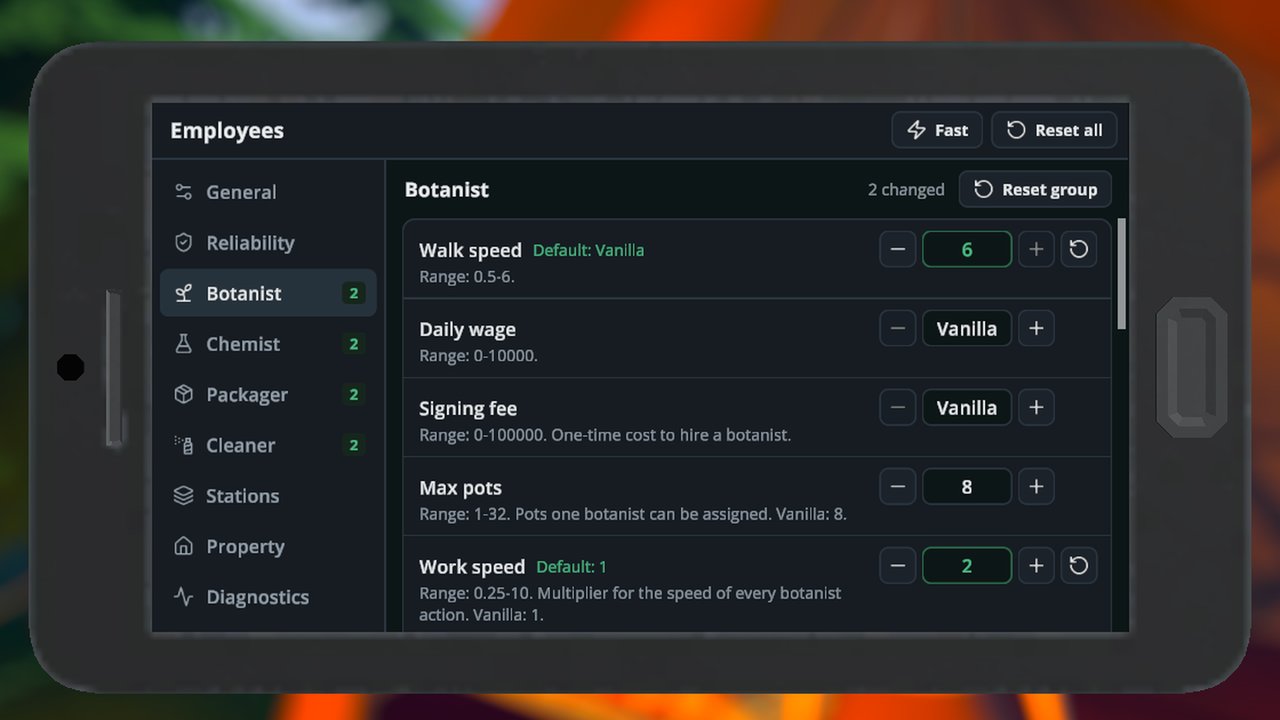
Open Employees on your phone. The groups are on the left, the settings of the selected group on the right.
- Switches, steppers and typed values change a setting. The value is saved about a second later.
- A setting that differs from the default shows its default and a reset button.
- Fast applies the Fast preset after a confirmation. Reset all sets everything back to the defaults.
- Use vanilla balance (General) makes every balance setting act like the base game while it is on. The fixes stay active.
- The Diagnostics group has the Setup Doctor's Run check button, the problem badges and the idle time list.
The app needs Sideload. Without it the settings still work through the file below.
Configuration
Settings are saved in UserData/ActuallyWorkingEmployees.cfg, one [AWE_<Group>] section per group. On the first start the mod takes over the values it finds in MelonPreferences.cfg. Edit the file while the game is closed, or use the app.
In walk speed, daily wage and signing fee, -1 means the game's own value.
The release build has no dev console commands. They exist only in Debug builds.
General
Section [AWE_General]. Switches that apply to the whole mod.
| Key | Default | What it does |
|---|---|---|
UseVanillaBalance |
Off | Every balance setting acts as in the base game while on. Fixes stay active. |
DisableEmployeeCollision |
Off | Employees no longer block each other while walking. |
DisableFurnitureCollision |
Off | Employees walk through furniture colliders on their path. |
VerboseLogging |
Off | Writes detailed lines to the log: option changes and feature start-up. |
Reliability
Section [AWE_Reliability]. The fixes. Each one has an on/off switch and, where it makes sense, its timing.
| Key | Default | What it does |
|---|---|---|
FixPartialWalkLoop |
On | Counts a partial walk far from the target as a failure so the employee warps instead of looping. |
PathFailuresBeforeWarp |
5 | Failed walks in a row before the employee is moved to the target. |
FixStandstill |
On | Moves an employee that stands still while it should be walking. |
StandstillSeconds |
12 | Seconds an employee may stand still before it is reset. |
StandstillRadius |
0.5 | Distance in meters an employee must move to count as not standing still. |
StandstillAttempts |
2 | Resets tried before the employee's current task is released. |
FixChemistWorkInProgress |
On | Counts cauldrons as work in progress so a chemist does not wait forever. |
ChemistIdleTimeout |
5 | Seconds a chemist may idle before its task is reset. A running station is never interrupted. |
FixLockLeak |
On | Frees station locks when an employee stops working or is fired. |
FixStuckInventoryItem |
On | Puts an item an employee still carries back to its source slot when the task ends. |
ClearReasons |
On | Idle employees say the real reason instead of "nothing to do". |
CacheReachability |
On | Remembers whether a station can be reached instead of re-checking every tick. |
ReachabilityCacheSeconds |
10 | Seconds a cached reachability result is kept. |
SleepSafeRelease |
On | Frees employees and their stations before the night is skipped. |
Botanist
Section [AWE_Botanist]. Pots, mushroom beds, drying racks and spawn stations. Seconds are per action.
| Key | Default | What it does |
|---|---|---|
WalkSpeed |
-1 | Walk speed. |
DailyWage |
-1 | Daily wage. |
SigningFee |
-1 | One-time cost to hire a botanist. |
MaxPots |
8 | Pots one botanist can be assigned. |
WorkSpeed |
1 | Multiplier for the speed of every botanist action. |
SoilTime |
10 | Seconds to add soil to a pot. |
WaterTime |
10 | Seconds to water a pot or mushroom bed. |
AdditiveTime |
10 | Seconds to apply an additive to a pot. |
SowTime |
15 | Seconds to sow a seed in a pot. |
HarvestTimePerUnit |
1 | Seconds to harvest one unit from a pot. |
DryingRackTime |
1 | Seconds to start a drying rack. |
MushroomBedTime |
15 | Seconds to apply spawn to a mushroom bed. |
MushroomHarvestTimePerUnit |
1 | Seconds to harvest one unit from a mushroom bed. |
SpawnStationTime |
6 | Seconds to use a spawn station. |
CriticalWaterLevel |
0.2 | Moisture below which a pot counts as urgent and is watered first. |
WaterLevel |
0.3 | Moisture below which a pot is watered. |
UseSprinklers |
Off | The botanist skips pots whose sprinkler sprayed within the last 3 game hours. |
Chemist
Section [AWE_Chemist]. Lab ovens, chemistry stations, mixing stations and cauldrons.
| Key | Default | What it does |
|---|---|---|
WalkSpeed |
-1 | Walk speed. |
DailyWage |
-1 | Daily wage. |
SigningFee |
-1 | One-time cost to hire a chemist. |
MaxStations |
4 | Stations one chemist can be assigned. |
WorkSpeed |
1 | Multiplier for the speed of every chemist action. |
LabOvenStartTime |
5 | Seconds to load a lab oven. |
LabOvenFinishTime |
10 | Seconds to empty a lab oven. |
ChemistryStationTime |
20 | Total seconds to set up a chemistry station. |
MixingStationTime |
1 | Seconds per ingredient at a mixing station. |
CauldronTime |
15 | Seconds to start a cauldron. |
Packager
Section [AWE_Packager]. The handler, listed as Packager in the file. Packaging stations, brick presses, transit routes and batch handling.
| Key | Default | What it does |
|---|---|---|
WalkSpeed |
-1 | Walk speed. |
DailyWage |
-1 | Daily wage. |
SigningFee |
-1 | One-time cost to hire a packager. |
MaxStations |
3 | Stations one packager can be assigned. |
MaxRoutes |
5 | Routes one packager can be assigned. |
WorkSpeed |
1 | Multiplier for the speed of every packager action. |
PackagingSpeed |
1 | Multiplier for packaging speed. |
PackagingStationTime |
5 | Seconds to package at a packaging station. |
BrickPressTime |
15 | Seconds to press a brick. |
MoveItemTime |
0.5 | Seconds to hand over an item. |
BatchHandling |
Off | The packager skips a route until enough items are ready. Vanilla: off, one trip per item. |
BatchThreshold |
10 | Items that must be ready before the packager starts a trip. 1 acts as vanilla. |
BatchTimeoutSeconds |
60 | Seconds the packager waits for a full load before going anyway. |
BatchFullStackOnly |
Off | Batch handling counts only full stacks. |
RoutePriorityMode |
Vanilla | Which ready route the packager picks. Fullest: biggest load. Emptiest: destination with most room. NearestFirst: closest source. Vanilla: the game's order. |
RouteDiagnostics |
Off | Logs why a route was skipped. |
RouteWarnIntervalSeconds |
30 | Minimum seconds between repeated route warnings. |
LogBatchActivity |
On | Writes batch waits and departures to the log. |
ShowBatchWaitingReason |
On | Shows why a packager is waiting for a batch. |
Cleaner
Section [AWE_Cleaner]. Trash pickup, bagging and disposal.
| Key | Default | What it does |
|---|---|---|
WalkSpeed |
-1 | Walk speed. |
DailyWage |
-1 | Daily wage. |
SigningFee |
-1 | One-time cost to hire a cleaner. |
MaxBins |
6 | Bins one cleaner can be assigned. |
WorkSpeed |
1 | Multiplier for the speed of every cleaner action. |
TrashPickupTime |
0.9 | Seconds to pick up one piece of trash. |
BagTime |
3 | Seconds to bag the trash of a bin. |
DisposeTime |
1.2 | Seconds to dispose of a trash bag. |
EmptyGrabberTime |
1 | Multiplier for the time to empty the trash grabber; 2 takes twice as long. |
Stations
Section [AWE_Stations]. Station and growth speed. Needs EnableStationSpeed on.
| Key | Default | What it does |
|---|---|---|
EnableStationSpeed |
Off | Turns on the station and growth speed settings below. |
PlantGrowthSpeed |
1 | Speed multiplier for plant growth. |
MushroomGrowthSpeed |
1 | Speed multiplier for mushroom growth. |
DryingRackSpeed |
1 | Speed multiplier for drying racks. |
CauldronSpeed |
1 | Speed multiplier for cauldron cooking. |
LabOvenSpeed |
1 | Speed multiplier for lab ovens. |
MixingStationSpeed |
1 | Speed multiplier for mixing stations. |
MixingStationMaxBatch |
10 | Largest batch a mixing station takes. |
ShowStationSpeedWarning |
On | Shows a hint on the Stations page that saved mixes and running stations keep their old time after a speed change. |
Property
Section [AWE_Property]. Employees per property.
| Key | Default | What it does |
|---|---|---|
EnableEmployeeCapacityOverride |
Off | Uses the employee limit below for every property. Co-op guests without this mod get errors for employees beyond the property's idle spots. |
EmployeeCapacity |
0 | Employees a property can hold while the override is on. 0 = each property's own value. |
ShareIdlePoints |
On | Extra employees share idle spots when there are fewer spots than employees. |
EmployeeCapacityLossGuard |
On | Refuses a lower capacity while a property has more employees than that. |
Diagnostics
Section [AWE_Diagnostics]. Tools that show what holds an employee back. All of them are off by default.
| Key | Default | What it does |
|---|---|---|
ShowProblemBadges |
Off | Lists a problem badge for each employee in the Employees panel of the Diagnostics page. Host only. |
EnableSetupDoctor |
Off | Adds a Run check button to the Diagnostics page. It lists problems in the employee setup. |
DoctorCheckReachability |
Off | The Setup Doctor tests whether each route can be walked. |
DoctorMaxFindings |
25 | Most findings the Setup Doctor lists. |
EnableAnalytics |
Off | Records how long each employee idles and why, shown on the Diagnostics page. |
AnalyticsIntervalSeconds |
5 | Seconds between idle samples. |
LogFixActions |
On | Writes a log line for each warp, release and unstick. |
ShowCoopLockNotice |
On | Shows a notice at the top of the app on a co-op client when the host controls settings. |
Co-op
Only the host (or a single-player game) changes values. A guest who has the mod sees the host's values in the app, locked, with a short notice. The notice can be turned off with ShowCoopLockNotice.
The employee logic runs on the host, so guests do not need the mod for the fixes and settings to take effect. A guest without the mod gets errors for employees beyond a property's idle spots when EnableEmployeeCapacityOverride is on.
These settings stay local on every machine: VerboseLogging, LogFixActions, ShowBatchWaitingReason, ShowStationSpeedWarning and ShowCoopLockNotice.
The host publishes its changed values in the Steam lobby data. Only values that differ from the default are sent.
Compatibility
Actually Working Employees replaces Harder Working Employees and does not run next to it. Remove HarderWorkingEmployees.dll from your Mods folder. If both are loaded, the game log shows a warning.
Screenshots
Requirements
| Mod | Version |
|---|---|
| MelonLoader | 0.7.3 or newer |
| S1API | 3.2.1 or newer |
| Sideload | 1.36.3 or newer |
Installation
Mod manager
Install with a Thunderstore mod manager (r2modman or Gale) from the Schedule I community. MelonLoader, S1API and Sideload are installed with it.
Manual
- Install MelonLoader 0.7.3 for Schedule I.
- Install S1API and Sideload as their pages describe.
- Remove
HarderWorkingEmployees.dllif it is in yourModsfolder. - Put
ActuallyWorkingEmployees.dllinto your Schedule IModsfolder.
Credits
Built by DooDesch on S1API by ifBars.
License
MIT, see LICENSE.md.
This mod is written with help from generative AI tools (Anthropic Claude, OpenAI Codex).
If you have fun with it, a like on the Thunderstore page really helps other people find it (thumbs up next to Download, you need to be logged in) - ty either way, and lemme know if anything breaks or you've got ideas
