
Some mods target the Mono version of the game, which is available by opting into the Steam beta branch "alternate"

Reflash
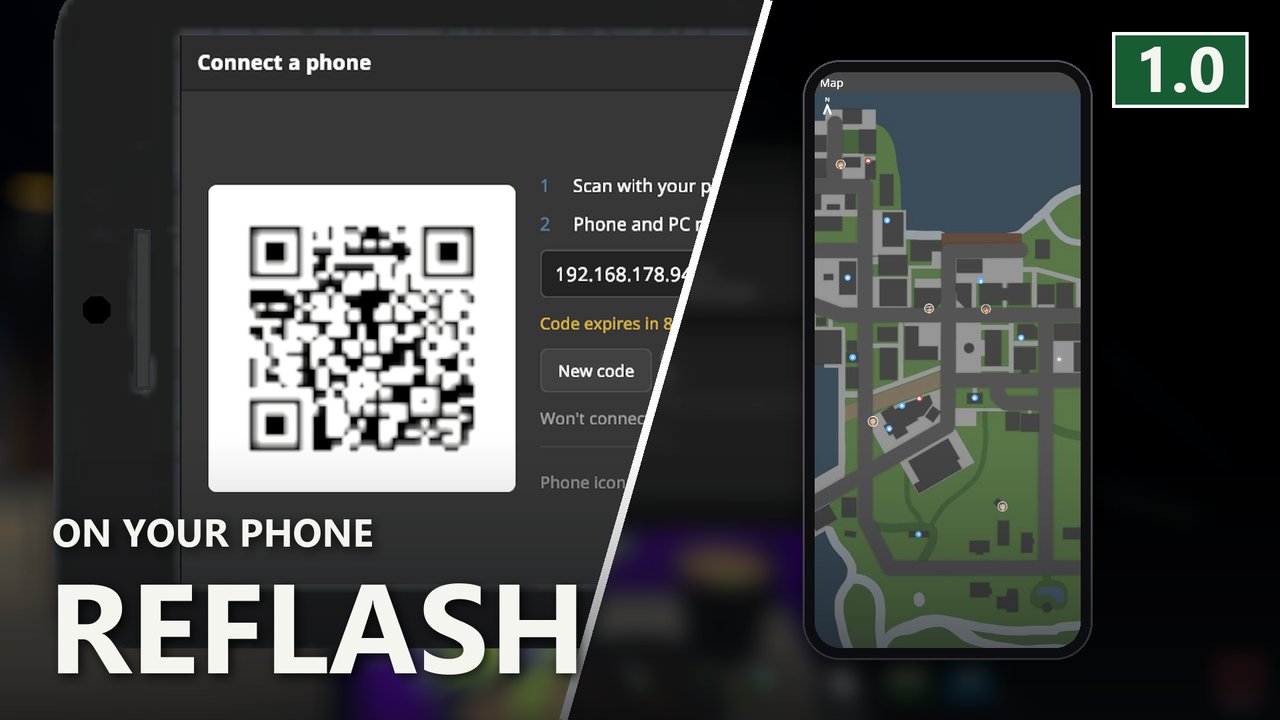
Put the in game phone on your real phone. Scan the code in the Connect app and messages, map, deliveries, products, dealers, contacts and the journal open on a second screen. Needs Sideload.
| Last updated | 8 hours ago |
| Total downloads | 6 |
| Total rating | 0 |
| Categories | Mods |
| Dependency string | DooDesch-Reflash-1.0.0 |
| Dependants | 0 other packages depend on this package |
This mod requires the following mods to function

LavaGang-MelonLoader
The World's First Universal Mod Loader for Unity Games compatible with both Il2Cpp and Mono
Preferred version: 0.7.3
DooDesch-Sideload
Write a mod interface as HTML, CSS and JavaScript. Sideload renders the web bundle into real Unity UI and puts it on the in game phone, so an app is three files instead of a thousand lines of panel code.
Preferred version: 1.33.6README
Reflash - the Schedule I phone, on your phone
🛟 Need help or found a bug? Get support at support.doodesch.de/reflash.
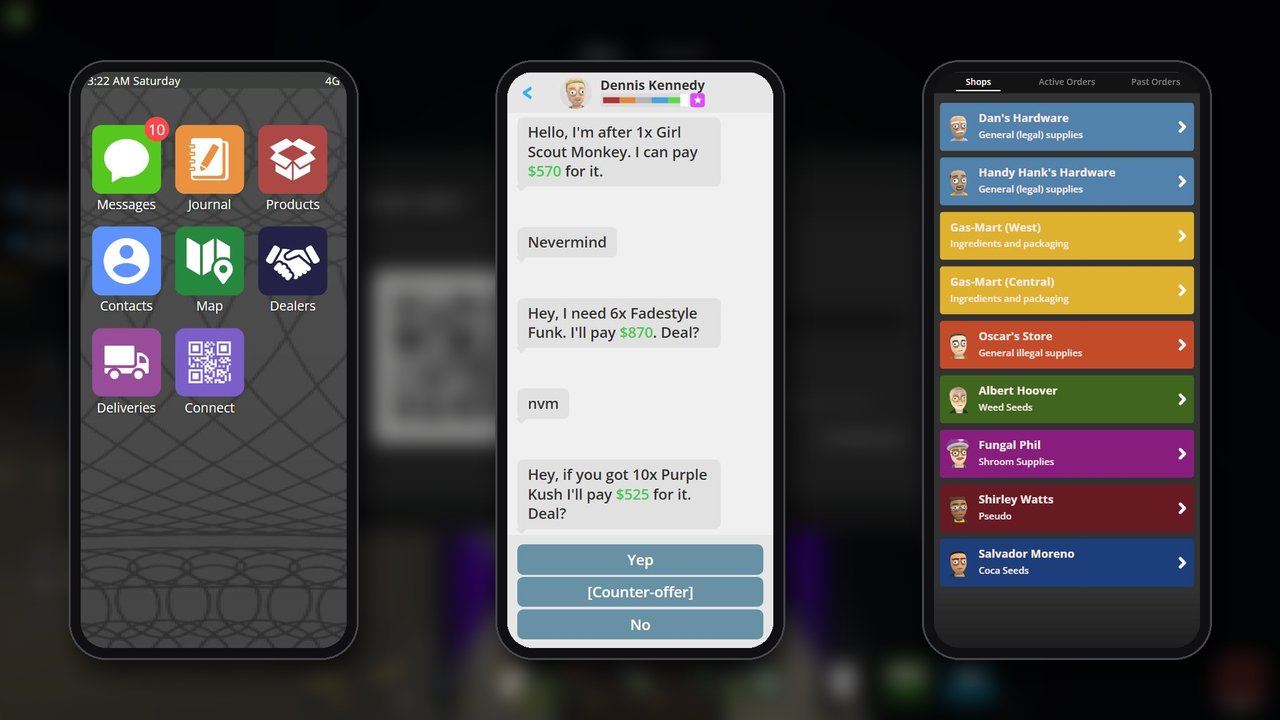
The seven apps on the in game phone, rebuilt as web pages and served to the phone in your pocket. Open Connect, scan the code, and messages, the map, deliveries, products, dealers, contacts and the journal are on a second screen - same save, same moment, while the game keeps the whole monitor.
Source + docs · Sideload · Support

How to use it
- Open Connect on the in game phone and press Turn on.
- Scan the QR code with your phone camera.
- That is it. Your phone is showing the phone.
The address is printed under the code as text too, for when a QR code across a room will not read.
What is on the second screen
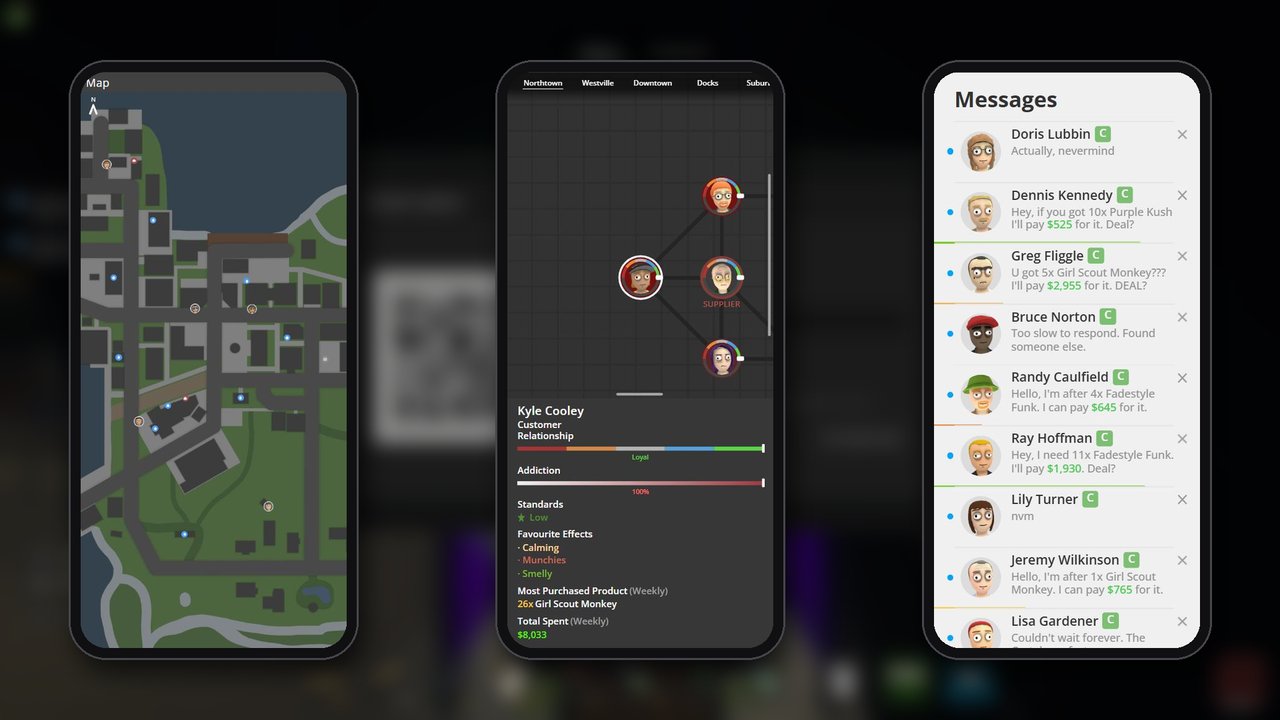
- Messages - every conversation, the thread, the replies, and the deal window with its clock.
- Map - the real map picture with the pins on it, dragged with a finger, pinched to zoom.
- Deliveries - the shops, their stock and prices, and an order you can place from the sofa.
- Products - your products, their effects in the game's own colours, and what they list for.
- Dealers - who you recruited, their region, their cut and how full their hands are.
- Contacts - the relationship graph, and a customer's standards, dependence and orders.
- Journal - the quests the game would show you, with their steps.
Every number is read from the same place the game's own screen reads it, and every action goes through the same server call, so an order placed from the sofa is an order, and co-op sees it the way it always did.
The in game phone stays the way it is
Reflash adds one icon and changes nothing else. The seven icons on the in game phone still open the game's own screens.
That is the plan, not a limitation. These screens are new, and a phone you are holding is a better place to find out what is wrong with them than the phone you rely on to play. They will move onto the in game phone one at a time, as each one earns it.
If you want them there now, the Connect app has a switch: Use these apps here too. No restart, and the same switch puts the originals back.
Screenshots
Before you install
- Needs Sideload
1.33.6or newer. A mod manager installs it with this one. - Your phone has to be on the same network as the PC. Guest Wi-Fi and mobile data both count as somewhere else.
- If the phone cannot reach it, Windows Firewall is the usual reason. Allow the game on private networks.
- The companion is off until you press the button in Connect, and nothing can use it without the code on screen. Installing the mod opens no port.
Settings
UserData/MelonPreferences.cfg, section Reflash_01_Main. You should not need to open it.
| Setting | Default | What it does |
|---|---|---|
ReplaceVanillaApps |
false |
Whether the in game icons open the Reflash apps. The Connect app switches this without a restart. |
Companion |
false |
Whether the server runs. Turning it on in Connect sets this, so it comes back next session. |
CompanionPort |
6180 |
The TCP port. Change it only if something else has that one. |
MIT licensed. Built on Sideload.
