
Please disclose if any significant portion of your mod was created using AI tools by adding the 'AI Generated' category. Failing to do so may result in the mod being removed from Thunderstore.
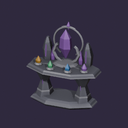
Runebound Storage
Search and move items across crystal-linked chests from one Runekeeper. Upgrade with Wizardry shards and extend your reach with relays.
By AjaySand
| Last updated | 8 hours ago |
| Total downloads | 13 |
| Total rating | 0 |
| Categories | Mods Server-side Client-side Utility Building AI Generated |
| Dependency string | AjaySand-Runebound_Storage-0.16.0 |
| Dependants | 0 other packages depend on this package |
This mod requires the following mods to function

Therzie-Wizardry
Fills the magical gap in vanilla Valheim with MANY unique extras!
Preferred version: 1.2.3
denikson-BepInExPack_Valheim
BepInEx pack for Valheim. Preconfigured with the correct entry point for mods and preferred defaults for the community.
Preferred version: 5.4.2360
ValheimModding-Jotunn
Jötunn (/ˈjɔːtʊn/, 'giant'), the Valheim Library was created with the goal of making the lives of mod developers easier. It enables you to create mods for Valheim using an abstracted API so you can focus on the actual content creation.
Preferred version: 2.30.3README
Runebound Storage for Valheim
Build a Runekeeper, mount a matching runestone on each chest you want to use, and open the Runekeeper to search and transfer items. The items stay in their original chests. Runebound Storage requires Jötunn and Therzie's Wizardry. Epic Loot adds the optional rarity filter.
Multiplayer
Install Runebound Storage through r2modman in your Valheim profile. For multiplayer, install the same version and its required mods on the server and every client. At a Runekeeper, use the inventory controls below to deposit, withdraw, or split stacks. Select a storage item and choose Find chest to mark its source for 20 seconds. The upgrade button consumes the displayed materials from your backpack. In a private solo game the Runekeeper continues to use the local inventories directly.
In multiplayer the server checks the character's distance to the Runekeeper, ward access, crystal pairing, tiers, active sectors and relay range. A chest in use through its ordinary inventory window is unavailable. The mod coordinates with the current owner before writing a chest and rechecks access after ownership changes. Valheim saves backpacks on the client, so this design assumes players use the matching, unmodified mod.
The first click queues a request for the next game tick. Further clicks can travel together while earlier requests are pending. The storage count updates on click. A pending marker on a storage row and a dim icon with a +quantity in the backpack show moves awaiting confirmation. Incoming items become usable when the server confirms and the character collects them. A player who takes the last stack first can cause that move to be refused. Other moves in the batch can still succeed.
On a dedicated server, a chest whose contents match its last saved inventory or journal entry can confirm a move as soon as its transfer record is on disk. The server keeps control of the chest until the changed inventory reaches a world save. Opening that chest directly can require a checkpoint. Newly linked chests, uncheckpointed native edits, Runekeeper upgrades, and transfers on listen servers use world-save confirmation. Each move has its own receipt. The character saves its inventory and pending transfers together. If you disconnect, rejoin the same server and world with the same character to resume the pending transfer. Keep room in your backpack to collect pending items. When backing up or migrating the server, include its savedir's RuneboundStorage/<world UID>/ directory alongside the world files. The directory contains the server's receipt identity and transfer history. Restoring the world, transfer history, and characters from different points in time can change item counts.
Build a storage room
Defeat Eikthyr in the current world to unlock the hammer pieces. Build the Runekeeper near a workbench for 10 wood, 4 stone, and 2 resin. Obtain an Elder Shard from a Greydwarf Mage for your first chest runestone.
- Use the hammer to choose the runestone for your chest. Aim at an exposed face of the chest and place it. Each chest takes one runestone.
- Keep the runestone within 12 metres of the Runekeeper or an active relay. Range is measured in three dimensions and passes through walls and floors.
- For a more distant chest, place a Runebound Relay within 12 metres of the Runekeeper and within 12 metres of the chest runestone. Relays can also reach another relay. Each relay in the chain needs a path back to the Runekeeper.
- Check the runestone. A steady glow means the chest is connected. Inactive runestones are gray and unlit. Hover over a gray runestone to see whether it needs a Runekeeper upgrade or is out of range. The connected black metal runestone glows blue.
| Chest | Runestone | Recipe | Wizardry shard source | Required Runekeeper upgrade |
|---|---|---|---|---|
| Wooden | Wood Runestone | 1 Elder Shard, 2 resin, 1 wood | Greydwarf Mage | Starting tier |
| Reinforced | Iron Runestone | 1 Bonemass Shard, 2 resin, 1 iron | Skeletal Mage | 2 Bonemass Shards and 4 iron |
| Black metal | Black Metal Runestone | 1 Yagluth Shard, 2 resin, 1 black metal | Fuling Mage | 2 Yagluth Shards and 4 black metal |
| Grausten | Grausten Runestone | 1 Queen Shard, 2 resin, 1 grausten | Corrupted Mage | 2 Queen Shards and 8 grausten |
A Runebound Relay costs 3 Elder Shards, 4 core wood, and 2 copper. Personal chests and the gold coin chest cannot take a runestone.
Upgrade the Runekeeper
Open the Runekeeper and choose its next runestone setting. The upgrade consumes materials from your backpack and applies to that Runekeeper. Each tier keeps access to earlier chest types. A mounted runestone in range comes online when the Runekeeper reaches its tier.
Existing pipe builds
When the local player comes within 12 metres of an old pipe, it drops the wood and Runebound Cord used in its recipe. Pick up those drops at the old pipe's position. Existing chests retain their contents and Runekeepers retain their upgrades. Mount a matching runestone on each chest you want the Runekeeper to reach.
Use the Runekeeper
- Open the Runekeeper to see occupied slots and total capacity across accessible chests.
- The storage grid shows one icon and a total for each item type across all connected chests. Hover over the storage panel and scroll down for the next page or up for the previous page. Items retain their individual quality, durability, and custom data.
- Ctrl-click a backpack slot to deposit its stack. Ctrl-click a storage icon to withdraw up to one normal stack of that type.
- Shift-click to use Valheim's split slider, then click where you want the split stack. Click any storage cell to deposit it or a backpack slot to place it there. On a grouped storage icon, the slider splits the largest individual stack.
- Click a stack to pick it up, then click a destination slot. Within the backpack, use ordinary inventory clicks to move, swap, or merge stacks.
