
Please disclose if any significant portion of your mod was created using AI tools by adding the 'AI Generated' category. Failing to do so may result in the mod being removed from Thunderstore.

DeepNorthStaffVisuals
The game's own visual effects (Frostfire, Thunderblood and more) on the Deep North staffs Echo Spike and Lightning Strike: press L to change the look. Client-side, visual only.
| Last updated | a week ago |
| Total downloads | 92 |
| Total rating | 2 |
| Categories | Mods Deep North Update AI Generated Gear Skins Client-side |
| Dependency string | Algo7-DeepNorthStaffVisuals-1.0.1 |
| Dependants | 0 other packages depend on this package |
This mod requires the following mods to function

denikson-BepInExPack_Valheim
BepInEx pack for Valheim. Preconfigured with the correct entry point for mods and preferred defaults for the community.
Preferred version: 5.4.2351README
DeepNorthStaffVisuals
End-game staffs shouldn't look plain. Give Echo Spike and Lightning Strike the game's own visual effects.
Available effects:
- Frostfire flames
- Thunderblood lightning
- Bleeding (Ashlands)
- Storming (Ashlands)
- Primal (Ashlands)
- Dyrnwyn's fire
- Frostner's frost
Visuals only. The mod only changes how the staff looks. No extra damage or effects, the staff works just like vanilla.
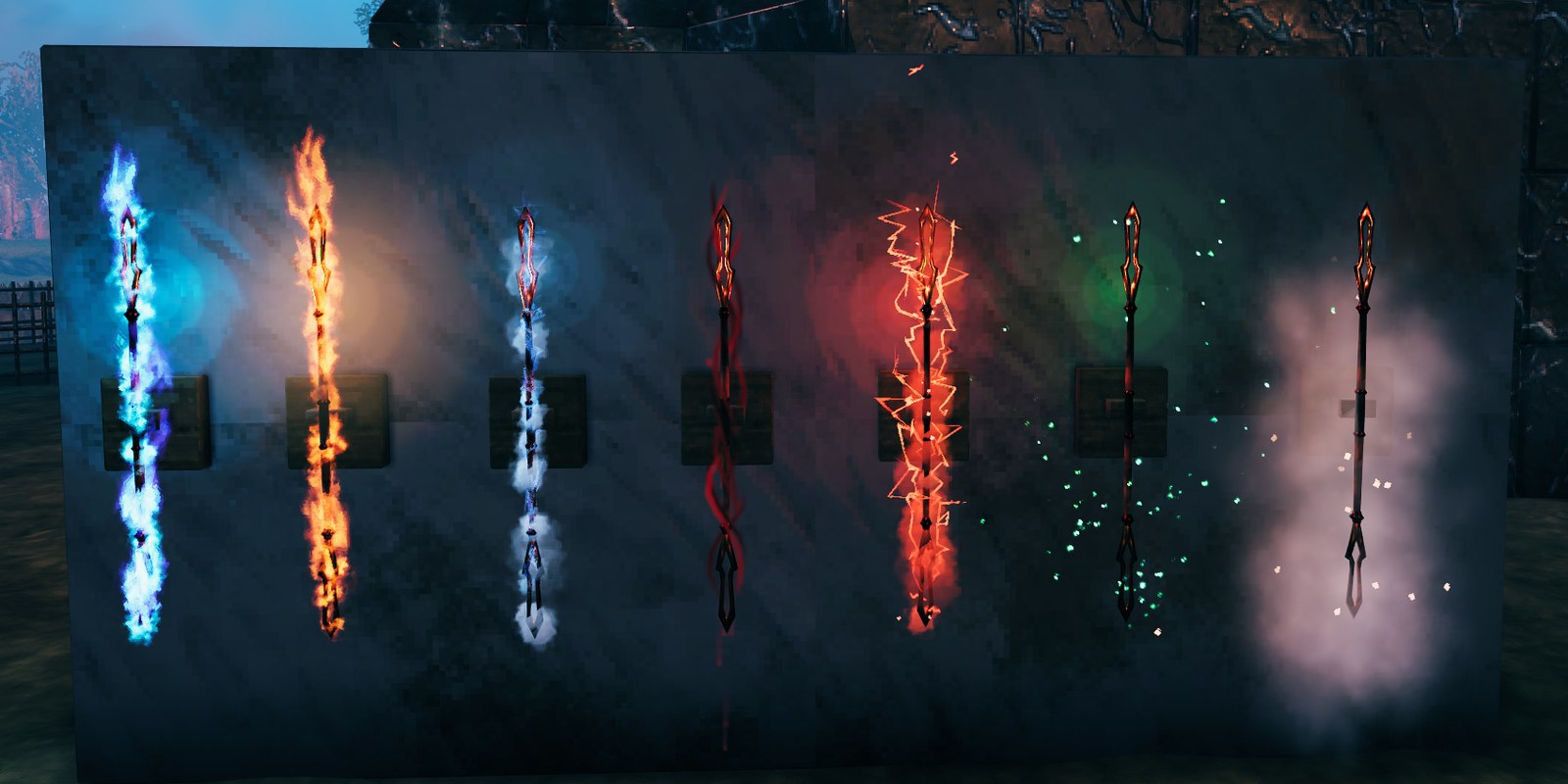
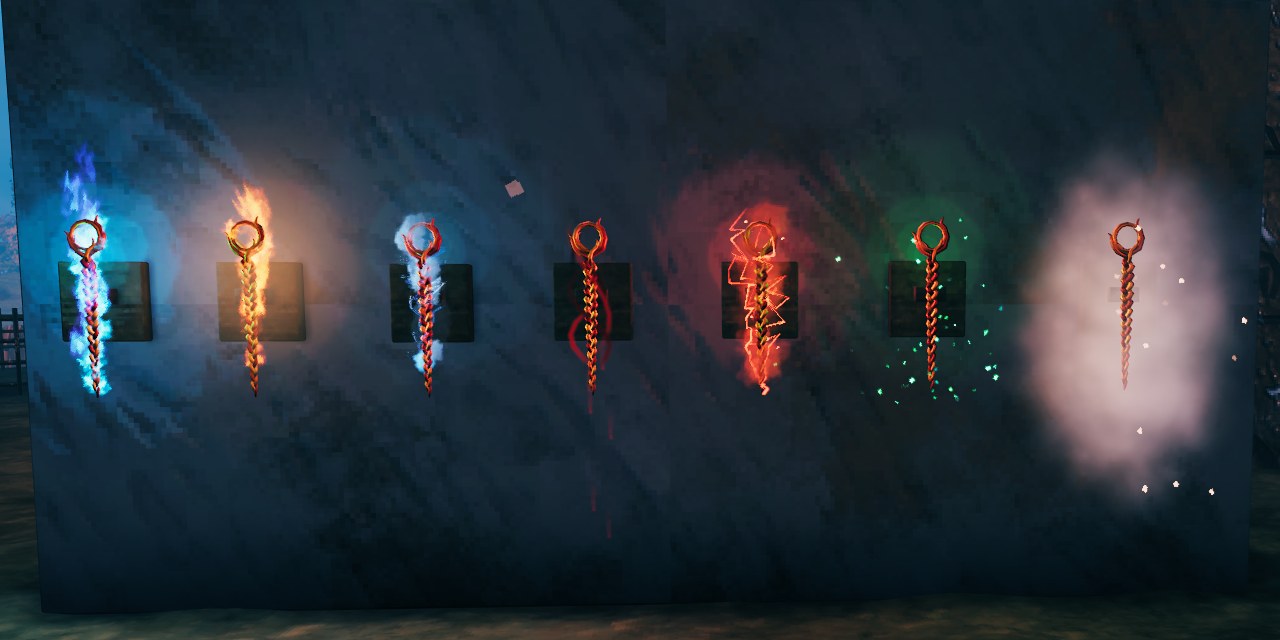
How to Use
- Equip a staff and press L to change its look. Each press shows the next one, then back to plain.
- Works on Echo Spike and Lightning Strike only.
- Each staff keeps its look: in chests, on item stands and armor stands, and on the ground.
- Upgrading gives you a new, plain staff. Press L to pick its look again.
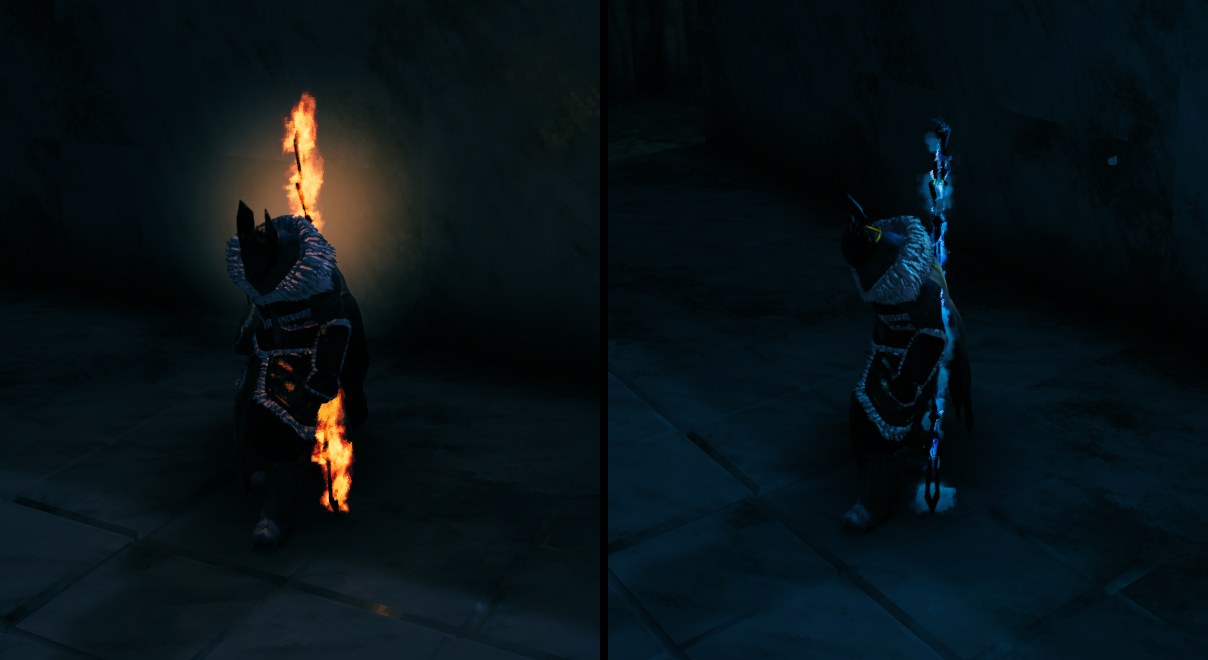
Multiplayer
Client-side only. Friends who also have the mod see your looks, and you see theirs. Friends without it see plain staffs.
Compatibility
- Built and tested for Valheim 1.0 (Deep North), on Linux, with no OS-specific code.
- It only adds effects to those two staffs, so it shouldn't clash with other mods, except ones that also change how they look.
- L taken by another mod? Change Change look key in your mod manager's config editor (file
algo7.deepnorthstaffvisuals.cfg). Installed by hand? The file is in<Valheim folder>/BepInEx/config/.
Uninstalling
Just remove it. Your staffs go back to plain. Each staff's look stays saved on it (the game ignores it), so reinstalling brings it back.
Links
- Available on Thunderstore and Hexium
- Source and bug reports: https://github.com/algo7/DeepNorthStaffVisuals (issues welcome)
- Changes: see the changelog
- Made with AI assistance.
- Built with BepInEx and HarmonyX. MIT license.
